
Produktas baigtasview
The WMF Clever & More Wine Bottle Thermometer is designed to accurately measure the temperature of wine directly on the bottle. This unique thermometer clips around a wine bottle, and its heat-sensitive band displays the wine's temperature within approximately one minute. Constructed from durable 18/10 satin steel, it offers a convenient and non-invasive method for checking wine temperature without needing to open the bottle.

Image: The WMF Clever & More Wine Bottle Thermometer attached to a red wine bottle, with a wine glass and cheese in the background.
Pagrindinės funkcijos:
- Wine Collar Thermometer: Designed to clip securely around a wine bottle.
- Quick Temperature Display: Shows wine temperature on a heat-sensitive band within approximately one minute.
- Patvari medžiaga: Made from high-quality 18/10 satin steel.
- Neinvazinis: Measures temperature without requiring the bottle to be opened.
Sąranka
The WMF Clever & More Wine Bottle Thermometer is designed for simple and immediate use. No assembly or battery installation is required.
- Unpack the Thermometer: Atsargiai išimkite termometrą iš pakuotės.
- Position on Bottle: Gently slide the thermometer collar onto the wine bottle. Ensure it sits snugly around the bottle's circumference, typically around the label area or slightly above.

Image: Two hands demonstrating how to place the thermometer collar onto a wine bottle.

Image: A diagram illustrating the correct method for placing the thermometer onto a bottle.
Naudojimo instrukcijos
Using the WMF Clever & More Wine Bottle Thermometer is straightforward:
- Pritvirtinkite prie butelio: As described in the Setup section, place the thermometer collar around the wine bottle.
- Laukite skaitymo: Allow approximately one minute for the thermometer to adapt to the wine's temperature. The heat-sensitive band will then display the current temperature.
- Skaitykite temperatūrą: Observe the numbers illuminated on the band. The illuminated number indicates the wine's temperature in degrees Celsius.

Image: The thermometer displaying temperature readings on a red wine bottle.
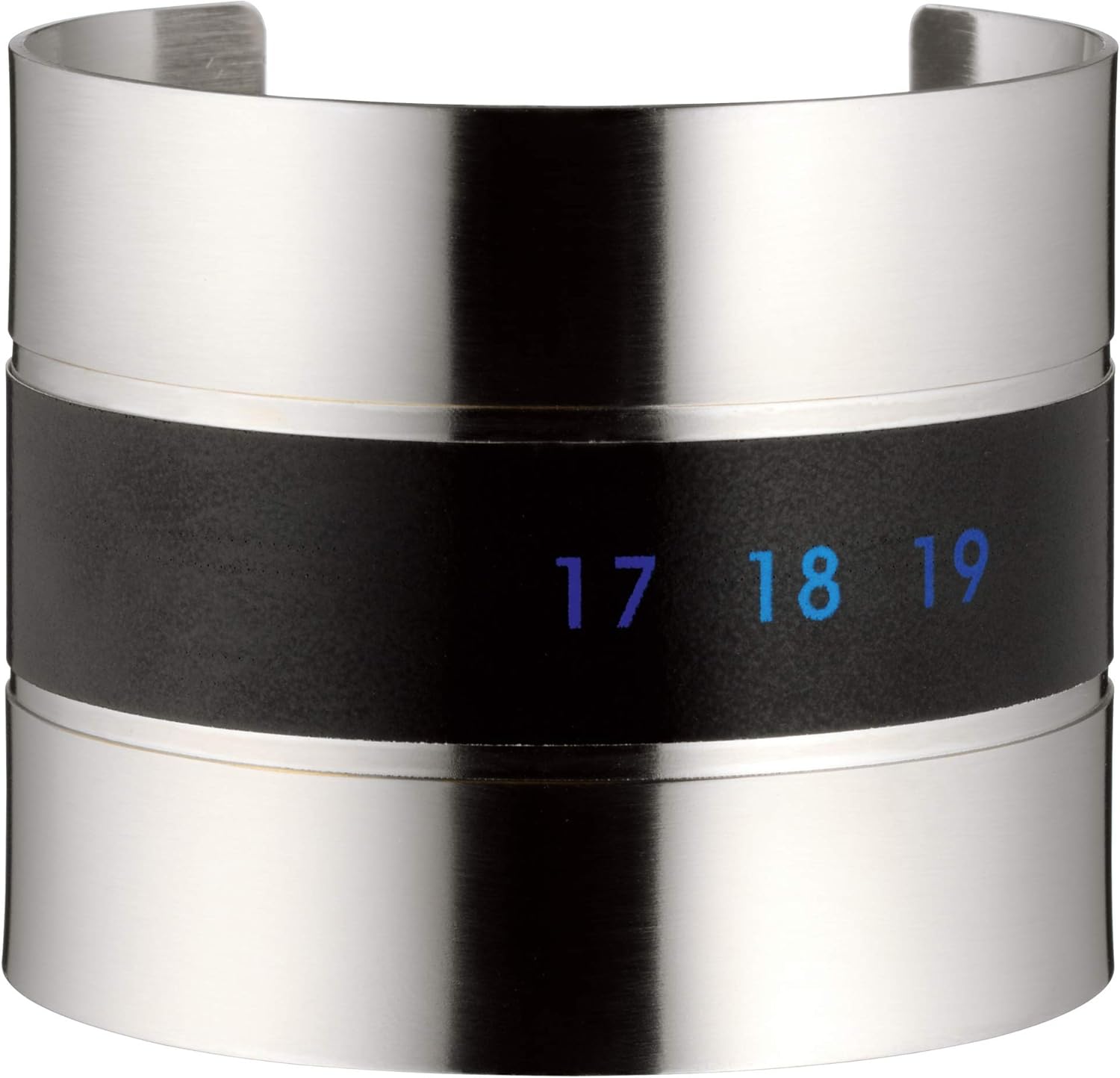
Vaizdas: Stambus planas view of the thermometer's display, showing specific temperature numbers.
The thermometer is suitable for various wine types, allowing you to serve them at their ideal temperatures.

Image: Three different wine bottles (white, rosé, red) each fitted with the thermometer, illustrating its versatility.
Priežiūra
To ensure the longevity and accuracy of your WMF Clever & More Wine Bottle Thermometer, follow these simple maintenance guidelines:
- Valymas: The thermometer is designed for easy cleaning. Simply wipe it clean with a soft, damp audinys.
- Saugykla: Nenaudojamą termometrą laikykite sausoje vietoje.
- Venkite stiprių cheminių medžiagų: Do not use abrasive cleaners or harsh chemicals, as these may damage the satin steel finish or the heat-sensitive band.
- Atsparus vandeniui savybė: The product is listed as waterproof, allowing for easy cleaning without concern for water damage to the internal components.
Trikčių šalinimas
If you encounter any issues with your WMF Clever & More Wine Bottle Thermometer, please refer to the following common solutions:
- No Temperature Display:
- Ensure the thermometer is securely clipped around the wine bottle and has full contact with the glass.
- Allow sufficient time (at least one minute) for the temperature to stabilize and display.
- Check if the ambient temperature is extremely high or low, which might affect the initial responsiveness of the heat-sensitive band.
- Netikslus temperatūros rodmuo:
- Verify that the thermometer is positioned correctly on the bottle, making good contact.
- Ensure the wine bottle has been at a stable temperature for some time before taking a reading. Rapid temperature changes (e.g., moving from a very cold to a warm environment) can cause temporary fluctuations.
- The thermometer displays in degrees Celsius. Ensure you are interpreting the reading correctly.
- Fizinė žala:
- If the thermometer appears physically damaged, especially the heat-sensitive band, its accuracy may be compromised. Contact customer support if the product is within its warranty period.
Specifikacijos
| Funkcija | Detalė |
|---|---|
| Prekės ženklas | WMF |
| Modelio pavadinimas | 658516030 |
| Medžiaga | 18/10 Satin Steel |
| Ypatinga funkcija | Atsparus vandeniui |
| Ekrano tipas | Analog (Heat-sensitive band) |
| Produkto priežiūros instrukcijos | Nuvalykite Švarus |
| Prekės svoris | 0.08 kilogramo |
| Reagavimo laikas | Approximately 1 minute (500 Milliseconds for display update once contact is made) |
| Naudojimas viduje / lauke | Vidinis |
Informacija apie garantiją
Specific warranty details for the WMF Clever & More Wine Bottle Thermometer are not provided in the available product data. Please refer to the product packaging or contact WMF customer support for information regarding warranty coverage and terms.
Pagalba klientams
For further assistance, inquiries, or to report any issues not covered in this manual, please contact WMF customer support. Contact information can typically be found on the product packaging or on the official WMF websvetainę.
You may also visit the official WMF website for product registration, FAQs, and additional resources: www.wmf.com