
1. Įvadas
This manual provides essential information for the safe and efficient operation of your Sharp Aquos LC42D64U 42-Inch 1080p LCD HDTV. Please read these instructions thoroughly before using your television and retain them for future reference. The Sharp Aquos D64 series offers a slim design, Full HD 1080p resolution, and advanced features for an enhanced viewpatirtį.
2. Svarbi saugos informacija
Naudodami šį televizorių, visada laikykitės pagrindinių saugos atsargumo priemonių, kad sumažintumėte gaisro, elektros smūgio ir sužalojimų riziką.
- Maitinimo šaltinis: Connect the TV only to the power supply indicated on the label.
- Vėdinimas: Užtikrinkite tinkamą vėdinimą. Neužblokuokite ventiliacijos angų.
- Vanduo ir drėgmė: Saugokite televizorių nuo lietaus ar drėgmės. Nestatykite ant televizoriaus daiktų, pripildytų skysčių.
- Valymas: Prieš valydami atjunkite televizorių nuo elektros lizdo. Naudokite minkštą, sausą šluostę.
- Aptarnavimas: Nemėginkite patys aptarnauti šio gaminio. Visą techninę priežiūrą patikėkite kvalifikuotam aptarnavimo personalui.
- Montavimas: If wall-mounting, ensure the mount is compatible and installed by qualified personnel.
- Vaikai: Prižiūrėkite vaikus, kad jie neliptų ant televizoriaus ar nežaistų su juo.
3. Kas yra dėžutėje
Prieš tęsdami sąranką, įsitikinkite, kad yra visi komponentai.
- Sharp Aquos LC42D64U 42-Inch LCD HDTV
- Nuotolinio valdymo pultas
- Stalo stovas
- Maitinimo laidas
- Vartotojo vadovas (šis dokumentas)
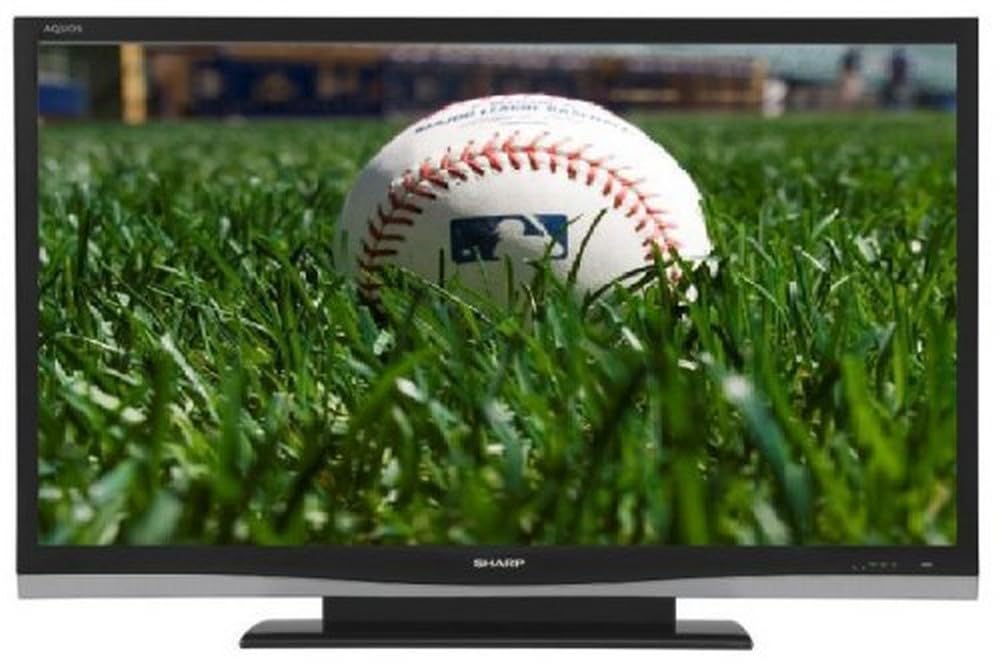
Vaizdas: priekis view of the Sharp Aquos LC42D64U 42-Inch LCD HDTV with its included table stand.
4. Sąranka
4.1 Stalo stovo pritvirtinimas
If you are not wall-mounting the television, attach the included table stand. Refer to the separate assembly guide for detailed instructions on securing the stand to the TV. Ensure all screws are tightened securely.
4.2 Išorinių įrenginių prijungimas
Connect your external devices (e.g., cable box, Blu-ray player, game console) to the appropriate input terminals on the rear or side of the TV.
- HDMI: For high-definition digital video and audio. The TV features three HDMI 1.3 inputs (two rear, one side).
- Component Video (Y, Pb, Pr): For high-definition analog video. Two inputs are available.
- Composite Video (A/V): For standard-definition analog video and audio. One side and one rear input.
- „S-Video“: For standard-definition video. One side and one rear input.
- PC Input (D-Sub 15-pin): Prijunkite kompiuterį, kad galėtumėte jį naudoti kaip monitorių.
- RF Antenna Inputs: Two inputs for connecting an antenna or cable TV.
- Ethernet prievadas: For network connectivity (DLNA).
4.3 Maitinimo jungtis
After connecting all desired devices, plug the power cord into the TV's power inlet and then into a wall outlet. The TV will enter standby mode.
5. Naudojimo instrukcijos
5.1 Pradinis įjungimas ir kanalų nustatymas
- Paspauskite GALIA button on the remote control or the TV to turn it on.
- The first time you power on, the TV will guide you through the initial setup process, including language selection and channel scanning.
- Select your preferred language (English, Spanish, or French).
- Perform an "Easy Setup" or "Channel Setup" scan to detect available digital (ATSC, QAM) and analog (NTSC) channels.
5.2 Pagrindinės nuotolinio valdymo pulto funkcijos
- GALIA: Turns the TV on or off (standby).
- INPUT: Cycles through available input sources (HDMI, Component, PC, etc.).
- CH +/-: Keičia kanalus.
- VOL +/-: Reguliuoja garsumą.
- MENIU: Accesses the on-screen menu for settings adjustments.
- RODYKLĖS MYGTUKAI: Naršykite meniu parinktis.
- Įveskite: Patvirtina pasirinkimus.
- EXIT/RETURN: Išeina iš meniu arba grįžta į ankstesnį ekraną.
5.3 Meniu naršymas ir nustatymai
Paspauskite MENIU button to access various settings categories:
- Paveikslėlis: Adjust brightness, contrast, color, tint, sharpness, and backlight. The OPC function automatically adjusts brightness based on room conditions.
- Garsas: Control volume, bass, treble, balance, and select audio modes.
- Kanalas: Rescan channels, add/delete channels, and set up favorite channels.
- Sąranka: General settings like language, time, sleep timer, and parental controls (V-Chip).
- Išplėstinės funkcijos: Access settings for DLNA, Picture-in-Picture, and AQUOS LINK.
6. Išplėstinės funkcijos
6.1 AQUOS LINK (HDMI-CEC)
AQUOS LINK allows convenient control of compatible Sharp devices connected via HDMI using just your AQUOS TV remote. Ensure connected devices also support HDMI-CEC (Consumer Electronics Control) and are enabled in their respective settings.
6.2 DLNA Compatibility
The TV is DLNA-compatible, enabling interoperability with other DLNA-certified electronics, computers, and mobile devices. Connect the TV to your home network via the Ethernet port to access and share digital content (photos, videos, music) from compatible devices on your network.
6.3 Vaizdas vaizde (PIP)
The Picture-in-Picture function allows simultaneous viewing of a TV program and a video or PC source. Consult the on-screen menu for PIP activation and source selection.
6.4 V-Chip System
The V-Chip system allows you to block TV and movie programs based on their rating, providing parental control over objectionable content. Access V-Chip settings through the TV's setup menu.
7. Priežiūra
7.1 Ekrano valymas
Švelniai nuvalykite ekraną minkštu, nepūkuotu skudurėliu. Jei dėmės sunkiai įveikiamos, švelniai nuvalykiteampnuvalykite šluostę vandeniu arba specializuotu ekrano valikliu. Negalima nenaudokite stiprių cheminių medžiagų, abrazyvinių valiklių arba purkškite skysčius tiesiai ant ekrano.
7.2 Spintos valymas
Wipe the TV cabinet with a soft, dry cloth. Avoid using solvents or abrasive materials.
7.3 Bendroji priežiūra
- Atjunkite televizorių nuo elektros tinklo žaibuojant arba kai jis ilgą laiką nenaudojamas.
- Laikykite televizorių atokiau nuo tiesioginių saulės spindulių, šilumos šaltinių ir per didelio dulkių kiekio.
- Ensure adequate space around the TV for proper ventilation.
8. Problemų sprendimas
Prieš kreipdamiesi į klientų aptarnavimo tarnybą, išbandykite šiuos dažniausiai pasitaikančių problemų sprendimus:
| Problema | Galimas sprendimas |
|---|---|
| Nėra galios | Patikrinkite, ar maitinimo laidas tvirtai prijungtas prie televizoriaus ir sieninio lizdo. Įsitikinkite, kad lizde yra elektros. |
| Nėra vaizdo, bet yra garsas | Patikrinkite, ar pasirinktas teisingas įvesties šaltinis. Patikrinkite kabelių jungtis su išoriniais įrenginiais. |
| Nėra garso, bet vaizdas yra | Check the volume level and mute setting. Ensure audio cables are correctly connected. |
| Nuotolinio valdymo pultas neveikia | Pakeiskite baterijas. Įsitikinkite, kad tarp nuotolinio valdymo pulto ir televizoriaus IR jutiklio nėra jokių kliūčių. |
| "Hotel Mode" issue (as per customer review) | If the TV is stuck in a limited functionality mode, contact Sharp customer support for assistance in disabling "Hotel Mode." This typically requires a specific service menu sequence. |
9. Specifikacijos
| Funkcija | Detalė |
|---|---|
| Modelio numeris | LC42D64U |
| Ekrano dydis | 42 colių |
| Ekrano technologija | LCD |
| Rezoliucija | 1080p (viskas viename) |
| Kontrasto santykis | 10,000:1 Dynamic |
| Reagavimo laikas | 4 milisekundės |
| HDMI prievadai | 3 (2 gale, 1 šonai) |
| Komponentinės vaizdo įvestys | 2 |
| Sudėtinės vaizdo įvestys | 3 (1 šonai, 2 galinis) |
| S-Video Inputs | 2 (1 šonai, 1 galinis) |
| PC įvestis | 1 (D-Sub 15-pin) |
| Ethernet prievadas | Taip |
| Tunerio tipas | ATSC, QAM, NTSC |
| Tėvų kontrolė | V formos lustas |
| Svoris | 70.2 svaro (apytiksliai) |
| Modelio metai | 2008 |
10. Garantija ir palaikymas
10.1 Ribota garantija
This Sharp Aquos LC42D64U television comes with a 1 Year Parts and 1 Year Labor Warranty from the date of original purchase. This warranty covers manufacturing defects in materials and workmanship under normal use. It does not cover damage caused by misuse, accident, modification, or unauthorized repair.
Išsaugokite pirkimo įrodymą, kad galėtumėte kreiptis dėl garantijos.
10.2 Pagalba klientams
For technical assistance, troubleshooting beyond this manual, or warranty service, please contact Sharp Customer Support. Refer to the contact information provided with your product documentation or visit the official Sharp websvetainę, kurioje pateikiama naujausia pagalbos informacija.
When contacting support, please have your model number (LC42D64U) and serial number ready.