
CAD Audio AMS-U7
CAD Audio USB U7 Boundary Omnidirectional Condenser Microphone User Manual
Model: AMS-U7
Įvadas
The CAD Audio USB U7 Boundary Omnidirectional Condenser Microphone is designed for clear audio capture in various settings, including home and office use. Its omnidirectional pickup pattern ensures 360-degree coverage, making it ideal for dictation, online meetings, and recording. This plug-and-play device offers high sensitivity and is compatible with both PC and Mac systems.

1 pav.: priekis view of the CAD Audio USB U7 microphone with its USB cable connected, showcasing its compact, triangular design.
Saugos informacija
- Saugokite mikrofoną nuo ekstremalių temperatūrų ar drėgmės.
- Venkite mikrofono numetimo ar stiprių smūgių.
- Keep the device away from liquids to prevent electrical shock or damage.
- Naudokite tik pridėtą USB laidą arba suderinamą pakaitinį laidą.
- Nebandykite ardyti ar modifikuoti mikrofono. Visus techninės priežiūros darbus patikėkite kvalifikuotiems specialistams.
Pakuotės turinys
Patikrinkite, ar pakuotėje yra visi reikalingi daiktai:
- CAD Audio USB U7 Boundary Omnidirectional Condenser Microphone
- 10 pėdų USB laidas
Sąranka
The CAD Audio USB U7 microphone is designed for simple plug-and-play operation. No additional drivers are typically required for most operating systems.
- Vieta: Place the microphone on a flat, stable surface, such as a desk or conference table. Its low-profile design allows for unobtrusive placement.
- Prijunkite USB kabelį: Insert the small end of the included 10-foot USB cable into the USB port on the microphone.
- Prisijunkite prie kompiuterio: Insert the standard USB-A end of the cable into an available USB port on your PC or Mac computer.
- Sistemos atpažinimas: Your computer's operating system should automatically detect and install the necessary drivers for the microphone. A blue LED indicator on the microphone will illuminate when it is powered and ready for use.
- Pasirinkite kaip įvesties įrenginį:
- „Windows“: Eikite į Garso nustatymai > Įvestis and select "CAD Audio USB U7" or similar as your input device.
- macOS: Eikite į Sistemos nuostatos > Garsas > Įvestis and select "CAD Audio USB U7" or similar.

2 pav.: Iš viršaus į apačią view of the CAD Audio USB U7 microphone, highlighting its triangular shape and the USB connection point.
Naudojimo instrukcijos
The U7 microphone is designed for optimal performance in various audio capture scenarios.
- Įvairios krypties paėmimas: The microphone features an omnidirectional pickup pattern, meaning it captures sound equally from all directions (360 degrees). This makes it suitable for recording multiple speakers around a table or capturing ambient sound.
- Speech Tailored Frequency Response: The U7's frequency response is specifically tailored for speech, ensuring clear and intelligible voice capture for dictation, online meetings, and voiceovers.
- Programos naudojimas: Once connected and selected as your input device, the microphone will work with any audio recording or communication software (e.g., Skype, Zoom, Microsoft Teams, voice recorders, dictation software).
- Stebėti garsą: Most software applications allow you to monitor the microphone's input level. Adjust the input gain within your software settings to prevent clipping (distortion) or ensure adequate volume.
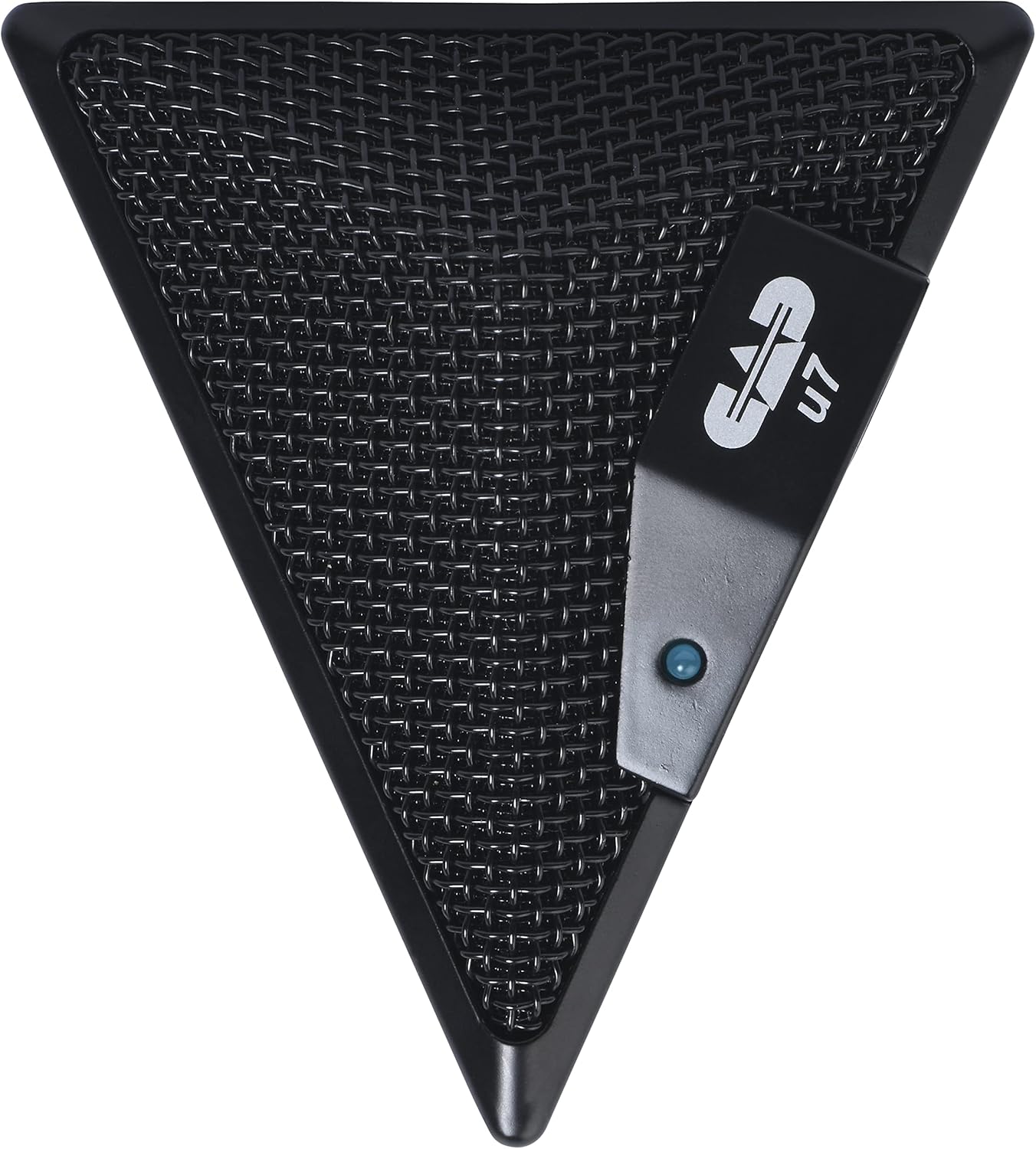
Figure 3: An overhead perspective of the CAD Audio USB U7 microphone, showing its mesh grille and the CAD U7 logo.
Priežiūra
- Valymas: Use a soft, dry cloth to clean the exterior of the microphone. Do not use abrasive cleaners, solvents, or chemical sprays.
- Saugykla: When not in use, store the microphone in a clean, dry environment, away from dust and extreme temperatures.
- Kabelio priežiūra: Venkite staigių USB kabelio lenkimų ar užlenkimų, kad nepažeistumėte jo vidaus.
Trikčių šalinimas
| Problema | Galima priežastis | Sprendimas |
|---|---|---|
| Microphone not detected / No sound input |
|
|
| Mažas garsumas arba prasta garso kokybė |
|
|
| Iškreiptas garsas |
|
|
Specifikacijos
| Modelio pavadinimas | CAD Audio U7 |
| Prekės modelio numeris | AMS-U7 |
| Ryšio technologija | USB |
| Jungties tipas | USB |
| Polinis raštas | Visakryptis |
| Mikrofono formos faktorius | Tik mikrofonas |
| Aparatinės įrangos platforma | PC, Mac compatible |
| Prekės svoris | 9.6 uncijos (apie 272 gramų) |
| Gaminio matmenys (I x P x A) | 6.2 x 8.5 x 3 colio (apytiksliai 15.7 x 21.6 x 7.6 cm) |
| Medžiaga | Plastikas, Metalas |
| Signalo ir triukšmo santykis | 78 dB |
| Maitinimo šaltinis | Laidinis elektrinis (maitinamas per USB) |
| Įtraukti komponentai | Mikrofonas, USB laidas |

4 pav. Apačia view of the CAD Audio USB U7 microphone, showing its textured base and mounting points.
Garantija ir palaikymas
Dėl garantijos informacijos ir techninės pagalbos kreipkitės į oficialią CAD Audio svetainę. websvetainėje arba susisiekite tiesiogiai su jų klientų aptarnavimo tarnyba. Išsaugokite pirkimo kvitą kaip pirkimo įrodymą garantijos pretenzijoms.
CAD garso oficialus Websvetainė: www.cadaudio.com
Dėl papildomos pagalbos taip pat galite kreiptis į produkto puslapis „Amazon“ svetainėje for additional resources and customer reviews.
Ask a question about this manual
Ask about setup, troubleshooting, compatibility, parts, safety, or missing instructions. Manuals+ will review the question and use this page’s manual context to help answer it.