
Įvadas
This manual provides essential information for the safe and efficient operation of your Brookstone iDesign Tower Stereo System. Please read this manual thoroughly before using the product and retain it for future reference.
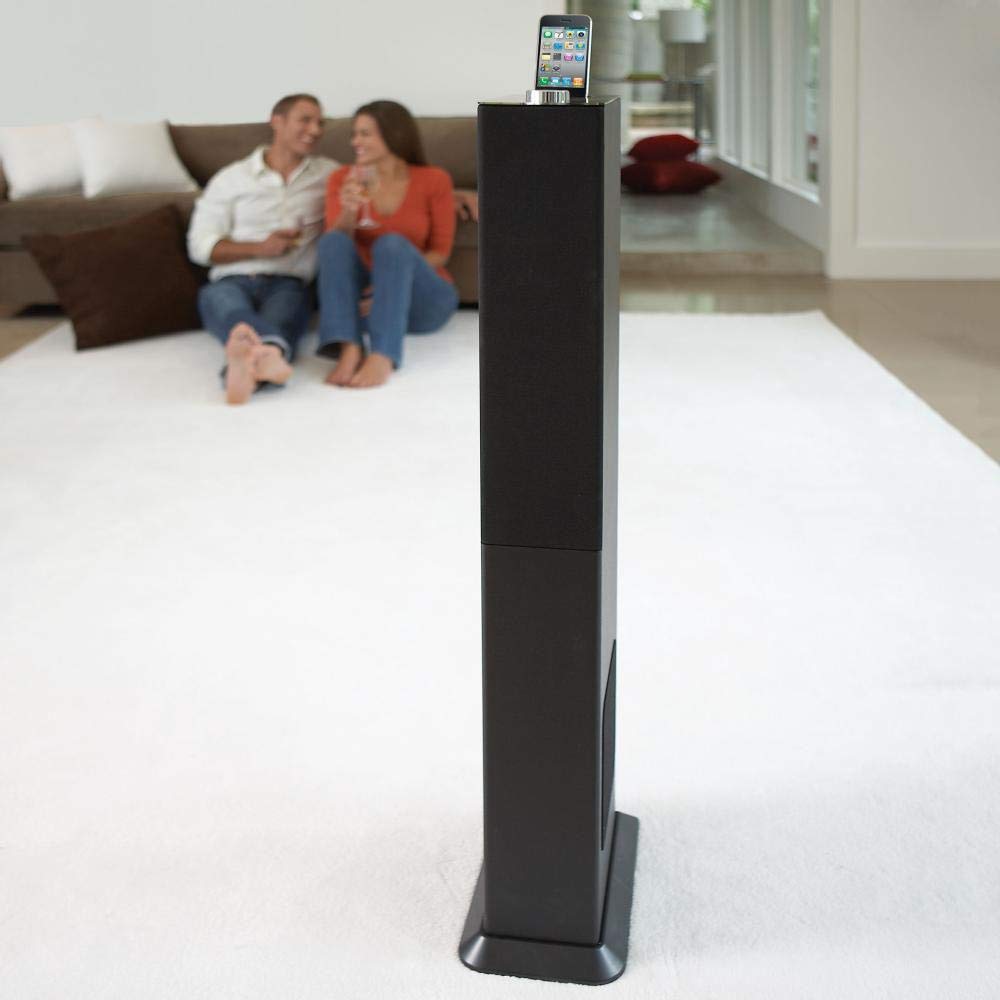
Image: The Brookstone iDesign Tower Stereo System, a tall, slender speaker unit designed for audio playback and device charging.
Saugos informacija
- Maitinimo šaltinis: Naudokite tik nurodytą maitinimo adapterį. Įsitikinkite, kad įtampatage atitinka jūsų vietinį maitinimo šaltinį.
- Vėdinimas: Neužblokuokite jokių ventiliacijos angų. Montuokite pagal gamintojo instrukcijas.
- Vanduo ir drėgmė: Saugokite šį prietaisą nuo lietaus ar drėgmės. Nestatykite ant prietaiso daiktų, pripildytų skysčių, pavyzdžiui, vazų.
- Šiluma: Nemontuokite šalia jokių šilumos šaltinių, pvz., radiatorių, šilumokaičių, viryklių ar kitų įrenginių (įskaitant ampkeltuvai), kurie gamina šilumą.
- Valymas: Valykite tik sausa šluoste.
- Aptarnavimas: Visą techninę priežiūrą patikėkite kvalifikuotam aptarnavimo personalui. Techninė priežiūra reikalinga, kai aparatas yra bet kokiu būdu pažeistas.
Pakuotės turinys
Prašome patikrinti, ar pakuotėje yra visi reikalingi daiktai:
- iDesign Tower Stereo System
- Nuotolinio valdymo pultas
- Maitinimo adapteris
- Vartotojo vadovas (šis dokumentas)
- Note: iPod/iPhone devices are not included.
Produktas baigtasview
The iDesign Tower Stereo System features a sleek design with integrated speakers and a docking station for compatible Apple devices. It includes a backlit on/volume knob and a remote control for convenient operation, delivering full, deep bass, crisp, clear highs, and warm middle tones.
Pagrindiniai komponentai:
- Garsiakalbių grotelės: Multi-angled speakers for room-filling sound.
- Docking Port: For iPod and iPhone devices (1st and 2nd generation iPod touch, iPod classic, 4th and 5th generation iPod nano, iPhone 3GS, iPhone 3G, iPhone).
- On/Volume Knob: Backlit control for power and volume adjustment.
- Pagalbinė įvestis: For connecting other audio devices (cable not included).
- Maitinimo įvestis: Maitinimo adapterio prijungimui.
- Nuotolinio valdymo pulto jutiklis: Priima signalus iš nuotolinio valdymo pulto.
Sąranka
1. Įdėjimas
Place the iDesign Tower Stereo System on a stable, flat surface. Ensure there is adequate space around the unit for proper ventilation. Avoid placing it in direct sunlight or near heat sources.
2. Maitinimo prijungimas
- Connect the power adapter cable to the Power Input port on the back of the iDesign Tower Stereo System.
- Įjunkite maitinimo adapterį į standartinį sieninį lizdą.
3. Device Docking (iPod/iPhone)
The system is designed for specific iPod and iPhone models:
- iPod touch (1st and 2nd generation)
- iPod classic
- iPod nano (4th and 5th generation)
- iPhone 3GS
- iPhone 3G
- iPhone
Carefully align your compatible iPod or iPhone device with the docking port and gently push it down until it is securely seated. The device will begin charging automatically when docked and the system is powered on.
4. Auxiliary Input (Optional)
To connect other audio devices (e.g., MP3 players, CD players) that are not compatible with the docking port, use a 3.5mm audio cable (not included) to connect the device's headphone output to the Auxiliary Input port on the iDesign Tower Stereo System.
Naudojimo instrukcijos
1. Maitinimo įjungimas/išjungimas
Press the On/Volume knob to turn the system on or off. The knob will illuminate when the system is powered on.
2. Garsumo valdymas
Rotate the On/Volume knob clockwise to increase the volume and counter-clockwise to decrease it. You can also adjust the volume using the remote control.
3. Šaltinio pasirinkimas
The system automatically detects a docked iPod or iPhone. If an auxiliary device is connected, you may need to select the input source using the remote control (if available) or by cycling through inputs with a dedicated button (refer to remote control section for details).
4. Nuotolinio valdymo pulto naudojimas
The included remote control allows you to manage playback functions (play, pause, skip tracks) and volume for your docked iPod or iPhone from a distance. Point the remote control towards the sensor on the front of the tower system.
5. Įkrovimo įrenginiai
When a compatible iPod or iPhone is docked and the system is powered on, the device will charge automatically.
Priežiūra
Valymas
Wipe the exterior of the system with a soft, dry cloth. Do not use liquid cleaners or aerosol sprays, as these may damage the finish or internal components. Ensure the system is unplugged before cleaning.
Sandėliavimas
If storing the system for an extended period, unplug it from the power outlet and store it in a cool, dry place, away from direct sunlight and extreme temperatures.
Trikčių šalinimas
| Problema | Galima priežastis | Sprendimas |
|---|---|---|
| Nėra galios | Neprijungtas maitinimo adapteris arba neveikia maitinimo lizdas. | Ensure power adapter is securely connected to the system and a working wall outlet. |
| Nėra garso iš prijungto įrenginio | Device not properly docked; volume too low; device not playing. | Re-seat the device in the dock. Increase system volume and device volume. Ensure music is playing on the device. |
| No sound from auxiliary input | Auxiliary cable not connected; incorrect source selected; volume too low. | Ensure auxiliary cable is securely connected. Select auxiliary input. Increase system and source device volume. |
| Nuotolinio valdymo pultas neveikia | Batteries dead; remote not pointed at sensor; obstruction. | Replace remote control batteries. Point remote directly at the sensor. Remove any obstructions between remote and system. |
| Įrenginys neįkraunamas | Device not compatible; system not powered on; device not properly docked. | Verify device compatibility (see Setup section). Ensure system is powered on. Re-seat the device in the dock. |
Specifikacijos
- Modelis: B003YB9T2C
- Prekinis ženklas: Brookstone
- Pakuotės matmenys: 42.6 x 14 x 8.6 colio
- Prekės svoris: 28.3 svaro
- Pirmas prieinamas: 10 m. kovo 2010 d
- Suderinamumas: iPod touch (1st/2nd gen), iPod classic, iPod nano (4th/5th gen), iPhone 3GS, iPhone 3G, iPhone.
Garantija ir palaikymas
Informacijos apie garantiją ir klientų aptarnavimą ieškokite prie pirkinio pridėtoje dokumentacijoje arba apsilankykite oficialioje „Brookstone“ svetainėje. websvetainėje. Išsaugokite pirkimo įrodymą garantiniams reikalavimams.
"Made for iPod" and "Made for iPhone" mean that an electronic accessory has been designed to connect specifically to iPod or iPhone, respectively, and has been certified by the developer to meet Apple performance standards. Apple is not responsible for the operation of this device or its compliance with safety and regulatory standards. Please note that the use of this accessory with iPod or iPhone may affect wireless performance.