
Įvadas
This manual provides detailed instructions for the proper use and care of your Calypso K5571/1 digital watch. Please read this manual thoroughly to ensure optimal performance and longevity of your timepiece. Keep this manual for future reference.
Sąranka
1. Pradinis laiko ir datos nustatymas
Your Calypso K5571/1 watch features a digital display. To set the time and date:
- Paspauskite REŽIMAS mygtuką (dažniausiai apačioje kairėje), kol bus parodytas laiko nustatymo režimas (dažnai jį rodo mirksintys skaitmenys).
- Naudokite ADJ or NUSTATYTI button (usually top left or right) to select the digit you wish to change (hours, minutes, year, month, day).
- Naudokite START/STOP or ŠVIESA button (usually top right or bottom right) to adjust the selected digit up or down.
- Repeat steps 2 and 3 until the correct time and date are set.
- Paspauskite REŽIMAS mygtuką dar kartą, kad išeitumėte iš nustatymo režimo.
2. Informacija apie akumuliatorių
The Calypso K5571/1 watch is powered by a battery. When the display becomes dim or functions become erratic, it indicates a low battery. Battery replacement should be performed by a qualified watch technician to ensure water resistance is maintained.
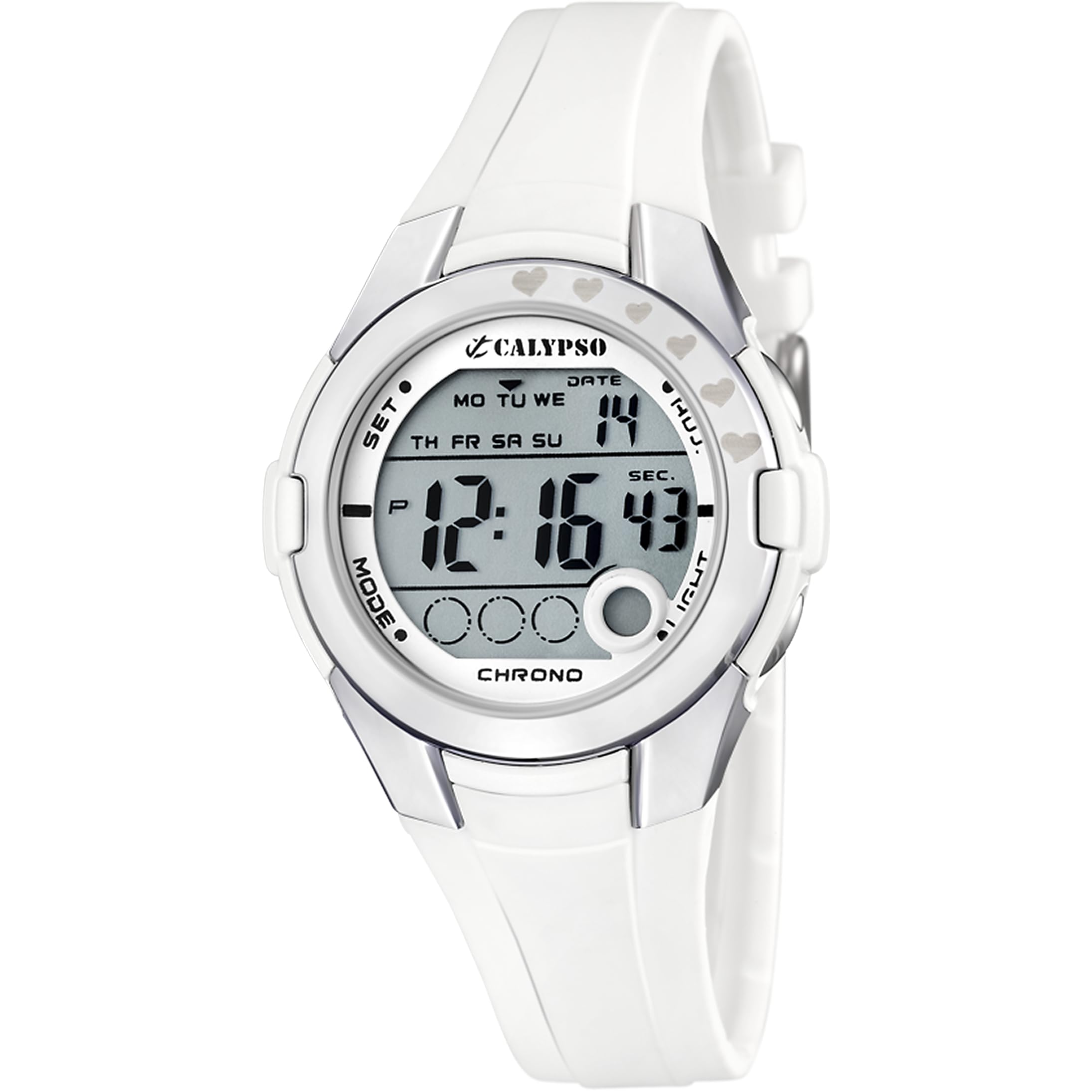
Figure 1: Calypso K5571/1 Digital Watch. This image shows the watch face and strap, illustrating its design.
Laikrodžio valdymas
1. Time Display Modes
Your watch typically displays time in a 12-hour or 24-hour format. Use the REŽIMAS button to cycle through different display modes such as time, date, alarm, and stopwatch.
2. Stopwatch Function (Chronomètre)
Norėdami naudoti chronometrą:
- Paspauskite REŽIMAS button until the stopwatch display appears (usually showing "00:00:00").
- Paspauskite START/STOP mygtuką, kad pradėtumėte laiko matavimą.
- Paspauskite START/STOP again to pause or stop the timing.
- Paspauskite RESET mygtukas (dažnai ADJ or ŠVIESA button in stopwatch mode) to clear the stopwatch to zero.
3. Backlight Function (Eclairage)
Norėdami apšviesti ekraną esant prastam apšvietimui, paspauskite ŠVIESA mygtuką. Foninis apšvietimas paprastai dega kelias sekundes.
4. Atsparumas vandeniui
The Calypso K5571/1 watch is water-resistant up to 100 meters (10 ATM). This means it is suitable for swimming, showering, and snorkeling. It is ne suitable for scuba diving or high-impact water sports. Do not operate buttons while the watch is submerged in water, as this can compromise the water seal.
Priežiūra
1. Laikrodžio valymas
The watch features a polyurethane strap and a mineral glass dial window. To clean your watch:
- Nuvalykite laikrodžio korpusą ir dirželį minkšta,amp audinys.
- Įsisenėjusiam purvui naudokite švelnų muilo tirpalą ir kruopščiai nuplaukite švariu vandeniu.
- Avoid using harsh chemicals, solvents, or abrasive cleaners, as these can damage the watch's finish and materials.
- Prieš vėl dėvėdami laikrodį, įsitikinkite, kad jis visiškai sausas.
2. Baterijos keitimas
When the battery needs replacement, it is recommended to take your watch to an authorized Calypso service center or a reputable watch repair shop. This ensures that the correct battery type is used and the water resistance seal is properly re-installed.
3. Atsparumo vandeniui priežiūra
Norėdami išlaikyti savo laikrodžio atsparumą vandeniui:
- Avoid exposing the watch to extreme temperature changes (e.g., hot shower followed by cold water).
- Nespauskite jokių mygtukų, kai laikrodis yra šlapias arba panardintas.
- Have the water resistance seals checked periodically, especially if the watch is frequently exposed to water.
Trikčių šalinimas
| Problema | Galima priežastis | Sprendimas |
|---|---|---|
| Ekranas tuščias arba blankus. | Senka baterija. | Pakeiskite bateriją. |
| Laikas neteisingas. | Laikas nustatytas neteisingai arba pakeistas netyčia. | Refer to the "Initial Time and Date Setting" section to reset the time. |
| Mygtukai nereaguoja. | Laikrodis gali būti užrakintas arba baterija labai išsikrovusi. | Pabandykite paspausti REŽIMAS button to cycle through modes. If unresponsive, consider battery replacement. |
| Kondensatas laikrodžio viduje. | Pažeistas atsparumas vandeniui. | Nedelsdami nuvežkite laikrodį į techninės priežiūros centrą, kad išvengtumėte tolesnių pažeidimų. |
Specifikacijos
| Funkcija | Detalė |
|---|---|
| Modelio numeris | K5571 |
| Ekrano tipas | Skaitmeninis |
| Judėjimo tipas | Kvarcas |
| Vandens atsparumo gylis | 100 metrų (10 bankomatai) |
| Juostos medžiagos tipas | Poliuretanas |
| Korpuso medžiagos tipas | Nerūdijantis plienas |
| Skaitiklio lango medžiagos tipas | Mineralinis stiklas |
| Korpuso skersmuo | 38 milimetrų |
| Juostos plotis | 22.1 milimetrų |
| Korpuso storis | 13 milimetrų |
| Prekės svoris | 32 gramų |
| Ypatingos savybės | Backlight, Stopwatch |
| Maitinimo šaltinis | Maitinamas baterijomis |
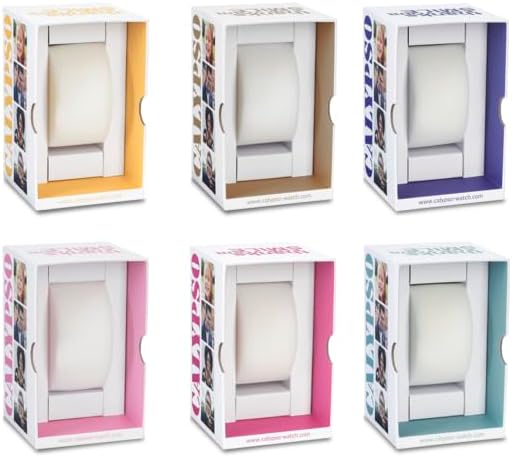
2 pav. Pvzample Calypso watch packaging. The watch comes in a protective box, which may vary in color.
Informacija apie garantiją
Your Calypso K5571/1 watch is covered by a manufacturer's warranty against defects in materials and workmanship. The specific terms and duration of the warranty may vary by region. Please refer to the warranty card included with your purchase or visit the official Calypso websvetainėje, kur rasite išsamią informaciją.
Garantija paprastai netaikoma:
- Žala, atsiradusi dėl netinkamo naudojimo, nelaimingų atsitikimų ar neautorizuoto remonto.
- Normal wear and tear of the strap, case, or crystal.
- Baterijos veikimo laikas.
Pagalba klientams
If you encounter any issues or have questions regarding your Calypso K5571/1 watch that are not addressed in this manual, please contact Calypso customer support or visit their official website for assistance. You may find contact information on the product packaging or the warranty card.
Norėdami gauti daugiau informacijos, galite apsilankyti Calypso Watches official websvetainę.