
Įvadas
The Line 6 HS70 is an adjustable headset microphone designed for use with Line 6 XD-series TBP06 and TBP12 beltpack transmitters. It features an integrated, compact omni-directional condenser microphone with a cardioid polar pattern, engineered to resist feedback and minimize background noise. A windscreen is included for optimal performance.
Kas yra dėžutėje
- HS70 ausinių mikrofonas
- Windscreen (pre-installed or separate)
Produktas baigtasview

1 pav.: priekis view of the Line 6 HS70 Digital Wireless Headset Microphone, showing the headset frame, microphone boom, and connector cable.
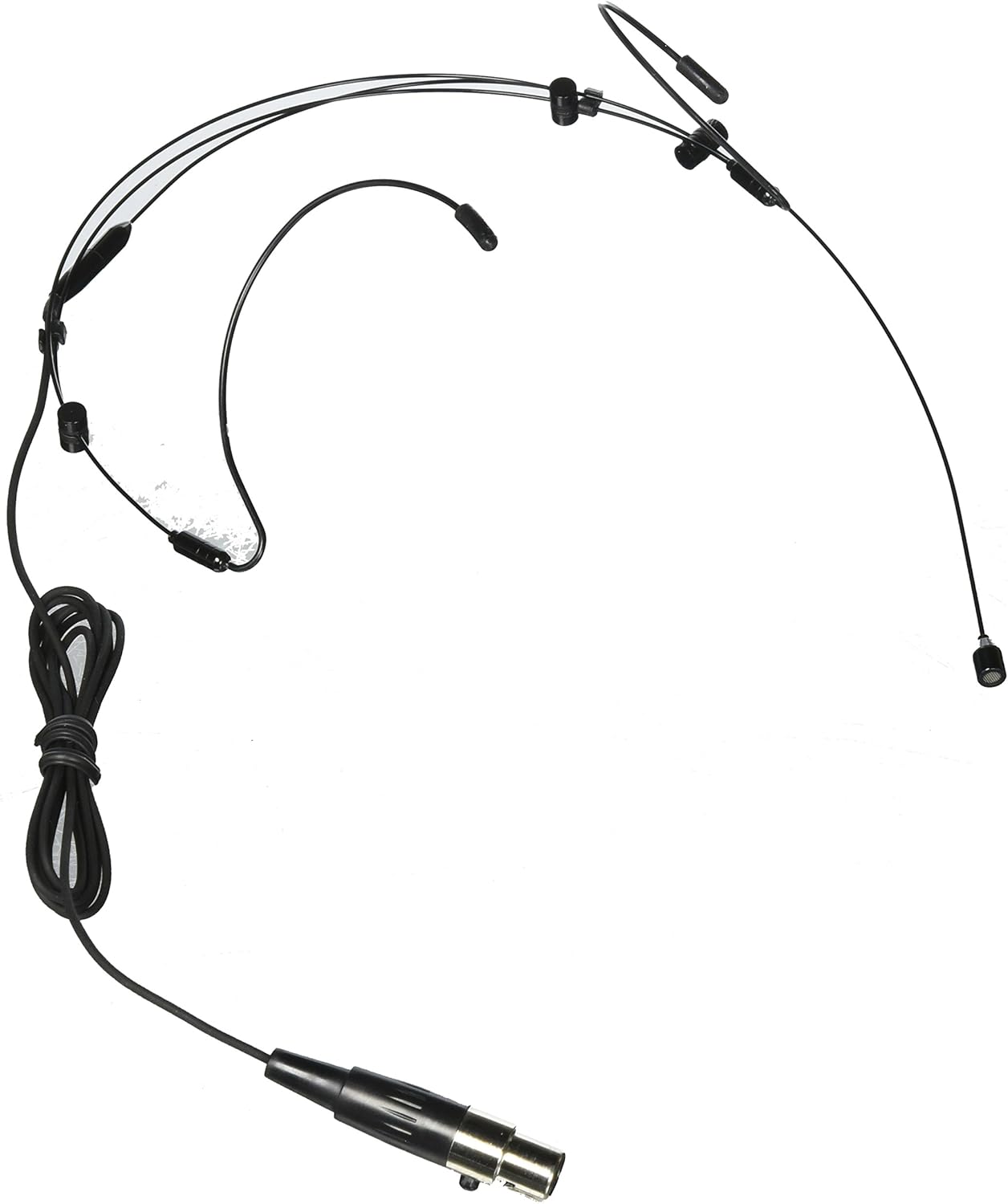
2 pav.: Kampinis view of the Line 6 HS70 Digital Wireless Headset Microphone, highlighting the flexible boom and ear hooks.
Sąranka
1. Connecting the HS70
- Ensure your Line 6 XD-series TBP06 or TBP12 beltpack transmitter is powered off.
- Locate the microphone input jack on your beltpack transmitter.
- Carefully insert the HS70's connector into the beltpack's input jack until it clicks securely into place. Do not force the connection.
- Once connected, you can power on your beltpack transmitter.
2. Ausinių dėvėjimas
- Gently place the headset over your head, ensuring the ear hooks rest comfortably behind your ears.
- Adjust the headband for a secure yet comfortable fit. The headset should feel stable without causing pressure.
- Position the microphone boom so that the microphone capsule is approximately 1-2 inches (2.5-5 cm) from the corner of your mouth. This optimal distance helps capture clear audio and minimize breath sounds.
- Ensure the microphone capsule is not directly in front of your mouth, which can cause plosive sounds (P, B, T).
Veikiantis
1. Įjungimas/išjungimas
The HS70 microphone draws power directly from the connected Line 6 XD-series beltpack transmitter. To operate the microphone, ensure your beltpack is powered on. To power off the microphone, simply power off the beltpack transmitter.
2. Adjusting Microphone Position
The HS70 features a flexible microphone boom. During use, you may need to make minor adjustments to the microphone's position to maintain optimal sound quality. If you move or change your posture, re-check the microphone's distance and angle from your mouth.
Priežiūra
1. Valymas
- Disconnect the headset from the beltpack before cleaning.
- Use a soft, dry cloth to wipe down the headset frame and cable.
- For the microphone capsule and windscreen, use a slightly damp cloth (water only) and gently wipe. Avoid excessive moisture.
- Do not use harsh chemicals, solvents, or abrasive cleaners, as these can damage the microphone's components.
2. Sandėliavimas
- Store the HS70 in a clean, dry environment, away from extreme temperatures and humidity.
- Avoid tightly coiling the cable or bending the microphone boom sharply, as this can cause damage over time.
- If possible, use the original packaging or a protective case for storage and transport.
Trikčių šalinimas
- Nėra garso:
- Ensure the HS70 is securely connected to the beltpack transmitter.
- Verify the beltpack transmitter is powered on and has fresh batteries (if applicable).
- Check that the wireless receiver is powered on and properly paired with the beltpack.
- Confirm the audio output from the receiver is connected to your mixer or amplifier and that volume levels are appropriate.
- Atsiliepimai (aukšto tono cypimas):
- Reposition the microphone capsule further from any loudspeakers or monitors.
- Reduce the gain on your mixer or the input sensitivity on your beltpack/receiver.
- Ensure the microphone is positioned correctly, not too far from your mouth, and not pointing directly at speakers.
- Pertraukiamas garsas arba garso nutrūkimai:
- Check the distance between the beltpack transmitter and the wireless receiver. Ensure it is within the recommended operating range.
- Ensure there are no large metallic objects or other wireless devices causing interference between the transmitter and receiver.
- Verify the wireless channel is clear and free from other strong radio frequency signals.
Specifikacijos
| Modelio pavadinimas | HS70 |
| Modelio numeris | 98-033-0028 |
| Prekės ženklas | 6 eilutė |
| Polinis raštas | Omnidirectional (Cardioid) |
| Ryšio technologija | Wireless (via compatible Line 6 beltpack) |
| Suderinami įrenginiai | Line 6 XD-series TBP06 and TBP12 beltpack transmitters |
| Medžiaga | Stainless Steel (frame/components) |
| Prekės svoris | 1.06 uncijos (0.03 kilogramo) |
| Gaminio matmenys | 12 x 6 x 3 colio |
| Signalo ir triukšmo santykis | 76 dB |
Garantija ir palaikymas
Line 6 products are covered by a limited warranty. For detailed warranty information, please refer to the warranty card included with your product or visit the official Line 6 website. For technical support, product registration, or service inquiries, please contact Line 6 customer support through their official channels.