
1. Įvadas
This manual provides detailed instructions for the safe and effective use of the PeakTech P 4980 Dual Laser Pointer IR Thermometer. This device is designed for non-contact temperature measurements across a wide range, from -50 to +800 °C. It features dual laser pointers for precise targeting of the measurement area. Please read this manual thoroughly before operating the device and keep it for future reference.
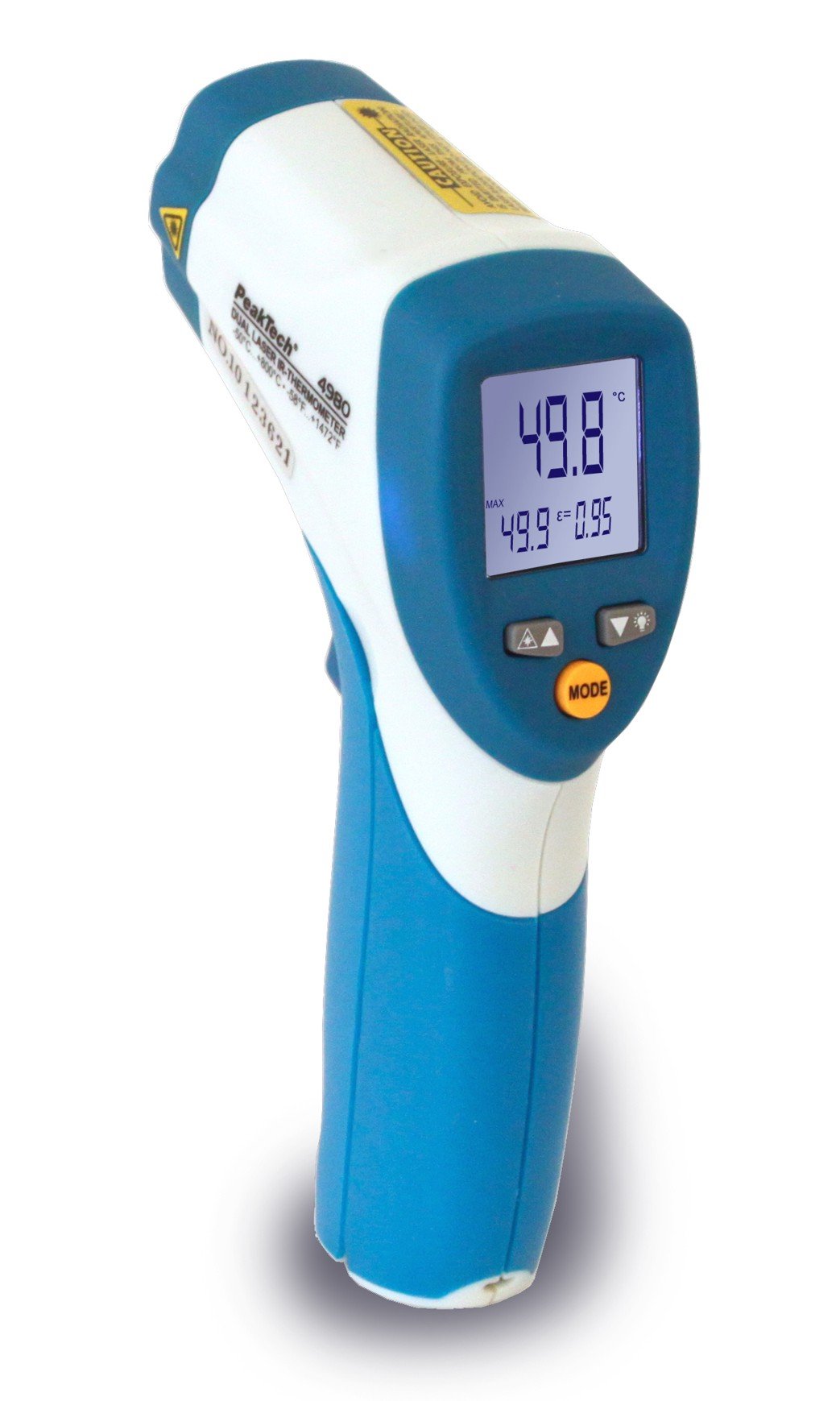
Image 1.1: The PeakTech P 4980 Dual Laser Pointer IR Thermometer, showing its ergonomic design and display.
2. Saugos informacija
Always observe the following safety precautions to prevent injury and avoid damage to the device:
- Lazerio sauga: This device uses Class 2 lasers. Do not stare directly into the laser beam or direct it at people or animals. Avoid direct eye exposure.
- Veikimo aplinka: Do not use the thermometer in environments with explosive gases, vapor, or dust.
- Temperatūros ribos: Do not expose the device to extreme temperatures outside its specified operating range.
- Priežiūra: Remontą turėtų atlikti tik kvalifikuoti darbuotojai. Nebandykite modifikuoti įrenginio.
- Valymas: Valymui naudokite minkštą, sausą šluostę. Nenaudokite abrazyvinių valiklių ar tirpiklių.
- Baterijos valdymas: Ensure correct battery polarity. Remove batteries if the device will not be used for an extended period. Dispose of batteries according to local regulations.
3. Produkto ypatybės
The PeakTech P 4980 offers advanced features for accurate and convenient temperature measurement:
- Dvigubi lazeriniai rodyklės: Provides precise targeting, indicating the exact measurement spot.
- Platus temperatūros diapazonas: Measures temperatures from -50 °C to +800 °C (-58 °F to +1472 °F).
- Nekontaktinis matavimas: Safely measure hot, hazardous, or hard-to-reach surfaces.
- LCD ekranas: Clear digital display for easy reading of temperature values.
- Reguliuojamas spinduliavimas: Allows for accurate measurements on various surface types (refer to operating instructions for details).
- Duomenų sulaikymo funkcija: Sustabdo rodomą rodmenį, kad būtų lengviau jį įrašyti.
- Foninis apšvietimas: Improves visibility in dimly lit conditions.
- Automatinis išjungimas: Taupo baterijos veikimo laiką.
4. Sąranka
4.1 Akumuliatoriaus įdėjimas
- Locate the battery compartment cover on the handle of the device.
- Atidarykite dangtelį jį pastumdami arba atlaisvindami.
- Insert the included battery, ensuring correct polarity (+ and - terminals).
- Saugiai uždarykite akumuliatoriaus skyriaus dangtelį.
4.2 Įjungimas / išjungimas
- To power on the device, press the trigger. The display will illuminate.
- Įrenginys automatiškai išsijungs po neveiklumo laikotarpio, kad taupytų akumuliatoriaus veikimo laiką.
5. Naudojimo instrukcijos
5.1 Matavimo atlikimas
- Nukreipkite termometrą į matuojamą paviršių.
- Press and hold the trigger. The dual laser pointers will activate, indicating the measurement area.
- The measured temperature will be displayed on the LCD.
- Release the trigger to hold the reading on the display (Data Hold function).
5.2 Distance-to-Spot Ratio
The accuracy of the measurement depends on the distance-to-spot ratio. Ensure the target area is larger than the measurement spot size at your chosen distance. The dual lasers help define this spot.
5.3 Emisijos reguliavimas
Different materials emit infrared energy differently. For accurate readings, adjust the emissivity setting to match the surface being measured. Consult a standard emissivity table for common materials. The P 4980 allows adjustment via dedicated buttons (refer to device interface for specific controls).
5.4 Matavimo vienetų pasirinkimas (°C/°F)
To switch between Celsius (°C) and Fahrenheit (°F), locate the unit selection button (usually labeled '°C/°F' or similar) and press it. The display will change accordingly.
6. Priežiūra
6.1 Prietaiso valymas
- Nuvalykite įrenginį casing su minkštu, damp audinys. Nenaudokite abrazyvinių medžiagų ar tirpiklių.
- For the lens, use a soft cloth or cotton swab with a small amount of isopropyl alcohol.
6.2 Akumuliatoriaus keitimas
When the low battery indicator appears on the display, replace the battery as described in Section 4.1. Always use the specified battery type.
6.3 Saugykla
Termometrą laikykite vėsioje, sausoje vietoje, toliau nuo tiesioginių saulės spindulių ir ekstremalių temperatūrų. Jei termometrą laikysite ilgesnį laiką, išimkite baterijas.
7. Problemų sprendimas
| Problema | Galima priežastis | Sprendimas |
|---|---|---|
| Įrenginys neįsijungia. | Neveikianti arba neteisingai įdėta baterija. | Patikrinkite baterijų poliškumą arba pakeiskite jas naujomis. |
| Netikslūs rodmenys. | Incorrect emissivity setting; distance too far; lens dirty. | Adjust emissivity; move closer to target; clean lens. |
| Laser pointers not visible. | Laser function disabled (if applicable); bright ambient light. | Check laser activation button; use in less bright conditions. |
| Display shows 'ERR' or similar. | Matavimas už diapazono ribų; vidinė klaida. | Ensure target temperature is within -50 to +800 °C. If error persists, contact support. |
8. Specifikacijos
| Funkcija | Specifikacija |
|---|---|
| Modelis | P 4980 |
| Temperatūros diapazonas | -50 ° C iki +800 ° C (nuo -58 ° F iki +1472 ° F) |
| Rezoliucija | 0.1 °C / 0.1 °F |
| Ekrano tipas | LCD |
| Ypatinga funkcija | Non-contact, Dual Laser Pointer |
| Maitinimo šaltinis | Maitinamas baterijomis |
| Įtraukti komponentai | Baterija |
| Išorinė medžiaga | Plastikiniai |
| Spalva | Balta/mėlyna |
9. Garantija ir palaikymas
9.1 Informacija apie garantiją
This PeakTech product is backed by a 3-year manufacturer's warranty, ensuring quality and reliability. Please retain your proof of purchase for warranty claims.
9.2 Pagalba klientams
For technical assistance, troubleshooting, or warranty inquiries, please contact PeakTech customer support. Refer to the official PeakTech webNaujausią kontaktinę informaciją rasite svetainėje arba produkto pakuotėje.