
Įvadas
This manual provides essential information for the safe and efficient operation of your Samsung HT-E6500W 5.1 Channel 3D Blu-Ray Home Theater System. Please read this manual thoroughly before using the product and retain it for future reference. This system integrates a 3D Blu-ray player with a 5.1 channel audio system, offering a comprehensive home entertainment solution.
Svarbi saugos informacija
Always follow basic safety precautions when using this product to reduce the risk of fire, electric shock, and injury to persons. Keep this manual in a safe place for future reference.
- Nelaikykite šio aparato nuo lietaus ar drėgmės.
- Neužblokuokite jokių ventiliacijos angų. Montuokite pagal gamintojo instrukcijas.
- Nemontuokite šalia jokių šilumos šaltinių, pvz., radiatorių, šilumokaičių, viryklių ar kitų įrenginių (įskaitant ampkeltuvai), kurie gamina šilumą.
- Saugokite maitinimo laidą, kad ant jo neužeitų ar nesuspaustų, ypač prie kištukų, patogių lizdų ir toje vietoje, kur jie išeina iš aparato.
- Naudokite tik gamintojo nurodytus priedus/priedus.
- Visą techninę priežiūrą patikėkite kvalifikuotam aptarnavimo personalui. Techninė priežiūra reikalinga, kai aparatas yra bet kokiu būdu pažeistas.
Pakuotės turinys
Patikrinkite, ar pakuotėje yra visi komponentai:
- Main Unit (Blu-Ray Player/Receiver)
- Žemųjų dažnių garsiakalbis
- Centrinis garsiakalbis
- Front Speakers (2)
- Surround Speakers (2)
- Nuotolinio valdymo pultas su baterijomis
- iPod Cradle
- Garsiakalbių kabeliai
- FM antena
- Vartotojo vadovas (šis dokumentas)
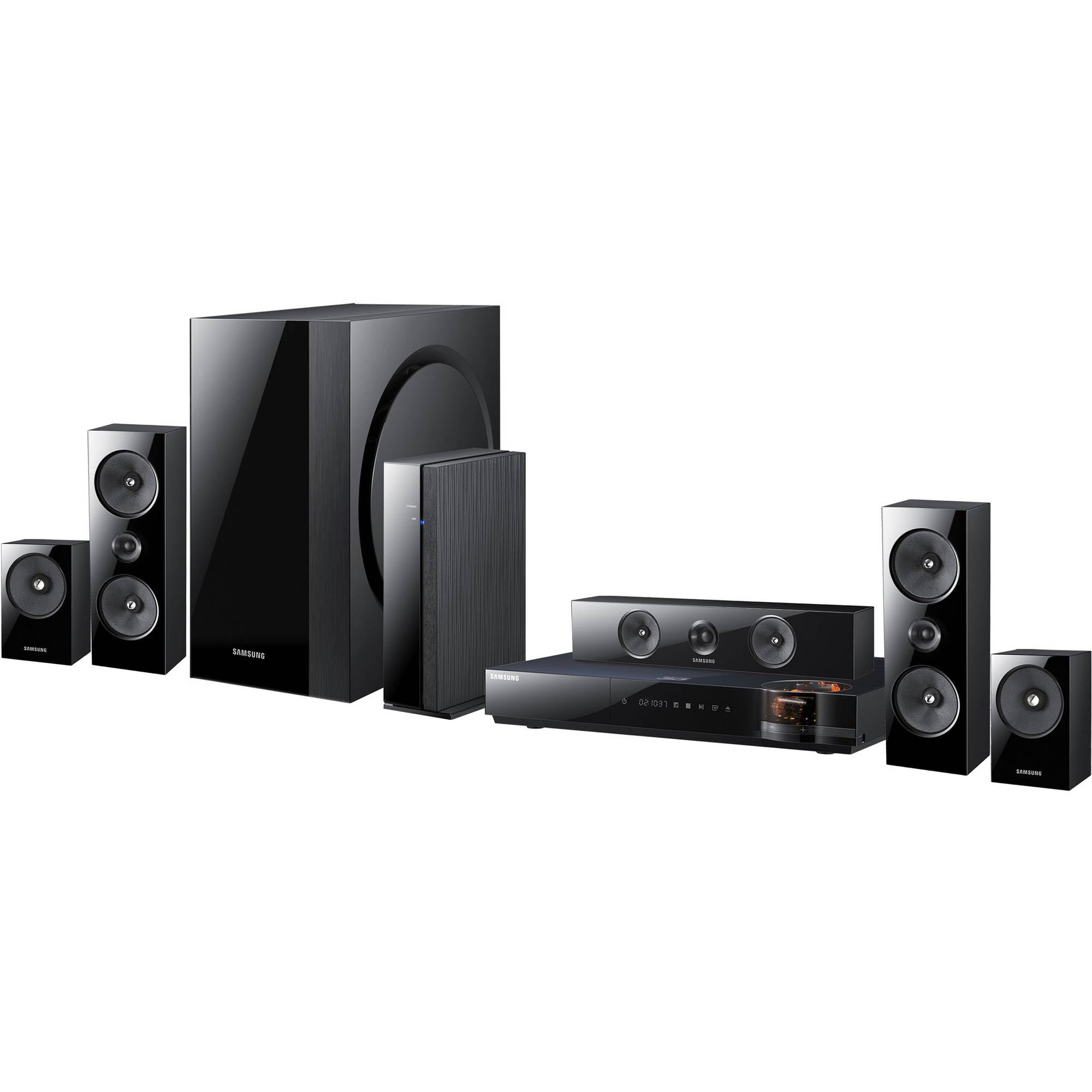
Vaizdas: Viršview of the Samsung HT-E6500W 5.1 Channel Home Theater System components.
Sąranka
1. Garsiakalbio išdėstymas
Proper speaker placement is crucial for optimal surround sound experience. Position speakers as follows:
- Priekiniai garsiakalbiai: Place to the left and right of your television, equidistant from the viewpadėtis.
- Centrinis garsiakalbis: Padėkite tiesiai virš arba po televizoriaus centru.
- Erdviniai garsiakalbiai: Place to the sides or slightly behind the main listening area, at ear level when seated. The HT-E6500W features wireless rear speakers for easier setup.
- Žemų dažnių garsiakalbis: Can be placed anywhere in the room, preferably near a wall or corner for enhanced bass response.
2. Garsiakalbių prijungimas
Connect the speaker cables from each speaker to the corresponding terminals on the main unit. Ensure correct polarity (positive to positive, negative to negative) for each connection. The wireless rear speakers connect to a separate wireless receiver module, which then communicates with the main unit.
3. Connecting to TV and Other Devices
Use an HDMI cable to connect the HDMI OUT port on the home theater system to an HDMI IN port on your television. For other devices like gaming consoles or set-top boxes, connect them to the HDMI IN ports on the home theater system.
4. Maitinimo prijungimas
Plug the power cord into the main unit and then into a wall outlet. Ensure all connections are secure before powering on the system.
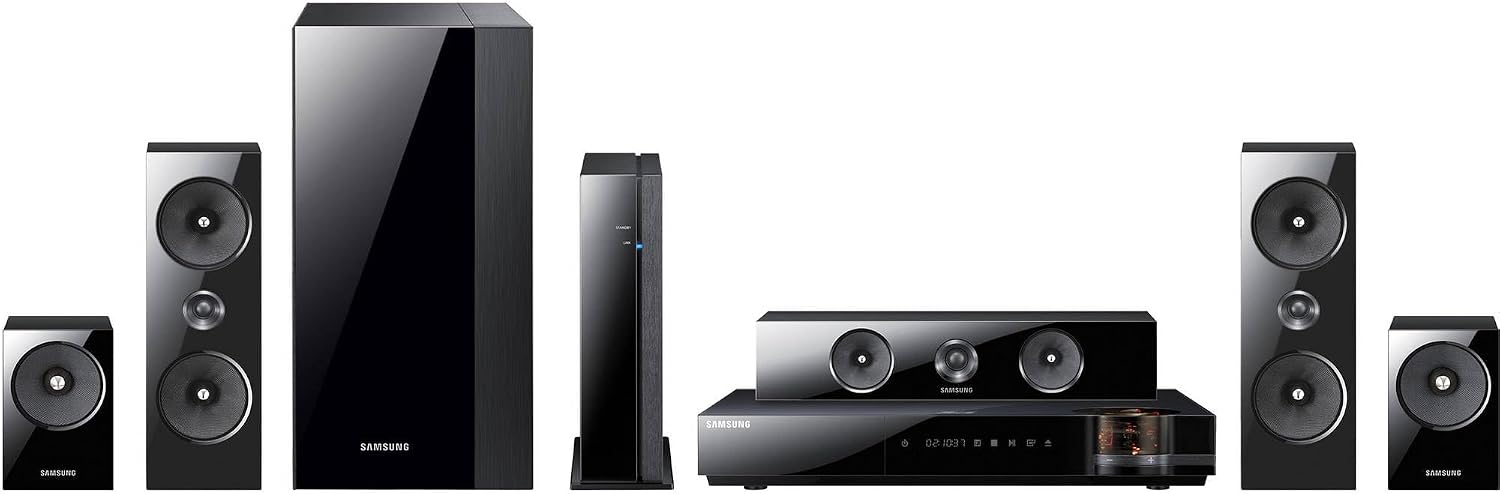
Vaizdas: Išsamus view of the main unit and center speaker, illustrating connectivity points.
Naudojimo instrukcijos
1. Pagrindinės funkcijos
- Maitinimo įjungimas/išjungimas: Press the Power button on the remote control or the main unit.
- Garsumo valdymas: Naudokite nuotolinio valdymo pulto garsumo didinimo / mažinimo mygtukus.
- Įvesties pasirinkimas: Press the Function button on the remote to cycle through available inputs (e.g., Blu-ray, HDMI 1, HDMI 2, AUX, Digital In).
2. 3D Blu-ray Playback
Insert a 3D Blu-ray disc into the disc tray. The system will automatically detect the disc and begin playback. Ensure your television is 3D compatible and 3D glasses are worn for the 3D effect.
3. Smart Hub and Network Features
The system features built-in Wi-Fi for network connectivity. Connect to your home network to access Smart Hub, which provides various online services and applications. Navigate Smart Hub using the remote control.
4. iPod Cradle Usage
Connect your iPod to the provided iPod cradle. The system will detect the device, allowing you to play audio through the home theater speakers. Control playback using the system's remote or the iPod itself.
5. Garso režimai
Select various sound modes (e.g., Stereo, Surround Sound, Dolby Digital) to optimize audio for different content types. Refer to the remote control for specific sound mode buttons or menu options.
Priežiūra
- Valymas: Use a soft, dry cloth to clean the exterior surfaces of the main unit and speakers. Do not use liquid cleaners or abrasive materials.
- Vėdinimas: Ensure that the ventilation openings on the main unit are not blocked to prevent overheating.
- Disko priežiūra: Handle Blu-ray discs by their edges. Store discs in their cases to prevent scratches and dust accumulation.
Trikčių šalinimas
| Problema | Galimas sprendimas |
|---|---|
| Nėra galios | Check if the power cord is securely connected to the unit and the wall outlet. Ensure the outlet is functional. |
| Nėra garso | Verify speaker connections. Check the volume level and mute status. Ensure the correct input source is selected. |
| No picture from Blu-ray | Check the HDMI cable connection between the system and the TV. Ensure the TV is set to the correct HDMI input. Try a different disc. |
| Nuotolinio valdymo pultas neveikia | Replace the batteries in the remote control. Ensure there are no obstructions between the remote and the main unit's sensor. |
| Wireless rear speakers not connecting | Ensure the wireless receiver module is powered on and within range of the main unit. Refer to the wireless module's specific pairing instructions. |
Specifikacijos
- Modelio pavadinimas: HT-E6500W
- Garso kanalai: 5.1 kanalas
- Bendra galia: 1000 vatų
- Suderinamumas su disku: 3D Blu-ray, Blu-ray, DVD, CD
- Ryšys: HDMI (Input/Output), Built-in Wi-Fi, USB, Optical Digital Audio In
- Ypatingos savybės: Smart Hub, iPod Cradle, Wireless Rear Speakers
- Spalva: Juoda
- Prekės svoris: Approximately 8.5 pounds (main unit)
Informacija apie garantiją
This product is covered by a limited warranty. For specific terms and conditions, please refer to the warranty card included with your product or visit the official Samsung websvetainėje. Išsaugokite pirkimo kvitą kaip pirkimo įrodymą garantiniams reikalavimams.
Pagalba klientams
For technical assistance, service, or product inquiries, please contact Samsung Customer Service. Contact information can be found on the official Samsung websvetainėje arba dokumentuose, pateiktuose kartu su jūsų produktu.
Palaikymas internetu: www.samsung.com/us/support/