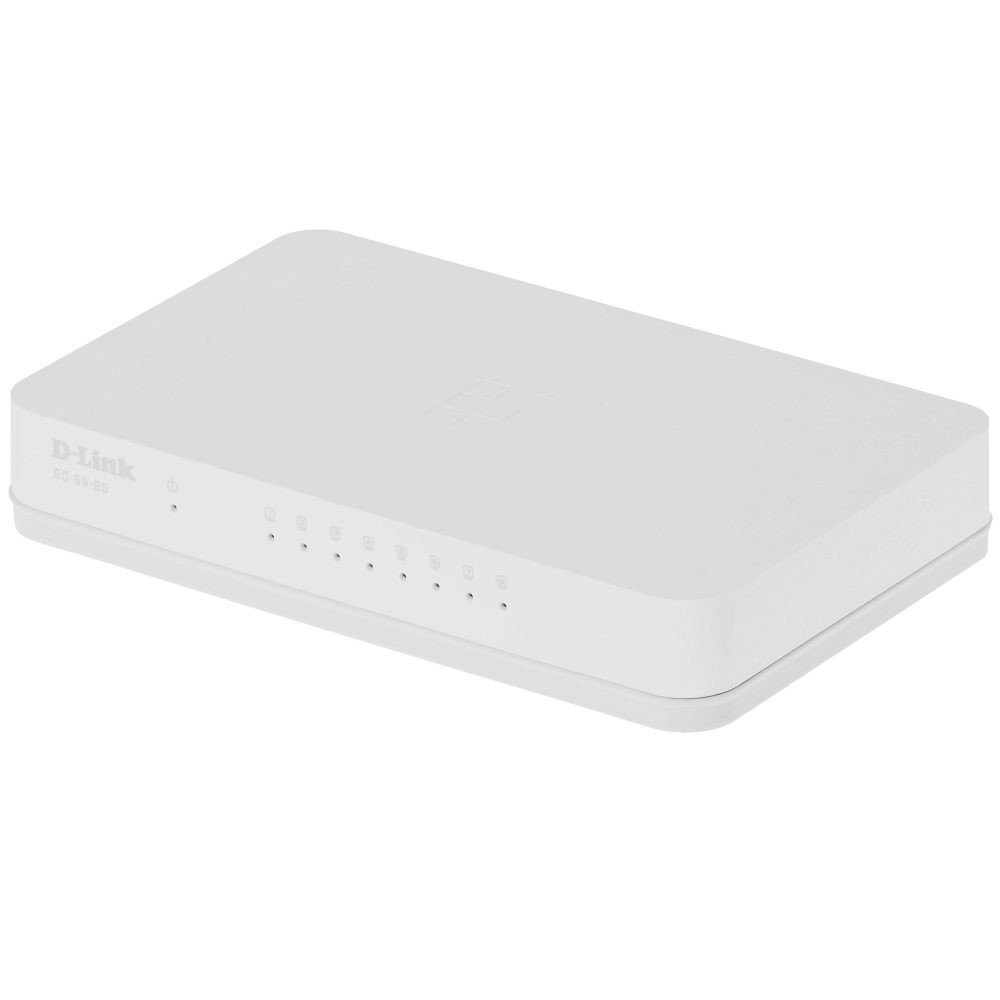
The D-Link GO-SW-8G is an 8-port unmanaged Gigabit desktop switch designed for small office and home office (SOHO) environments. This device facilitates network expansion by providing eight 10/100/1000 Mbps Ethernet ports, enabling high-speed data transfer for connected devices. It incorporates D-Link's Green Technology for energy efficiency, reduced heat generation, and extended product lifespan.
Sąranka
Pakuotės turinys
Patikrinkite, ar jūsų pakuotėje yra šie elementai:
GO-SW-8G device
Maitinimo adapteris
Jungiklio prijungimas
The GO-SW-8G is a plug-and-play device, requiring no software configuration for basic operation. Follow these steps to set up your switch:
Maitinimo jungtis: Connect the provided power adapter to the power input port on the rear panel of the GO-SW-8G switch and then plug the adapter into a standard electrical outlet.
Tinklo įrenginio prijungimas: Connect Ethernet cables from your network devices (e.g., computers, network-attached storage, routers) to any of the eight available RJ45 ports on the GO-SW-8G switch. The switch supports auto MDI/MDIX, so you can use either straight-through or crossover Ethernet cables.
Patvirtinimas: Once connected, the corresponding LED indicator for each active port will illuminate, indicating a successful link.
Image: D-Link GO-SW-8G 8-Port Unmanaged Gigabit Desktop Switch. This image displays the compact white design of the switch with its multiple Ethernet ports and power input.
Veikiantis
The D-Link GO-SW-8G operates as an unmanaged switch, meaning it requires no user configuration for its core functions. It automatically detects network speed and duplex mode for each connected device, providing optimal performance. The Gigabit Ethernet ports support data transfer rates of up to 1000 Mbps, facilitating fast communication within your local network.
LED indikatoriai
The switch features LED indicators for each port and for power. These indicators provide visual feedback on the status of the switch and its connections:
Maitinimo šviesos diodas: Šviečia, kai jungiklis įjungtas.
Link/Activity LEDs (per port):
Tvirtai žalia: Indicates a successful network link at Gigabit speed (1000 Mbps).
Tvirtas gintaras: Indicates a successful network link at Fast Ethernet speed (10/100 Mbps).
Mirksi: Indicates network activity (data transmission or reception) on that port.
Išjungta: No link detected or device is not powered on/connected.
Priežiūra
To ensure optimal performance and longevity of your D-Link GO-SW-8G switch, follow these general maintenance guidelines:
Vieta: Place the switch in a well-ventilated area to prevent overheating. Avoid direct sunlight and heat sources.
Kabelių valdymas: Įsitikinkite, kad tinklo kabeliai yra tvarkingai išdėstyti ir ne per daug sulenkti ar įtempti.
Maitinimas: Naudokite tik su prietaisu pateiktą maitinimo adapterį.
Trikčių šalinimas
If you encounter issues with your D-Link GO-SW-8G switch, refer to the following common troubleshooting steps:
Nėra galios:
Įsitikinkite, kad maitinimo adapteris yra tvirtai prijungtas prie jungiklio ir veikiančio elektros lizdo.
Patikrinkite, ar maitinimo lizdas veikia, prijungdami prie jo kitą įrenginį.
Nėra ryšio lemputės:
Verify that the Ethernet cable is securely plugged into both the switch port and the network device.
Įsitikinkite, kad prijungtas tinklo įrenginys yra įjungtas ir veikia tinkamai.
Išbandykite kitą Ethernet kabelį, kad atmestumėte kabelio gedimą.
Išbandykite su kitu komutatoriaus prievadu.
Mažas tinklo greitis:
Confirm that all connected devices and cables support Gigabit Ethernet (1000 Mbps) for optimal performance.
Patikrinkite, ar prijungtuose įrenginiuose nėra per didelio tinklo srauto arba neveikia daug pralaidumo reikalaujančios programos.
Ensure the switch is placed in an area with adequate ventilation to prevent performance degradation due to overheating.
Specifikacijos
Prekės ženklas
D-Link
Modelio numeris
GO-SW-8G/B
Prievadų skaičius
8
Duomenų perdavimo sparta
1000 Megabytes Per Second (Gigabit)
Jungiklio tipas
Nevaldoma
Sąsaja
RJ45
Suderinami įrenginiai
PC, Mac
ttage
5 voltų
Korpuso medžiagos tipas
Plastikiniai
Prekės svoris
0.3 svaro
Informacija apie garantiją
The D-Link GO-SW-8G switch comes with a 3 metų ribota garantija. For detailed terms and conditions, please refer to the warranty card included with your product or visit the official D-Link websvetainę.
Palaikymas
For technical support, product registration, or to download the latest firmware and documentation, please visit the official D-Link support website. You can typically find support resources by searching for your product model (GO-SW-8G) on their site.
Ask about setup, troubleshooting, compatibility, parts, safety, or missing instructions. Manuals+ will review the question and use this page’s manual context to help answer it.