
1. Įvadas
This manual provides essential information for the safe and effective use of your ProForm Power 995c Treadmill. Please read all instructions carefully before assembly and operation. Retain this manual for future reference.

Image 1.1: The ProForm Power 995c Treadmill, ready for use.
2. Saugos informacija
Kad sumažintumėte rimtų sužalojimų riziką, prieš naudodami bėgimo takelį, perskaitykite visas svarbias atsargumo priemones ir instrukcijas, pateiktas šiame vadove. „ProForm“ neprisiima jokios atsakomybės už asmens sužalojimus ar turto žalą, patirtą naudojant šį gaminį.
- Prieš pradėdami bet kokią mankštos programą, visada pasitarkite su gydytoju.
- Vaikus ir gyvūnus laikykite toliau nuo bėgimo takelio.
- Pastatykite bėgimo takelį ant lygaus paviršiaus, palikdami bent 6 pėdų (apie 1,8 m) laisvos vietos už jo ir 2 pėdas (apie 2 m) iš kiekvienos pusės.
- Dėvėkite tinkamus sportinius drabužius ir sportinę avalynę.
- Nenaudokite bėgimo takelio, jei jis pažeistas arba veikia netinkamai.
- Always use the safety key. Attach the clip to your clothing before starting the treadmill.
- Neviršykite maksimalaus naudotojo svorio – 350 svarų (159 kg).

Image 2.1: User preparing to use the treadmill.
3. Surinkimo instrukcijos
The ProForm Power 995c Treadmill requires assembly. Due to its weight and size, it is recommended that two or more people assist with the assembly process. Ensure all parts are present before beginning. Refer to the included assembly guide for detailed, step-by-step instructions and diagrams.
3.1 Space Saver Design
This treadmill features a Space Saver design, allowing the walking platform to be folded vertically for storage. To fold, lift the walking platform until the latch pin locks it in the upright position. To unfold, push the latch pin and slowly lower the platform to the floor.

Image 3.1: Folding the treadmill for compact storage.
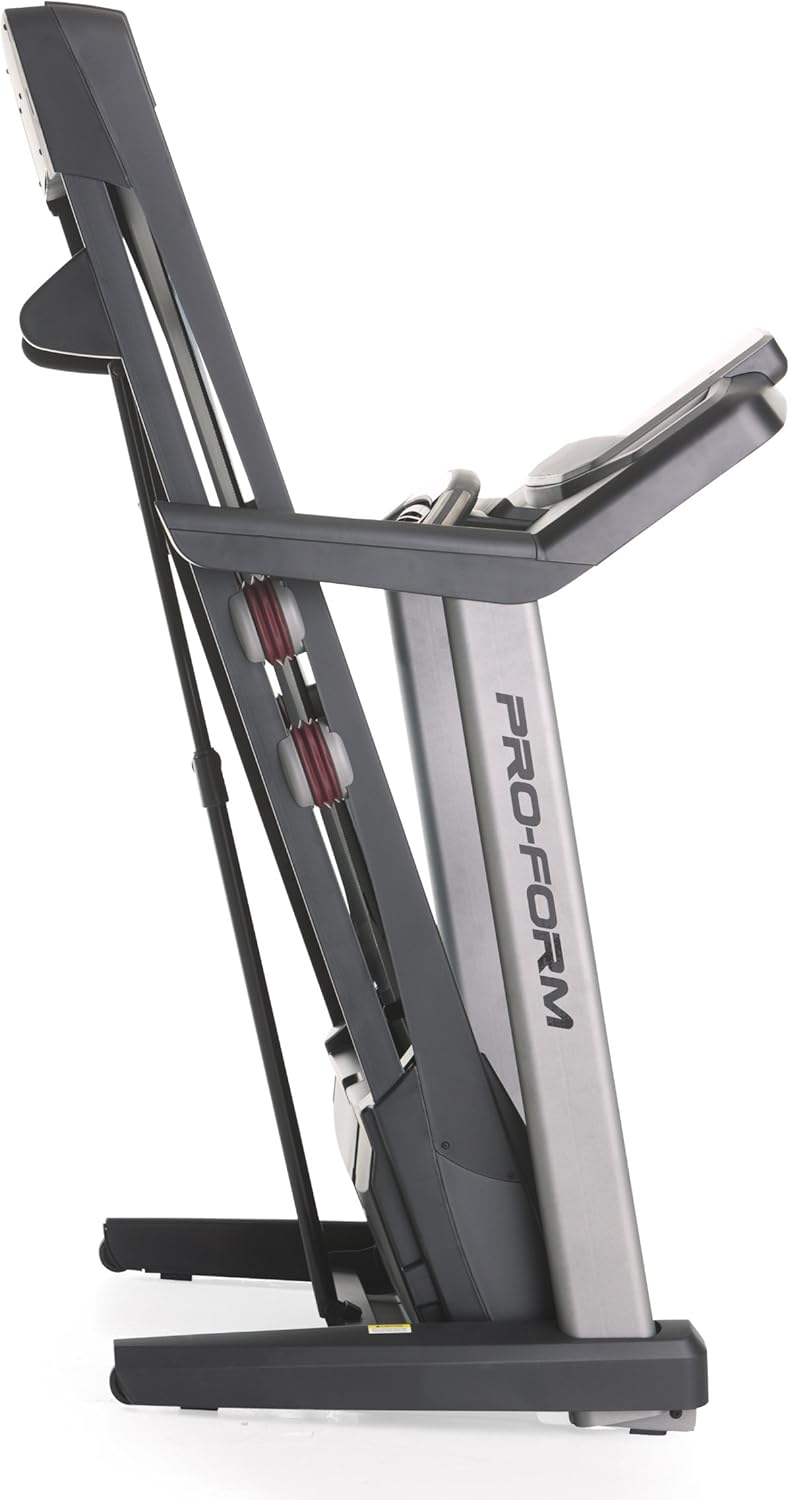
Image 3.2: The treadmill in its folded position.
4. Naudojimo instrukcijos
Familiarize yourself with the console and its functions before starting your workout.
4.1 Konsolė viršview
The treadmill features a 7-inch oversized backlit display that shows your workout metrics. The console includes QuickSpeed and Quick Incline controls for easy adjustments during your exercise.

Image 4.1: Treadmill console with display and control buttons.
4.2 Starting a Manual Workout
- Užlipkite ant bėgimo takelio juostos.
- Pritvirtinkite saugos rakto spaustuką prie drabužių.
- Paspauskite PRADĖTI mygtuką. Juosta pradės judėti mažu greičiu.
- Reguliuokite greitį naudodami QuickSpeed mygtukus arba + ir - mygtukai.
- Reguliuokite nuolydį naudodami Quick Incline mygtukus arba ^ ir v mygtukai.
- Norėdami sustabdyti, paspauskite STOP mygtuką arba ištraukite saugos raktą.

Image 4.2: Interacting with the console controls.
4.3 Built-in Workout Apps
The treadmill includes 30 pre-programmed workout apps. Select a workout by pressing the corresponding number button on the console. The treadmill will automatically adjust speed and incline according to the program.
4.4 iFit Compatibility
The ProForm Power 995c Treadmill is iFit Compatible. With an iFit wireless module (sold separately), you can access a library of interactive workouts, track your progress, and simulate real-world routes using Google Maps. The console also features a media tray for your personal devices.

Image 4.3: iFit Compatible feature on the console.

Image 4.4: Media tray for personal devices.
4.5 Širdies ritmo stebėjimas
The treadmill is equipped with a heart rate monitor. Grip the metal sensors on the handlebars to display your heart rate on the console. This feature helps you stay within your target heart rate zone.
5. Priežiūra
Reguliarus bėgimo takelio remontas užtikrina jo ilgaamžiškumą ir optimalų veikimą.
- Valymas: Bėgimo takelio paviršius nuvalykite reklamine priemoneamp po kiekvieno naudojimo nuvalykite šluoste. Venkite abrazyvinių valiklių.
- Diržo tepimas: Periodically check and lubricate the walking belt as instructed in the detailed assembly guide. Proper lubrication prevents friction and wear.
- Diržo lygiavimas ir įtempimas: Ensure the walking belt remains centered and properly tensioned. Adjustments may be necessary over time. Refer to the assembly guide for specific instructions.
- Variklio dangtis: Variklio dangtį laikykite švarų ir be dulkių, kad būtų užtikrinta tinkama ventiliacija.
6. Problemų sprendimas
If you encounter issues with your treadmill, refer to the following common solutions. For problems not listed here, contact customer support.
| Problema | Galima priežastis | Sprendimas |
|---|---|---|
| Bėgimo takelis neįsijungia. | Neįjungtas maitinimo laidas; suveikė grandinės pertraukiklis; neįdėtas saugos raktas. | Ensure power cord is securely plugged into a grounded outlet. Check household circuit breaker. Insert safety key fully into the console. |
| Walking belt slows down or stops during use. | Belt too loose; motor overheating; user weight exceeds capacity. | Adjust belt tension as per manual. Allow treadmill to cool down. Ensure user weight is within specifications. |
| Console display is erratic or not working. | Atsilaisvinęs kabelio prijungimas; konsolės gedimas. | Patikrinkite visus kabelių prijungimus prie konsolės. Jei problema išlieka, susisiekite su klientų aptarnavimo tarnyba. |
| Neįprastas triukšmas iš bėgimo takelio. | Loose parts; belt friction; motor issue. | Inspect for loose bolts or screws and tighten. Lubricate walking belt if needed. If noise persists, contact customer support. |
7. Specifikacijos
Detailed technical specifications for the ProForm Power 995c Treadmill.
- Modelio numeris: PFTL99912
- Variklis: 3.0 CHP Mach Z Commercial Plus Motor
- Maksimalus greitis: 12 mylios per valandą (19.3 km/h)
- Didžiausias nuolydis: 15% Quick Incline Control
- Protektoriaus juosta: 20 inches x 60 inches (50.8 cm x 152.4 cm) Non-Stretch, Commercial Tread belt
- Amortizacija: „ProShox“ amortizacija
- Maksimalus vartotojo svoris: 350 svarų (159 kg)
- Gaminio matmenys (PxPxA): 81 colio x 37 colio x 60 colio (205.7 cm x 94 cm x 152.4 cm)
- Sulankstyto gaminio matmenys (apytiksliai): 33"W x 14"H (Depth varies)
- Ekrano tipas: 7-inch Oversized Backlit LCD
- Treniruočių programos: 30 Built-in Workout Apps
- Ryšys: Suderinamas su iFit
- Išmatuoti rodikliai: Distance, Heart Rate, Incline, Time, Calories Burned, Speed
- Rėmo medžiaga: Metalas, Plastikas

Image 7.1: ProShox Cushioning system.

Image 7.2: ProForm branding on the treadmill deck.
8. Garantija ir palaikymas
Your ProForm Power 995c Treadmill is covered by the following warranty:
- Rėmas ir variklis: Visą gyvenimą trunkanti garantija
- Dalys: 3 metų garantija
- Darbas: 1 metų garantija
For warranty claims, technical assistance, or to order replacement parts, please contact ProForm Customer Service. Have your model number (PFTL99912) and serial number ready when contacting support.