
Jam Audio HX-P430BL
JAM XT Extreme Wireless Speaker Instruction Manual
Model: HX-P430BL | Brand: Jam Audio
Įvadas
The JAM XT Extreme Wireless Speaker is designed for robust performance in various environments. Featuring an IP64 rating, it is splash-proof, drop-proof, and dirt-proof, making it suitable for outdoor adventures and demanding work sites. This portable Bluetooth speaker offers high-quality sound and hands-free calling, connecting wirelessly to most Bluetooth-enabled devices up to 30 feet away. Its integrated carabiner clip provides convenient transport and versatile mounting options.
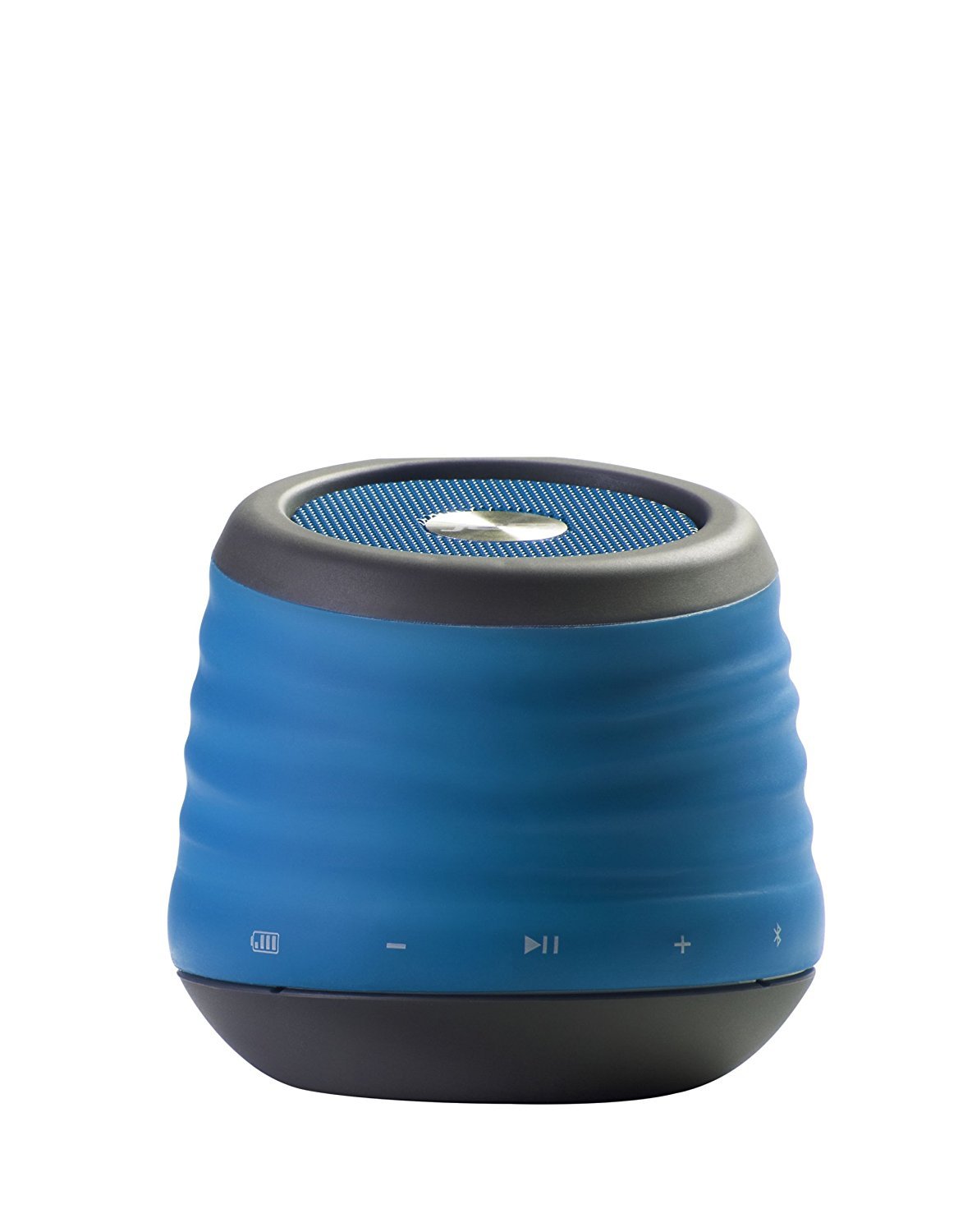
Image: The JAM XT Extreme Wireless Speaker in blue, featuring its durable design and integrated carabiner clip for portability.
Kas yra dėžutėje
- JAM XT Extreme Wireless Speaker (Model: HX-P430BL)
- USB įkrovimo laidas
- Instrukcijų vadovas
Sąranka
1. Įkraukite garsiakalbį
Before initial use, fully charge your JAM XT Extreme speaker. Connect the included USB charging cable to the speaker's charging port and a compatible USB power source (e.g., computer, wall adapter). The LED indicator will show charging status. A full charge provides up to 8 hours of wireless play.

Image: Visual representation of the speaker's rechargeable battery, indicating its capacity for up to 8 hours of wireless playback.
2. Įjungimas/išjungimas
Locate the power button on the bottom of the unit. Press and hold the power button for a few seconds to turn the speaker ON or OFF. A sound prompt will indicate the power status.

Vaizdas: Stambus planas view of the JAM XT Extreme speaker's base, highlighting the power button for easy access.
3. „Bluetooth“ poravimas
- Ensure the speaker is powered ON and in pairing mode (indicated by a flashing LED).
- Savo įrenginyje (išmaniajame telefone, planšetiniame kompiuteryje, nešiojamajame kompiuteryje) įjunkite „Bluetooth“ ir ieškokite galimų įrenginių.
- Select "JAM XT Extreme" from the list of devices.
- Once paired, the speaker will emit a confirmation tone, and the LED will turn solid.
The speaker has a Bluetooth wireless range of up to 30 feet and is compatible with most Bluetooth-enabled devices, including iPhone, Android, iPad, and iPod.

Image: A visual representation of the speaker connecting wirelessly to a device via Bluetooth.
4. Line-In jungtis
For devices without Bluetooth capability, use the line-in port on the speaker with a standard 3.5mm audio cable (not included) to connect your audio source.
Garsiakalbio valdymas
1. Pagrindiniai valdikliai
- Leisti / pristabdyti: Norėdami pradėti arba sustabdyti garso atkūrimą, paspauskite mygtuką „Groti / pristabdyti“.
- Garsumo didinimas / sumažinimas: Garsumui reguliuoti naudokite mygtukus „+“ ir „-“.
- Praleisti takelį: Press and hold the '+' button to skip to the next track. Press and hold the '-' button to go to the previous track.
2. Garsiakalbio funkcija
When connected via Bluetooth, the JAM XT Extreme speaker can be used as a speakerphone. Answering and ending calls can typically be done directly from your connected device.
3. Using the Carabiner Clip
The integrated fold-out carabiner clip allows for easy attachment to backpacks, bags, belt loops, or even hanging from a tree branch or tent for optimal sound projection and portability.

Image: The blue JAM XT Extreme speaker securely clipped to a backpack, showcasing its design for convenient outdoor use.

Image: The JAM XT Extreme speaker hanging from a tree branch, illustrating its adaptability for various outdoor settings.
Priežiūra
1. Valymas
The speaker is IP64 rated for splash, drop, and dirt resistance. To clean, gently wipe the exterior with a soft, damp cloth. Do not use harsh chemicals or abrasive cleaners. Ensure all port covers are securely closed before exposing the speaker to water or dirt.
2. Akumuliatoriaus priežiūra
To prolong the life of the rechargeable lithium-ion battery, avoid fully discharging it frequently. Recharge the speaker regularly, especially if it will not be used for an extended period. Store in a cool, dry place.
3. Sandėliavimas
When not in use, store the speaker in a dry environment away from extreme temperatures and direct sunlight. Ensure the carabiner clip is folded in or secured to prevent damage.
Trikčių šalinimas
- Nėra galios: Ensure the speaker is fully charged. Connect to a power source and try turning it on again.
- Nepavyksta susieti per „Bluetooth“:
- Įsitikinkite, kad jūsų įrenginyje įjungtas „Bluetooth“ ryšys, o garsiakalbis veikia susiejimo režimu.
- Perkelkite garsiakalbį arčiau įrenginio (iki 30 metrų).
- Išjunkite ir įjunkite garsiakalbį ir savo įrenginio „Bluetooth“.
- If previously paired, try 'forgetting' the device on your phone's Bluetooth settings and re-pairing.
- Nėra garso:
- Patikrinkite garsumo lygius tiek garsiakalbyje, tiek prijungtame įrenginyje.
- Ensure the speaker is correctly paired or connected via line-in.
- If using line-in, ensure the cable is fully inserted into both devices.
- Prasta garso kokybė:
- Move the speaker closer to your device to improve Bluetooth signal strength.
- Įsitikinkite, kad tarp garsiakalbio ir jūsų įrenginio nėra jokių kliūčių.
- Patikrinkite garso šaltinį, ar nėra kokybės problemų.
Specifikacijos
| Funkcija | Specifikacija |
|---|---|
| Prekės ženklas | „Jam Audio“ |
| Modelio numeris | HX-P430BL |
| Modelio pavadinimas | XT Extreme |
| Ryšio technologija | Bluetooth, USB |
| Belaidė technologija | Bluetooth |
| Bluetooth diapazonas | 30 pėdų |
| Didžiausia garsiakalbio išėjimo galia | 3 vatų |
| Garso išvesties režimas | Stereo |
| Baterijos veikimo laikas | Up to 8 hours of wireless play |
| Maitinimo šaltinis | Maitinamas su baterijomis (pridedama 1 ličio jonų baterija) |
| Patvarumo įvertinimas | IP64 (Splash proof, Drop proof, Dirt proof) |
| Kontrolės metodas | Palieskite |
| Prekės svoris | 8.8 uncijos |
| Spalva | Mėlyna |
| Ypatingos savybės | Carabiner Clip, Built-in Speakerphone, Portable |
Garantija ir palaikymas
The JAM XT Extreme Wireless Speaker comes with a Limited Warranty. For detailed warranty information, product support, or to register your product, please visit the official Jam Audio Store or refer to the warranty card included with your purchase.
Ask a question about this manual
Ask about setup, troubleshooting, compatibility, parts, safety, or missing instructions. Manuals+ will review the question and use this page’s manual context to help answer it.