
1. Įvadas
Ačiū, kad pirkoteasing the Lexon LR98R1 Onoff LCD Alarm Clock. This manual provides detailed instructions for the proper setup, operation, and maintenance of your device. Please read this manual thoroughly before use and retain it for future reference.
The Lexon Onoff alarm clock features a unique design where flipping the clock activates or deactivates the alarm. It includes an LCD display with a blue electroluminescent backlight for clear visibility.
2. Saugos informacija
- Nelaikykite prietaiso ekstremaliose temperatūrose, tiesioginiuose saulės spinduliuose ar didelėje drėgmėje.
- Saugokitės, kad prietaisas nenukristų ir nepatirtų stipraus smūgio.
- Do not attempt to disassemble or modify the alarm clock. This will void the warranty.
- Saugokite prietaisą nuo vandens ir kitų skysčių.
- Naudotas baterijas išmeskite atsakingai pagal vietines taisykles.
- Naudokite tik nurodyto tipo baterijas (2 x AAA).
3. Pakuotės turinys
Įsitikinkite, kad pakuotėje yra visi daiktai:
- Lexon LR98R1 Onoff LCD Alarm Clock
- Vartotojo vadovas (šis dokumentas)
Pastaba: AAA baterijos nepridedamos ir turi būti įsigytos atskirai.
4. Produktas baigtasview
Familiarize yourself with the components of your Lexon Onoff alarm clock.
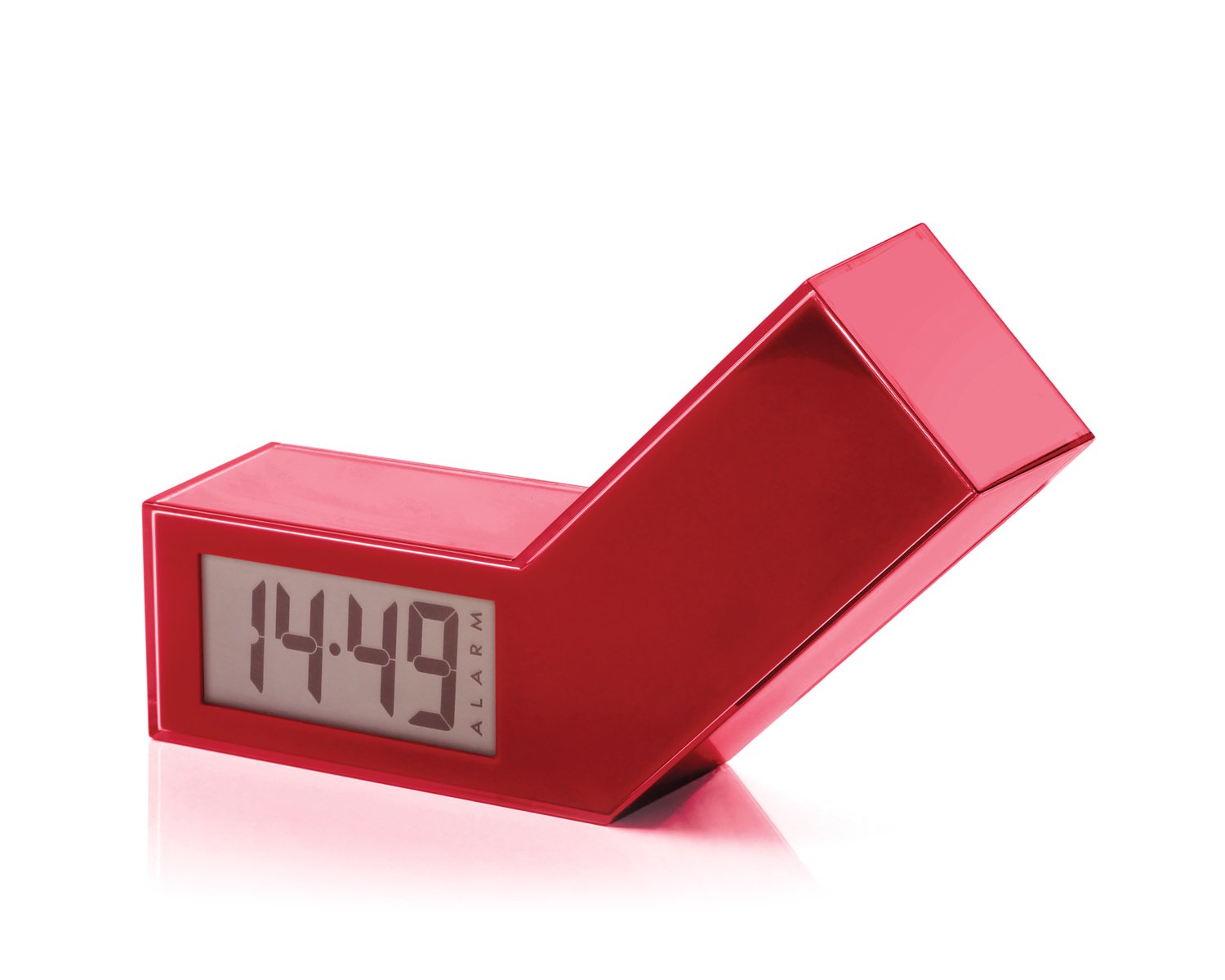
1 pav.: priekis view of the Lexon LR98R1 Onoff LCD Alarm Clock. The image displays the alarm clock in its red casing, with the LCD screen visible. The side labeled 'ON' is facing upwards, indicating the alarm is active. The clock has a minimalist rectangular design.
While specific button labels are not visible in the provided image, typical alarm clock controls are usually located on the back or sides. These generally include:
- Laiko nustatymo mygtukas: To adjust the current time.
- Žadintuvo nustatymo mygtukas: To adjust the alarm time.
- Hour/Minute Adjustment Buttons: To change hour and minute values.
- Snaudimo / šviesos mygtukas: To temporarily silence the alarm or activate the backlight.
- Baterijų skyrius: Located on the back or bottom.
5. Sąranka
5.1 Akumuliatoriaus įdėjimas
- Raskite baterijų skyriaus dangtelį žadintuvo gale arba apačioje.
- Norėdami atidaryti skyrių, pastumkite arba pakelkite dangtelį.
- Įdėkite dvi (2) AAA baterijas, užtikrindami teisingą poliškumą (+ ir -), kaip nurodyta skyriaus viduje.
- Saugiai uždėkite akumuliatoriaus skyriaus dangtelį.
Note: Batteries are not included. Please use new AAA alkaline batteries for optimal performance.
5.2 Pradinis įjungimas
Once batteries are installed, the LCD display should illuminate, and the clock will typically start at a default time (e.g., 12:00 AM). You will then need to set the current time and alarm.
6. Naudojimo instrukcijos
6.1 Dabartinio laiko nustatymas
- Paspauskite ir palaikykite LAIKO NUSTATYMAS button (or similar, refer to device markings) until the hour digits begin to flash.
- Naudokite VALANDA ir MINUTĖ adjustment buttons to set the correct hour and minute.
- Paspauskite LAIKO NUSTATYMAS dar kartą, kad patvirtintumėte ir išeitumėte iš laiko nustatymo režimo.
6.2 Žadintuvo laiko nustatymas
- Paspauskite ir palaikykite ALARM SET button (or similar) until the alarm hour digits begin to flash.
- Naudokite VALANDA ir MINUTĖ adjustment buttons to set your desired alarm time.
- Paspauskite ALARM SET dar kartą, kad patvirtintumėte ir išeitumėte iš žadintuvo nustatymo režimo.
6.3 Activating/Deactivating the Alarm (Onoff Feature)
The Lexon Onoff alarm clock features a unique flip mechanism:
- Į AKTYVUOTI the alarm, place the clock with the side labeled "ON" facing upwards. An alarm icon should appear on the LCD display.
- Į IŠJUNGTI the alarm, flip the clock so the side labeled "IŠJUNGTA" is facing upwards. The alarm icon should disappear from the display.
6.4 Silencing the Alarm / Snooze Function
- Kai skamba žadintuvas, paspauskite SNAIGĖ / ŠVIESA button (usually a large button on top) to temporarily silence the alarm. The alarm will sound again after a few minutes (typically 5-10 minutes).
- To completely turn off the alarm for the day, flip the clock to the "IŠJUNGTA"pozicija.
6.5 Ekrano foninis apšvietimas
Paspauskite SNAIGĖ / ŠVIESA button to activate the blue electroluminescent backlight for a few seconds, allowing you to view laikas esant prastam apšvietimui.
7. Priežiūra
7.1 Valymas
Wipe the surface of the alarm clock with a soft, dry cloth. Do not use abrasive cleaners, solvents, or chemical sprays, as these may damage the finish or electronic components.
7.2 Akumuliatoriaus keitimas
When the display dims or the alarm function becomes unreliable, it is time to replace the batteries. Follow the battery installation steps in Section 5.1. Always replace both AAA batteries at the same time.
8. Problemų sprendimas
| Problema | Galima priežastis | Sprendimas |
|---|---|---|
| Ekranas tuščias arba blankus. | Baterijos išsikrovusios arba neteisingai įdėtos. | Pakeiskite baterijas naujomis AAA baterijomis, užtikrindami teisingą poliškumą. |
| Signalizacija neskamba. | Alarm is not activated (clock is in "OFF" position) or alarm time is not set. | Flip the clock to the "ON" position. Verify the alarm time is set correctly (Section 6.2). Ensure batteries are not low. |
| Laikas neteisingas. | Time was not set correctly or batteries were removed/replaced. | Reset the current time (Section 6.1). |
| Foninis apšvietimas neveikia. | Senka baterija. | Pakeiskite baterijas. |
9. Specifikacijos
| Modelio numeris | LR98R1 |
| Prekės ženklas | Lexon |
| Ekrano tipas | LCD with Blue Electroluminescent Backlight |
| Maitinimo šaltinis | 2 x AAA baterijos (į komplektą neįeina) |
| Medžiaga | ABS / Injected Polycarbonate |
| Matmenys (I x P x A) | 13.5 x 3.5 x 8 cm (apytiksliai 5.3 x 1.4 x 3.1 colio) |
| Judėjimo tipas | Kvarcas |
| Ypatingos savybės | Onoff flip alarm activation/deactivation, Snooze function |
10. Garantija ir palaikymas
The Lexon LR98R1 Onoff LCD Alarm Clock comes with a 2 metų gamintojo garantija nuo pirkimo datos. Ši garantija apima medžiagų ir gamybos defektus normaliai naudojant.
Garantija netaikoma:
- Žala, padaryta nelaimingo atsitikimo, piktnaudžiavimo, netinkamo naudojimo, potvynio, gaisro, žemės drebėjimo ar kitų išorinių priežasčių.
- Damage caused by operating the product outside the permitted or intended uses described in this manual.
- Damage caused by service performed by anyone who is not an authorized representative of Lexon.
- Products or parts that have been modified to alter functionality or capability without the written permission of Lexon.
For warranty claims or technical support, please contact Lexon customer service through their official website or your retailer. Please have your proof of purchase and model number (LR98R1) ready.