
Įvadas
This manual provides instructions for the proper setup, operation, and maintenance of your Black Box USB to Serial Cable, model IC199A-R3. This cable is designed to facilitate communication between devices with a DB9 serial port and computers equipped with a USB Type-A port. Please read this manual thoroughly before using the product to ensure optimal performance and longevity.
Produktas baigtasview
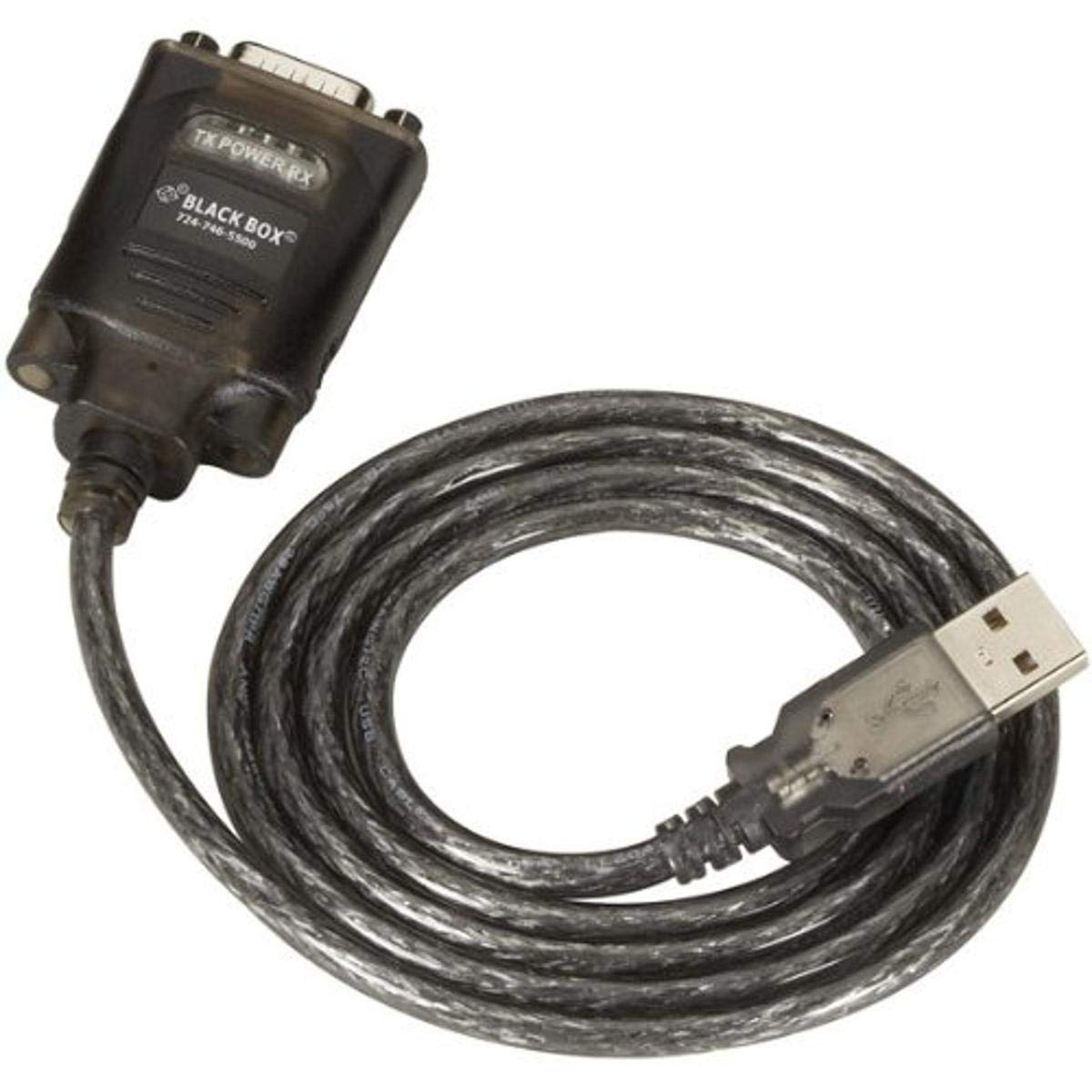
Figure 1: Black Box USB to DB9 Serial Cable (IC199A-R3)
This image displays the Black Box USB to DB9 Serial Cable, featuring a USB Type-A male connector on one end and a DB9 male serial connector on the other. The cable is black and designed for connecting serial devices to a computer's USB port.
The Black Box IC199A-R3 is a reliable solution for connecting legacy serial devices, such as modems, to modern computers that typically lack dedicated serial ports. Its robust design ensures stable data transmission.
Sąrankos instrukcijos
- Identifikuokite jungtis: Locate the USB Type-A male connector and the DB9 male serial connector on the cable.
- Prisijunkite prie kompiuterio: Insert the USB Type-A male connector into an available USB port on your computer.
- Connect to Serial Device: Connect the DB9 male serial connector to the DB9 female port on your serial device (e.g., modem). Ensure a secure connection.
- Tvarkyklės diegimas: In most modern operating systems (Windows 10/11, macOS, Linux), the necessary drivers should install automatically upon connection. If the device is not recognized, you may need to manually install drivers. Refer to your operating system's documentation or the Black Box support website for driver downloads if required.
- Patikrinkite ryšį: After connecting, check your computer's Device Manager (Windows) or System Information (macOS/Linux) to confirm that the USB to Serial adapter is recognized and functioning correctly. It typically appears as a "USB Serial Port" or similar entry.
Naudojimo instrukcijos
Once the Black Box IC199A-R3 cable is properly installed and recognized by your computer, it functions as a standard serial port.
- Programinės įrangos konfigūracija: Open the serial communication software or application you intend to use (e.g., HyperTerminal, PuTTY, minicom, or specific device configuration software).
- Pasirinkite COM prievadą: Within your software, select the virtual COM port assigned to the USB to Serial adapter. This port number can usually be found in your computer's Device Manager (under "Ports (COM & LPT)").
- Configure Serial Settings: Set the appropriate serial communication parameters (baud rate, data bits, parity, stop bits, flow control) to match the requirements of your connected serial device. Refer to the documentation of your serial device for these settings.
- Pradėti bendravimą: Once configured, you can initiate data transfer or communication with your serial device through the software.
Priežiūra
To ensure the longevity and reliable performance of your Black Box USB to Serial Cable, follow these simple maintenance guidelines:
- Saugykla: Kai nenaudojate, laikykite laidą vėsioje, sausoje vietoje, toliau nuo tiesioginių saulės spindulių ir ekstremalių temperatūrų.
- Tvarkymas: Venkite staigiai sulenkti ar užlenkti kabelį, ypač šalia jungčių, nes tai gali pažeisti vidinius laidus.
- Valymas: Jei reikia, švelniai nuvalykite laidą ir jungtis minkštu, sausu, nepūkuotu skudurėliu. Nenaudokite skystų valiklių ar tirpiklių.
- Prijungimas/atjungimas: Prijungdami arba atjungdami kabelį, visada laikykite už jungties korpuso, o ne traukite už paties kabelio.
Trikčių šalinimas
If you encounter issues with your Black Box USB to Serial Cable, consider the following troubleshooting steps:
- Kabelis neatpažintas:
- Ensure the USB connector is fully inserted into the computer's USB port.
- Išbandykite kitą kompiuterio USB prievadą.
- Iš naujo paleiskite kompiuterį.
- Check Device Manager (Windows) or System Information (macOS/Linux) for any error messages or unrecognized devices. Reinstall drivers if necessary.
- No Communication with Serial Device:
- Verify that the DB9 connector is securely attached to your serial device.
- Confirm that the correct COM port is selected in your serial communication software.
- Double-check that the serial communication parameters (baud rate, data bits, parity, stop bits, flow control) in your software match those of your serial device.
- Ensure the serial device itself is powered on and functioning correctly.
- Try using a different serial communication software to rule out software-specific issues.
- Pertraukiamas ryšys:
- Inspect the cable for any visible damage or frayed wires.
- Ensure all connections are firm and not loose.
- Avoid placing the cable near sources of strong electromagnetic interference.
Specifikacijos
| Prekės ženklas | Juodoji dėžė |
| Modelio numeris | IC199A-R3 |
| Jungties tipas (kompiuteris) | A tipo USB vyr |
| Jungties tipas (įrenginys) | DB9 Male Serial |
| Kabelio tipas | USB į serijinę |
| Suderinami įrenginiai | Modemas |
| Ypatinga funkcija | Susipainiojimas nemokamai |
| Spalva | Juoda |
| Smeigtukų skaičius | 9 (on DB9 connector) |
| Prekės svoris | 0.24 svaro (apie 3.84 uncijos) |
| Gaminio matmenys (pakuotė) | 6.75 x 1.5 x 4 colio |
| Gamintojas | BLACK BOX CORPORATION |
Garantija ir palaikymas
For information regarding warranty coverage, technical support, or to download the latest drivers, please visit the official Black Box websvetainėje arba susisiekite su jų klientų aptarnavimo tarnyba. Išsaugokite pirkimo kvitą garantiniams reikalavimams.