
Įvadas
Thank you for choosing the iKKEGOL HC520 Digital Indoor/Outdoor Thermometer and Hygrometer. This device is designed to provide accurate and reliable measurements of indoor and outdoor temperatures, as well as indoor humidity. Its large LCD display ensures easy readability, and the wired external probe allows for versatile placement. Please read this manual carefully to ensure proper setup, operation, and maintenance of your device.
Produktas baigtasview
The iKKEGOL HC520 features a compact design with a clear LCD screen. It includes an integrated flip-out stand for desktop use and a hanging hole for wall mounting. The external probe extends the temperature measurement capabilities to outdoor environments or specific areas like refrigerators.

1 pav.: priekis view of the iKKEGOL HC520 device showing the LCD display and wired probe.
Sąranka
1. Akumuliatoriaus įdėjimas
- Suraskite akumuliatoriaus skyrių įrenginio gale.
- Atidarykite akumuliatoriaus dangtelį.
- Įdėkite vieną (1) AAA bateriją, užtikrindami teisingą poliškumą (+/-).
- Saugiai uždarykite akumuliatoriaus dangtelį.

2 pav.: Nugara view of the device with the battery compartment open, showing where to insert the AAA battery.
2. Connecting the External Probe
- Identify the sensor wire plug.
- Insert the sensor wire plug into the designated socket located under the battery cover.
- Place the external sensor (probe) in the desired outdoor location or specific area for measurement (e.g., refrigerator, freezer). The probe cable is approximately 2 meters (6.6 feet) long.
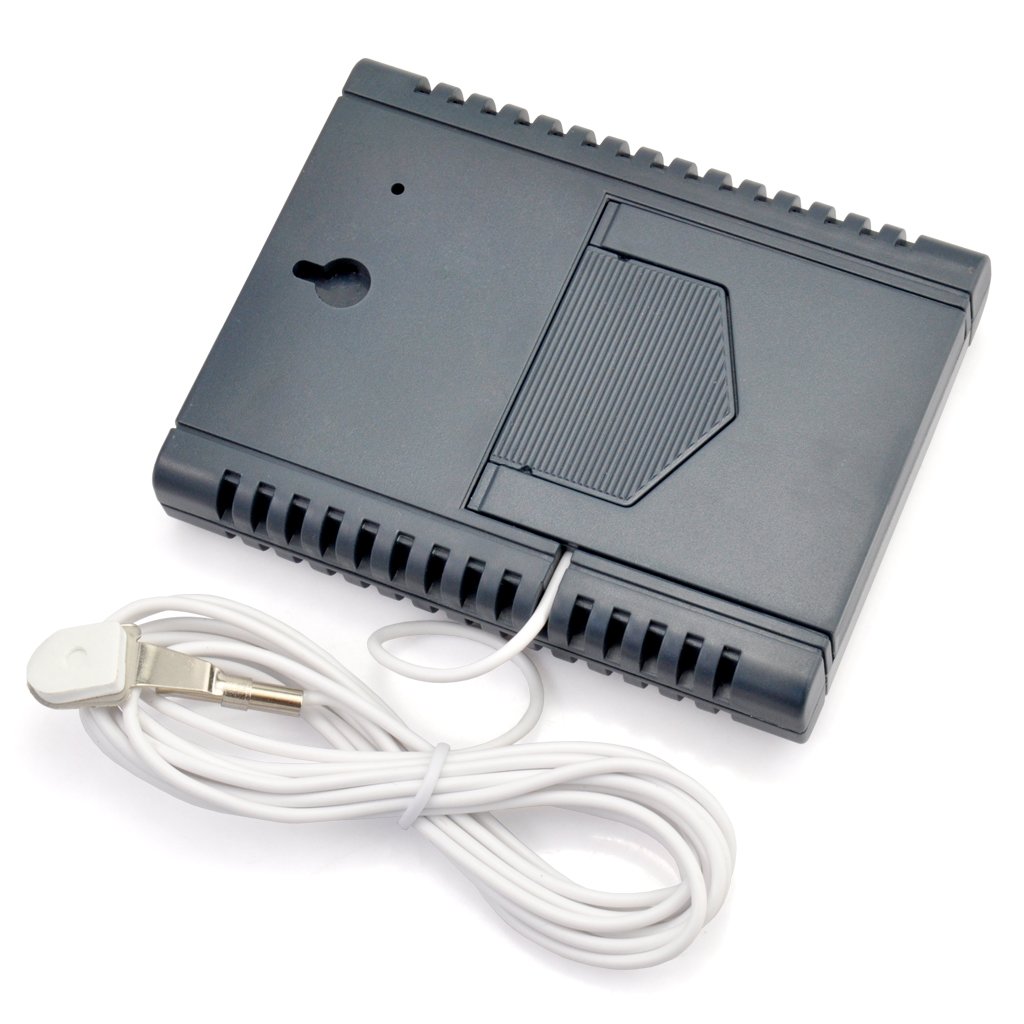
3 pav.: Nugara view of the device showing the external probe connected to its socket.
3. Montavimo parinktys
The iKKEGOL HC520 offers two convenient mounting options:
- Stalinis stovas: Utilize the integrated flip-out stand on the back of the device for placement on any flat surface.
- Sieninis laikiklis: Norėdami pritvirtinti įrenginį prie sienos, naudokite pakabinimo angą gale.
Video 1: This video demonstrates the battery installation and basic display functions of a similar digital thermometer. Note that the exact model shown may differ from the iKKEGOL HC520.
Video 2: This video illustrates the connection of an external probe and the use of the °C/°F switch on a comparable indoor/outdoor thermometer. It also shows magnetic mounting, which is a feature on some similar devices.
Naudojimo instrukcijos
The iKKEGOL HC520 features a user-friendly interface with four control buttons:
- IN-OUT Button: Press this button to switch the temperature display between INSIDE (IN) and OUTSIDE (OUT) readings. The active mode (IN or OUT) will be indicated on the LCD screen next to the temperature value. If the external sensor is not installed, only the INSIDE temperature will be displayed.
- MAX-MIN Button: Naudokite šį mygtuką, kad view the recorded MAXIMUM and MINIMUM temperature and humidity values. The display will show 'MAX' or 'MIN' to indicate which value is currently being shown.
- °C/°F mygtukas: Press this button to toggle the temperature display unit between Celsius (°C) and Fahrenheit (°F).
- Perkrovimo mygtukas: Press this button to clear all recorded MAX/MIN values and restore all settings to their original default values.
Temperatūros ir drėgmės matavimas
- The device simultaneously displays the current indoor temperature and indoor humidity.
- When the external probe is connected, the device can also display the outdoor temperature. Use the 'IN-OUT' button to switch between indoor and outdoor temperature readings.
- The humidity measurement is exclusively for indoor (IN) conditions. The '%' symbol will always appear above the humidity unit.
- A comfort level symbol (e.g., a smiley face) may be displayed to indicate the general comfort level based on the indoor humidity.
Video 3: This video demonstrates the use of an extended probe with a mini thermometer, showing how it can be used to measure temperatures in different environments.
Savybės
- Mažos energijos sąnaudos užtikrina ilgesnį akumuliatoriaus veikimo laiką.
- High stability and accuracy in measurements.
- Memory function to recall last measured values.
- Simultaneous display of temperature and humidity.
- Records and displays MIN and MAX temperature and humidity values.
- Comfort degree symbol for quick indoor condition assessment.
- Pasirenkami temperatūros vienetai: Celsijaus (°C) arba Farenheito (°F).
- Versatile placement with integrated desktop stand and wall hanging option.
- Includes a 2-meter (6.6 ft) external probe for outdoor or remote temperature sensing.
- External sensor is easily attachable and detachable.
- Powered by one (1) AAA battery (not included).
- Large, clear, and easy-to-read LCD screen.
Specifikacijos
| Specifikacija | Vertė |
|---|---|
| Modelio numeris | HC520 |
| Patalpų temperatūros diapazonas | -10°C iki +50°C (+14°F iki +122°F) |
| Lauko temperatūros diapazonas | -50°C iki +70°C (nuo -58°F iki +158°F) |
| Vidaus drėgmės diapazonas | Measures indoor humidity only |
| Gaminio matmenys | 78 x 98 x 17 mm (3.1 colio x 3.9 colio x 0.7 colio) |
| Produkto svoris | 95 g (3.4 uncijos) |
| Maitinimo šaltinis | 1 x AAA baterijos (nepridedamos) |
| External Probe Cable Length | 2 metrų (6.6 pėdos) |

Figure 4: Diagram showing the dimensions of the iKKEGOL HC520 device.
Priežiūra
- Valymas: Nuvalykite įrenginį minkštu, sausu skudurėliu. Nenaudokite abrazyvinių valiklių ir nemerkite įrenginio į vandenį.
- Baterijos keitimas: Replace the AAA battery when the display becomes dim or the device stops functioning. Ensure correct polarity during installation.
- Saugykla: If storing the device for an extended period, remove the battery to prevent leakage and damage. Store in a cool, dry place.
- Zondų priežiūra: Handle the external probe and cable with care to avoid damage. Ensure the probe is not exposed to extreme physical stress.
Trikčių šalinimas
- Nėra ekrano / pritemdytas ekranas: Patikrinkite, ar akumuliatorius tinkamai įdėtas ir ar jis pakankamai įkrautas. Jei reikia, pakeiskite akumuliatorių.
- Netikslūs rodmenys: Ensure the device and probe are placed in appropriate locations, away from direct sunlight, heat sources, or strong drafts that could affect readings. Allow a few minutes for readings to stabilize after placement or changes in environment.
- Outdoor Temperature Not Displaying: Verify that the external probe is securely plugged into the device. If the probe is damaged, it may need replacement.
- Readings Not Changing: Press the 'RESET' button to clear previous data and re-initialize the device.
Garantija ir palaikymas
For warranty information or technical support regarding your iKKEGOL HC520 Digital Indoor/Outdoor Thermometer and Hygrometer, please refer to the product packaging or contact iKKEGOL customer service directly. You may also visit the official iKKEGOL Store on Amazon for additional resources and contact options: iKKEGOL Store.