
Įvadas
This manual provides essential information for the safe and efficient use of your Sony MXD-D2 MD Recorder/CD Player integrated deck. Please read these instructions thoroughly before operating the unit and retain them for future reference.
Saugos informacija
Kad išvengtumėte elektros smūgio, gaisro ar įrenginio sugadinimo, laikykitės šių saugos priemonių:
- Maitinimo šaltinis: Connect the unit only to an AC 100V, 50/60Hz power supply.
- Vėdinimas: Ensure adequate ventilation by not blocking the ventilation openings. Do not place the unit on soft surfaces that may block these openings.
- Drėgmė: Saugokite įrenginį nuo lietaus ar drėgmės. Nestatykite ant įrenginio daiktų, pripildytų skysčių, pavyzdžiui, vazų.
- Užsienio objektai: Do not insert any metallic objects or liquids into the unit.
- Aptarnavimas: Nebandykite patys atlikti įrenginio techninės priežiūros. Visus techninės priežiūros darbus patikėkite kvalifikuotiems specialistams.
Sąranka
Išpakavimas ir įdėjimas
Carefully remove the unit from its packaging. Place the unit on a stable, level surface, ensuring sufficient space around it for proper ventilation.
Galinio skydelio jungtys
The rear panel of the MXD-D2 provides various input and output terminals for connecting to other audio components. Refer to the image below for a visual guide to the connections.
Vaizdas: Rear panel of the Sony MXD-D2 unit. This view displays the analog RCA input/output, digital coaxial input, optical input/output, and Control 1 port, along with the power cord connection and product information label.
- Analoginės garso jungtys: Use RCA cables to connect the ANALOGINIS ĮVADAS (入力) to the audio output of an external device (e.g., a tape deck or tuner). Connect the ANALOGINĖ IŠVESTIS (出力) to the audio input of your amplifier or receiver. Ensure left (左) and right (右) channels are matched.
- Skaitmeninės garso jungtys:
- Coaxial Digital Input (コアキシャル 入力): Connect a coaxial digital cable from the digital output of an external device.
- Optical Digital Input (オプチカル 入力): Connect an optical digital cable from the digital output of an external device.
- Optical Digital Output (オプチカル 出力): Connect an optical digital cable to the digital input of an external recording device or ampgyvesnis.
- Control 1 (コントロール 1): This port is for connecting to other compatible Sony components for synchronized operation. Refer to the manuals of connected components for specific instructions.
- Maitinimo jungtis: After all audio connections are made, plug the power cord into an AC 100V wall outlet.
Naudojimo instrukcijos
Maitinimo įjungimas/išjungimas
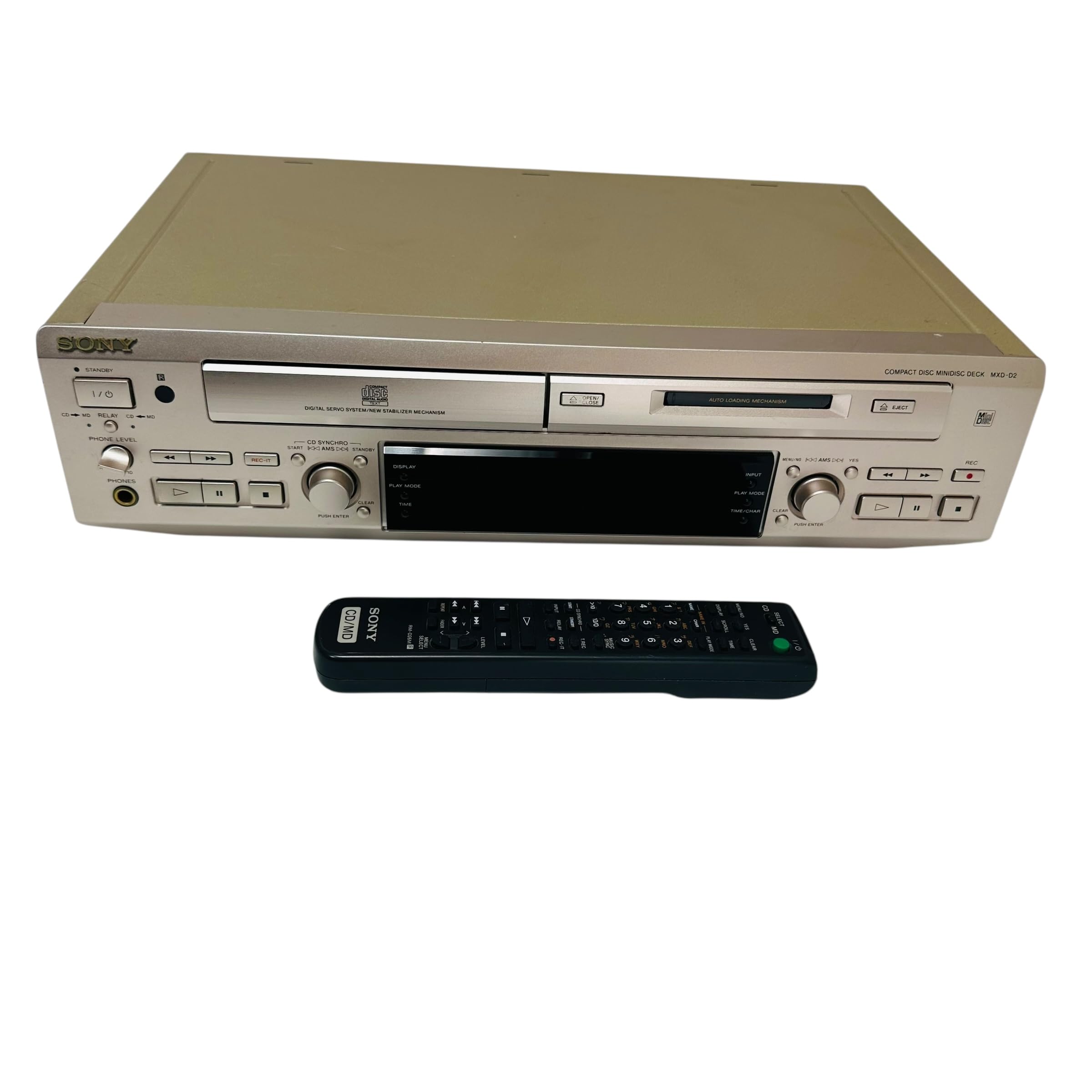
Paspauskite GALIA mygtuką priekiniame skydelyje, kad įjungtumėte arba išjungtumėte įrenginį.
CD atkūrimas
- Paspauskite CD ATIDARYMAS/UŽDARYMAS mygtuką, kad atidarytumėte CD dėklą.
- Place a CD with the label side up in the tray.
- Paspauskite CD ATIDARYMAS/UŽDARYMAS mygtuką dar kartą, kad uždarytumėte dėklą.
- Paspauskite CD grojimas mygtuką, norėdami pradėti atkūrimą.
- Naudokite PASTABA, STOP, PRALEISTI (►►| / |◄◄), and PAIEŠKA atkūrimo valdymo mygtukai.
MD Playback
- Insert a MiniDisc into the MD slot with the arrow pointing inwards.
- Paspauskite MD PLAY mygtuką, norėdami pradėti atkūrimą.
- Naudokite PASTABA, STOP, PRALEISTI (►►| / |◄◄), and PAIEŠKA atkūrimo valdymo mygtukai.
MD įrašymas
The MXD-D2 allows recording from CD, analog, or digital sources to a MiniDisc.
- Insert a blank or erasable MiniDisc into the MD slot.
- Select the desired input source (CD, ANALOG, DIGITAL COAXIAL, or DIGITAL OPTICAL) using the ĮVADŲ RINKIMAS mygtuką.
- For CD-to-MD recording, load the CD and select CD as the input source.
- Paspauskite MD REC mygtuką, kad įjungtumėte įrašymo budėjimo režimą.
- Start playback on the source device (if external) or press CD grojimas (for CD-to-MD recording).
- Paspauskite MD REC dar kartą, kad pradėtumėte įrašymą.
- Paspauskite MD STOP įrašymui baigti.
- Trasos žymėjimas: The unit can automatically mark tracks during digital recording. For manual marking, press the PAŽYMAS button during recording.
Priežiūra
Įrenginio valymas
Prietaiso išorę nuvalykite minkšta, sausa šluoste. Įsisenėjusias dėmes lengvai nuvalykite šluoste.ampnuplaukite švelniu ploviklio tirpalu, tada nusausinkite. Nenaudokite abrazyvinių kempinių, šveitimo miltelių ar tirpiklių, tokių kaip alkoholis ar benzenas.
Disko priežiūra
- Diskus imkite už kraštų, kad ant įrašymo paviršiaus neliktų pirštų atspaudų.
- Keep discs in their cases when not in use to protect them from dust and scratches.
- Nelaikykite diskų nuo tiesioginių saulės spindulių ar šilumos šaltinių.
Trikčių šalinimas
If you experience problems with your unit, consult the following table before seeking professional service.
| Problema | Galima priežastis | Sprendimas |
|---|---|---|
| Nėra galios | Maitinimo laidas netinkamai prijungtas. | Check that the power cord is firmly plugged into the unit and the wall outlet. |
| Nėra garso | Incorrect input selected; audio cables not connected properly; ampLiferio tūris per mažas. | Select the correct input source. Check all audio cable connections. Increase the volume on your ampgyvesnis. |
| CD/MD does not play or record | Disc inserted incorrectly; disc is dirty or scratched; disc is unrecordable (for MD). | Ensure the disc is inserted correctly. Clean the disc with a soft cloth. Use a recordable MD. |
| Recording level is too low/high | Source device output level is incorrect. | Adjust the output level on the source device or the recording level on the MXD-D2 if available. |
Specifikacijos
| Funkcija | Detalė |
|---|---|
| Modelio numeris | MXD-D2 |
| Prekės ženklas | Sony |
| Galios reikalavimai | AC 100V, 16W, 50/60Hz |
| Laikmenų formatai | Compact Disc (CD), MiniDisc (MD) |
| Analoginės įvestys | RCA (Left/Right) |
| Analoginiai išėjimai | RCA (Left/Right) |
| Skaitmeniniai įėjimai | Coaxial (1), Optical (1) |
| Skaitmeniniai išėjimai | Optinis (1) |
| Valdymo prievadas | Kontrolė 1 |
| Suderinami įrenginiai | Garsiakalbiai, ausinės |
| Serijos numeris | 213013 (Buvęsample) |
| Kilmės šalis | Pagaminta Japonijoje |
Garantija ir palaikymas
For warranty information and technical support, please refer to the warranty card included with your product or visit the official Sony websavo regiono svetainę. Išsaugokite pirkimo kvitą kaip pirkimo įrodymą.