
One For All SV 9620
Vienas visiems signalams Amplifier SV 9620
Vartotojo vadovas
Įvadas
This manual provides comprehensive instructions for the installation, operation, and maintenance of your One For All Signal Amplifier SV 9620. Please read this manual thoroughly before using the device to ensure proper functionality and safety. The SV 9620 is designed to amplify TV signals, improving reception quality for multiple televisions in your home.
Saugos informacija
- Užtikrinti, amplifier is connected to a 220 Volt power supply as specified. Connecting to an incorrect voltaggali sugadinti įrenginį ir kelti pavojų saugumui.
- Saugokite įrenginį nuo lietaus, drėgmės ar ekstremalių temperatūrų.
- Neatidarykite casing amplifier. There are no user-serviceable parts inside. Refer all servicing to qualified personnel.
- Saugokite prietaisą nuo šilumos šaltinių ir tiesioginių saulės spindulių.
- Užtikrinkite tinkamą vėdinimą aplink ampkeltuvas, kad būtų išvengta perkaitimo.
- Žaibuojant arba ilgą laiką nenaudojant, atjunkite maitinimo kištuką nuo sieninio lizdo.
Pakuotės turinys
Pažymėkite langelį prie šių elementų:
- Vienas visiems signalams Amplifier SV 9620 Unit
- Integruotas maitinimo kištukas
- Vartotojo vadovas (šis dokumentas)
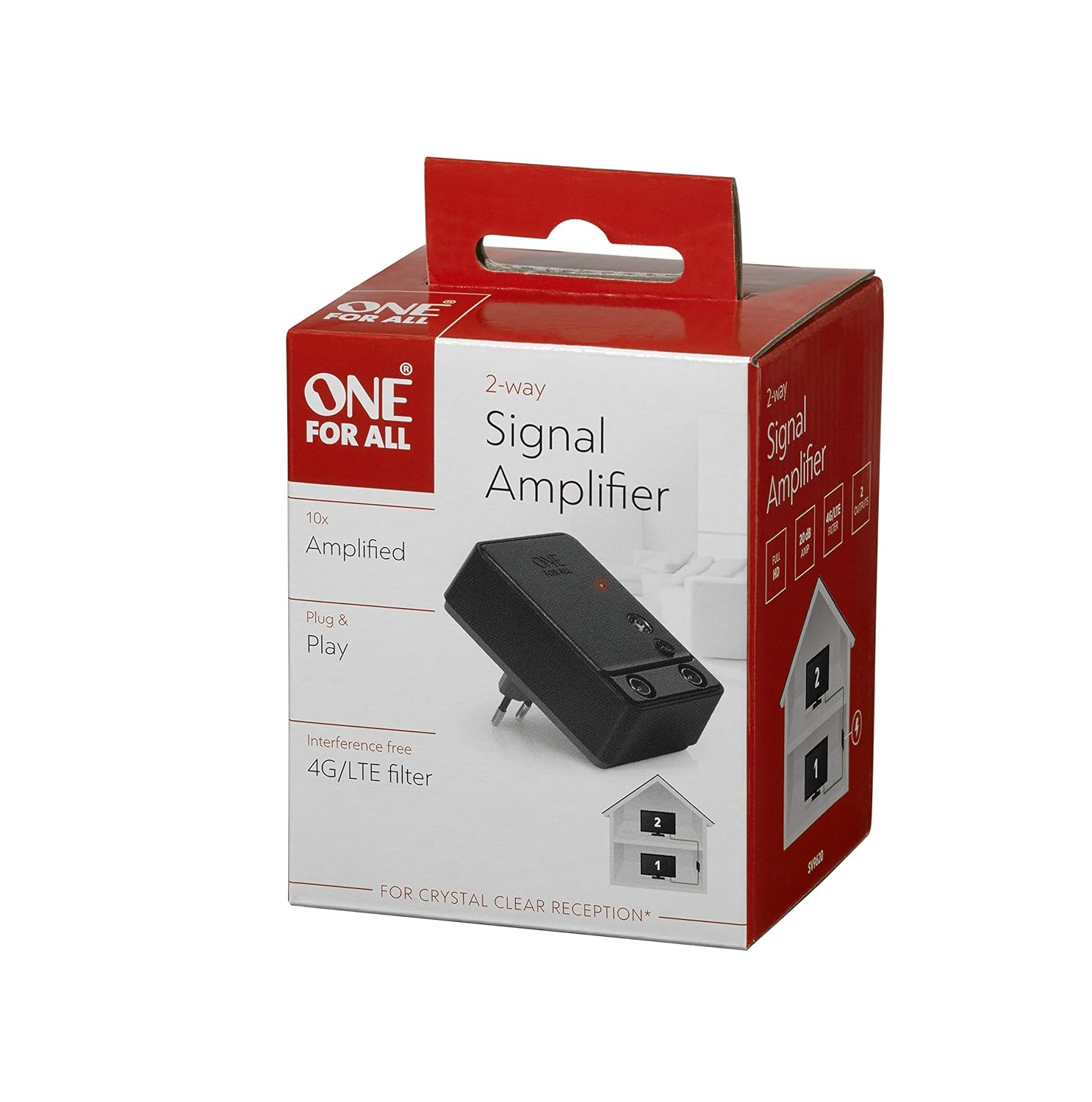
Figure 1: The retail packaging of the One For All Signal Amplifier SV 9620, showing the product name and key features.
Sąranka
Follow these steps to set up your signal ampgyvybingesnis:
- Identify the Signal Source: Locate the main antenna or cable TV input point in your home. This is typically where the signal enters your house.
- Prijungti įvestį: Connect the coaxial cable from your antenna or cable TV wall outlet to the "IN" port on the One For All Signal Amplifier SV 9620.
- Prijunkite išėjimus: Connect coaxial cables from the "OUT" ports of the amplifier to the antenna/cable input of your televisions. The SV 9620 is a 2-fold amplifier, meaning it has two output ports for connecting up to two televisions.
- Maitinimas: Plug the integrated power plug of the amplifier into a standard 220 Volt wall outlet. An indicator light on the amplifier should illuminate, confirming it is receiving power.
- Ieškoti kanalų: On each connected television, perform a channel scan or auto-tune function to detect available channels with the amplified signal. Refer to your television's user manual for specific instructions on channel scanning.

Figure 2: An illustrative diagram demonstrating how the signal amplifier connects to the main signal source and distributes the amplified signal to two televisions within a household.

3 pav.: Išsamus view of the One For All Signal Amplifier SV 9620, highlighting its compact design and the input/output ports for coaxial cable connections.
Veikiantis
Once properly installed, the One For All Signal Amplifier SV 9620 operates continuously to boost your television signal. There are no user controls or adjustments required during normal operation. The amplifier is designed for "Plug & Play" functionality.
- The amplifier provides a 20dB gain, which helps overcome signal loss due to long cable runs or splitting the signal to multiple TVs.
- It includes an interference-free 4G/LTE filter to minimize disruptions from mobile phone signals, ensuring crystal clear reception.
Priežiūra
The One For All Signal Amplifier SV 9620 requires minimal maintenance.
- Valymas: Atjunkite amplifier from the power outlet before cleaning. Use a soft, dry cloth to wipe the exterior of the unit. Do not use liquid cleaners or abrasive chemicals.
- Saugykla: Jei saugote amplifier for an extended period, disconnect it from power and signal cables. Store it in a cool, dry place, away from direct sunlight and extreme temperatures.
Trikčių šalinimas
If you experience issues with your signal amplifier, žr. šias dažniausiai pasitaikančias problemas ir sprendimus:
| Problema | Galima priežastis | Sprendimas |
|---|---|---|
| No signal or poor picture quality after installation. |
|
|
| Picture is worse than before ampgyvesnis. |
|
|
| Only one TV receives a good signal. |
|
|
Specifikacijos
| Funkcija | Detalė |
|---|---|
| Modelio numeris | SV 9620 |
| Prekės ženklas | Vienas už visus |
| Pelnas | 20dB (2-fold) |
| ttage | 220 voltų |
| Montavimo tipas | Paviršinis montavimas |
| Gaminio matmenys (I x P x A) | 3.94 x 3.94 x 3.94 colio |
| Prekės svoris | 6.7 uncijos |
| Gamintojas | Vienas už visus |
Garantija ir palaikymas
One For All products are manufactured to high quality standards. For information regarding warranty terms and conditions, please refer to the warranty card included with your product or visit the official One For All website. For technical support or further assistance, please contact One For All customer service through their official channels.
Daugiau informacijos ir palaikymo išteklių galite rasti adresu One For All Store on Amazon.
Ask a question about this manual
Ask about setup, troubleshooting, compatibility, parts, safety, or missing instructions. Manuals+ will review the question and use this page’s manual context to help answer it.