
Įvadas
This manual provides essential information for the Coby LEDTV3916 and LEDTV2916 series television main board. It covers product overview, installation guidelines, operational considerations, maintenance tips, and troubleshooting steps. This main board is a critical component responsible for processing video and audio signals, managing inputs, and controlling various television functions.
Produktas baigtasview
The Coby LEDTV3916/LEDTV2916 main board, identified by part numbers LSC320AN01 and T.RSC8.92, is a replacement component designed for specific Coby television models. It integrates various functionalities including video processing, audio amplification, and input/output management.
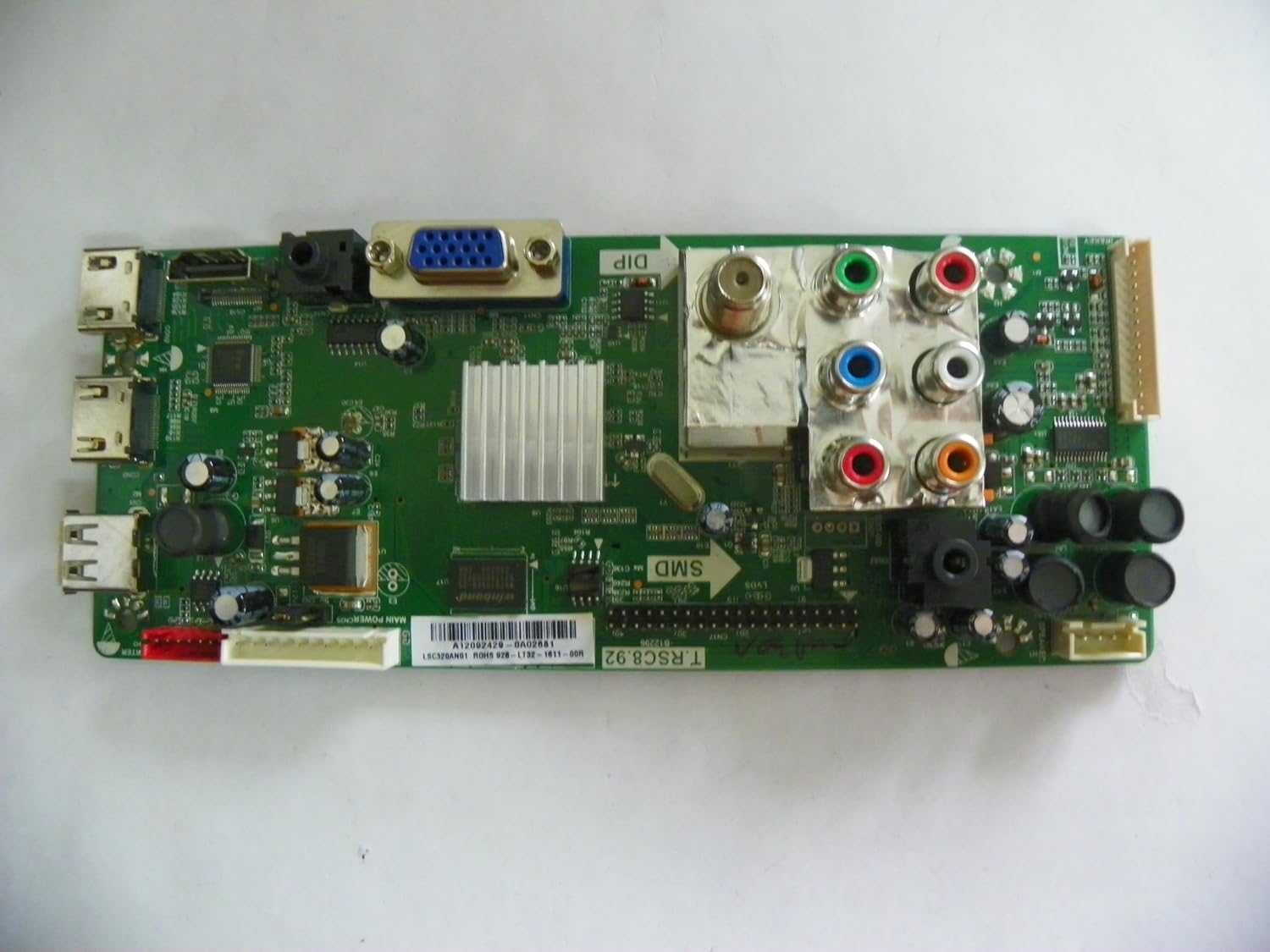
1 pav.: Iš viršaus į apačią view of the Coby LEDTV3916/LEDTV2916 main board, showing various ports and integrated circuits.

2 pav. Iš arti view of the main board, highlighting the barcode and part number LSC320AN01. Ensure this matches your existing board for compatibility. The specific part number is A12092429-0A02681.
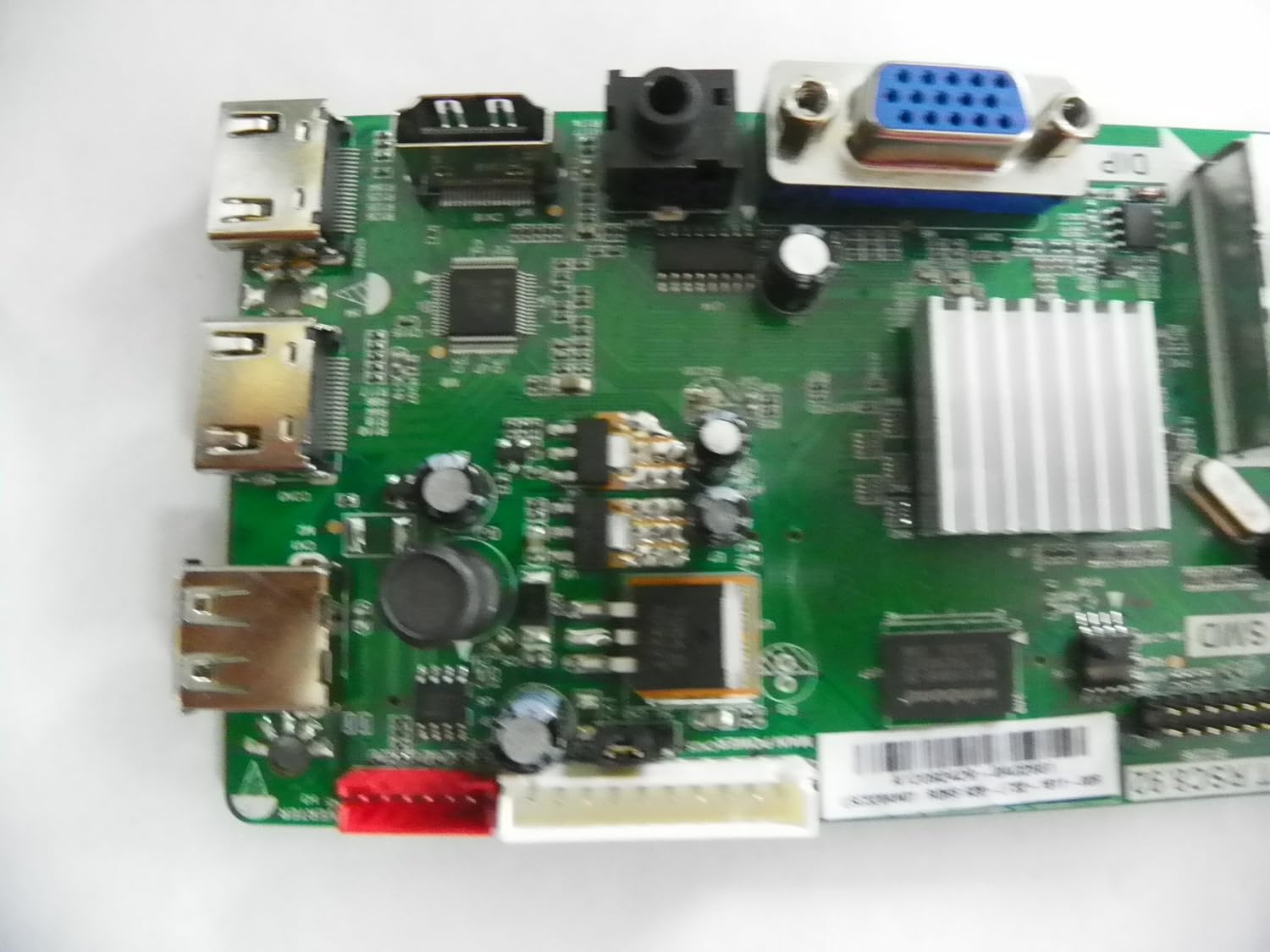
3 pav. Išsamus view of the left side of the main board, showing various input/output ports such as HDMI and USB.

Figure 4: Angled perspective of the main board, providing a comprehensive view of its layout and components.
Sąranka ir diegimas
Installation of a television main board requires technical expertise and should ideally be performed by a qualified technician. Improper installation can lead to damage to the board or the television.
- Pirmiausia sauga: Always disconnect the television from the power outlet before beginning any installation or repair work.
- Patikrinkite suderinamumą: Before installation, ensure that the part number on the replacement board (LSC320AN01, T.RSC8.92) exactly matches the part number of the original board in your Coby LEDTV3916 or LEDTV2916 television.
- Prieiga prie pagrindinės plokštės: Carefully remove the back cover of the television to gain access to the internal components, including the main board. Refer to your television's service manual for specific instructions on cover removal.
- Atjunkite kabelius: Gently disconnect all cables and connectors attached to the old main board. Take note of their positions or take photos for reassembly.
- Pašalinti seną lentą: Unscrew and carefully remove the old main board from the television chassis.
- Įdiekite naują plokštę: Position the new main board in place and secure it with the screws. Ensure it is seated correctly.
- Iš naujo prijunkite laidus: Reconnect all cables and connectors to their corresponding ports on the new main board. Double-check all connections for proper seating.
- Bandymo funkcionalumas: Before reattaching the back cover, temporarily connect the television to power and perform a basic functionality test to ensure the board is working correctly.
- Galutinė asamblėja: Once confirmed operational, disconnect power, reattach the television's back cover, and secure all screws.
Operacija
As a core component, the main board's operation is integral to the television's overall functionality. Once installed, the board enables the television to power on, display images, produce sound, and process signals from various input sources (HDMI, USB, AV, etc.). There are no direct user operational controls on the main board itself; its function is to facilitate the television's normal operation.
Priežiūra
The main board requires minimal direct maintenance. However, adhering to general television care practices can prolong its lifespan:
- Laikyti sausai: Avoid exposing the television to moisture or excessive humidity, which can damage electronic components.
- Dulkių kontrolė: Periodically clean the television's vents to prevent dust buildup, which can lead to overheating and component failure. Use compressed air for internal cleaning if necessary, ensuring the TV is unplugged.
- Vėdinimas: Ensure adequate airflow around the television to prevent heat accumulation.
- Maitinimo šuoliai: Consider using a surge protector to safeguard the television and its internal components from electrical spikes.
Trikčių šalinimas
If your television experiences issues after main board replacement, or if you suspect a main board malfunction, consider the following common troubleshooting steps. Professional diagnosis is recommended for complex issues.
- Nėra maitinimo / nėra ekrano:
Patikrinkite: Ensure all power cables are securely connected. Verify the power outlet is functional. If the TV still does not power on, the main board or power supply board may be faulty. - No Audio/Video from Inputs:
Patikrinkite: Confirm external devices are working and connected to the correct input ports. Try different cables. If the issue persists across multiple inputs, the main board's input processing section may be affected. - Pertraukiamas funkcionalumas:
Patikrinkite: Loose connections can cause intermittent issues. Re-seat all internal cables. Overheating can also cause intermittent problems; ensure proper ventilation. - Incorrect Display/Picture Issues:
Patikrinkite: If the picture is distorted, discolored, or has lines, it could indicate a main board issue, or potentially a T-Con board or panel problem. - Nuotolinio valdymo pultas nereaguoja:
Patikrinkite: Replace remote batteries. If the TV still doesn't respond, the IR receiver or the main board's control circuit might be faulty.
If these steps do not resolve the issue, it is advisable to consult a professional television repair technician.
Techninės specifikacijos
| Funkcija | Specifikacija |
|---|---|
| Prekės ženklas | Coby |
| Suderinami televizorių modeliai | LEDTV3916, LEDTV2916 |
| Board Part Numbers | LSC320AN01, T.RSC8.92 |
| CPU lizdas | LGA 775 (Note: This specification appears to be for a computer motherboard, not a TV main board. Please verify with product documentation.) |
| Suderinami procesoriai | Intel Core 2 DUO (Note: This specification appears to be for a computer motherboard, not a TV main board. Please verify with product documentation.) |
| Lustų rinkinio tipas | Intel H61 Express (Note: This specification appears to be for a computer motherboard, not a TV main board. Please verify with product documentation.) |
| Grafikos plokštės sąsaja | Integruota |
| Galimi atminties lizdai | 2 (Note: This specification appears to be for a computer motherboard, not a TV main board. Please verify with product documentation.) |
| Prievadų skaičius | 2 (Refers to USB ports, other ports are present.) |
| Palaikomas sistemos magistralės standartas | SATA 2 (Note: This specification appears to be for a computer motherboard, not a TV main board. Please verify with product documentation.) |
| Iš viso SATA prievadų | 1 (Note: This specification appears to be for a computer motherboard, not a TV main board. Please verify with product documentation.) |
| Pirmoji laisva data | 31 m. kovo 2014 d |
Note: Some specifications provided (e.g., CPU Socket, Compatible Processors, Chipset Type, Memory Slots, SATA Ports) appear to be generic motherboard specifications and may not directly apply to a television main board. Please refer to the specific Coby TV service manual for precise technical details.
Garantija ir palaikymas
This product is described as a "used tested board, from a new cracked screen TV, in perfect working order." Due to its nature as a replacement part and potentially used condition, standard manufacturer warranties may not apply. It is crucial to clarify any warranty terms directly with the seller at the time of purchase.
For technical support or further assistance with installation and troubleshooting, please contact the seller from whom you purchased this main board. Alternatively, consult a certified television repair technician for professional service.