
1. Įvadas
The Genelec 8040B Bi-Amplified Monitor System is designed for professional audio monitoring applications. This compact system delivers a wide frequency response, extending down to 41 Hz, and high sound pressure levels (SPL), making it suitable for various studio environments where space may be limited. The 8040B incorporates Intelligent Signal Sensing (ISS) power management for energy efficiency and features a Minimum Diffraction Enclosure (MDE) for accurate sound reproduction.
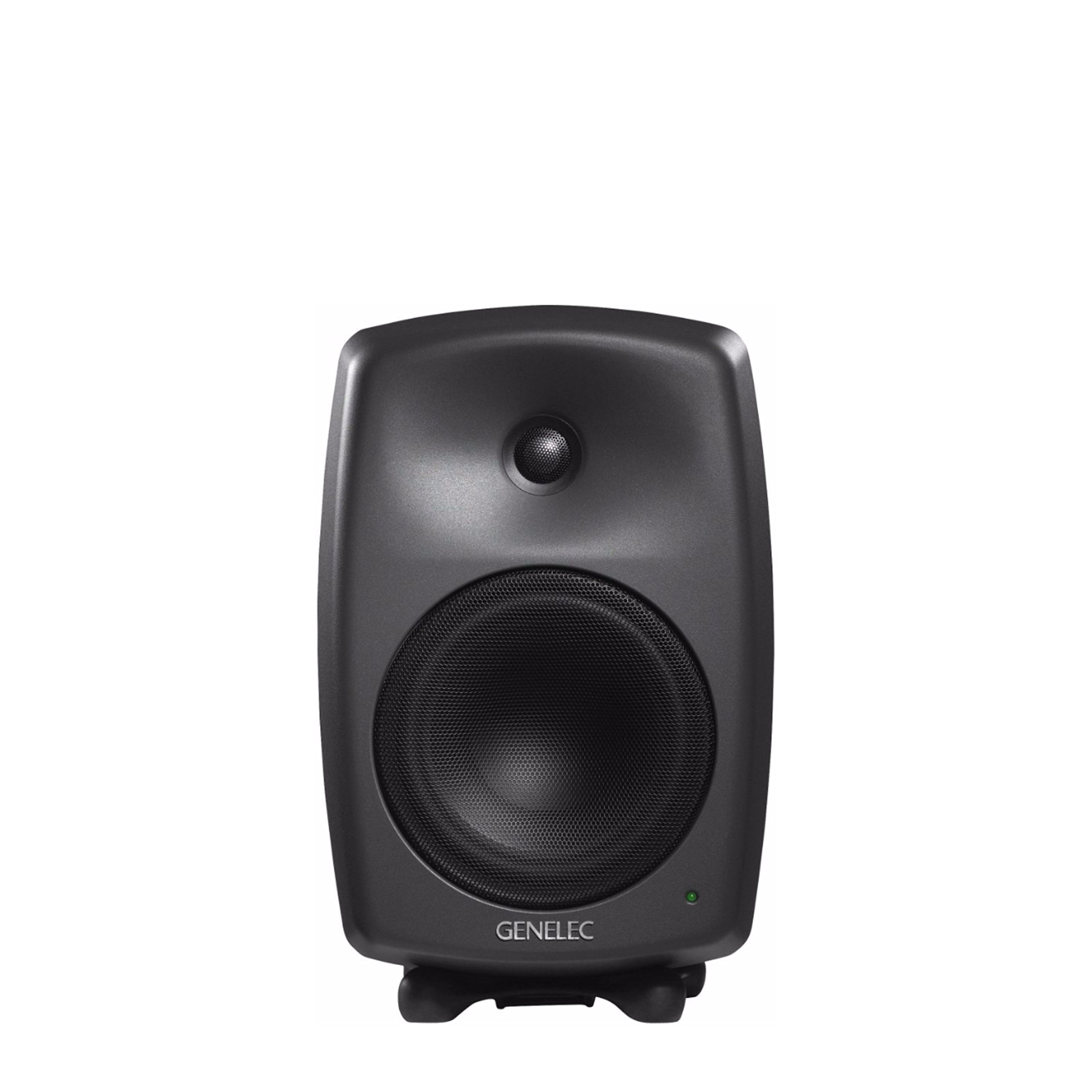
1 pav.: priekis view of the Genelec 8040B Bi-Amplified Monitor System. This image shows the speaker's front grille, tweeter, and woofer, along with the Genelec logo and a power indicator light.
Pagrindinės funkcijos:
- Minimum Diffraction Enclosure (MDE): Features rounded edges and gently curved front and sides to achieve a smooth frequency response and superb imaging qualities by minimizing cabinet edge diffraction.
- High Output with Low Distortion: Equipped with 6.5-inch bass speakers and 3/4-inch metal dome tweeters, driven by dedicated 90-watt bass and treble amplifiers for clear audio reproduction.
- Intelligent Signal Sensing (ISS) Power Management: Automatically switches the monitor to a low-power standby state when no audio signal is detected for a period, conserving energy.
- High Performance Reflex Port: An ingeniously designed flow-optimized reflex port increases the woofer's low-frequency extension and SPL capacity, allowing for deep bass reproduction without compression.
- Universalus montavimas: Includes integrated rear support points for wall and floor stands, plus an M10 thread on the cabinet base for various mounting options. The monitor also comes with a standard IsoPod stand.
2. Sąranka
2.1 Išpakavimas ir įdėjimas
Carefully remove the monitor from its packaging. Place the monitor on a stable surface using the included IsoPod stand, or mount it using compatible wall or floor stands. Ensure adequate space around the monitor for proper ventilation and acoustic performance.
2.2 Jungtys
The Genelec 8040B uses wired connectivity for audio input and a corded electric power source.
- Maitinimo jungtis: Connect the power cable to the mains input on the rear panel of the monitor and then to a suitable power outlet.
- Garso įvestis: Connect your audio source (e.g., audio interface, mixer) to the audio input connector on the rear panel. The monitor supports stereo audio output.

2 pav.: galinis view of the Genelec 8040B showing input connections and acoustic calibration controls. This includes the mains input, audio input, and switches for Bass Tilt, Treble Tilt, and Bass Roll-Off.
2.3 Acoustic Calibration
The rear panel features controls for acoustic calibration, allowing you to adjust the monitor's frequency response to suit your room's acoustics. These controls include:
- Žemųjų dažnių pakreipimas: Reguliuoja žemo dažnio atsaką.
- Aukštas pokrypis: Reguliuoja aukšto dažnio atsaką.
- Boss Roll-Off: Reduces bass output, useful when using a subwoofer or in rooms with excessive bass resonance.
Refer to the markings on the rear panel (Figure 2) for specific switch positions and their corresponding frequency adjustments. Proper calibration is essential for accurate monitoring.
3. Naudojimo instrukcijos
3.1 Maitinimo įjungimas/išjungimas
Once connected, switch the power to the ON position using the switch located on the rear panel. The power indicator light on the front of the monitor will illuminate.
3.2 Intelligent Signal Sensing (ISS)
The 8040B features ISS technology. If no audio signal is detected for a certain period, the monitor will automatically enter a low-power standby mode. It will automatically power back on when an audio signal is detected. This feature helps conserve energy.
3.3 Garsumo valdymas
Volume control is typically managed by your audio source (e.g., mixer, audio interface). Ensure the input signal level is appropriate to avoid distortion.
3.4 Suderinami įrenginiai
The Genelec 8040B is compatible with various audio sources, including desktop computers, laptops, MP3 players, televisions, and projectors, making it suitable for home studio recording and general audio playback.
4. Priežiūra
4.1 Valymas
To clean the monitor, ensure it is powered off and disconnected from the mains. Use a soft, dry cloth to wipe the aluminum enclosure. Avoid using abrasive cleaners, solvents, or excessive moisture, as these can damage the finish or internal components.
4.2 Bendroji priežiūra
Protect the monitor from extreme temperatures, humidity, and direct sunlight. Avoid placing heavy objects on top of the monitor or obstructing its ventilation. The monitor is not waterproof; keep it away from liquids.
5. Problemų sprendimas
If you encounter issues with your Genelec 8040B monitor, refer to the following common problems and solutions:
- Nėra garso:
- Check if the monitor is powered on and the power indicator light is illuminated.
- Patikrinkite, ar visi garso kabeliai yra tvirtai prijungti prie monitoriaus ir garso šaltinio.
- Ensure the audio source is active and outputting a signal.
- Check the volume levels on your audio source.
- Iškraipytas garsas:
- Reduce the input signal level from your audio source.
- Check for damaged audio cables.
- Ensure the acoustic calibration settings on the rear panel are appropriate for your room.
- Monitorius neįsijungia:
- Verify the power cable is securely connected to both the monitor and a working power outlet.
- Check the power switch on the rear panel is in the 'ON' position.
- If using ISS, ensure an audio signal is present to wake the monitor from standby.
For further assistance, contact Genelec customer support or visit their official websvetainę.
6. Specifikacijos
| Funkcija | Detalė |
|---|---|
| Prekės ženklas | Genelec |
| Modelio pavadinimas | 8040B |
| Modelio numeris | 8040 BPM |
| Garsiakalbio tipas | Monitorius |
| Didžiausia garsiakalbio išėjimo galia | 90 vatų |
| Dažnio atsakas | 41 Hz–25 kHz |
| Ryšio technologija | Laidinis |
| Garso išvesties režimas | Stereo |
| Montavimo tipas | Ant grindų statomas, montuojamas ant sienos |
| Korpuso medžiaga | Aliuminis |
| Žemų dažnių garsiakalbio skersmuo | 6.5 colių |
| Aukštų dažnių garsiakalbio skersmuo | 1 colių |
| Elemento matmenys (D x P x A) | 8.78 "D x 9.33" P x 14.37" A |
| Prekės svoris | 8600 gramų |
| Maitinimo šaltinis | Su laidu elektra |
| Kontrolės metodas | Touch (via rear panel switches) |
| Specifinis produkto naudojimas | Home studio recording |
| Integruota laikmena | Iso-Pod, integrated rear support points for floor and wall stands |
| UPC | 064381280086 |
7. Informacija apie garantiją
The Genelec 8040B Bi-Amplified Monitor System comes with a Ribota garantija. For detailed information regarding the terms, conditions, and duration of your warranty, please refer to the official Genelec websvetainėje arba garantijos kortelėje, pridėtoje prie jūsų gaminio. Išsaugokite pirkimo įrodymą, jei prireiktų pateikti garantijos pretenzijas.
8. Pagalba ir kontaktai
For technical support, service, or additional information about your Genelec 8040B monitor, please visit the official Genelec websvetainė:
You may also find FAQs and user forums on their website which can provide solutions to common issues.