
1. Įvadas
This manual provides essential information for the proper setup, operation, and maintenance of your D-Link 2K Pan & Tilt Wi-Fi Camera (DCS-6501LH). Please read these instructions carefully to ensure optimal performance and safety.
Pagrindinės funkcijos:
- Crisp 2K Resolution: 2K 1296p for sharp, detailed video.
- Pan & Tilt Coverage: 360 laipsnių view su nuotolinio valdymo pulteliu.
- Galingas naktinis matymas: IR night vision up to 8 meters (26 feet).
- Auto Motion Tracking: Automatiškai seka aptiktą judesį.
- Sound & Motion Detection: Receive alerts for detected activity.
- Dvipusis garsas: Įmontuotas mikrofonas ir garsiakalbis bendravimui.
- Cloud & Local Recording: Supports cloud storage and local microSD card recording.
- Išmaniųjų namų integracija: Suderinamas su Google Assistant ir Amazon Alexa.
- Enhanced Wi-Fi Security: Supports WPA3 encryption.
Pakuotės turinys:
- D-Link 2K Pan & Tilt Wi-Fi Camera (DCS-6501LH)
- Maitinimo adapteris
- Greito montavimo vadovas

1.1 vaizdas: priekis view of the D-Link 2K Pan & Tilt Wi-Fi Camera (DCS-6501LH).
2. Sąranka
Follow these steps to set up your D-Link DCS-6501LH camera.
2.1 Programos diegimas
- Atsisiųskite nemokamą mydlink app from the App Store (for iOS devices) or Google Play (for Android devices).
- Įdiekite programą savo išmaniajame telefone ar planšetiniame kompiuteryje.
- Launch the mydlink app and follow the on-screen instructions to create an account or log in.
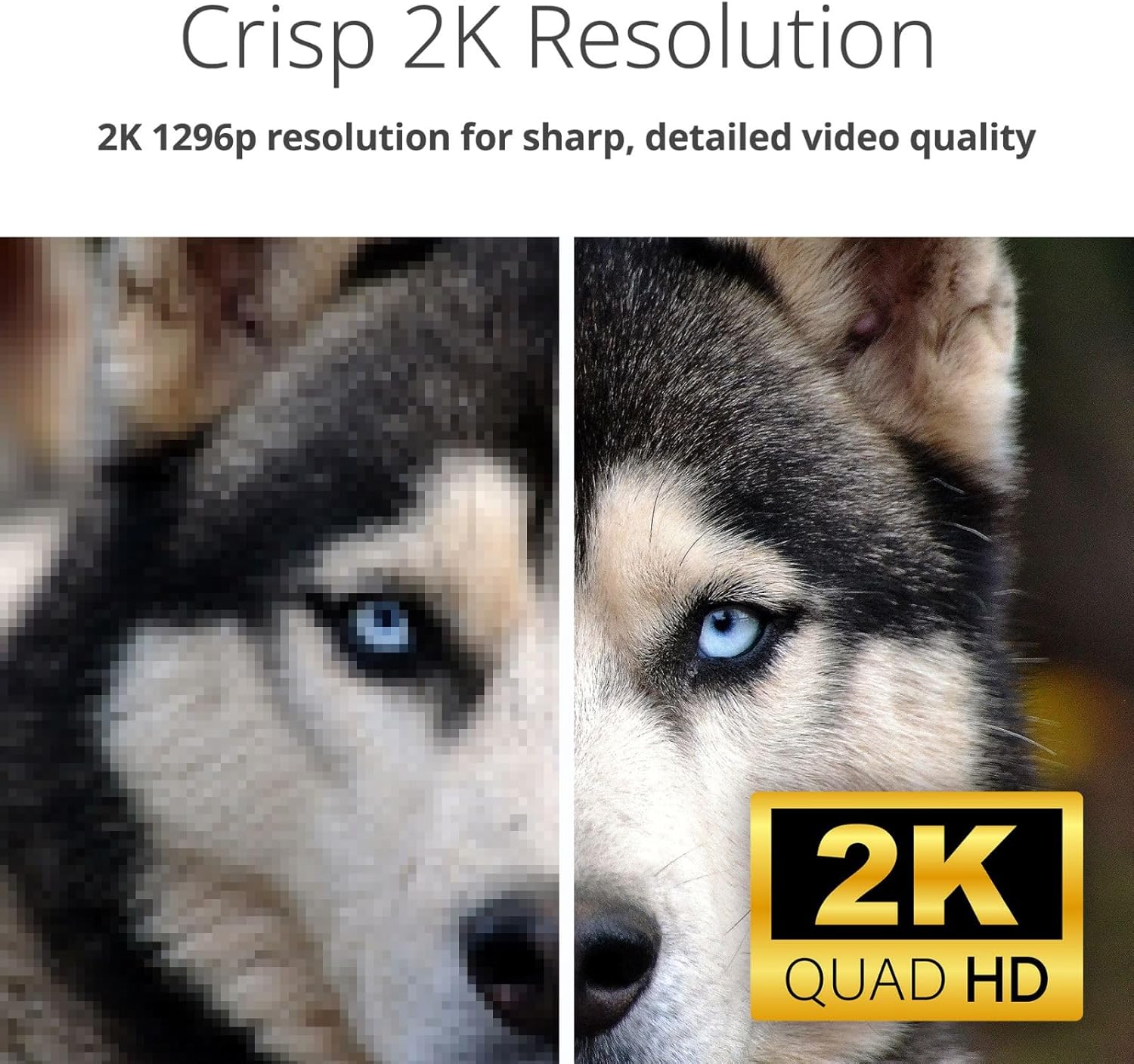
Image 2.1: Screenshot of the mydlink app interface on a smartphone, showing camera listings and app store download options.
2.2 Įjungimas ir pradinis prijungimas
- Connect the provided power adapter to the camera's power port (located at the back/bottom of the camera).
- Plug the power adapter into a wall outlet. The camera's LED indicator will light up.
- Within the mydlink app, tap the '+' icon to add a new device and follow the guided setup process to connect your camera to your home Wi-Fi network.

2.2 vaizdas: galinis view of the D-Link camera, highlighting the power port and speaker grille.
2.3 Fotoaparato montavimas
The DCS-6501LH camera is designed for indoor use and can be placed on a flat surface or mounted on a wall.
- Stalviršio išdėstymas: Padėkite fotoaparatą ant stabilaus, lygaus paviršiaus su skaidriu view ploto, kurį norite stebėti.
- Sieninis laikiklis: Use the included mounting kit (if applicable) to securely attach the camera to a wall. Ensure the camera is positioned at an optimal height and angle for desired coverage.

Image 2.3: The D-Link camera discreetly placed on a shelf, demonstrating typical indoor placement.
3. Fotoaparato valdymas
Understand the various functions and features of your DCS-6501LH camera.
3.1 Pakreipimo ir pasukimo funkcija
Kamera siūlo 360 laipsnių panoraminį vaizdą view. Use the mydlink app to remotely control the camera's pan (horizontal) and tilt (vertical) movements. Tap on a specific area in the panorama view to quickly move the camera to that spot.

Image 3.1: Visual representation of the camera's pan and tilt capabilities, showing multiple camera angles.
3.2 2K Video Resolution
The camera records and streams video in 2K 1296p resolution, providing clear and detailed images for enhanced monitoring.

Image 3.2: A side-by-side comparison demonstrating the superior clarity of 2K resolution compared to a lower resolution image.
3.3 Naktinis matymas
Equipped with infrared (IR) LEDs, the camera provides clear night vision up to 8 meters (26 feet), allowing you to monitor your space even in complete darkness.

Image 3.3: A split image showing the difference between a well-lit day view and a clear infrared night view of an indoor space.
3.4 Dvipusis garsas
The built-in microphone and speaker enable two-way communication. You can listen to what's happening in the camera's vicinity and speak through the camera using the mydlink app.

Image 3.4: An illustration of the two-way audio feature, depicting a user speaking through the camera to a pet.
3.5 Motion and Sound Detection with Auto Tracking
The camera can detect motion and sound, sending instant alerts to your mydlink app. With auto motion tracking, the camera will automatically follow detected movement within its field of view.

Image 3.5: A visual demonstrating sound and motion detection alerts, along with the auto-motion tracking feature following a person.
3.6 Video Recording (Cloud & Local)
The DCS-6501LH supports both cloud recording (subscription may be required) and local recording to a microSD/SDHC/SDXC card (up to 256 GB, not included). This allows for flexible video storage and playback options.
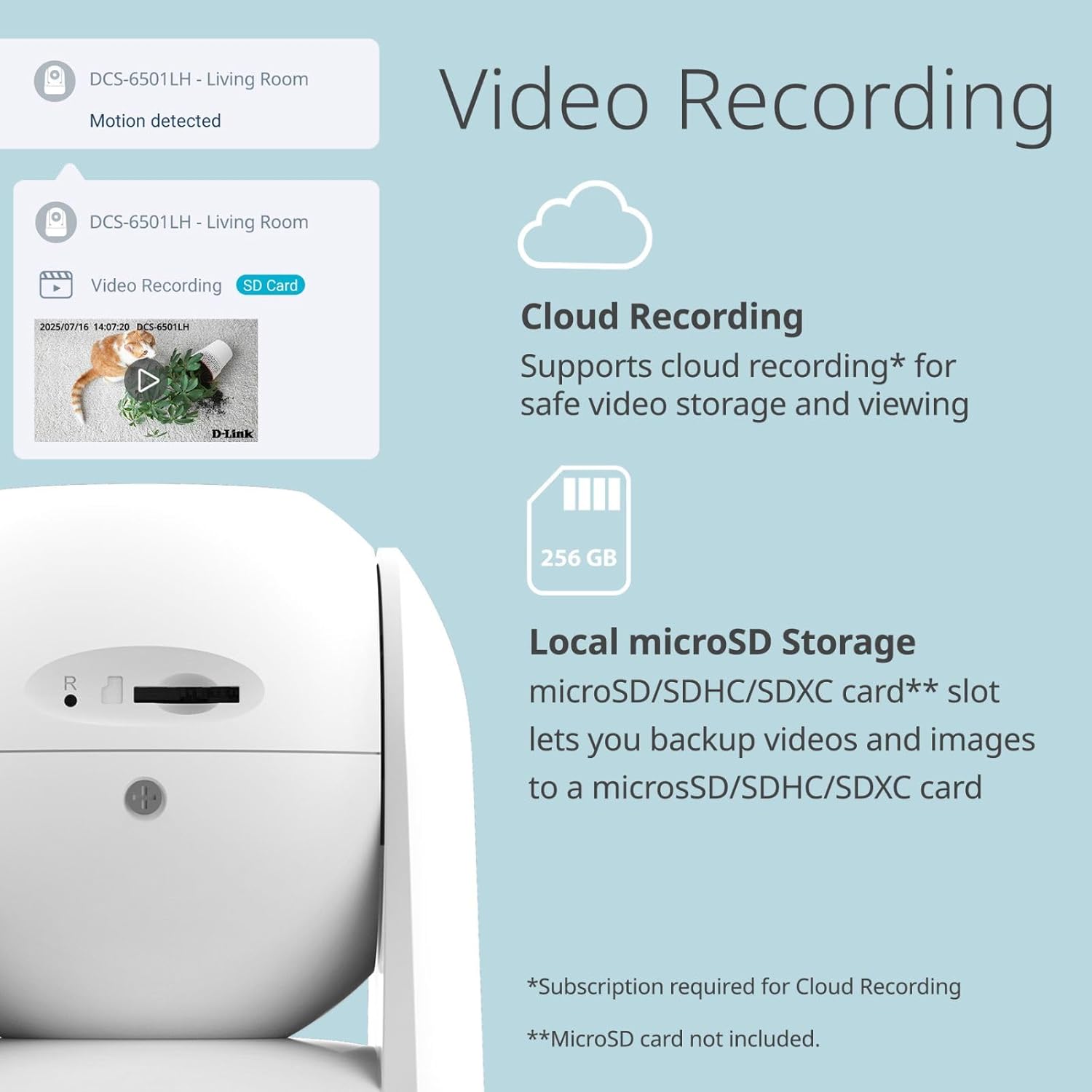
Image 3.6: The camera's side view revealing the microSD card slot, alongside icons for cloud and local storage options.
3.7 Išmaniųjų namų integracija
Integrate your camera with Google Assistant and Amazon Alexa for voice control and smart home automation. For example, you can ask your smart assistant to display the camera feed on compatible devices.

3.7 pav.: pvz.amples of smart home integration, showing a user interacting with Google Assistant and an Alexa-enabled device displaying camera footage.
3.8 Enhanced Wi-Fi Security
The camera supports WPA3 encryption, providing a more secure connection to your Wi-Fi network and protecting your privacy.

Image 3.8: The D-Link camera accompanied by a security shield icon, representing enhanced Wi-Fi security features.
4. Priežiūra
Reguliarus techninis aptarnavimas padeda užtikrinti fotoaparato ilgaamžiškumą ir optimalų veikimą.
4.1 Valymas
- Švelniai nuvalykite fotoaparato objektyvą ir korpusą minkštu, sausu, nepūkuotu skudurėliu.
- Do not use liquid cleaners, aerosols, or abrasive solvents, as these can damage the camera.
4.2 Firmware atnaujinimai
D-Link periodically releases firmware updates to improve performance, add features, and enhance security. Check the mydlink app or the D-Link support website for available updates and follow the instructions to install them.
4.3 „MicroSD“ kortelių valdymas
If using a microSD card for local storage, periodically check its status in the mydlink app. Format the card as needed to maintain optimal recording performance. Ensure the camera is powered off before inserting or removing the microSD card.
5. Problemų sprendimas
Šiame skyriuje aptariamos dažniausiai pasitaikančios problemos, su kuriomis galite susidurti naudodami „D-Link DCS-6501LH“ kamerą.
5.1 Kamera neprisijungia prie „Wi-Fi“
- Įsitikinkite, kad jūsų „Wi-Fi“ tinklas yra 2.4 GHz dažnio, nes kamera gali nepalaikyti 5 GHz tinklų.
- Patikrinkite, ar „mydlink“ programėlėje įvestas teisingas „Wi-Fi“ slaptažodis.
- Perkelkite kamerą arčiau „Wi-Fi“ maršrutizatoriaus, kad pagerintumėte signalo stiprumą.
- Iš naujo paleiskite maršrutizatorių ir kamerą.
5.2 Prasta vaizdo kokybė
- Patikrinkite interneto ryšio greitį. Norint transliuoti 2K raiška, reikalingas stabilus ir greitas ryšys.
- Įsitikinkite, kad fotoaparato objektyvas yra švarus ir be dulkių ar dėmių.
- Adjust the camera's position to avoid direct glare or backlighting.
5.3 Motion/Sound Alerts Not Working
- Patikrinkite, ar jūsų kameros „mydlink“ programėlės nustatymuose įjungtas judesio ir garso aptikimas.
- Check the sensitivity settings for motion and sound detection; adjust them as needed.
- Ensure app notifications are enabled on your smartphone or tablet.
5.4 Kamera nereaguoja
- Unplug the power adapter from the camera, wait 10 seconds, and then plug it back in to restart the device.
- If the issue persists, perform a factory reset (refer to the Quick Installation Guide for specific instructions). Note that a factory reset will erase all settings and require re-setup.
6. Specifikacijos
Detailed technical specifications for the D-Link 2K Pan & Tilt Wi-Fi Camera (DCS-6501LH).
| Funkcija | Specifikacija |
|---|---|
| Modelio pavadinimas | DCS-6501LH |
| Vaizdo įrašymo raiška | 1296p (2K) |
| Kadrų dažnis | 30 kadrų per sekundę |
| Viewing kampas | 89 laipsnių (objektyvas) |
| Naktinio matymo diapazonas | Iki 8 metrų (26 pėdų) |
| Ryšio technologija | Belaidis ryšys („Wi-Fi“, „Bluetooth“) |
| Belaidis ryšys | „Wi-Fi“ (2.4 GHz), „Bluetooth“ |
| Ypatingos savybės | 2-Way Audio, Motion Detection, Night Vision, Pan & Tilt, Auto Motion Tracking |
| Naudojimas viduje / lauke | Vidinis |
| Suderinami įrenginiai | Išmanusis telefonas, „Amazon Alexa“, „Google Assistant“ |
| Maitinimo šaltinis | Su laidu elektra |
| Saugojimo parinktys | Cloud, Local (microSD/SDHC/SDXC up to 256 GB) |
| Montavimo tipas | Tvirtinimas prie sienos, stalviršis |
| Gaminio matmenys (I x P x A) | 8.61 x 8.61 x 11.4 cm |
| Prekės svoris | 273.97 g |
7. Garantija ir palaikymas
Informacijos apie garantiją ieškokite prie gaminio pridėtoje garantijos kortelėje arba apsilankykite oficialioje „D-Link“ svetainėje. websvetainė. „D-Link“ teikia techninę pagalbą savo gaminiams.
7.1 Techninė pagalba
If you encounter issues that cannot be resolved using this manual, please contact D-Link technical support through their official website or the contact information provided in your product packaging. Have your model number (DCS-6501LH) and serial number ready when contacting support.
Visit the D-Link support page for FAQs, firmware downloads, and further assistance: www.dlink.com/support