
1. Įvadas
This manual provides essential information for the proper use and maintenance of your Transcend 8GB SDHC Class 4 Memory Card, model HDR-XR160-KSD48GB. This memory card is designed for compatibility with devices such as the Sony HDR-XR160 Camcorder, offering reliable storage for your digital content.
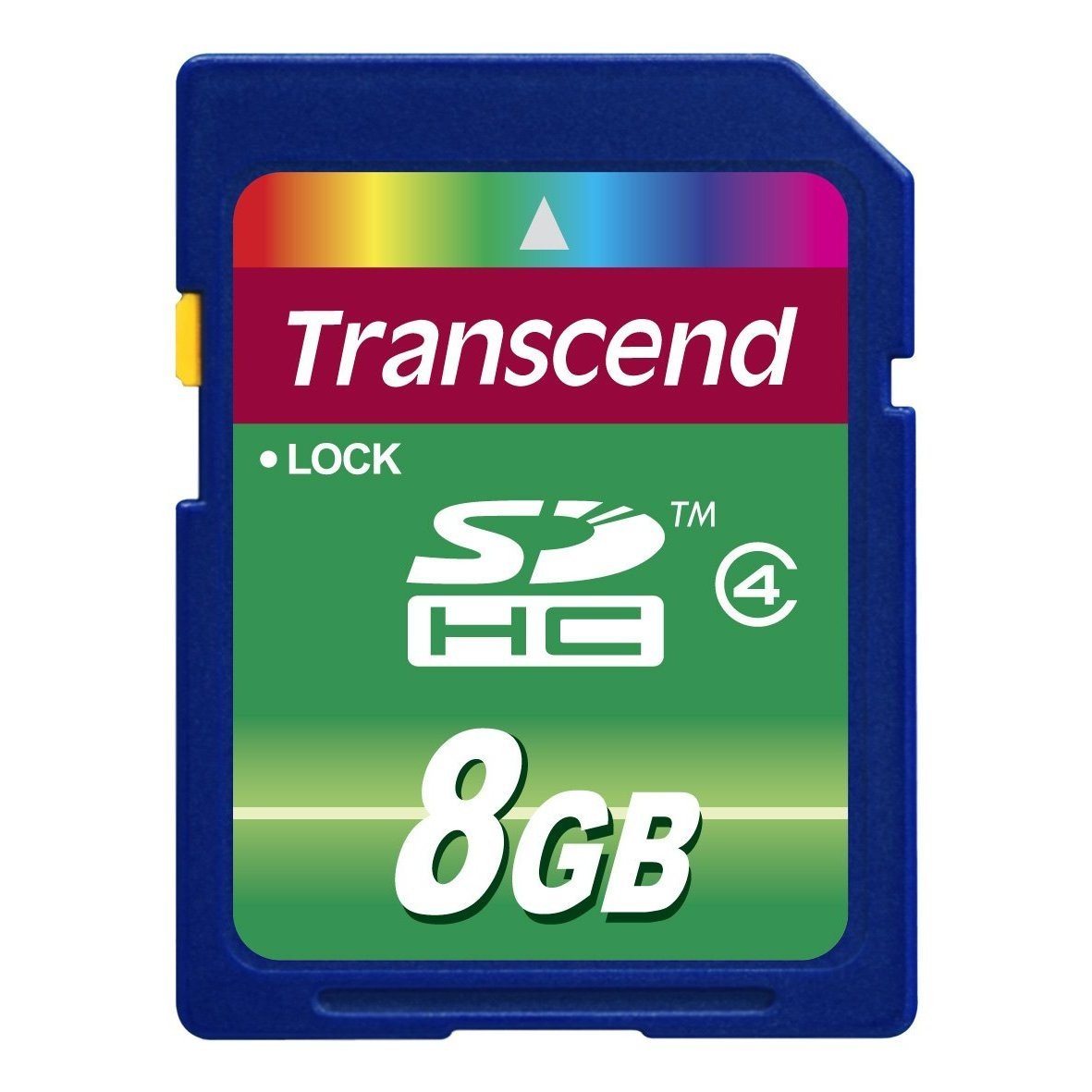
Image 1: Transcend 8GB SDHC Class 4 Memory Card. This image displays the physical appearance of the memory card, highlighting its compact design and branding.
2. Savybės
The Transcend 8GB SDHC Class 4 Memory Card offers the following key features:
- Talpa: 8GB (Gigabytes) of storage, suitable for recording videos and storing photos.
- Tipas: SDHC (Secure Digital High Capacity) format, designed for larger storage needs.
- Greičio klasė: Class 4 rating, ensuring a minimum write speed of 4 MB/s, which is suitable for standard definition video recording and continuous shooting of still images.
- Suderinamumas: Specifically designed for use with compatible devices such as camcorders, including the Sony HDR-XR160.
- Patvarumas: Lengvas dizainas, kad būtų lengva valdyti.
3. Sąranka ir diegimas
Follow these steps to properly install your memory card into a compatible device:
- Išjungimo įrenginys: Ensure your camcorder or other compatible device is powered off before inserting the memory card. This prevents potential data corruption or damage to the card or device.
- Locate Card Slot: Identify the SD card slot on your device. Refer to your device's user manual for the exact location.
- Įdėkite atminties kortelę: Gently slide the Transcend SDHC card into the slot with the gold contacts facing down (or as indicated by your device's manual). Push until it clicks into place. Do not force the card, as this may cause damage.
- Įrenginio įjungimas: Turn on your device. It should recognize the newly inserted memory card.
- Format Card (Optional but Recommended): For optimal performance and to ensure compatibility, it is recommended to format the memory card using your device's internal formatting function before first use. Note: Formatting will erase all data on the card. Back up any important data before proceeding.
4. Naudojimo instrukcijos
Once installed and formatted, your Transcend SDHC memory card is ready for use.
- Recording/Storing Data: Use your device's functions to record videos, capture photos, or store other digital files directly onto the memory card. The Class 4 speed rating supports standard video recording and photo capture.
- Prieiga prie duomenų: Į view or transfer data, connect your device to a computer, or insert the memory card into a compatible card reader connected to a computer. The card will appear as a removable storage device.
- Safely Removing Card: Before physically removing the memory card from your device or card reader, always ensure that all data transfer operations are complete and safely eject the card through your operating system (e.g., "Safely Remove Hardware" on Windows, "Eject" on macOS). This prevents data corruption.
5. Priežiūra ir priežiūra
Proper care extends the life of your memory card and protects your data.
- Fizinė apsauga: Store the memory card in a protective case when not in use to prevent scratches, dust, and static discharge. Avoid bending or dropping the card.
- Aplinkos sąlygos: Do not expose the card to extreme temperatures, direct sunlight, moisture, or strong magnetic fields.
- Valymas: If necessary, gently wipe the gold contacts with a clean, dry, lint-free cloth. Avoid using harsh chemicals or abrasive materials.
- Duomenų atsarginė kopija: Reguliariai kurkite svarbių duomenų iš atminties kortelės atsargines kopijas kitame saugojimo įrenginyje (pvz., kompiuterio standžiajame diske, debesies saugykloje), kad neprarastumėte duomenų.
6. Problemų sprendimas
If you encounter issues with your Transcend memory card, consider the following:
- Kortelė neatpažinta:
- Ensure the card is fully inserted into the device slot.
- Power off and restart your device.
- Išbandykite kortelę kitame suderinamame įrenginyje arba kortelių skaitytuve, kad nustatytumėte, ar problema susijusi su kortele, ar su įrenginiu.
- Check your device's manual for maximum supported memory card capacity and type (SD, SDHC, SDXC).
- Duomenų perdavimo klaidos:
- Ensure the card is securely connected.
- Avoid disconnecting the card during data transfer.
- Išbandykite kitą USB prievadą arba kortelių skaitytuvą.
- Check for sufficient free space on both the card and the destination device.
- Lėtas našumas:
- Įsitikinkite, kad jūsų įrenginys palaiko kortelės greičio klasę.
- Format the card periodically (after backing up data) to optimize performance.
- Venkite kortelės užpildymo iki absoliučios maksimalios talpos.
7. Specifikacijos
| Funkcija | Detalė |
|---|---|
| Modelio numeris | HDR-XR160-KSD48GB |
| „Flash“ atminties tipas | SDHC (saugi skaitmeninė didelės talpos) |
| Atminties talpa | 8 GB |
| Saugios skaitmeninės asociacijos greičio klasė | Class 4 (Minimum 4 MB/s write speed) |
| Techninės įrangos sąsaja | SDHC, Secure Digital Card |
| Suderinami įrenginiai | Camcorders (e.g., Sony HDR-XR160) |
| Gaminio matmenys | 0.08 x 1.26 x 0.94 colio (apytiksliai) |
| Prekės svoris | 0.16 uncijos (apytiksliai) |
| UPC | 876544745239 |
8. Garantija ir palaikymas
For information regarding warranty coverage, technical support, or frequently asked questions, please visit the official Transcend websvetainėje. Išsaugokite pirkimo kvitą kaip pirkimo įrodymą garantiniams reikalavimams.
Transcend Official Websvetainė: www.transcend-info.com