
1. Įvadas
The KitSound Cayman 2.1 Wireless Bluetooth Speaker System combines powerful audio performance with a modern design, offering versatile connectivity options for an enhanced listening experience. This manual provides detailed instructions for setting up, operating, and maintaining your speaker system.
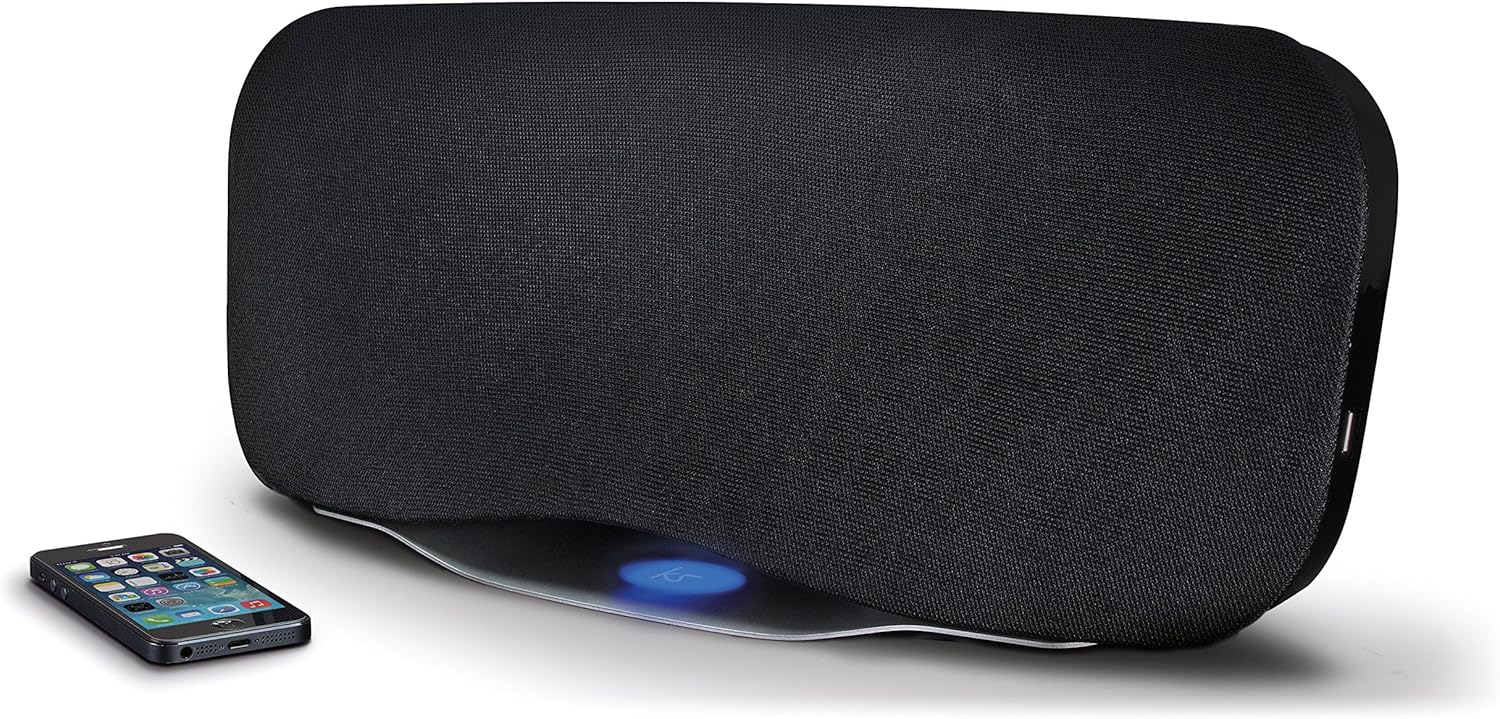
Image 1.1: The KitSound Cayman 2.1 speaker system shown with a smartphone, highlighting its sleek design and wireless connectivity.
2. Pakuotės turinys
Pažymėkite langelį prie šių elementų:
- KS Cayman 2.1 Wireless Bluetooth Speaker with EU Plug
- Nuotolinio valdymo pultas
- 3.5 mm garso laidas
- Naudojimo instrukcija (šis dokumentas)

Image 2.1: The retail packaging for the KitSound Cayman 2.1 Wireless Bluetooth Speaker System, indicating the included components.
3. Produktas baigtasview
3.1 Priekinė ir viršutinė dalis View

3.1 vaizdas: priekis view of the KitSound Cayman 2.1 speaker, showing the speaker grille and the included remote control.
3.2 Galinis skydelis ir jungtys

3.2 vaizdas: galinis view of the speaker system, illustrating the various input ports and power connection.
Galinis skydelis paprastai apima:
- Maitinimo įvestis
- 3.5mm Audio Input (AUX)
- USB įkrovimo prievadas
3.3 Nuotolinis valdymas

3.3 pav.: Išsamus view of the remote control, showing buttons for power, pairing, mode selection, volume, track control, and sound modes (Balanced/Boost).
The remote control allows you to manage power, volume, playback, and sound modes from a distance. Key buttons include:
- Maitinimo mygtukas: Įjungia / išjungia garsiakalbį.
- Suporavimo mygtukas: Įjungia „Bluetooth“ susiejimo režimą.
- Režimo mygtukas: Switches between input sources (Bluetooth, AUX).
- Garsumo didinimas / sumažinimas: Reguliuoja garsiakalbio garsumą.
- Trasos valdymas: Skips tracks forward/backward (Bluetooth mode).
- Leisti / pristabdyti / skambinti: Controls playback and manages calls (Bluetooth mode).
- Balanced/Boost: Selects between different sound profiles.
4. Sąranka
4.1 Maitinimo jungtis
- Place the KitSound Cayman speaker on a stable, flat surface.
- Connect the power cable to the power input port on the rear of the speaker.
- Plug the other end of the power cable into a suitable EU power outlet.
- Press the power button on the speaker or remote control to turn it on.
4.2 Pradinis išdėstymas
For optimal sound performance, position the speaker in a central location within the room. When used as a soundbar, place it directly below your television.
5. Naudojimo instrukcijos
5.1 Bluetooth poravimas
- Įsitikinkite, kad garsiakalbis įjungtas.
- Paspauskite Režimas button on the remote control or speaker until the Bluetooth indicator light flashes, indicating pairing mode.
- On your smartphone, tablet, or MP3 device, enable Bluetooth and search for available devices.
- Pasirinkite "KS Cayman" iš įrenginių sąrašo.
- Kai bus suporuotas, „Bluetooth“ indikatoriaus lemputė ims šviesti nepertraukiamai ir išgirsite patvirtinimo signalą.
- Dabar galite belaidžiu būdu transliuoti garsą iš savo įrenginio į garsiakalbį.
5.2 NFC (artimojo lauko ryšio) susiejimas
Įrenginiams su NFC funkcija:
- Įsitikinkite, kad jūsų įrenginyje įjungtas NFC ir garsiakalbis įjungtas.
- Gently tap your NFC-enabled device against the NFC logo on the top of the KitSound Cayman speaker.
- Your device will automatically connect to the speaker via Bluetooth.
- A confirmation tone will sound upon successful connection.
5.3 Laidinis ryšys (AUX)
To connect devices without Bluetooth or NFC:
- Connect one end of the supplied 3.5mm audio cable to the Aux in prievadą garsiakalbio gale.
- Connect the other end of the 3.5mm audio cable to the headphone jack or audio output of your device (e.g., TV, MP3 player).
- Paspauskite Režimas button on the remote control or speaker to select the AUX input.
- Dabar garsas bus grojamas per prijungto įrenginio garsiakalbį.
5.4 Using as a Soundbar
The KitSound Cayman can function as a soundbar for your television:
- Place the speaker (540mm wide) directly under your TV.
- Connect your TV's audio output to the speaker's Aux in port using the 3.5mm audio cable.
- Select the AUX input mode on the speaker.
- Adjust the volume using the remote control or the TV's volume controls.
5.5 USB įkrovimo prievadas
The integrated USB port on the rear of the speaker can be used to charge compatible devices (e.g., smartphones, tablets) while the speaker is powered on.
5.6 garso režimai
The remote control features buttons to switch between different sound profiles:
- Subalansuotas: Provides a neutral and well-rounded audio experience.
- Padidinti: Enhances bass and treble for a more dynamic sound.
6. Priežiūra
- Valymas: Garsiakalbio išorę valykite minkšta, sausa šluoste. Nenaudokite skystų valiklių ar abrazyvinių medžiagų.
- Saugykla: Kai garsiakalbio nenaudojate ilgesnį laiką, laikykite jį vėsioje, sausoje vietoje, toliau nuo tiesioginių saulės spindulių ir ekstremalių temperatūrų.
- Venkite drėgmės: Do not expose the speaker to water or excessive humidity, as it is not waterproof.
- Vėdinimas: Įsitikinkite, kad garsiakalbio ventiliacijos angos nėra užblokuotos, kad jis neperkaistų.
7. Problemų sprendimas
| Problema | Galima priežastis | Sprendimas |
|---|---|---|
| Nėra galios | Maitinimo laidas neprijungtas arba maitinimo lizdas neaktyvus. | Ensure the power cable is securely connected to both the speaker and a working power outlet. Check the power switch. |
| Nėra garso („Bluetooth“) | Speaker not paired, volume too low, or incorrect input mode. | Re-pair the Bluetooth device. Increase speaker and device volume. Ensure the speaker is in Bluetooth mode. |
| No sound (AUX) | Cable not connected properly, incorrect input mode, or device volume too low. | Check 3.5mm audio cable connections. Ensure the speaker is in AUX mode. Increase volume on both speaker and connected device. |
| Nuotolinio valdymo pultas neveikia | Batteries depleted or obstruction between remote and speaker. | Replace remote control batteries. Ensure a clear line of sight between the remote and the speaker's sensor. |
| Prastas Bluetooth ryšys | Device too far from speaker, interference, or obstacles. | Move the device closer to the speaker (within 10 meters). Remove any obstacles. Avoid placing near other wireless devices. |
8. Specifikacijos
| Išvestis RMS | 50W |
| Dažnio atsakas | 40Hz - 15KHz |
| Bluetooth versija | V4.0 EDR |
| Bluetooth diapazonas | Iki 10 metrų |
| Ryšio technologija | Auxiliary, Bluetooth, NFC, USB |
| Kontrolės metodas | Nuotolinis |
| Maitinimo šaltinis | Electric component with cord (EU Power Plug) |
| Gaminio matmenys | 54.5 x 21.5 x 17.5 cm |
| Prekės svoris | 3.85 kg |
| Modelio numeris | KSCAYMEU |
9. Garantija ir palaikymas
For warranty information and technical support, please refer to the documentation provided with your purchase or visit the official KitSound websvetainėje. Išsaugokite pirkimo įrodymą, jei prireiktų pateikti garantinį ieškinį.
Manufacturer: Kondor Limited