
1. Įvadas
The JAM Transit Micro Sport Buds HX-EP510BL are wireless Bluetooth earbuds designed for active lifestyles. They offer a secure fit, sweat resistance, and hands-free calling capabilities, making them suitable for various activities including running, gym workouts, and general use. This manual provides instructions for setting up, operating, and maintaining your earbuds.
2. Kas yra dėžutėje
Patikrinkite, ar pakuotėje yra visi reikalingi daiktai:
- JAM Transit Micro Sport Buds (HX-EP510BL)
- Nešiojimo maišelis
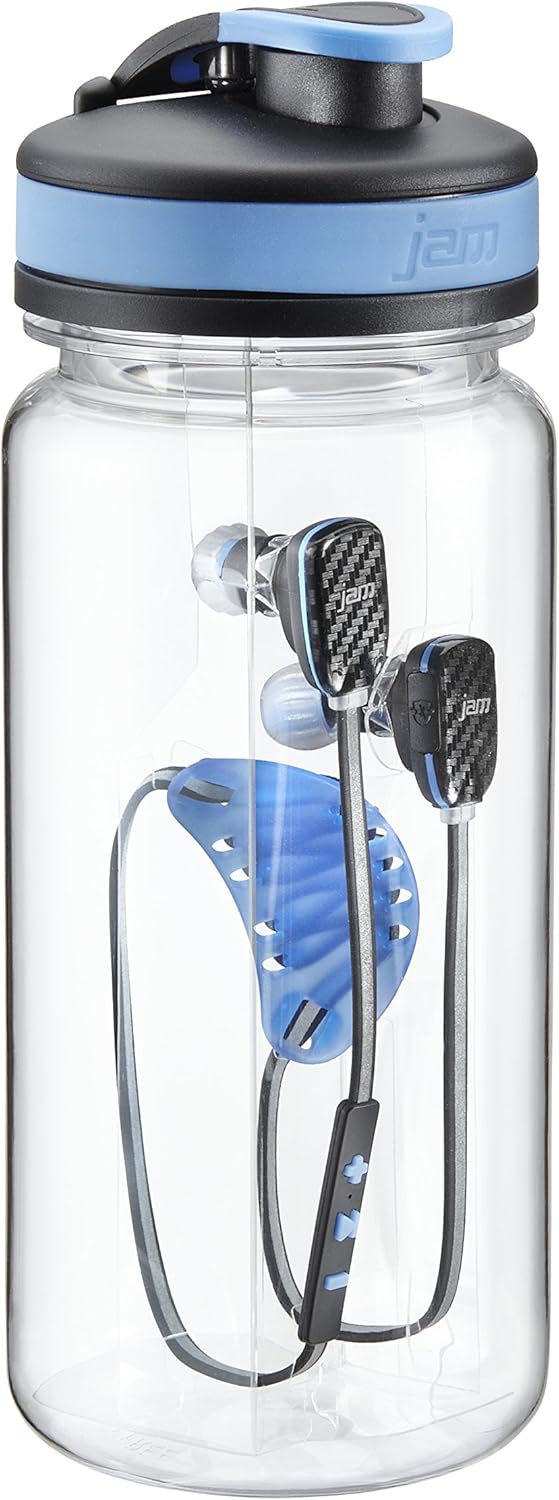
- Water Bottle (packaging)
- Laido valdymo sistema
- Vartotojo vadovas (šis dokumentas)
- Multiple ear tip sizes for custom fit
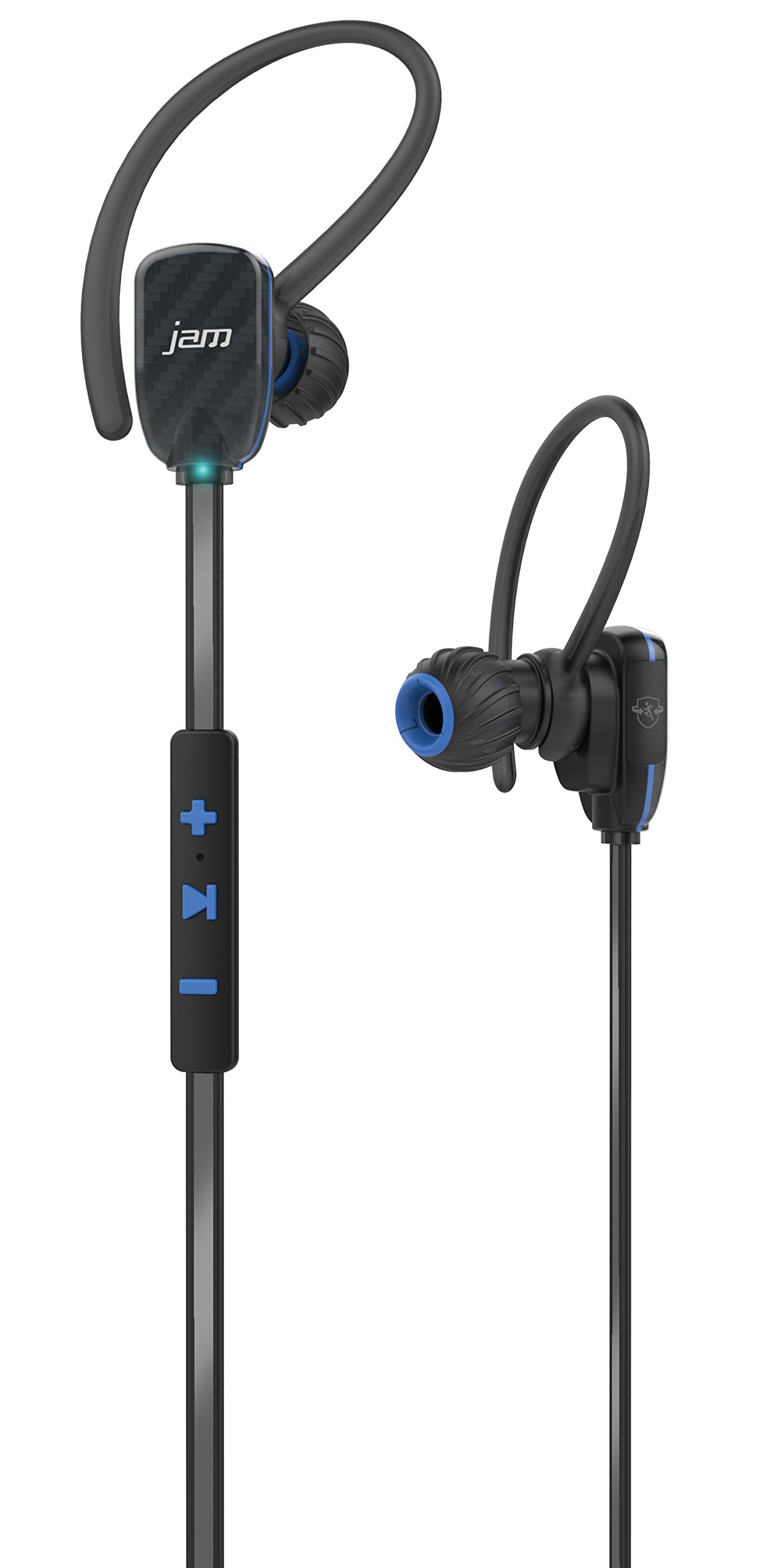
Image: JAM Transit Micro Sport Buds HX-EP510BL, including the earbuds, cord management, and the water bottle packaging.
3. Produktas baigtasview
Familiarize yourself with the components of your JAM Transit Micro Sport Buds:
- Earbuds: The main audio output components, designed for in-ear placement.
- Integruotas nuotolinio valdymo pultas: Located on the reflective cord, this unit contains buttons for media control, volume adjustment, and microphone for calls.
- Mikrofonas: Integrated into the in-line remote for hands-free calling.
- Reflective Cord: Connects the two earbuds and enhances visibility during nighttime use.
- Įkrovimo prievadas: Typically located on the in-line remote, used for recharging the internal battery.
- Ausų patarimai: Various sizes are provided to ensure a comfortable and secure fit.
Vaizdas: Išsamus view of the JAM Transit Micro Sport Buds, highlighting the earbud design and the in-line control panel on the reflective cord.
4. Sąranka
4.1 Ausinių įkrovimas
- Locate the charging port on the in-line remote control.
- Connect the provided charging cable to the earbuds and to a USB power source.
- Allow approximately 1 hour for a full charge, which provides up to 10 hours of playtime.
- The indicator light will change to show charging status (e.g., red for charging, blue/off for fully charged).
4.2 Selecting Ear Tips and Achieving a Secure Fit
- Experiment with the different sizes of ear tips included in the package.
- Choose the ear tips that provide the most comfortable and secure seal in your ear canal. A good seal is crucial for optimal sound quality and bass response.
- Insert the earbuds into your ears, ensuring the reflective cord sits comfortably around your neck or behind your head.
- Utilize the cord management system to adjust the length of the cord for a snug fit, preventing movement during physical activity.
4.3 Bluetooth poravimas
- Ensure the earbuds are charged and powered off.
- Press and hold the power button on the in-line remote until the indicator light flashes rapidly (e.g., alternating red and blue), indicating pairing mode.
- „Bluetooth“ palaikančioje įrangoje (išmaniajame telefone, planšetiniame kompiuteryje ir kt.) eikite į „Bluetooth“ nustatymus.
- Ieškokite available devices and select "JAM Transit Micro Sport Buds" (or similar name).
- Once connected, the indicator light on the earbuds will typically turn solid blue or flash slowly. A voice prompt may also confirm the connection.
- The earbuds can connect wirelessly within a 30-foot range of your device.
5. Naudojimo instrukcijos
5.1 Maitinimo įjungimas/išjungimas
- Maitinimas: Press and hold the power button until the indicator light illuminates and a power-on tone is heard.
- Išjungti: Press and hold the power button until the indicator light turns off and a power-off tone is heard.
5.2 Muzikos atkūrimas
- Leisti / pristabdyti: Press the multi-function button (often the center button on the remote) once to play or pause music.
- Kitas takelis: Press and hold the '+' button (or specific next track button) for approximately 2 seconds.
- Ankstesnis takelis: Press and hold the '-' button (or specific previous track button) for approximately 2 seconds.
5.3 Garsumo valdymas
- Padidinti garsumą: Paspauskite mygtuką „+“.
- Sumažinti garsumą: Paspauskite mygtuką „-“.
5.4 Skambučių valdymas
- Atsiliepti / Baigti skambutį: Press the multi-function button once during an incoming call to answer, or once during a call to end it.
- Atmesti skambutį: Įeinančio skambučio metu paspauskite ir maždaug 2 sekundes palaikykite nuspaudę daugiafunkcį mygtuką.
- Nutildyti mikrofoną: The left earbud can be muted to hear your surroundings during a call. Refer to specific button functions for muting, usually a quick double-press or a dedicated button.
6. Priežiūra
6.1 Valymas
- Regularly clean the ear tips with a soft, dry cloth.
- If necessary, remove the ear tips and wash them with mild soap and water, ensuring they are completely dry before reattaching.
- Wipe the earbuds and cord with a slightly damp cloth to remove sweat or dirt. Avoid using harsh chemicals or abrasive materials.
6.2 Saugykla
- When not in use, store the earbuds in the provided carrying pouch to protect them from dust and damage.
- Venkite laikyti ekstremaliose temperatūrose arba didelėje drėgmėje.
6.3 Atsparumas vandeniui
The JAM Transit Micro Sport Buds are waterproof, making them suitable for use during workouts and in light rain. However, they are not designed for submersion in water. Ensure the charging port cover is securely closed to maintain water resistance.
7. Problemų sprendimas
7.1 Earbuds Not Powering On
- Ensure the earbuds are fully charged. Connect them to a power source and allow sufficient charging time.
- Tvirtai paspauskite ir kelias sekundes palaikykite nuspaudę maitinimo mygtuką.
7.2 Nepavyksta susieti su įrenginiu
- Make sure the earbuds are in pairing mode (flashing indicator light).
- Ensure Bluetooth is enabled on your device and it is within the 30-foot range.
- Forget or remove previous pairings for the earbuds on your device and attempt to pair again.
- Restart both the earbuds and your Bluetooth device.
7.3 Nėra garso arba prasta garso kokybė
- Patikrinkite garsumo lygius abiejose ausinėse ir prijungtame įrenginyje.
- Ensure the earbuds are properly seated in your ears with a good seal.
- Įsitikinkite, kad ausinės prijungtos prie tinkamos garso išvesties jūsų įrenginyje.
- Kad išvengtumėte trukdžių ar diapazono problemų, priartėkite prie savo įrenginio.
7.4 Trumpas baterijos veikimo laikas
- Prieš naudodami įsitikinkite, kad ausinės yra visiškai įkrautos.
- Battery life can vary based on volume level and usage patterns.
- Over time, all rechargeable batteries experience degradation.
8. Specifikacijos
| Modelio numeris | HX-EP510BL |
| Prekės ženklas | „Jam Audio“ |
| Ryšio technologija | Belaidis ryšys („Bluetooth“) |
| Bluetooth diapazonas | Iki 30 pėdų (9 metrų) |
| Baterijos veikimo laikas | Iki 10 valandų žaidimo |
| Įkrovimo laikas | Maždaug 1 val |
| Atsparumo vandeniui lygis | Atsparus vandeniui |
| Ausų išdėstymas | Ausyje |
| Savybės | Microphone, Speakerphone, Reflective Cord, Cord Management System |
| Svoris | 0.2 Pounds (earbuds) |
9. Garantija ir palaikymas
For warranty information, technical support, or customer service inquiries, please refer to the official Jam Audio websvetainėje arba susisiekite tiesiogiai su jų klientų aptarnavimo tarnyba. Išsaugokite pirkimo įrodymą garantiniams reikalavimams.
Official Jam Audio Websvetainė: Visit the Jam Audio Store