
1. Įvadas
Welcome to the Dash Clear View Toaster instruction manual. This appliance is designed to provide a precise toasting experience with its unique clear-view window and versatile functions. Please read this manual thoroughly before use to ensure safe and efficient operation.
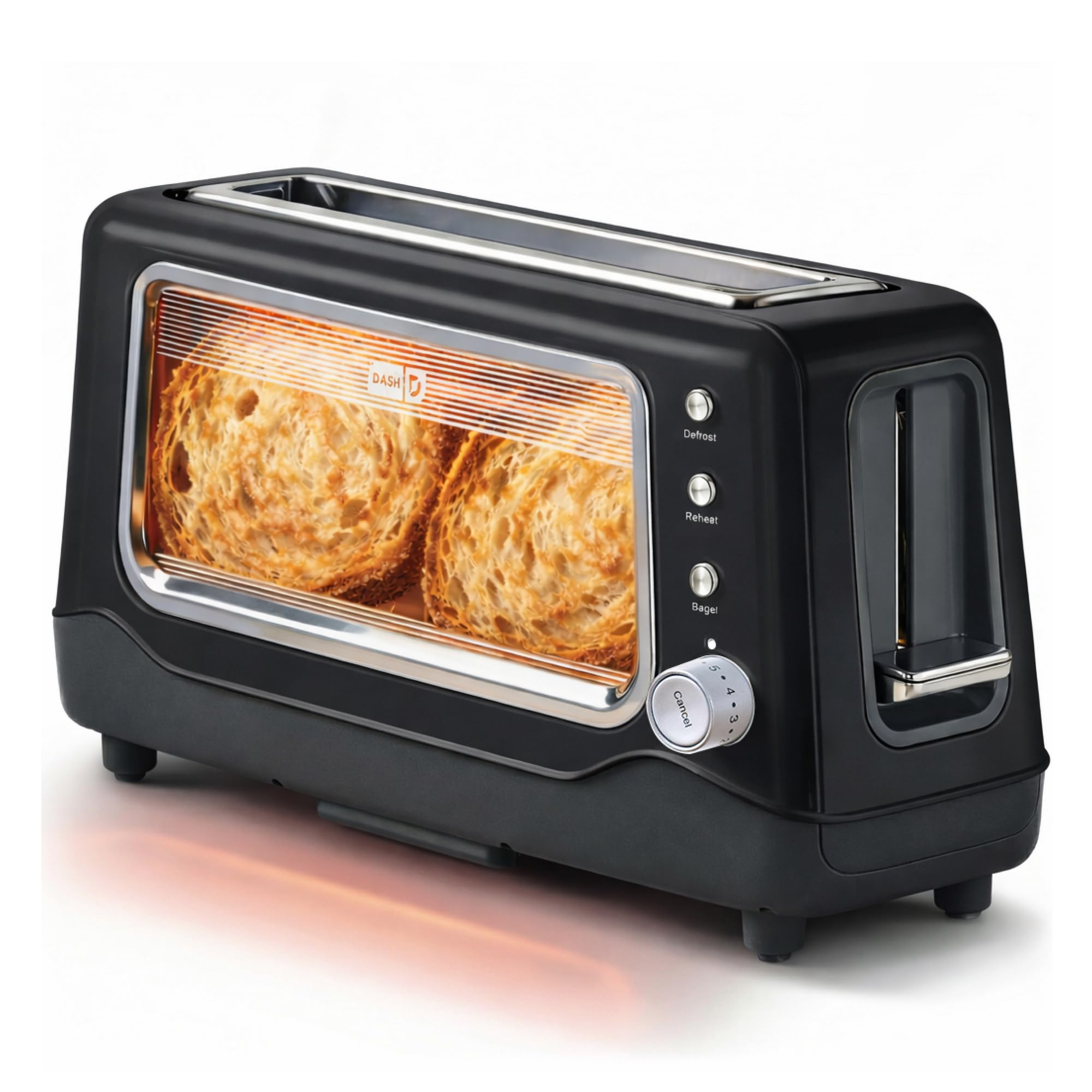
Image 1: The Dash Clear View Toaster in Black, showcasing its sleek design and prominent clear viewlangas.
2. Svarbios apsaugos priemonės
Naudojant elektros prietaisus, visada reikia laikytis pagrindinių saugos priemonių, įskaitant:
- Prieš naudodami skrudintuvą, perskaitykite visas instrukcijas.
- Nelieskite karštų paviršių. Naudokite rankenas arba rankenėles.
- Kad apsisaugotumėte nuo elektros smūgio, nemerkite laido, kištukų ar prietaiso į vandenį ar kitą skystį.
- Atidžiai prižiūrėti būtina, kai bet kurį prietaisą naudoja vaikai arba jį naudoja šalia vaikų.
- Ištraukite kištuką iš elektros lizdo, kai nenaudojate ir prieš valydami. Prieš uždėdami arba nuimdami dalis, leiskite atvėsti.
- Nenaudokite prietaiso, kurio laidas ar kištukas pažeistas, arba po to, kai prietaisas neveikia arba buvo kaip nors sugadintas.
- Nenaudoti lauke.
- Neleiskite laidui kaboti virš stalo ar prekystalio krašto ir neliesti karštų paviršių.
- Nedėkite ant įkaitusios dujinės ar elektrinės viryklės ar šalia jos, taip pat į įkaitintą orkaitę.
- Nenaudokite prietaiso ne pagal paskirtį.
- Į skrudintuvą negalima dėti didelių maisto produktų, metalinės folijos pakuočių ar stalo įrankių, nes jie gali sukelti gaisrą arba elektros smūgio pavojų.
- Gaisras gali kilti, jei skrudintuvai yra uždengti arba liečiasi su degiomis medžiagomis, įskaitant užuolaidas, užuolaidas, sienas ir panašius dalykus.
- Nemėginkite išjudinti maisto, kai skrudintuvas įjungtas.
- Nedirbkite be priežiūros.
3. Produkto ypatybės
The Dash Clear View Toaster is equipped with several features designed for convenience and optimal toasting results:
- Aišku-View Langas: Allows you to monitor the toasting process to achieve your desired browning level.
- Seven-Browning Levels: Adjustable dial for precise control over toast shade, from light to dark.
- Ypač platūs lizdai: Accommodates various bread types, including bagels, artisan bread, and Texas toast.
- 1-Touch Defrost Function: Ideal for toasting frozen items directly from the freezer.
- 1-Touch Reheat Function: Warms previously toasted items without further browning.
- 1-Touch Bagel Function: Skrudina perpjautą riestainių pusę, švelniai šildydamas išorę.
- Auto-Shut Off Feature: Automatically turns off the toaster when the cycle is complete, preventing over-toasting.
- Slide-Out Crumbs Tray: Easily removable for quick and convenient cleaning.
- Removable Glass Panel: Aišku viewing window can be removed for thorough cleaning.

Image 2: The Dash Clear View Toaster, highlighting its compact dimensions (15.5" W x 8" H x 6.5" D) and space-saving design on a kitchen countertop.

Image 3: A visual representation of the seven browning levels available on the Dash Clear View Toaster, ranging from very light to very dark toast.
4. Sąranka
- Išpakuoti: Carefully remove the toaster and all packaging materials from the box. Retain packaging for future storage or returns.
- Vieta: Place the toaster on a stable, heat-resistant, and dry surface away from flammable materials. Ensure adequate ventilation around the appliance.
- Pirmasis naudojimas: Before first use, operate the toaster without bread on the highest setting to burn off any manufacturing residues. A slight odor or smoke may be present; this is normal.
- Maitinimo jungtis: Plug the power cord into a standard 110V electrical outlet. The toaster lever will only stay down when the unit is plugged in.
5. Naudojimo instrukcijos
Follow these steps for optimal toasting:
- Įdėkite maistą: Place slices of bread, bagels, or other items into the extra-wide toasting slots.
- Pasirinkite apskrudimo lygį: Turn the browning control dial to your desired setting (1 for lightest, 7 for darkest).
- Choose Function (Optional):
- Paspauskite Atitirpinimo button for frozen items.
- Paspauskite Pakaitinti button to warm already toasted items.
- Paspauskite Bagelis button for bagels (toasts cut side, warms outer side).
- Pradėkite skrudinti: Push the toast lever down until it locks into place. The heating elements will activate, and you can observe the browning through the clear-view langas.
- Atšaukti skrudinimą: Norėdami bet kuriuo metu sustabdyti skrudinimo ciklą, paspauskite Atšaukti button. The toast will automatically pop up.
- Atgauti skrebučius: Kai skrudinimo ciklas bus baigtas, skrudinta duona automatiškai iššoks. Atsargiai išimkite skrudintus produktus.

Image 4: The Dash Clear View Toaster with two bagel halves placed in its extra-wide slots, ready for toasting using the dedicated bagel function.
Video 1: A seller-provided video demonstrating the Dash Clear View Toaster's features, including the clear window and various settings. The video shows a person using the toaster with a large slice of sourdough bread, highlighting the extra-wide slot and the ability to monitor browning.
6. Priežiūra ir valymas
Regular cleaning ensures the longevity and performance of your toaster:
- Atjunkite ir atvėsinkite: Prieš valydami skrudintuvą, visada atjunkite jį nuo elektros lizdo ir leiskite jam visiškai atvėsti.
- Tuščias trupinių dėklas: Slide out the crumb tray located at the bottom of the toaster. Discard crumbs and wipe the tray clean with a damp cloth. Reinsert the tray securely.
- Švarus stiklo skydelis: Aišku-view glass panel can be removed for thorough cleaning. Locate the release mechanism (often a lever or clip) at the bottom or side of the glass panel, slide it out, wash with warm soapy water, rinse, and dry completely before reinserting.
- Išorinis valymas: Nuvalykite skrudintuvo išorę skelbimuamp audinys. Nenaudokite abrazyvinių valiklių ir nemerkite skrudintuvo į vandenį.
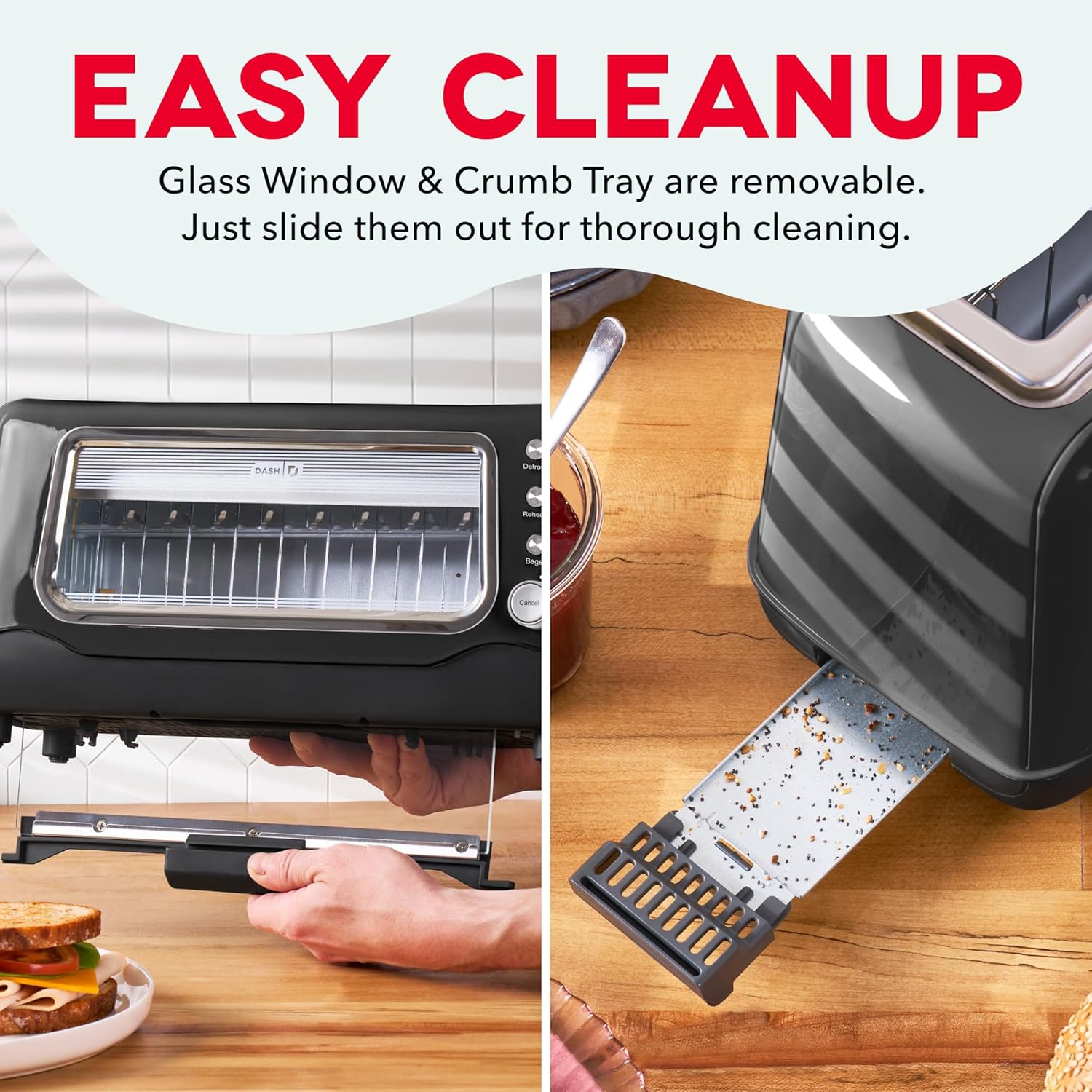
Image 5: The Dash Clear View Toaster demonstrating its easy cleaning features, including the removable slide-out crumb tray and the detachable glass panel for thorough maintenance.
2 vaizdo įrašas: pardavėjo pateiktas vaizdo įrašasasing the Dash Clear View Toaster's unboxing and features, including a demonstration of how to remove and clean the crumb tray and glass panel.
7. Problemų sprendimas
- Toast Lever Does Not Stay Down: Ensure the toaster is properly plugged into a functioning electrical outlet. The lever is designed to only engage when power is supplied.
- Netolygus skrudinimas: Different types of bread toast differently. Adjust the browning level as needed. For very thick or dense items, a slightly higher setting or a second cycle might be required (monitor closely through the clear window).
- Smoke from Toaster: A small amount of smoke during first use is normal. If smoke persists, unplug the toaster immediately. Check for any lodged food particles or excessive crumbs in the crumb tray or heating elements.
- Food Stuck: Unplug the toaster and allow it to cool. Carefully remove the stuck food using non-metallic utensils. Never use metal objects.
8. Specifikacijos
| Atributas | Vertė |
|---|---|
| Prekės ženklas | DASH |
| Modelio numeris | DVTS501BK |
| Spalva | Juoda |
| Medžiaga | Glass, Polypropylene (PP), Stainless Steel |
| Gaminio matmenys | 6.6 "D x 15.7" P x 7.8" A |
| Vattage | 1100 vatų |
| ttage | 110 voltų |
| Slot Count | 2 (extra-wide) |
| Number of Browning Settings | 7 |
| Ypatingos savybės | Automatic Shut-Off, Defrost Mode, Reheat Mode, Removable Crumb Tray, Variable Browning Control |
9. Garantija ir palaikymas
The Dash Clear View Toaster DVTS501BK comes with a 1 metų ribota garantija. For warranty claims, troubleshooting assistance, or product support, please refer to the contact information provided in your product packaging or visit the official DASH websvetainę.
Included Components: Toaster, Recipe Guide, Instruction Manual, Warranty.