
Įvadas
Welcome to the user manual for your new MODSTER Helix 150 Flybarless RC Helicopter. The Helix 150 is designed for beginners, offering extremely stable flight behavior thanks to its sophisticated 6-axis stabilization sensor. This manual provides essential information for setting up, operating, maintaining, and troubleshooting your helicopter to ensure a safe and enjoyable experience.
Saugos informacija
Please read and understand all safety warnings before operating the MODSTER Helix 150. Failure to do so may result in injury or damage to the product.
- Tik išoriniam naudojimui. Do not operate indoors in confined spaces where damage to property or injury to persons may occur.
- Vengti patekimo į akis. Keep the helicopter and its components away from your face, especially during operation.
- Laikyti atokiai nuo atviros liepsnos ir tiesioginių šilumos šaltinių. This applies to the helicopter, battery, and charger.
- Rekomenduojama suaugusiųjų priežiūra for users under the age of 14.
- Nemodifikuoti the helicopter or its components.
- Įsitikinkite, kad baterija visiškai įkrauta before each flight and disconnect it after use.
- Operate in open areas free from obstacles, people, and animals.
Pakuotės turinys
Carefully unpack all items and check against the list below. If any items are missing or damaged, please contact customer support.
- MODSTER Helix 150 Helicopter
- Nuotolinio valdymo pultas (siųstuvas)
- 300 mAh LiPo Battery
- USB įkrovimo laidas
- Spare Main Rotor Blades (Set)
- Spare Tail Rotor Blades (Set)
- Spare Swashplate Linkage Rod
- „Phillips“ atsuktuvas
- Allen veržliarakčiai
- User Manual (German/English)
Produktas baigtasview
The MODSTER Helix 150 is a compact and stable RC helicopter, perfect for learning to fly. Its design incorporates features for ease of use and durability.

1 paveikslas: The MODSTER Helix 150 Flybarless RC Helicopter. This image shows the complete helicopter with its main rotor blades, tail rotor, landing skids, and sleek body design.

2 paveikslas: The MODSTER Helix 150 helicopter alongside its remote control. This image highlights the "Flybarless Heli for Everyone" concept, emphasizing ease of use for beginners with features like auto start/landing and stabilization.

3 paveikslas: Visual representation of key features including 6-axis stabilization, RTF (Ready-To-Fly) out of the box, Gyro stabilization, and a length of 268 mm.
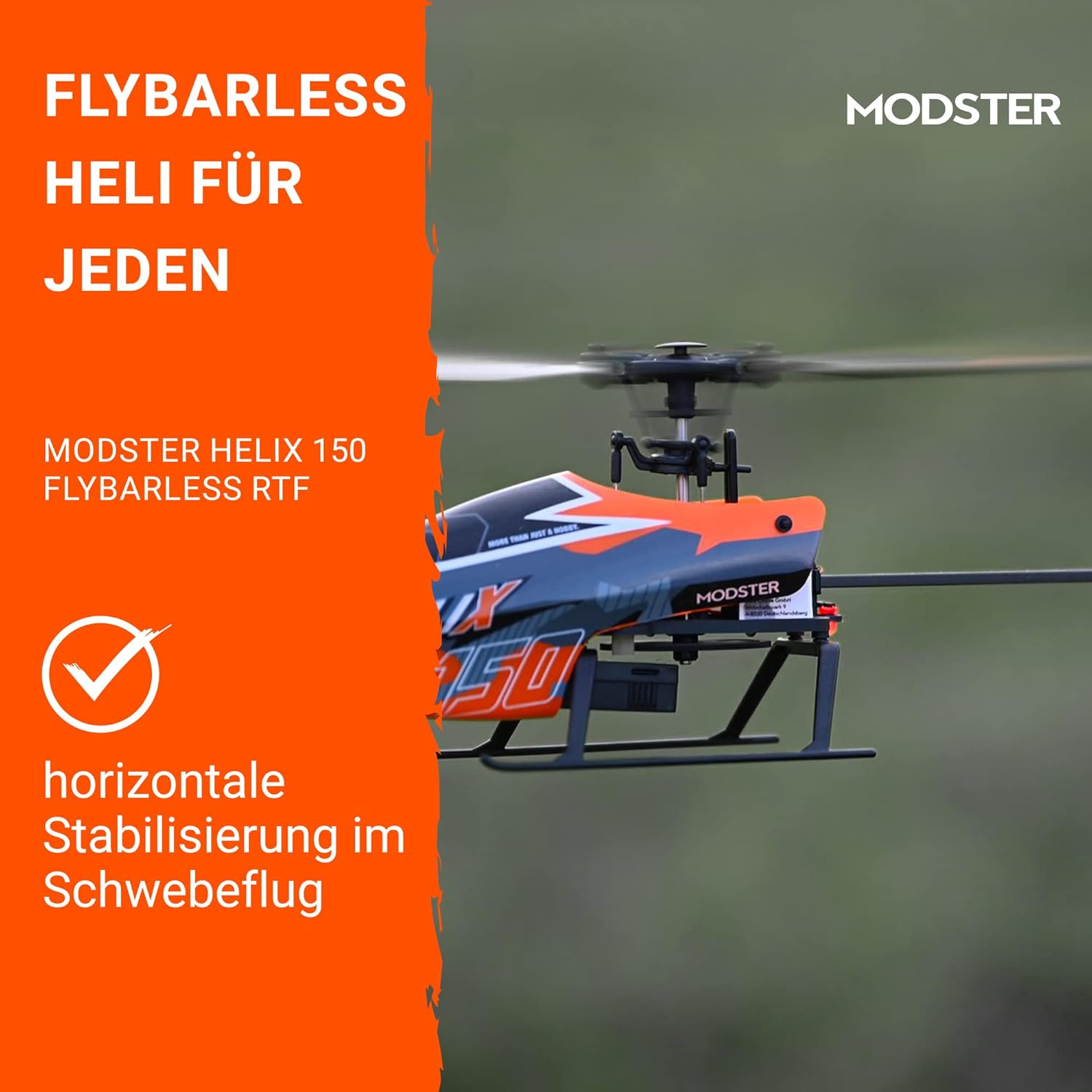
4 paveikslas: The helicopter demonstrating horizontal stabilization during hover flight, a key feature for beginner pilots.
Sąranka
1. Skrydžio akumuliatoriaus įkrovimas
- Connect the included USB charging cable to a USB power source (e.g., computer USB port, USB wall adapter).
- Connect the 300 mAh LiPo battery to the USB charging cable.
- The charging indicator light on the USB cable will show the charging status (e.g., red for charging, green for fully charged).
- Įkrovimas paprastai trunka maždaug 30–60 minučių. Neperkraukite akumuliatoriaus.
2. Baterijų įdėjimas į nuotolinio valdymo pultą
- Atidarykite baterijų skyrių, esantį nuotolinio valdymo pulto gale.
- Insert the required batteries (typically 4x AAA, not included) ensuring correct polarity (+/-).
- Saugiai uždarykite akumuliatoriaus skyrių.
3. Binding the Helicopter and Remote Control
- Ensure the helicopter's battery is disconnected and the remote control is turned off.
- Įjunkite nuotolinio valdymo pultą.
- Connect the flight battery to the helicopter. Place the helicopter on a flat, stable surface.
- The helicopter's indicator light will flash, and the remote control will beep.
- Move the throttle stick (left stick for Mode 2) all the way up, then all the way down.
- The indicator lights on both the helicopter and remote control should become solid, indicating a successful binding.
Naudojimo instrukcijos
1. Priešskrydiniai patikrinimai
- Ensure the flight battery is fully charged.
- Check that the remote control batteries are sufficient.
- Inspect rotor blades for any damage or cracks.
- Ensure all linkages are securely connected.
- Skrydžiui pasirinkite atvirą, švarią vietą, atokiau nuo žmonių, gyvūnų ir kliūčių.
2. Take-off (Auto Start)
After binding, place the helicopter on a flat surface. Press the "Auto Take-off" button (often marked with an arrow pointing up or a take-off icon) on the remote control. The helicopter will automatically ascend to a stable hover height.
3. Pagrindiniai skrydžio valdymo įtaisai (2 režimas)
The remote control supports both Mode 1 and Mode 2. This manual describes Mode 2, which is common for RC helicopters. Refer to your remote control's specific instructions for switching modes if needed.
- Kairė vairasvirtė (droselis/kryptis):
- Aukštyn žemyn: Controls altitude (throttle).
- Kairė/dešinė: Controls yaw (rotation around its vertical axis).
- Dešinė lazda (pasvirimas/ritimas):
- Aukštyn žemyn: Controls pitch (forward/backward movement).
- Kairė/dešinė: Controls roll (sideways movement).
4. Landing (Auto Landing)
To land the helicopter, press the "Auto Landing" button (often marked with an arrow pointing down or a landing icon) on the remote control. The helicopter will automatically descend and land gently.
Alternatively, you can manually land by slowly lowering the throttle stick until the helicopter gently touches down. Once landed, immediately pull the throttle stick all the way down and hold for a few seconds to stop the rotors.
Priežiūra
- Valymas: Use a soft, dry cloth to wipe down the helicopter after each flight. Avoid using water or solvents.
- Rotoriaus mentės apžiūra: Regularly check main and tail rotor blades for any signs of damage (cracks, bends, chips). Replace damaged blades immediately using the included spare parts and screwdriver.
- Akumuliatoriaus priežiūra:
- Always disconnect the battery from the helicopter after use.
- Bateriją laikykite vėsioje, sausoje vietoje, toliau nuo tiesioginių saulės spindulių ir ekstremalių temperatūrų.
- Do not store fully charged or fully discharged for extended periods. For long-term storage, charge to approximately 50%.
- Ryšio patikrinimas: Periodically check all control linkages for looseness or damage. Use the provided tools for adjustments or replacements.
Trikčių šalinimas
| Problema | Galima priežastis | Sprendimas |
|---|---|---|
| Sraigtasparnis nereaguoja į nuotolinio valdymo pultą. | Not bound, low remote control battery, helicopter battery low. | Re-bind the helicopter and remote. Replace remote control batteries. Charge helicopter battery. |
| Sraigtasparnis dreifuoja kybodamas. | Trim settings incorrect, minor damage to blades, strong wind. | Adjust trim buttons on remote. Inspect and replace damaged blades. Fly in calm conditions. |
| Rotoriai sukasi, bet sraigtasparnis nepakyla. | Low helicopter battery, damaged main rotor blades, motor issue. | Charge helicopter battery. Replace main rotor blades. Contact support if motor issue suspected. |
| Trumpas skrydžio laikas. | Battery not fully charged, aging battery, aggressive flying. | Ensure full charge. Battery life decreases over time; consider replacement. Practice smoother flying. |
Specifikacijos
| Funkcija | Detalė |
|---|---|
| Modelio pavadinimas | Heliksas 150 |
| Modelio numeris | HeliX 150 Flybarless 1S RTF |
| Rotoriaus skersmuo | 245 mm |
| Ilgis | 268 mm |
| Svoris | 52 g |
| Skrydžio stabilizavimas | 6 ašių giroskopinė stabilizacija |
| Skrydžio laikas | Iki 15 minučių |
| Baterija | 300 mAh LiPo |
| Valdymo tipas | Radio Control (Mode 1 & Mode 2 switchable) |
| Ypatingos savybės | Auto Start/Landing, Horizontal Hover Stabilization |
| Rekomenduojamas amžius | 14 metai ir daugiau |
| Pagrindinė medžiaga | Plastikiniai |
| Spalva | Bordo |
Garantija ir palaikymas
For warranty information, please refer to the documentation provided at the time of purchase or visit the official MODSTER websvetainę.
If you encounter any issues not covered in this manual or require further assistance, please contact MODSTER customer support. You can typically find contact details on the product packaging or the official MODSTER website. When contacting support, please have your product model number (HeliX 150 Flybarless 1S RTF) and purchase information ready.