
Įvadas
Ačiū, kad pirkoteasing the Madison FREESOUND-VR40R Vintage Portable Radio. This device combines a classic retro design with modern audio technology, offering versatile listening options. This manual provides detailed instructions on how to set up, operate, and maintain your radio to ensure optimal performance and longevity.
The FREESOUND-VR40R is a portable, USB-rechargeable radio designed for those who appreciate a vintage aesthetic combined with modern audio technologies. It features an analog dial tuner, Bluetooth, USB, AUX, and FM connectivity, bass enhancement, and a convenient dual metal handle for portability.
Saugos instrukcijos
Prieš naudodami prietaisą, atidžiai perskaitykite šias saugos instrukcijas ir išsaugokite jas ateičiai. Netinkamas naudojimas gali sukelti elektros smūgį, gaisrą ar kitus pavojus.
- Saugokite įrenginį nuo lietaus ar drėgmės, kad išvengtumėte gaisro ar elektros smūgio.
- Nelaikykite prietaiso nuo tiesioginių saulės spindulių ar ekstremalių temperatūrų.
- Neatidarykite casing. Viduje nėra dalių, kurias galėtų aptarnauti vartotojas. Visus techninės priežiūros darbus patikėkite kvalifikuotiems darbuotojams.
- Use only the specified power adapter/charging cable.
- Saugokite įrenginį nuo stiprių magnetinių laukų.
- Prietaisą valykite tik sausa, minkšta šluoste. Nenaudokite skystų valiklių.
- Užtikrinkite tinkamą vėdinimą aplink įrenginį. Neužblokuokite jokių ventiliacijos angų.
Produktas baigtasview
Familiarize yourself with the components and features of your Madison FREESOUND-VR40R radio.

1 pav.: priekis View. Shows the analog dial tuner, speaker grille, Madison logo, and control knobs for volume and source selection.
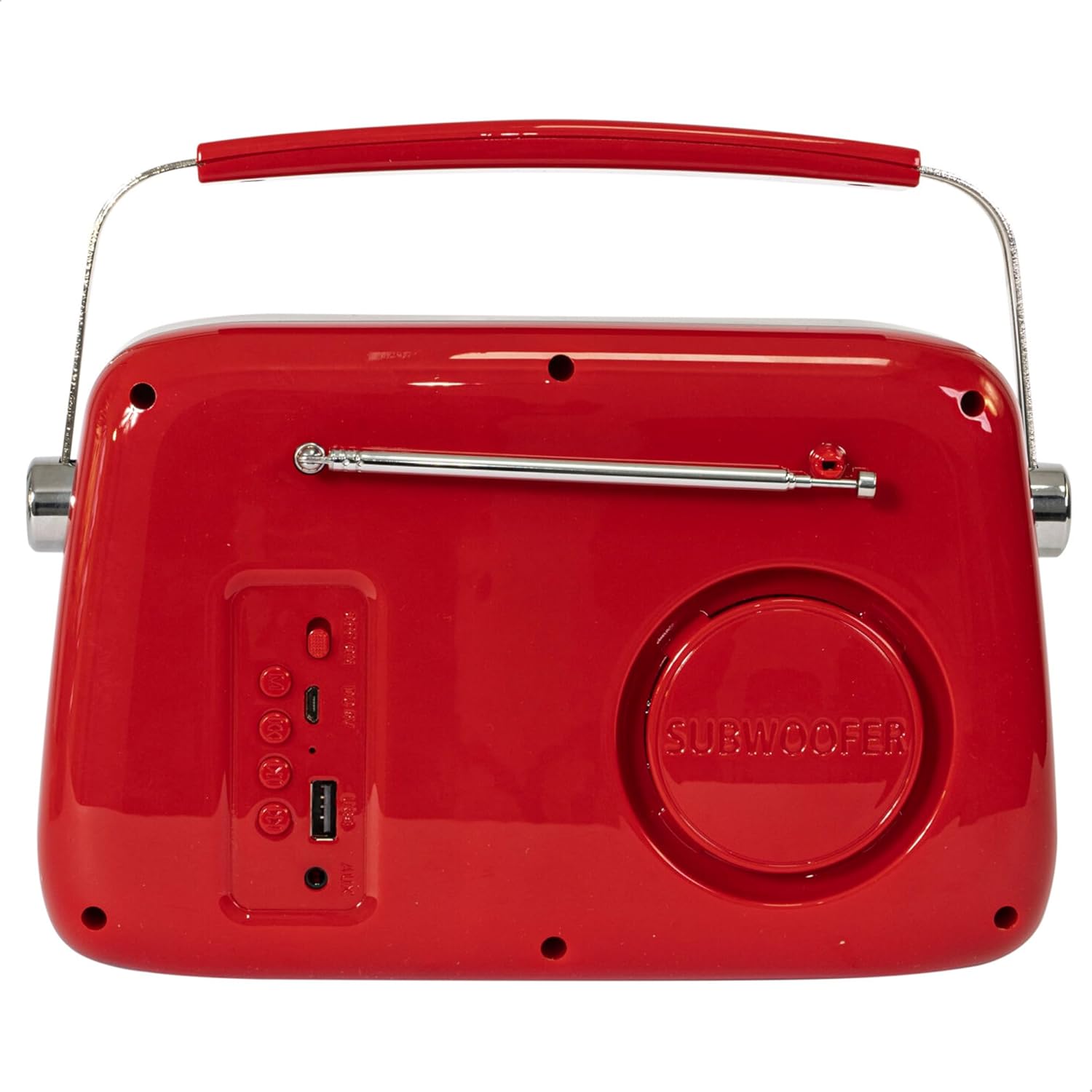
2 pav.: galinis View. Displays the subwoofer, USB port, AUX input, and power/mode buttons.
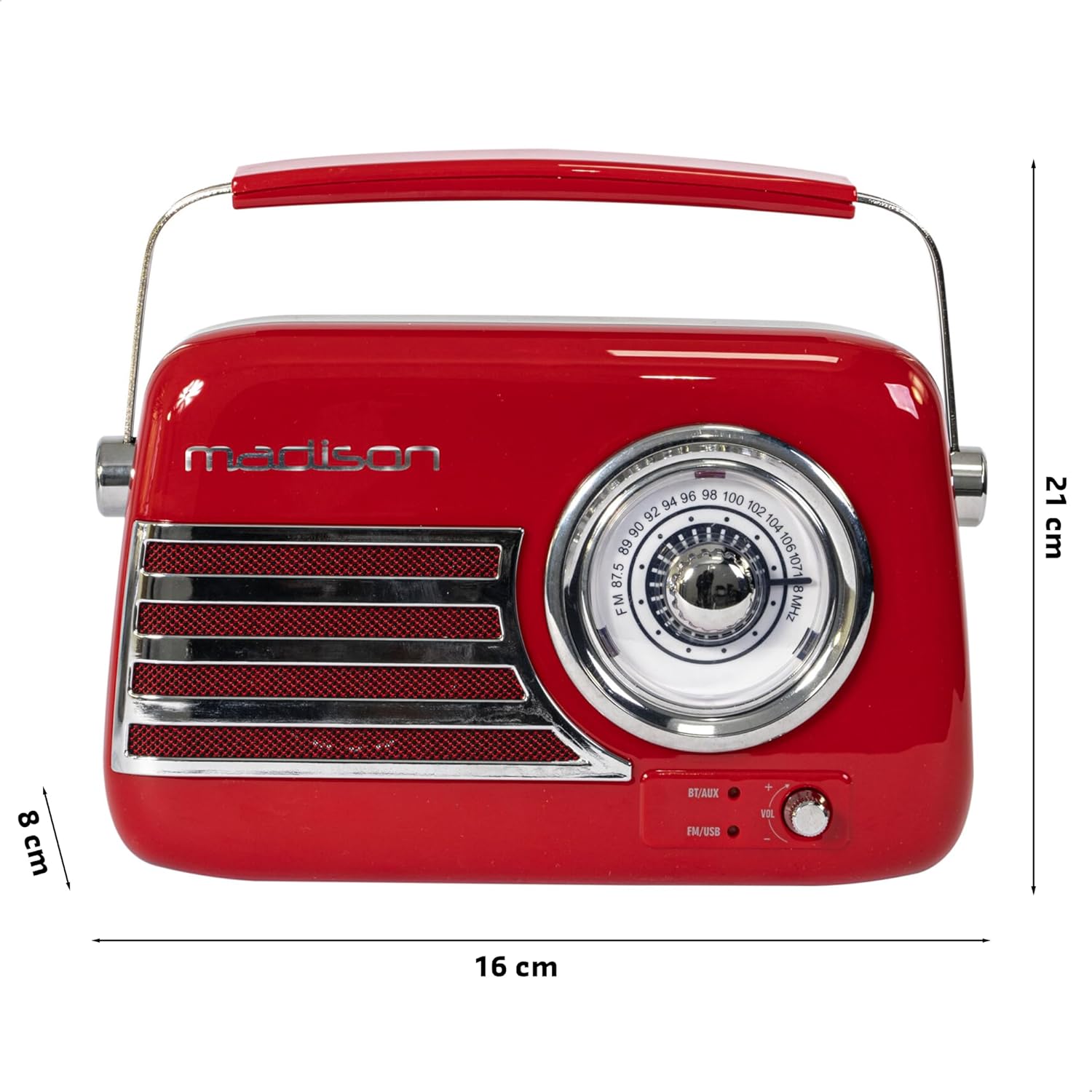
3 pav.: Gaminio matmenys. Illustrates the radio's approximate dimensions: 21 cm length, 8 cm width, and 16 cm height.

4 pav.: galinis View with Antenna Extended. Shows the telescopic antenna fully extended for improved FM reception.
Pagrindinės funkcijos:
- Analog Dial Tuner: For classic FM radio tuning.
- Bluetooth ryšys: Stream audio wirelessly from your smartphone or tablet.
- USB atkūrimas: Play music directly from a USB drive.
- AUX įvestis: Prijunkite išorinius garso įrenginius naudodami 3.5 mm garso kabelį.
- FM radijas: Enjoy your favorite FM stations with the retractable antenna.
- Žemųjų dažnių patobulinimas: Integrated subwoofer for richer bass sound.
- Įkraunama baterija: Built-in long-lasting battery for portable use.
- Nešiojamas dizainas: Lightweight with a dual metal handle for easy carrying.
Sąranka
Baterijos įkrovimas:
- Locate the USB charging port on the rear of the radio.
- Connect the provided USB charging cable to the radio's USB port.
- Kitą USB laido galą prijunkite prie suderinamo USB maitinimo adapterio (nepridedamas) arba kompiuterio USB prievado.
- Užsidegs įkrovimo indikatoriaus lemputė. Kai prietaisas bus visiškai įkrautas, lemputė gali pakeisti spalvą arba užgesti – tai priklauso nuo modelio.
- Pilnas įkrovimas paprastai trunka kelias valandas.
Pradinis įjungimas:
- Ensure the radio is sufficiently charged.
- Press and hold the Power/Mode button (usually located on the rear or front panel) to turn on the radio.
- The front indicator lights will show the currently selected source.
Naudojimo instrukcijos
Garsumo valdymas:
Pasukite Apimtis knob (VOL) on the front panel to adjust the sound level. Turn clockwise to increase volume, counter-clockwise to decrease.
Selecting a Source:
Paspauskite Šaltinis / režimas button (often labeled BT/AUX or FM/USB) repeatedly to cycle through the available input modes: Bluetooth, AUX, FM Radio, and USB.
- „Bluetooth“ režimas:
- Switch the radio to Bluetooth mode. The Bluetooth indicator light will blink, indicating it's ready for pairing.
- Išmaniajame telefone arba planšetiniame kompiuteryje įjunkite Bluetooth ir ieškokite galimų įrenginių.
- Select "FREESOUND-VR40R" (or similar name) from the list.
- Once paired, the Bluetooth indicator light will become solid, and you can stream audio from your device.
- FM radijo režimas:
- Switch the radio to FM mode.
- Optimaliam priėmimui visiškai ištieskite teleskopinę anteną.
- Pasukite Derinimo ratukas on the front panel to manually select your desired FM radio station.
- USB atkūrimo režimas:
- Įdėkite USB atmintinę, kurioje yra MP3 garso įrašų fileį USB prievadą, esantį radijo imtuvo gale.
- Switch the radio to USB mode. The radio will automatically begin playing the audio files.
- Use the playback controls (if available, usually on the rear panel) to skip tracks or pause/play.
- AUX įvesties režimas:
- Prijunkite vieną 3.5 mm garso kabelio (nepridedamas) galą prie AUX įvesties prievado, esančio radijo imtuvo gale.
- Connect the other end of the cable to the headphone jack or audio output of your external device (e.g., MP3 player, CD player).
- Switch the radio to AUX mode. Audio from your external device will now play through the radio.
Priežiūra
Valymas:
Norėdami išlaikyti radijo stotelės išvaizdą ir funkcionalumą:
- Išorinius paviršius nuvalykite minkštu, sausu, nepūkuotu skudurėliu.
- Nenaudokite abrazyvinių valiklių, vaško ar tirpiklių, nes jie gali pažeisti apdailą.
- Venkite purkšti skysčius tiesiai ant radijo imtuvo.
Saugykla:
If you plan to store the radio for an extended period:
- Prieš saugodami, visiškai įkraukite akumuliatorių.
- Radijo imtuvą laikykite vėsioje, sausoje vietoje, toliau nuo tiesioginių saulės spindulių ir ekstremalių temperatūrų.
- For optimal battery health, recharge the battery every 3-6 months, even if not in use.
Trikčių šalinimas
| Problema | Galima priežastis | Sprendimas |
|---|---|---|
| Nėra maitinimo / Radijas neįsijungia. | Baterija išsikrovusi. | Įkraukite radiją naudodami pridedamą USB laidą. |
| Nėra garso. | Garsumas per mažas arba nutildytas. Pasirinktas neteisingas šaltinis. | Increase the volume. Ensure the correct input source (Bluetooth, FM, USB, AUX) is selected. |
| Prastas FM priėmimas. | Antena neištiesta. Silpnas signalas. | Visiškai ištieskite teleskopinę anteną. Pabandykite pakeisti radijo imtuvo padėtį, kad signalas būtų geresnis. |
| „Bluetooth“ įrenginio nepavyksta susieti. | Radio not in pairing mode. Device too far. Bluetooth disabled on source device. | Ensure radio is in Bluetooth pairing mode (blinking light). Move device closer. Enable Bluetooth on your smartphone/tablet. |
| USB atkūrimas neveikia. | USB drive not inserted correctly. Unsupported file formatu. | Įsitikinkite, kad USB atmintinė yra visiškai įdėta. Patikrinkite, ar veikia garsas. fileyra MP3 formatu. |
Specifikacijos
| Modelio numeris: | 10-5567MA |
| Gaminio matmenys (I x P x A): | 21 x 8 x 16 cm |
| Svoris: | 635 gramų |
| Spalva: | Raudona |
| Medžiaga: | Plastikiniai |
| Maitinimo šaltinis: | Internal Rechargeable Battery (via USB) |
| Baterijos tipas: | 1 ličio polimero (į komplektą įeina) |
| Ryšys: | Bluetooth, USB, Auxiliary (AUX) |
| Radijo grupės: | FM |
| Ypatingos savybės: | Telescopic antenna, Analog dial tuner, Bass enhancement |
| Įtraukti komponentai: | USB įkrovimo laidas |
| Gamintojas: | Lotronic S.A. |
| Kilmės šalis: | Kinija |
Garantija ir palaikymas
For warranty information and customer support, please refer to the warranty card included with your product or visit the official Madison websvetainėje. Išsaugokite pirkimo įrodymą, jei prireiktų pateikti garantinį ieškinį.
For technical assistance or troubleshooting beyond this manual, please contact Madison customer service.
Note: Availability of spare parts is not specified in the product information.