
1. Įvadas
This manual provides detailed instructions for the setup, operation, and maintenance of your Zmodo Mini WiFi 720p HD Wireless Indoor Home Video Security Camera. Please read this manual thoroughly before using the device to ensure proper functionality and safety. This camera is designed for indoor surveillance, offering 720p HD video, two-way audio, and remote access capabilities.
2. Produktas baigtasview
Familiarize yourself with the components of your Zmodo Mini WiFi Camera.

2.1 vaizdas: Zmodo Mini WiFi Camera mounted on a wall, showing its compact design and lens. This image illustrates the camera's appearance and typical indoor placement.

2.2 vaizdas: Zmodo Mini WiFi Camera held in a person's hand, demonstrating its small and portable size. This helps visualize the camera's dimensions.
2.3 vaizdas: Zmodo Mini WiFi Camera displayed with its power adapter and a quick guide. This shows the main items included in the product package.
2.1 Pakuotės turinys
- Zmodo Mini WiFi Camera
- Maitinimo adapteris
- Greitos pradžios vadovas
3. Sąrankos instrukcijos
3.1 Programos atsisiuntimas
Norėdami kontroliuoti ir view your camera, download the MeShare app. Ieškokite "MeShare" in the Apple App Store (for iOS 6 and up) or Google Play Store (for Android 2.3 and up).
3.2 Įjungimas
- Prijunkite maitinimo adapterį prie fotoaparato maitinimo įvesties prievado.
- Įjunkite maitinimo adapterį į standartinį elektros lizdą.
- Wait for the camera's indicator light to show a specific status (refer to the app for light status meanings during setup).
3.3 Network Connection (SmartLink)
The camera uses 2.4GHz Wi-Fi for connectivity. It is not compatible with 5GHz networks.
- Open the MeShare app and create an account or log in.
- Vadovaukitės instrukcijomis programoje, kad pridėtumėte naują įrenginį.
- Select the SmartLink setup option. The app will guide you through connecting the camera to your home Wi-Fi network.
- Ensure your mobile device is connected to the 2.4GHz Wi-Fi network you intend to connect the camera to during setup.
4. Naudojimo instrukcijos
4.1 Tiesiogiai View ir nuotolinė prieiga
Access your camera's live 720p HD video feed from anywhere using the MeShare app on your Android, iPhone, or iPad device. You can also access it via a web naršyklė adresu user.meshare.com/user/login.

4.1 vaizdas: A laptop, tablet, and smartphone simultaneously displaying live video feeds from Zmodo cameras. This illustrates the multi-device remote access capability.
4.2 Dvipusis garsas
The camera features two-way audio, allowing you to listen to the environment around the camera and speak through its built-in speaker using the MeShare app.
4.3 Judesio aptikimas
The camera is equipped with a motion sensor that can detect movement. You can configure motion alerts within the MeShare app to receive notifications when motion is detected.

4.2 vaizdas: A smartphone screen showing a Zmodo alert for motion detected, with video clips available for review. This demonstrates the motion alert feature.
4.4 Naktinis matymas
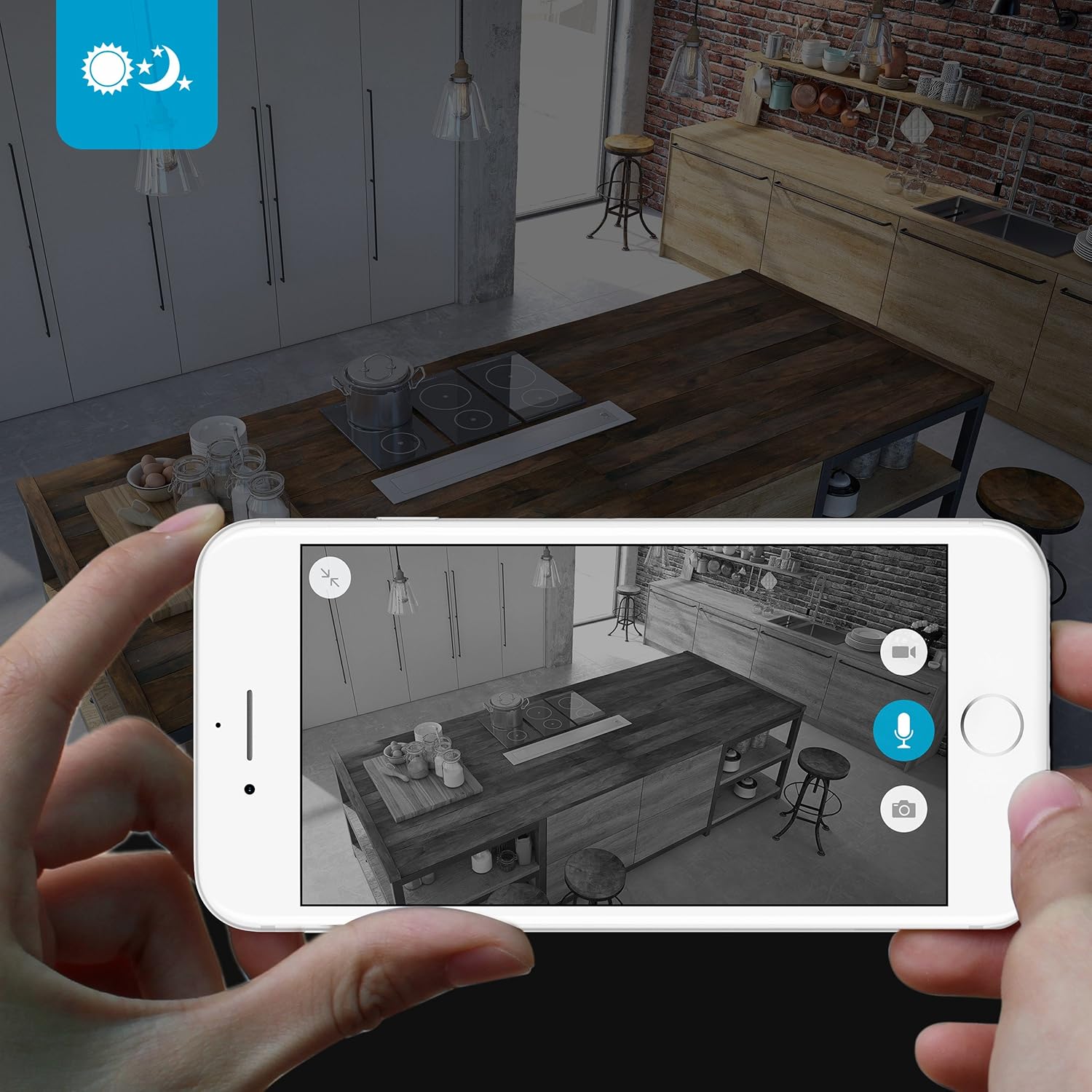
The camera provides clear surveillance even in low-light conditions with its night vision capabilities, offering a range of up to 30 feet. It automatically switches between color day mode and black & white night mode using infrared light.

4.3 vaizdas: A smartphone screen showing a black and white night vision view from the Zmodo camera in a kitchen setting. This illustrates the camera's low-light performance.
4.5 Platus kampas View
The camera features a 115° wide-angle lens, allowing for a broad view of your indoor space.

4.4 vaizdas: A smartphone screen showing a wide-angle view from the Zmodo camera in a bedroom, capturing a broad area. This highlights the 115-degree field of view.
5. Priežiūra
5.1 Kameros valymas
- Prieš valydami įsitikinkite, kad kamera yra išjungta.
- Minkšta, sausa šluoste švelniai nuvalykite fotoaparato korpusą.
- Objektyvui valyti naudokite specialiai optikai skirtą šluostę, kad išvengtumėte įbrėžimų.
- Do not use liquid cleaners or aerosol sprays directly on the camera.
5.2 Aplinkosaugos aspektai
- Ši kamera skirta naudoti tik patalpose.
- Venkite laikyti fotoaparatą tiesioginiuose saulės spinduliuose arba šalia šilumos šaltinių.
- Keep the camera away from moisture and extreme temperatures.
6. Problemų sprendimas
6.1 Bendrosios problemos ir sprendimai
- Kamera neprisijungia prie „Wi-Fi“: Ensure your Wi-Fi network is 2.4GHz. Verify your Wi-Fi password. Try restarting your router and the camera.
- Prasta vaizdo kokybė: Patikrinkite interneto ryšio greitį. Įsitikinkite, kad kameros objektyvas švarus ir be jokių kliūčių.
- No audio or distorted audio: Verify microphone and speaker settings in the MeShare app. Ensure there are no physical obstructions blocking the microphone or speaker.
- Motion alerts not working: Check motion detection settings in the MeShare app. Ensure notifications are enabled for the app on your mobile device.
- Fotoaparatas neprisijungęs: Check if the camera is powered on. Verify your Wi-Fi network is active and stable. Try restarting the camera.
7. Specifikacijos
| Funkcija | Aprašymas |
|---|---|
| Modelio numeris | WAUBMAKGCUVDD |
| Vaizdo įrašymo raiška | 720p HD |
| Ryšio technologija | Belaidis ryšys (2.4 GHz „Wi-Fi“) |
| Dvipusis garsas | Taip |
| Platus kampas | 115° |
| Naktinio matymo diapazonas | Up to 30 Feet (Infrared) |
| Judesio jutiklis | Yes (Motion Only Alert Type) |
| Maitinimo šaltinis | AC/DC (5 voltai, 5 vatai) |
| Naudojimas viduje / lauke | Vidinis |
| Matmenys (I x P x A) | 7 x 2.1 x 4.5 colio |
| Prekės svoris | 12 uncijos |
| Suderinami įrenginiai | Video Monitor (Android, iPhone, iPad) |
8. Garantija ir palaikymas
For warranty information or technical support, please refer to the official Zmodo website or contact Zmodo customer service directly. Keep your purchase receipt for warranty claims.
Norėdami gauti daugiau pagalbos, apsilankykite Zmodo Store on Amazon.