
Įvadas
Thank you for choosing the ShhhMouse Wireless Silent Optical Mouse. This manual provides detailed instructions for setting up, operating, and maintaining your new mouse. Designed for comfort and efficiency, this mouse features silent clicks, adjustable DPI settings, and broad compatibility, making it ideal for various computing environments.
Sąrankos instrukcijos
1. Įdėkite baterijas
Locate the battery compartment on the underside of the mouse. Open the cover and insert two AAA batteries, ensuring correct polarity. Close the battery compartment cover securely.

Image: The underside of the mouse with the battery compartment and USB receiver slot clearly visible.
2. Prijunkite USB imtuvą
The USB nano receiver is stored inside the battery compartment for convenience. Remove the receiver and plug it into an available USB port on your computer. The computer should automatically detect and install the necessary drivers.
3. Įjunkite maitinimą
Flip the power switch on the underside of the mouse to the "ON" position. The mouse is now ready for use.
Naudojimo instrukcijos
DPI reguliavimas
The ShhhMouse features three adjustable DPI (Dots Per Inch) levels: 1000, 1200, and 1600. To change the cursor sensitivity, press the DPI button located on the top of the mouse, just below the scroll wheel. Each press cycles through the available DPI settings.

Image: A visual representation of the three DPI settings (1000, 1200, 1600) and the mouse.
Tyliojo spustelėjimo funkcija
This mouse is designed with 90% noise reduction for its clicks, providing a quiet working environment. This feature is beneficial in shared spaces or during late-night use.

Image: An illustration highlighting the silent click feature, showing a quiet environment.
Automatinis miego režimas
To conserve battery life, the mouse will automatically enter sleep mode after 8 minutes of inactivity. To wake the mouse, simply press any button.
Suderinamumas
The ShhhMouse is compatible with most devices that have a USB port. It supports operating systems such as Windows 7/8/10/XP, Vista 7/8, and Linux. It is also compatible with MacBooks and Chromebooks.

Image: The mouse shown with various operating system logos, illustrating its broad compatibility.
Surface Tracking
Equipped with optical tracking technology, the mouse works effectively on various surfaces without requiring a mouse pad.
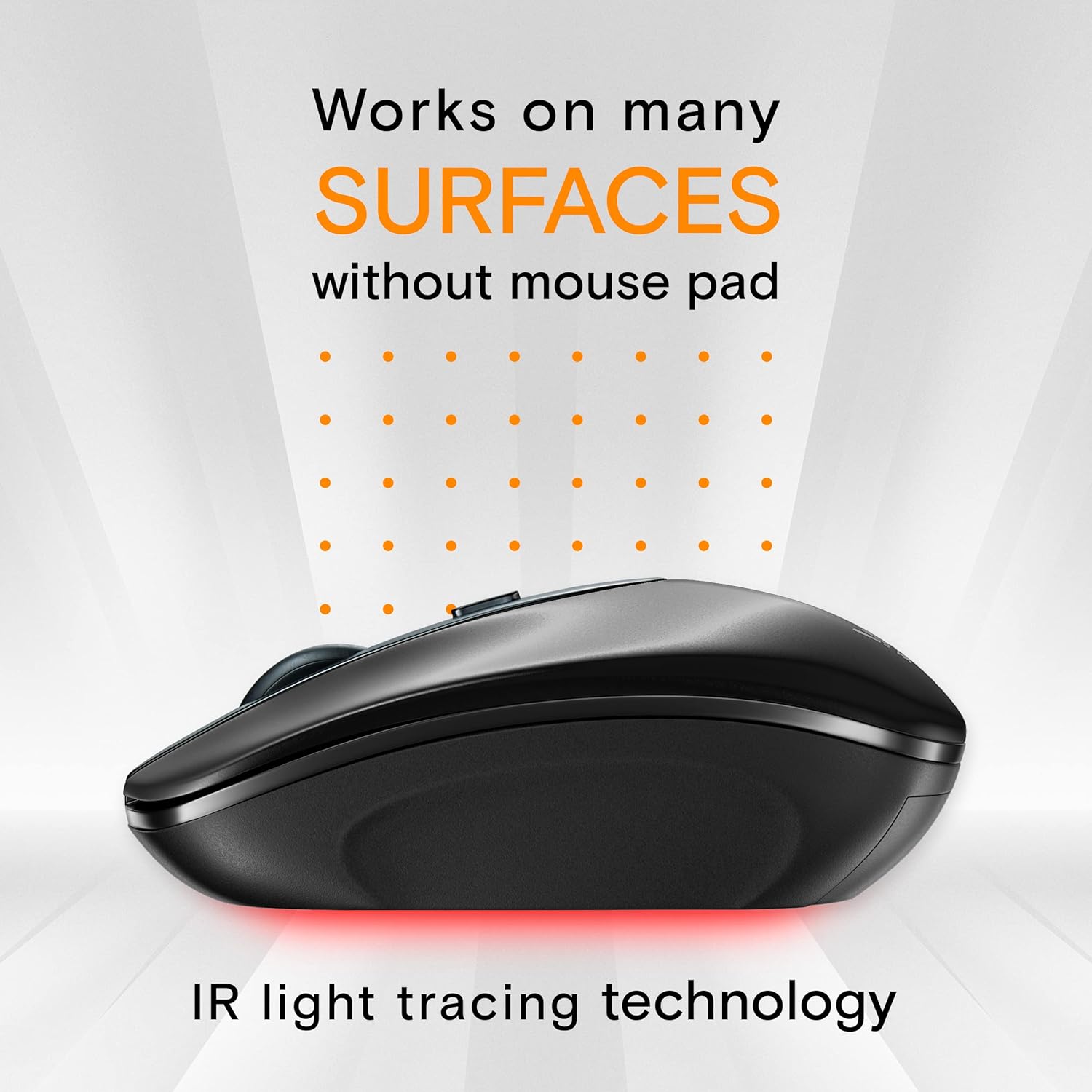
Image: The mouse on a surface, with light rays indicating its optical tracking capability.
Priežiūra
Valymas
Norėdami išvalyti pelę, švelniai nuvalykite jos paviršių minkštu, sausu skudurėliu. Jei nešvarumai sunkiai įveikiami, šiek tiek nuvalykiteampen the cloth with water. Avoid using harsh chemicals or abrasive materials, as these can damage the mouse's finish.
Baterijos keitimas
When the mouse's performance degrades or the low-power indicator (if present) illuminates, it's time to replace the batteries. Follow the battery installation steps in the Setup section.
Trikčių šalinimas
- Pelė nereaguoja:
Ensure the mouse is powered on. Check that the USB receiver is securely plugged into a working USB port. Try plugging the receiver into a different USB port. Replace the batteries if they are low. - Cursor erratic or not moving smoothly:
Ensure the mouse is on a clean, non-reflective surface. Avoid using the mouse on glass or highly reflective surfaces. Clean the optical sensor on the underside of the mouse with a soft cloth. Check for any obstructions around the sensor. - Ryšio problemos:
Move the mouse closer to the USB receiver to ensure it is within the 2.4GHz wireless range (up to 39 feet). Avoid using the mouse near other wireless devices that might cause interference.
Specifikacijos
| Funkcija | Detalė |
|---|---|
| Prekės ženklas | ShhhMouse |
| Modelio numeris | 314 |
| Spalva | Juoda |
| Ryšio technologija | Belaidis ryšys (2.4 GHz) |
| Judesio aptikimas | Optinis |
| DPI lygiai | 1000, 1200, 1600 |
| Mygtukų skaičius | 2 |
| Rankų orientacija | Dešiniarankis |
| Maitinimo šaltinis | 2x AAA baterijos |
| Automatinis miego režimas | Po 8 minučių neveikimo |
| Svoris | 52.7 gramų |
| Suderinama OS | Windows 7/8/10/XP, Vista 7/8, Linux, Mac |
Informacija apie garantiją
The ShhhMouse Wireless Silent Optical Mouse Model 314 comes with a 1-year limited warranty from the date of purchase. This warranty covers manufacturing defects and workmanship. It does not cover damage caused by misuse, accidents, unauthorized modifications, or normal wear and tear. Please retain your proof of purchase for warranty claims.
Palaikymas
For further assistance, technical support, or warranty inquiries, please refer to the contact information provided with your product packaging or visit the official ShhhMouse website. Our customer service team is available to help you with any questions or issues you may encounter.