
Įvadas
The Vonyx STM2270 is a versatile 2-channel DJ mixer designed for both aspiring and experienced DJs. It integrates modern features such as Bluetooth connectivity and a USB/SD card MP3 player, alongside essential DJ tools like a crossfader and microphone input. This manual provides detailed instructions for the safe and efficient setup, operation, and maintenance of your Vonyx STM2270 mixer.
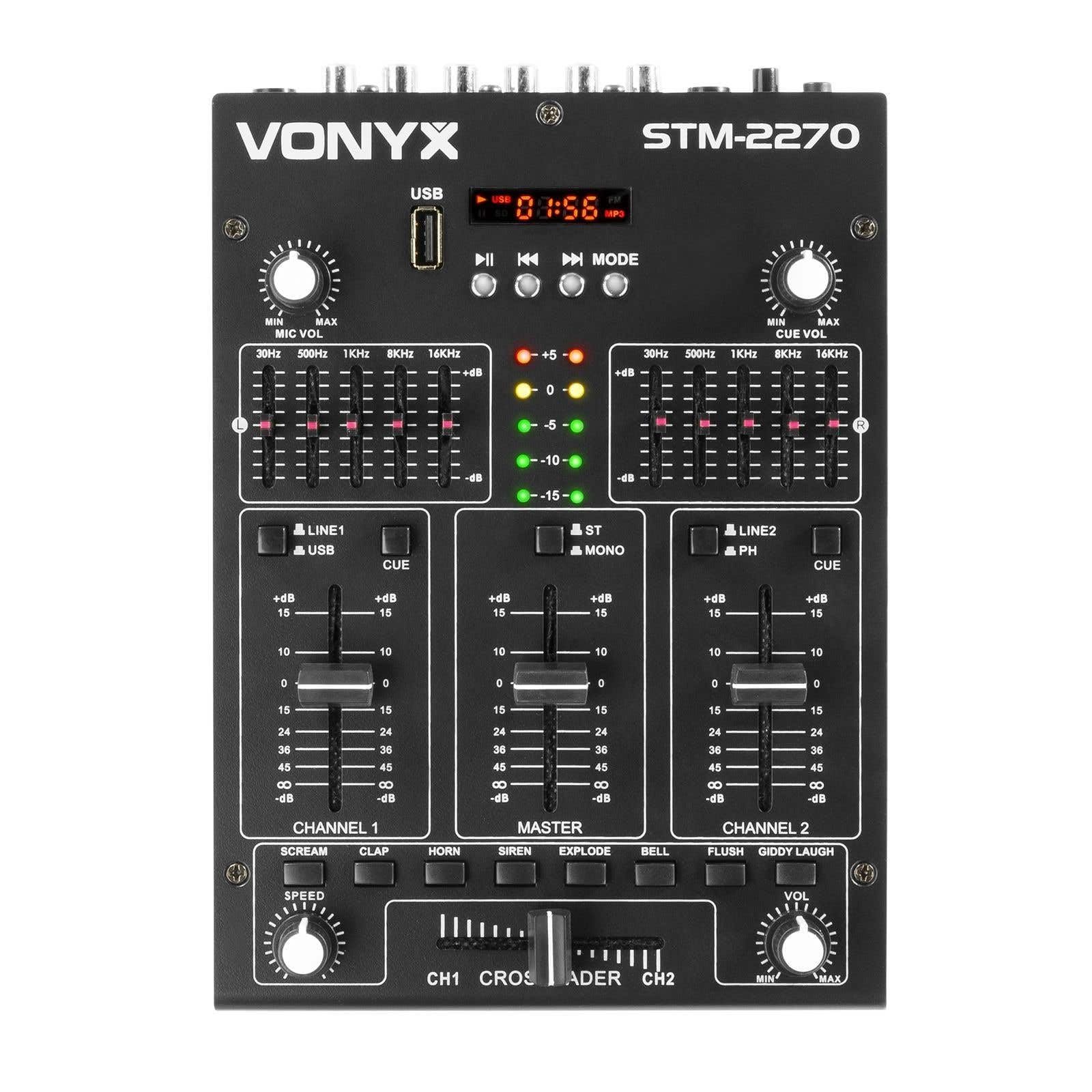
Priekyje view of the Vonyx STM2270 DJ Mixer, showing all controls and inputs.
Sąranka
Išpakavimas
- Atsargiai išimkite visus komponentus iš pakuotės.
- Patikrinkite, ar visos dalys yra ir nepažeistos.
- Išsaugokite originalią pakuotę būsimam transportavimui ar saugojimui.
Maitinimo prijungimas
- Ensure the mixer is switched off before connecting the power supply.
- Connect the provided 14V/600mA power adapter to the DC input on the rear panel of the mixer.
- Plug the power adapter into a standard 220V AC electrical outlet.
Garso jungtys
The STM2270 offers various input and output options for connecting your audio sources and sound system.
Rear panel of the Vonyx STM2270 DJ Mixer, showing power input, master output, line/phono inputs, and microphone input.
- Pagrindinė išvestis: Connect your main sound system (amplifiers, powered speakers) to the MASTER OUTPUT RCA jacks.
- Line/Phono Inputs: Connect CD players, media players, or other line-level devices to the LINE inputs. For turntables, use the PHONO inputs. Ensure the correct input type is selected on the mixer.
- Mikrofono įvestis: Connect a microphone to the 6.3mm jack input on the rear panel.
- Ausinių išvestis: Connect your headphones to the 6.3mm jack on the front panel for monitoring.
Veikiantis
Maitinimo įjungimas/išjungimas
- To power on, ensure all volume controls are at their minimum setting, then press the POWER button.
- To power off, lower all volume controls, then press the POWER button.
Kanalo valdymas
The mixer features two main channels, each with dedicated controls:
- Įvesties parinkiklis: Switch between LINE/USB (for Channel 1) or LINE/PHONO (for Channel 2) inputs.
- Gain Control: Adjust the input level for each channel to prevent clipping.
- Ekvalaizeris (EQ): Each channel has 2-band EQ controls (High and Low) to adjust the tone of the audio. (Highs: ±10dB, Lows: ±10dB).
- Kanalo faderis: Controls the volume of the respective channel.
- CUE Button: Activates pre-fader listening (PFL) for the channel through headphones.

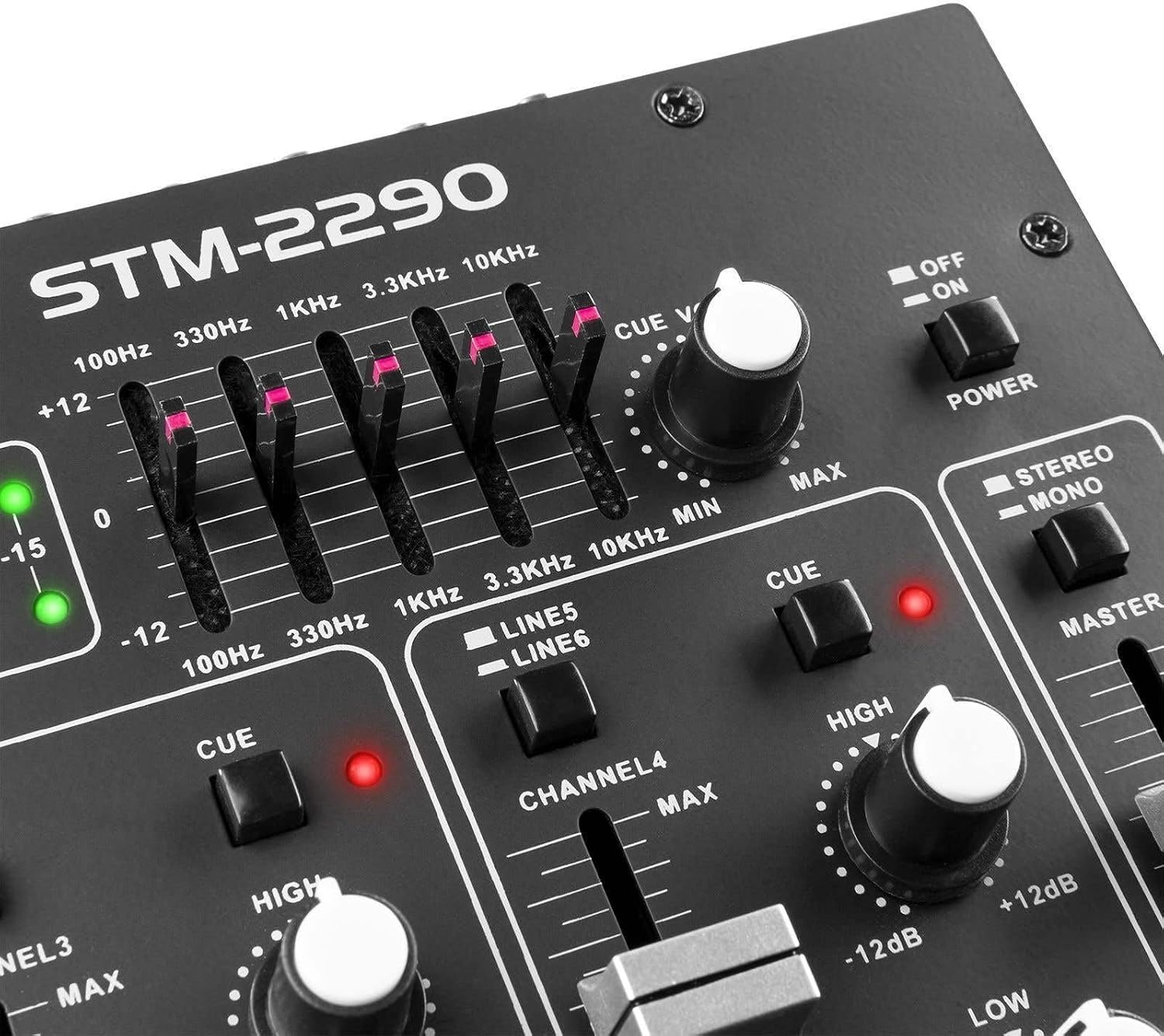
Close-up of the EQ section and LED level meters.
Master and Crossfader
- Master Fader: Valdo bendrą maišytuvo išvesties garsumą.
- „Crossfader“: Allows for smooth transitions between Channel 1 and Channel 2. Slide the crossfader to the left for Channel 1, to the right for Channel 2, and to the center for a blend of both.

Close-up of the crossfader and integrated sound effects buttons.
Bluetooth ryšys
- Activate the Bluetooth function on the mixer (usually via the MP3 player section).
- Įjunkite „Bluetooth“ savo išoriniame įrenginyje (išmaniajame telefone, planšetiniame kompiuteryje ir kt.).
- Ieškokite and select "Vonyx STM2270" (or similar) in your device's Bluetooth settings to pair.
- Once paired, audio from your device will be routed through the mixer.
USB/SD MP3 Player
- Įdėkite USB atmintinę arba SD kortelę su MP3 garso įrašais files į skirtą angą.
- Use the player controls (Play/Pause, Next, Previous, Mode) to navigate and play tracks.
- The display will show track information and playback time.

Close-up of the USB port and SD card slot for the integrated MP3 player.
Mikrofono naudojimas
- Connect your microphone to the MIC input.
- Norėdami reguliuoti mikrofono garsumą, reguliuokite MIC VOL rankenėlę.
- The mixer may include a 'talkover' function, which automatically lowers the music volume when the microphone is in use, allowing vocals to be heard clearly.
Garso efektai
The mixer includes integrated sound effects. Use the dedicated buttons to trigger effects and the SPEED knob to adjust their characteristics.
Priežiūra
Valymas
- Disconnect the mixer from power before cleaning.
- Išorę nuvalykite minkšta, sausa šluoste.
- Įsisenėjusiam purvui, šiek tiekamp galima naudoti šluostę su švelniu muilu, po to nusausinti sausa šluoste.
- Avoid using abrasive cleaners, solvents, or excessive moisture, as these can damage the unit.
Sandėliavimas
- Maišytuvą laikykite vėsioje, sausoje vietoje, apsaugotoje nuo tiesioginių saulės spindulių ir ekstremalių temperatūrų.
- If storing for an extended period, use the original packaging to protect against dust and physical damage.
Trikčių šalinimas
If you encounter issues with your Vonyx STM2270 mixer, refer to the following common problems and solutions:
- Nėra galios:
- Check if the power adapter is securely connected to both the mixer and the electrical outlet.
- Patikrinkite, ar maitinimo lizdas veikia.
- Nėra garso išvesties:
- Ensure the Master Fader is raised.
- Check that individual Channel Faders are raised and not muted.
- Verify all audio cables are correctly connected to the mixer's inputs and outputs, and to your sound system.
- Confirm the correct input source is selected for each channel.
- Iškraipytas garsas:
- Reduce the Gain control for the input channel to prevent clipping (indicated by red LEDs on the level meter).
- Check the volume levels on your connected audio sources.
- Patikrinkite garso kabelius, ar nėra pažeistų ar atsilaisvinusių jungčių.
- „Bluetooth“ ryšio problemos:
- Ensure the mixer's Bluetooth function is active and in pairing mode.
- Make sure your external device's Bluetooth is enabled and searching for devices.
- Move your device closer to the mixer to ensure it's within range.
- Pabandykite atjungti ir vėl susieti įrenginį.
- Humming/Noise in Headphones:
- Įsitikinkite, kad visos jungtys yra saugios.
- Išbandykite su skirtingomis ausinėmis, kad išvengtumėte problemų dėl ausinių.
- Check for potential ground loops or interference from other electronic devices nearby.
Specifikacijos
| Funkcija | Specifikacija |
|---|---|
| Prekės ženklas | voniksas |
| Modelis | STM2270 |
| Kanalų skaičius | 2 (with multiple inputs per channel) |
| Dažnio atsakas | 20 Hz–20 kHz |
| THD (visiškas harmoninis iškraipymas) | < 0.05 % |
| Ekvalaizeris (EQ) | Highs: ±10dB, Lows: ±10dB |
| Mikrofono įvestis | 10 mV / 10 K Ohm (6.3mm Jack) |
| Linijos įvestis | 300 mV / 30 K Ohm |
| Fono įvestis | 15 mV / 22 K Ohm |
| Pagrindinis išėjimas | 2 V / 400 Ohm (RCA) |
| Ausinių varža | 16–32 omų |
| Signalo ir triukšmo santykis | > 70 dB |
| Maitinimo šaltinis | 14 V / 600 mA (AC Adapter) |
| Veiklos ttage | 220 voltų |
| Ryšio technologija | Bluetooth, USB |
| Matmenys (G x P x A) | 24 cm x 20 cm x 6 cm |
Garantija ir palaikymas
This Vonyx STM2270 DJ Mixer is covered by a manufacturer's warranty, subject to the terms and conditions provided at the time of purchase. Please retain your proof of purchase for warranty claims.
For technical support, service, or warranty inquiries, please contact your retailer or the official Vonyx support channels. Refer to the product packaging or the Vonyx websvetainė kontaktinei informacijai.
Do not attempt to repair the unit yourself, as this may void your warranty and could result in electrical shock or damage to the device.