
PureMate PM412
„PureMate“ 12 l/dieną oro sausintuvo naudotojo vadovas
Modelis: PM412
Įvadas
Thank you for choosing the PureMate 12L/Day Dehumidifier. This manual provides essential information for the safe and efficient operation, maintenance, and troubleshooting of your new appliance. Please read it thoroughly before use and keep it for future reference.

Vaizdas: priekis view of the PureMate 12L/Day Dehumidifier, showing its compact white design with a perforated upper section for air intake.
Saugos informacija
Naudodami elektros prietaisus, visada laikykitės pagrindinių saugos priemonių, kad sumažintumėte gaisro, elektros smūgio ir sužalojimų riziką.
- Įsitikinkite, kad maitinimo šaltinis atitinka ant įrenginio esančios etiketės nurodytą maitinimo jungtį.
- Nenaudokite oro sausintuvo su pažeistu laidu ar kištuku.
- Eksploatacijos ir transportavimo metu laikykite įrenginį vertikaliai.
- Neužblokuokite oro įleidimo ir išleidimo angų.
- Prieš valydami arba atlikdami techninę priežiūrą, išjunkite įrenginį.
- Šis prietaisas nėra skirtas naudoti asmenims (įskaitant vaikus), kurių fizinės, jutimo ar psichikos negalios arba neturintys patirties ir žinių, nebent už jų saugumą atsakingas asmuo juos prižiūrėtų arba instruktuotų, kaip naudoti prietaisą.
- The advanced child lock feature deactivates the control panel to prevent unintended changes to settings.
Produkto savybės
The PureMate 12L/Day Dehumidifier is designed to efficiently manage indoor humidity and improve air quality. Key features include:
- Powerful Moisture Extraction: Extracts up to 12 litres of moisture per day, ideal for managing humidity, speeding up laundry drying, and preventing mould and condensation.
- Adjustable Humidity Settings: Allows setting desired humidity levels from 30% to 80% Relative Humidity (RH) or continuous operation.
- Dvigubi ventiliatoriaus greičiai: Offers two fan speeds (High/Low) for optimized performance and noise control.
- 24 valandų laikmatis: Program the unit to turn on or off automatically to fit your schedule.
- Nešiojamas dizainas: Equipped with smooth-rolling casters for easy movement between rooms.
- Nuolatinio drenažo variantas: Includes a 60cm drain pipe for continuous operation without needing to empty the water tank.
- Oro filtravimas: Features an anti-formaldehyde filter and active carbon filter to purify the air by removing dust, spores, formaldehyde, and odours.
- Automatinis išsijungimas: Prevents compressor overheating and water overflow.
- Miegojimo rezimas: Disables control panel lights for undisturbed sleep.
- Saugojimo režimas: Prepares the unit for long-term storage by drying internal components.

Image: The dehumidifier with its 1.8L water tank removed, highlighting the high extraction capacity of up to 12 litres per day and the continuous drainage hose connection point.
Sąranka
- Išpakavimas: Carefully remove the dehumidifier from its packaging. Inspect for any shipping damage. Keep the packaging for future storage or transport.
- Vieta: Place the dehumidifier on a flat, stable surface in the desired room. Ensure there is at least 20cm (8 inches) of space around the unit for proper airflow. Avoid placing it near heat sources or in direct sunlight. The unit is suitable for medium-sized rooms up to 15m².
- Maitinimo jungtis: Prijunkite maitinimo laidą prie įžeminto elektros lizdo. Įsitikinkite, kad įtampatage matches the unit's specifications.
- Vandens rezervuaro montavimas: Įsitikinkite, kad vandens bakelis tinkamai įdėtas į įrenginį.
- Nuolatinis drenažas (neprivaloma): For continuous operation without emptying the tank, connect the provided 60cm drainage hose to the drainage outlet at the back of the unit. Ensure the hose is sloped downwards to a suitable drain or container, as gravity drainage is used.

Image: The dehumidifier positioned in a living room, illustrating its compact size (44cm height, 30cm width) and suitability for medium-sized rooms up to 15m².
Naudojimo instrukcijos
Valdymo skydas baigtasview

Vaizdas: Išsamus view of the smart touch control panel, showing buttons for Power On/Off, Mode (M), Humidity Setting (%), Fan Speed, Sleep Mode, and 24 Hour Timer.
- Įjungimo / išjungimo mygtukas: Paspauskite norėdami įjungti arba išjungti įrenginį.
- Režimo (M) mygtukas: Cycles through dehumidifying modes:
- Automatinis režimas: The unit automatically adjusts operation based on the set humidity level. Once the desired humidity is reached, the compressor stops, and the fan may continue to run.
- Drying/Continuous Mode: The unit runs continuously to remove moisture, ideal for laundry drying or very damp aplinkos.
- Humidity Setting (%) Button: Allows you to set your desired relative humidity level from 30% to 80% in 5% increments. The unit will operate until this level is reached.
- Ventiliatoriaus greičio mygtukas: Perjungia didelį ir mažą ventiliatoriaus greičius.
- Miego režimo mygtukas: Activates Sleep Mode, which turns off all control panel lights for undisturbed sleep while maintaining operation.
- 24 Hour Timer Button: Set a timer for the unit to automatically turn on or off after a specified number of hours (1-24 hours).
- Užraktas nuo vaikų: To activate/deactivate, press and hold the "Mode" and "Timer" buttons simultaneously for 3 seconds. This locks the control panel to prevent accidental changes.
Pradinė operacija
- Paspauskite Maitinimo įjungimas/išjungimas button to start the dehumidifier.
- The digital display will show the current room humidity.
- Paspauskite Humidity Setting (%) button to set your desired humidity level. A common comfortable range is 45-55% RH.
- Pasirinkite pageidaujamą Režimas (Auto or Drying/Continuous).
- Sureguliuoti Ventiliatoriaus greitis kaip reikia.

Image: The dehumidifier operating in a room with laundry drying, demonstrating its effectiveness in Drying/Continuous Mode for removing moisture from clothes and the environment.
Priežiūra
Reguliarus valymas užtikrina optimalų oro sausintuvo veikimą ir pailgina jo tarnavimo laiką.
Vandens bako ištuštinimas
- Kai vandens bakas prisipildys, prietaisas automatiškai išsijungs ir užsidegs indikatoriaus lemputė.
- Atsargiai ištraukite vandens baką iš įrenginio priekio.
- Išpilkite surinktą vandenį.
- Slide the water tank back into place until it clicks securely. The unit will resume operation.
Oro filtro valymas
The anti-formaldehyde and active carbon filters should be cleaned regularly (every 2-4 weeks, depending on usage and air quality) to maintain efficiency.
- Išjunkite ir atjunkite oro drėkintuvą.
- Locate the air filter at the back of the unit. Gently pull it out.
- Clean the filter using a vacuum cleaner to remove dust and debris. For stubborn dirt, wash it gently with lukewarm water and a mild detergent.
- Allow the filter to air dry completely before reinserting it. Do not expose to direct sunlight or high heat.
- Įdėkite sausą filtrą atgal į įrenginį.

Paveikslėlis: sprogęs view of the dehumidifier's air filtration system, illustrating the anti-formaldehyde and active carbon filters that remove dust, spores, and odours from the air.
Unit Cleaning and Storage
- Nuvalykite įrenginio išorę minkšta, damp audinys. Nenaudokite stiprių cheminių medžiagų ar abrazyvinių valiklių.
- Before long-term storage, empty the water tank and activate the "Storage Mode" (if available, refer to control panel section) to dry internal components.
- Laikykite įrenginį vertikalioje padėtyje vėsioje, sausoje vietoje, toliau nuo tiesioginių saulės spindulių ir ekstremalių temperatūrų.
- The unit is equipped with smooth-rolling casters for easy movement and a built-in cable store for tidy storage.

Image: A composite image showing the dehumidifier's portable design with castor wheels, its 24-hour timer function on the control panel, and the convenient built-in cable tidy for storage.
Trikčių šalinimas
Prieš kreipdamiesi į klientų aptarnavimo tarnybą, peržiūrėkite šias dažniausiai pasitaikančias problemas ir jų sprendimus:
| Problema | Galima priežastis | Sprendimas |
|---|---|---|
| Oro sausintuvas neįsijungia. | No power, power cord not plugged in, power outage. | Check power connection, ensure outlet is working, check circuit breaker. |
| Įrenginys veikia, bet nerenka vandens. | Room humidity is already low, temperature is too low, air filter is clogged, continuous drainage hose is connected and draining. | Check room humidity level, ensure room temperature is above 5°C (41°F), clean air filter, verify continuous drainage setup. |
| Įrenginys triukšmingas. | Unit not on a level surface, air filter clogged, fan obstruction. | Place on a flat surface, clean air filter, check for obstructions around fan. |
| Šviečia indikatorius, rodantis, kad vandens bakas pilnas, bet bakas nėra pilnas. | Water tank not properly seated, float switch malfunction. | Re-insert water tank firmly. If issue persists, contact customer support. |
| Įrenginys rodo klaidos kodą. | Vidinis gedimas. | Atjunkite įrenginį nuo elektros tinklo 10 minutėms, tada vėl prijunkite. Jei klaida išlieka, susisiekite su klientų aptarnavimo tarnyba. |
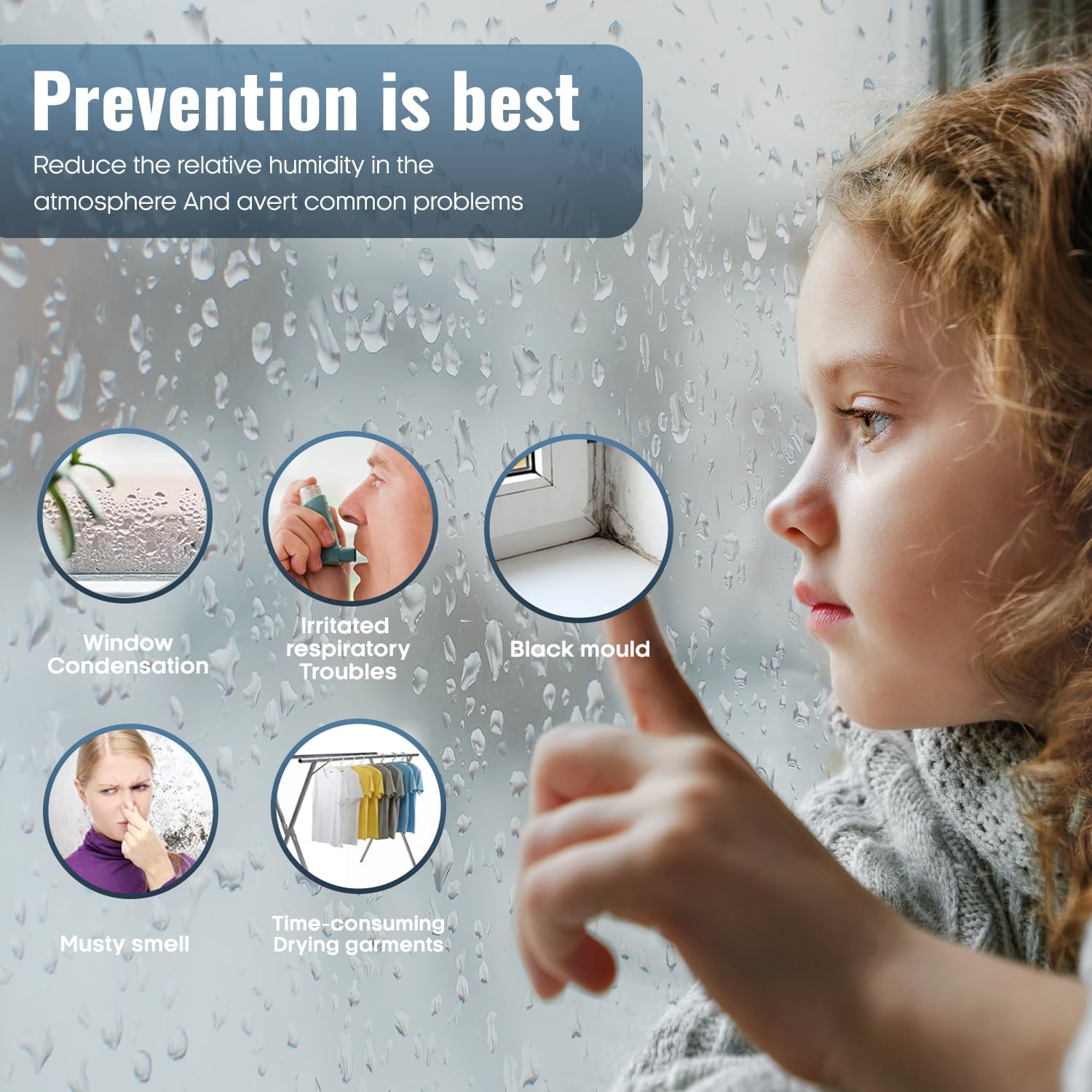
Image: A child observing a window covered in condensation, surrounded by icons representing common issues prevented by dehumidification: window condensation, irritated respiratory troubles, black mould, musty smell, and time-consuming drying of garments.
Specifikacijos
| Atributas | Detalė |
|---|---|
| Prekės ženklas | „PureMate“ |
| Modelio numeris | PM412 |
| Spalva | Baltas |
| Gaminio matmenys (I x P x A) | 24 x 28.5 x 49.5 cm |
| Prekės svoris | 10.34 kg |
| Drėgmės ištraukimo pajėgumas | 12 litrai per dieną |
| Vandens bako tūris | 1.8 litrai |
| Galia / Vattage | 240 vatvalandės |
| Ventiliatoriaus greičių skaičius | 2 |
| Automatinis išjungimas | Taip |
| Filtro tipas | Anti-Formaldehyde & Active Carbon |
| Rekomenduojamas naudojimas | Residential (medium to large rooms) |
| Įtraukti komponentai | Continuous drainage hose, Carbon Filter |
Garantija ir palaikymas
Information regarding the specific warranty period and terms for the PureMate 12L/Day Dehumidifier is not available in the provided product data. Please refer to the product packaging or the manufacturer's official websvetainėje rasite išsamią informaciją apie garantiją.
For technical support, troubleshooting assistance beyond this manual, or warranty claims, please contact PureMate customer service through their official channels. Contact details are typically found on the product packaging, the PureMate websvetainėje arba pirkimo kvite.
Ask a question about this manual
Ask about setup, troubleshooting, compatibility, parts, safety, or missing instructions. Manuals+ will review the question and use this page’s manual context to help answer it.