
Įvadas
Thank you for choosing the Perixx PERIMICE-608II Wireless Vertical Mouse. This manual provides essential information for setting up, operating, and maintaining your new ergonomic mouse. Designed for right-handed users, this mouse promotes a natural hand position to enhance comfort during extended use. Please read this manual thoroughly before using the product.
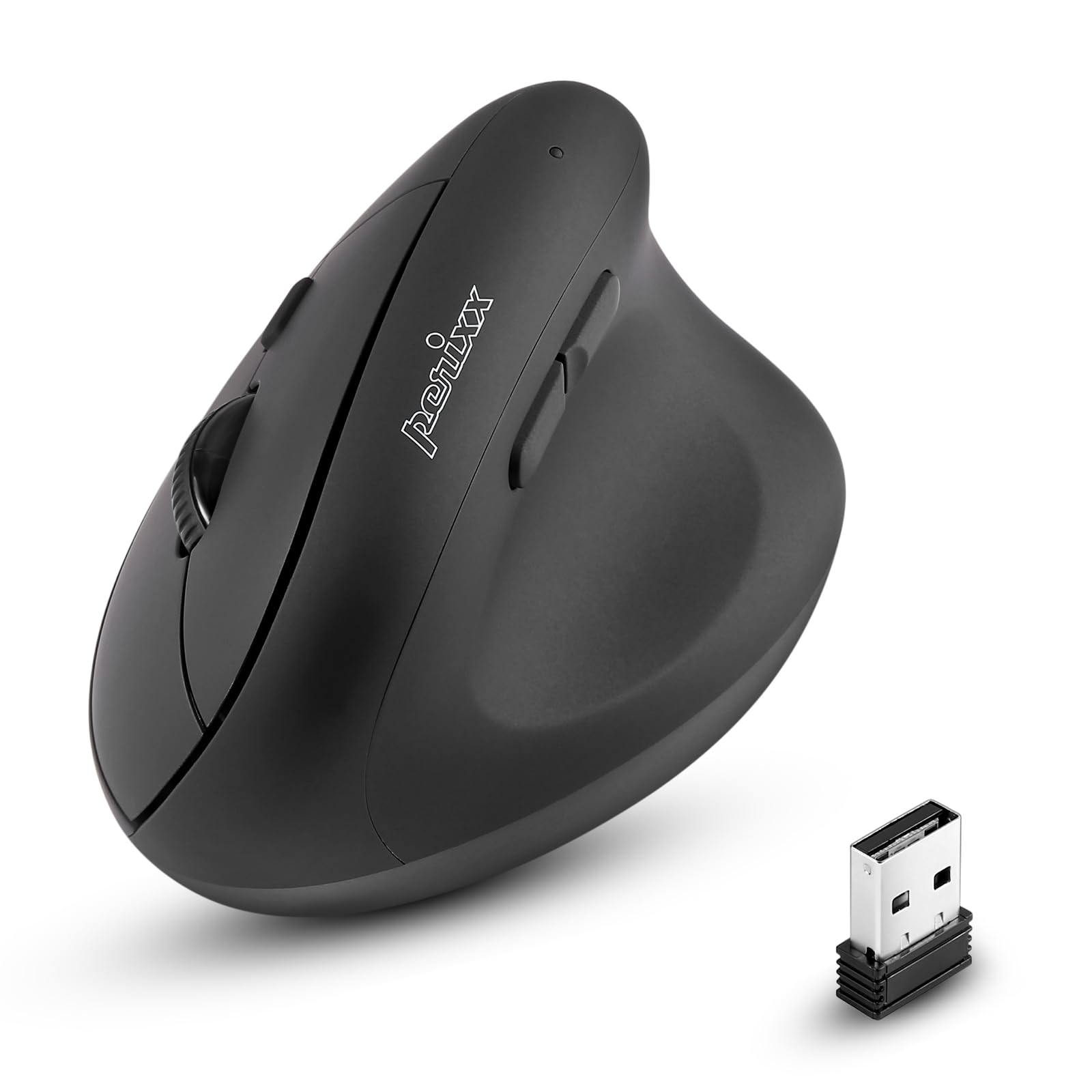
Priekyje view of the Perixx PERIMICE-608II Wireless Vertical Mouse.
Kas yra dėžutėje
Patikrinkite, ar pakuotėje yra visi reikalingi daiktai:
- 1 x Perixx PERIMICE-608II Wireless Vertical Mouse
- 1 x USB imtuvas
- 1 x Naudotojo vadovas (šis dokumentas)
Sąrankos instrukcijos
- Įdėkite akumuliatorių: Locate the battery compartment on the underside of the mouse. Insert one AA battery (not included) according to the polarity indicators.
- Įdėkite USB imtuvą: Remove the USB receiver from its storage slot on the mouse's underside. Plug the USB receiver into an available USB port on your computer.
- Maitinimas: Slide the ON/OFF switch on the bottom of the mouse to the "ON" position. The mouse should now be recognized by your computer and ready for use.

Underside of the mouse, illustrating the battery compartment and ON/OFF switch.

The mouse positioned next to a laptop, demonstrating the USB receiver plugged into a port.
Naudojimo instrukcijos
Ergonomiškas dizainas
The PERIMICE-608II features a vertical design that positions your hand in a natural handshake posture, reducing wrist strain and promoting comfort.

Demonstration of a relaxed, neutral grip on the vertical mouse.
Mygtukų funkcijos
- Kairysis spustelėjimas: Standartinis pasirinkimas ir aktyvinimas.
- Dešiniuoju pelės mygtuku spustelėkite: Pasiekia kontekstinius meniu.
- Slinkties ratukas: Ritina dokumentus ir web pages vertically. Can also be pressed for middle-click functionality.
- Pirmyn/atgal mygtukai: Located on the side for convenient web naršymas ir navigacija.
DPI reguliavimas
The mouse features a DPI (Dots Per Inch) button to adjust cursor sensitivity. Press the DPI button located on the top of the mouse to cycle through the available settings: 800, 1200, 1600, and 2400 DPI. An LED indicator will briefly light up to confirm the change.

The DPI switch on the mouse, allowing for quick sensitivity adjustments.
Priežiūra
Valymas
Norėdami išvalyti pelę, švelniai nuvalykite paviršių minkšta šluosteamp audiniu. Venkite naudoti stiprias chemines medžiagas ar abrazyvines medžiagas, nes jos gali pažeisti apdailą. Įsitikinkite, kad į pelės vidinius komponentus nepatenka skysčio.
Baterijos keitimas
When the mouse performance degrades or it stops responding, it may be time to replace the AA battery. Follow the battery installation steps in the Setup section.
Trikčių šalinimas
- Pelė nereaguoja:
- Ensure the mouse is switched to the "ON" position on its underside.
- Check if the USB receiver is securely plugged into a working USB port on your computer.
- Pakeiskite AA bateriją nauja.
- Pabandykite prijungti USB imtuvą į kitą USB prievadą.
- Nereguliarus žymeklio judėjimas:
- Ensure the mouse is used on a clean, non-reflective surface.
- Norėdami rasti tinkamą jautrumą, reguliuokite DPI nustatymą naudodami DPI mygtuką.
- Ryšio problemos:
- Move the mouse closer to the USB receiver to ensure a strong 2.4GHz wireless connection.
- Venkite naudoti pelę šalia kitų belaidžių įrenginių, kurie gali sukelti trikdžius.
Specifikacijos
| Prekės ženklas | Perixx |
| Modelio numeris | 12383 |
| Serija | PERIMICE-608 II |
| Ryšio technologija | 2.4 GHz belaidis ryšys (USB imtuvas) |
| DPI lygiai | 800/1200/1600/2400 |
| Mygtukų skaičius | 6 |
| Rankų orientacija | Dešiniarankiams |
| Maitinimo šaltinis | Maitinamas su baterijomis (reikalinga 1 x AA baterija) |
| Vidutinis baterijos veikimo laikas | 100 valandų |
| Prekės svoris | 4.4 uncijos (apie 125 gramų) |
| Gaminio matmenys (IxPxH) | 4.87 x 2.67 x 2.43 colio (apytiksliai 123.7 x 67.8 x 61.7 mm) |
| Operacinės sistemos suderinamumas | „Linux“, „Windows 7“, „Windows XP“ (ir naujesnės versijos) |

Detailed dimensions and weight of the Perixx PERIMICE-608II mouse.
Garantija ir palaikymas
For detailed warranty information, technical support, and frequently asked questions, please visit the official Perixx website or contact Perixx customer service. You can find more information at the „Perixx“ parduotuvė „Amazon“ platformoje.