
Įvadas
The Master & Dynamic MW60 Wireless Bluetooth Foldable Headphones are designed to deliver a high-quality audio experience with effective sound isolation. They feature 45mm neodymium drivers for clear audio reproduction across various music genres. Equipped with Bluetooth 4.1, these headphones offer wireless connectivity and up to 16 hours of battery life. Constructed with lightweight stainless steel and aluminum, and featuring leather ear pads, the MW60 headphones are designed for comfort and durability, with a foldable design for portability.
Kas yra dėžutėje
- Master & Dynamic MW60 Wireless Headphones
- Garso kabelis (3.5 mm)
- Garso adapteris
- Mikro USB į USB įkrovimo kabelis
- Carry Case for Headphones
- Carry Pouch for Accessories
Produktas baigtasview
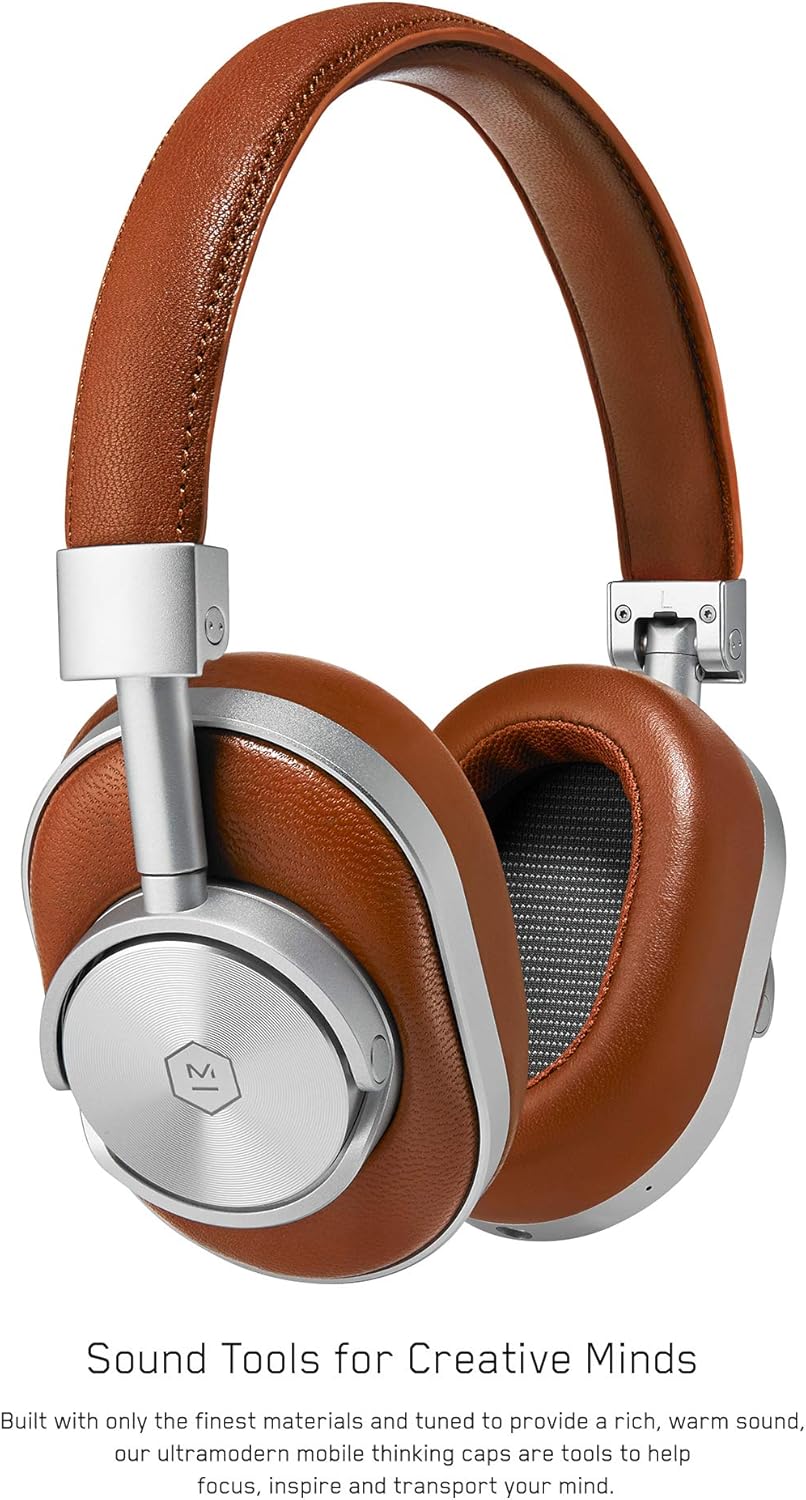
1 paveikslas: Priekyje view of the Master & Dynamic MW60 Wireless Headphones. This image displays the over-ear design with silver metal accents and brown leather earcups and headband.

2 paveikslas: Close-up of the right earcup showing the control buttons and ports. Visible controls include volume up/down, a multi-function button, and the power/pairing switch. A 3.5mm audio jack and micro USB charging port are also present.
Valdikliai ir prievadai
- Power/Pairing Switch: Located on the earcup, used to turn the headphones on/off and initiate Bluetooth pairing.
- Daugiafunkcis mygtukas: Controls playback (play/pause), call management, and voice assistant activation.
- Garsumo didinimo / mažinimo mygtukai: Adjusts audio volume. Can also be used for track skipping (hold for next/previous track).
- 3.5 mm garso lizdas: Laidiniam prijungimui naudojant pridedamą garso kabelį.
- „Micro USB“ prievadas: Skirta vidinei baterijai įkrauti.
- Mikrofonas: Integruota laisvų rankų įranga skambučiams.
Sąranka
Ausinių įkrovimas
- Connect the Micro USB end of the charging cable to the Micro USB port on the headphone earcup.
- Prijunkite įkrovimo laido USB-A galą prie maitinamo USB prievado (pvz., kompiuterio, sieninio adapterio).
- Indikatoriaus lemputė rodys įkrovimo būseną. Visiškas įkrovimas paprastai trunka maždaug 2 valandos.
"Bluetooth" poravimas
- Įsitikinkite, kad ausinės yra visiškai įkrautos.
- Slide the Power/Pairing switch to the ON position.
- To enter pairing mode, slide and hold the Power/Pairing switch to the far right (pairing icon) until the indicator light begins to flash.
- Savo įrenginyje (išmaniajame telefone, planšetiniame kompiuteryje, kompiuteryje) įjunkite „Bluetooth“ ir ieškokite galimų įrenginių.
- Select "MW60" from the list of detected devices.
- Once paired, the indicator light will turn solid blue or white, depending on the model.
Naudojimo instrukcijos
Pagrindinės funkcijos
- Maitinimo įjungimas/išjungimas: Slide the Power/Pairing switch to the ON or OFF position.
- Leisti / pristabdyti: Vieną kartą paspauskite daugiafunkcį mygtuką.
- Garsumo valdymas: Paspauskite garsumo didinimo (+) arba garsumo mažinimo (-) mygtukus.
- Kitas takelis: Paspauskite ir palaikykite garsumo didinimo (+) mygtuką.
- Ankstesnis takelis: Paspauskite ir palaikykite garsumo mažinimo (-) mygtuką.
Skambučių valdymas
- Atsiliepti / Baigti skambutį: Vieną kartą paspauskite daugiafunkcį mygtuką.
- Atmesti skambutį: Paspauskite ir palaikykite daugiafunkcį mygtuką.
- Suaktyvinti „Voice Assistant“: Du kartus paspauskite daugiafunkcinį mygtuką.
Laidinis ryšys
To use the headphones with a wired connection, plug the included 3.5mm audio cable into the audio jack on the earcup and the other end into your audio source. The headphones will automatically switch to wired mode, conserving battery life.
Priežiūra
Valymas
- Ausines nuvalykite minkštu, sausu skudurėliu.
- Nenaudokite stiprių cheminių medžiagų ar abrazyvinių medžiagų.
- For leather parts, use a specialized leather cleaner if necessary, following product instructions.
Sandėliavimas

3 paveikslas: The MW60 headphones folded into a compact form, demonstrating their portability and ease of storage in the included carry case.
- When not in use, fold the headphones and store them in the provided carry case to protect them from dust and damage.
- Venkite laikyti ekstremaliose temperatūrose arba didelėje drėgmėje.
Trikčių šalinimas
| Problema | Galimas sprendimas |
|---|---|
| Ausinės neįsijungia | Ensure the headphones are fully charged. Connect to a power source using the Micro USB cable. |
| Nepavyksta susieti per „Bluetooth“ | Ensure headphones are in pairing mode (flashing indicator light). Turn off and on Bluetooth on your device. Try forgetting the device on your phone and re-pairing. Ensure no other devices are actively connected. |
| Protarpiais nutrūksta garsas arba ryšys | Ensure your device is within the Bluetooth range. Avoid physical obstructions between the headphones and your device. Minimize interference from other wireless devices. |
| Nėra garso laidiniu režimu | Ensure the 3.5mm audio cable is securely connected to both the headphones and the audio source. Check the volume levels on both the headphones and the audio source. |
| Earcups detach easily | Ensure earcups are properly aligned and securely attached to the magnetic mounts. |
Specifikacijos
| Funkcija | Detalė |
|---|---|
| Modelio pavadinimas | MW60S2 |
| Ryšio technologija | Belaidis ryšys („Bluetooth 4.1“) |
| Garso tvarkyklės tipas | 45mm Neodymium Dynamic Drivers |
| Baterijos veikimo laikas | Iki 16 valandų |
| Medžiagos | Aluminum, Stainless Steel, Leather |
| Prekės svoris | 3 svarai (maždaug 1.36 kg) |
| Gaminio matmenys | 10 x 3.75 x 8 colio (25.4 x 9.5 x 20.3 cm) |
| Varža | 32 omai |
| Triukšmo valdymas | Garso izoliacija (pasyvi) |
| Ausinės Jack | 3.5 mm lizdas |
Garantija ir palaikymas
Warranty information for your Master & Dynamic MW60 Wireless Headphones is typically provided with your purchase. Please refer to the documentation included in your product packaging for specific warranty terms and conditions.
For technical support, service, or further inquiries, please contact Master & Dynamic customer service directly. Contact details can usually be found on the manufacturer's official websvetainėje arba savo produkto dokumentacijoje.