
1. Įvadas
The DNP DS620A is a professional dye-sublimation photo printer designed for high-quality, rapid photo production. It is capable of producing up to 400 prints per hour, with a print speed of approximately 8.3 seconds for a 4x6 inch print. This printer supports various print formats, including 2x6 inch photobooth strips, 4x6 inch, 5x7 inch, and 6x8 inch enlargements. It also features a unique watermark option for the back of photos and produces prints with high gloss and vivid colors. The DS620A incorporates energy-saving features, including a standby mode, and is compatible with Hot Folder Print (HFP) Utility version 2.1 and mini photobook software. Mac users can utilize a specific driver for square photo prints (6x6 inch and 5x5 inch).
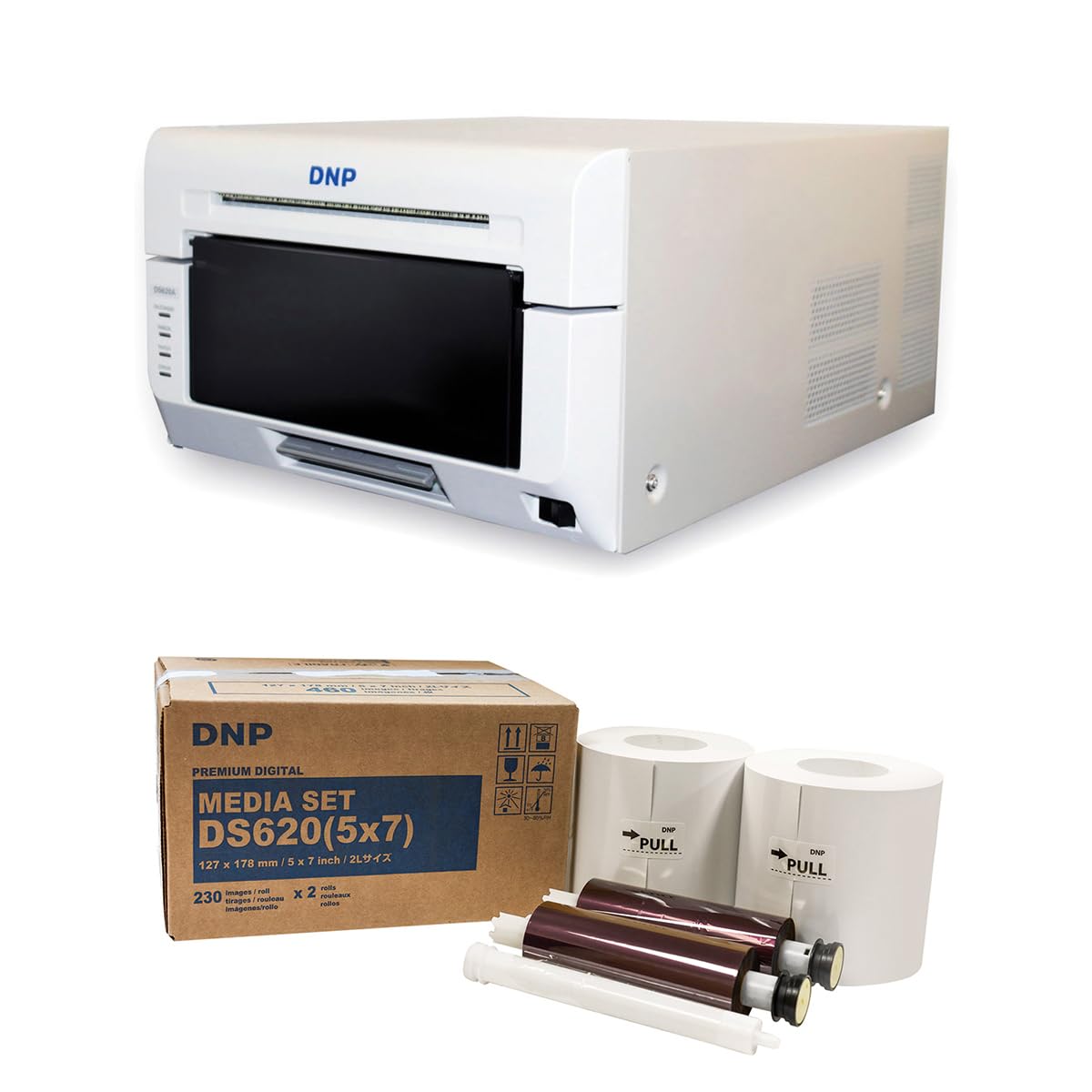
1.1 vaizdas: priekis view of the DNP DS620A Professional Photo Printer. The printer is white with a black front panel where prints exit.
2. Pakuotės turinys
Patikrinkite, ar pakuotėje yra visi toliau išvardyti daiktai:
- DNP DS620A Printer Unit
- 4x6 inch Print Catcher
- 5x7 inch Spacer
- USB kabelis
- Maitinimo laidas
- Vairuotojo kompaktinis diskas
- DNP 5x7 inch Dye Sub Media (for initial use)

Image 2.1: DNP 5x7 inch Dye Sub Media Set, including paper rolls and ribbon cartridges, packaged in a brown box.
3. Sąranka
3.1 Išpakavimas ir įdėjimas
- Atsargiai išimkite spausdintuvą ir visus priedus iš pakuotės.
- Place the printer on a stable, level surface with adequate ventilation. Ensure sufficient space around the printer for media loading and print output.
3.2 Maitinimo prijungimas
- Prijunkite maitinimo laidą prie spausdintuvo maitinimo įvesties, o tada – prie įžeminto elektros lizdo.
- Do not power on the printer until all other connections are made.
3.3 Prijungimas prie kompiuterio
- Connect the provided USB cable from the printer to an available USB port on your computer.
3.4 Tvarkyklės diegimas
- Insert the Driver CD into your computer's optical drive and follow the on-screen instructions to install the printer drivers.
- Alternatively, download the latest drivers from the official DNP websvetainė jūsų operacinei sistemai.
- For Mac users, ensure you install the specific Mac driver to enable features like square photo prints.
3.5 Spausdinimo medžiagos įdėjimas
- Open the printer's front cover.
- Carefully load the DNP dye-sublimation paper roll and ribbon cartridge according to the instructions provided inside the printer or in the quick start guide.
- Ensure the media is correctly seated to prevent jams or print errors.
4. Naudojimo instrukcijos
4.1 Įjungimas ir išjungimas
- To power on, press the power button located on the printer. The indicator light will illuminate.
- To power off, press and hold the power button until the printer shuts down.
4.2 Nuotraukų spausdinimas
- Įsitikinkite, kad spausdintuvas įjungtas ir prijungtas prie kompiuterio.
- Open the image you wish to print using your preferred photo editing or printing software.
- Select the DNP DS620A as your printer.
- In the printer settings, choose your desired print size (e.g., 4x6 inch, 5x7 inch, 6x8 inch, 2x6 inch strips).
- For square prints (6x6 inch or 5x5 inch), ensure you are using the appropriate media pack (6x8 inch for 6x6 inch, 5x7 inch for 5x5 inch) and that the Mac driver is correctly configured.
- Initiate the print command. The printer will process and output the photo.

Image 4.1: The DNP DS620A printer in operation, with a photo emerging from the output slot.
4.3 Išplėstinės funkcijos
- Watermark Feature: The printer can apply a unique watermark to the back of your photos. Refer to the driver settings for configuration.
- Hot Folder Print (HFP) Utility: Utilize HFP Utility version 2.1 for multi-cut support for 4x6 inch and additional sizes.
- Mini Photobook Software: The printer supports the mini photobook software application for creative projects.
- Budėjimo režimas: The printer features a standby mode to reduce energy consumption when not actively printing.
5. Priežiūra
5.1 Spausdintuvo valymas
- Reguliariai valykite spausdintuvo išorę minkštu, sausu skudurėliu.
- Nenaudokite abrazyvinių valiklių ar tirpiklių.
- Refer to the detailed cleaning instructions in the full manual for internal components.
5.2 Media Handling and Storage
- Store dye-sublimation media in a cool, dry place away from direct sunlight.
- Handle media by the edges to avoid fingerprints or damage to the printing surface.
- Replace media rolls and ribbon cartridges as instructed by the printer or when print quality degrades.
6. Problemų sprendimas
This section provides general guidance for common issues. For detailed troubleshooting, consult the comprehensive DNP DS620A service manual or contact customer support.
6.1 Spausdintuvas nereaguoja
- Įsitikinkite, kad spausdintuvas įjungtas, o maitinimo laidas tvirtai prijungtas.
- Verify the USB cable is firmly connected to both the printer and the computer.
- Check the printer's status lights for any error indicators.
- Paleiskite iš naujo ir spausdintuvą, ir kompiuterį.
6.2 Spausdinimo kokybės problemos
- Ensure the correct media type is loaded and that it is not damaged or expired.
- Check for any dust or debris inside the printer that might affect print quality.
- Verify that the printer drivers are up to date.
- Perform a test print to diagnose specific quality issues.
6.3 Media Jams
- Power off the printer immediately.
- Carefully open the printer cover and remove any jammed media following the instructions in the full manual. Avoid tearing the paper.
- Ensure media is loaded correctly and not overfilled.
7. Specifikacijos
| Funkcija | Specifikacija |
|---|---|
| Prekės ženklas | DNP |
| Modelio pavadinimas | DS620A |
| Spausdinimo technologija | Dažų sublimacija |
| Ryšio technologija | USB |
| Spausdintuvo išvestis | Spalva |
| Didžiausias spausdinimo greitis (spalva) | 1 ppm (approx. 8.3 seconds for 4x6") |
| Rezoliucija | 300 x 300 dpi |
| Rašalo spalva | CMYK |
| Spausdinimo laikmena | Blizgus fotopopierius |
| Palaikomi popieriaus dydžiai | 3.5x5, 4x6, 5x7, 6x8, 8x10 inches (and multi-cut options like 2x6, 5x5, 6x6) |
| Maksimali lapų talpa | 400 (4x6 inch prints per roll) |
| Prekės svoris | 37.65 svaro |
| Ypatinga funkcija | Wireless (via optional accessory), Standby Mode |
| Valdiklio tipas | iOS (via App) |
8. Garantija ir palaikymas
8.1 Informacija apie garantiją
The DNP DS620A Professional Photo Printer typically includes a 3 metų ribota garantija. This warranty covers defects in materials and workmanship under normal use. Please refer to the warranty card included with your product or visit the official DNP websvetainėje, kurioje pateikiamos išsamios sąlygos ir nuostatos.

Image 8.1: The DNP DS620A printer alongside a badge indicating a 3-Year Advance Exchange Extended Warranty.
8.2 Pagalba klientams
For technical assistance, troubleshooting beyond this manual, or warranty claims, please contact DNP customer support. Contact information can typically be found on the DNP official website or in the documentation included with your printer.