
1. Įvadas
This manual provides essential instructions for the safe and efficient use of your PCD E501 Smartphone. Please read this manual thoroughly before operating your device and retain it for future reference. The PCD E501 is a 5-inch Android smartphone featuring an 8 MP camera and running Android Kit Kat 4.4.2.
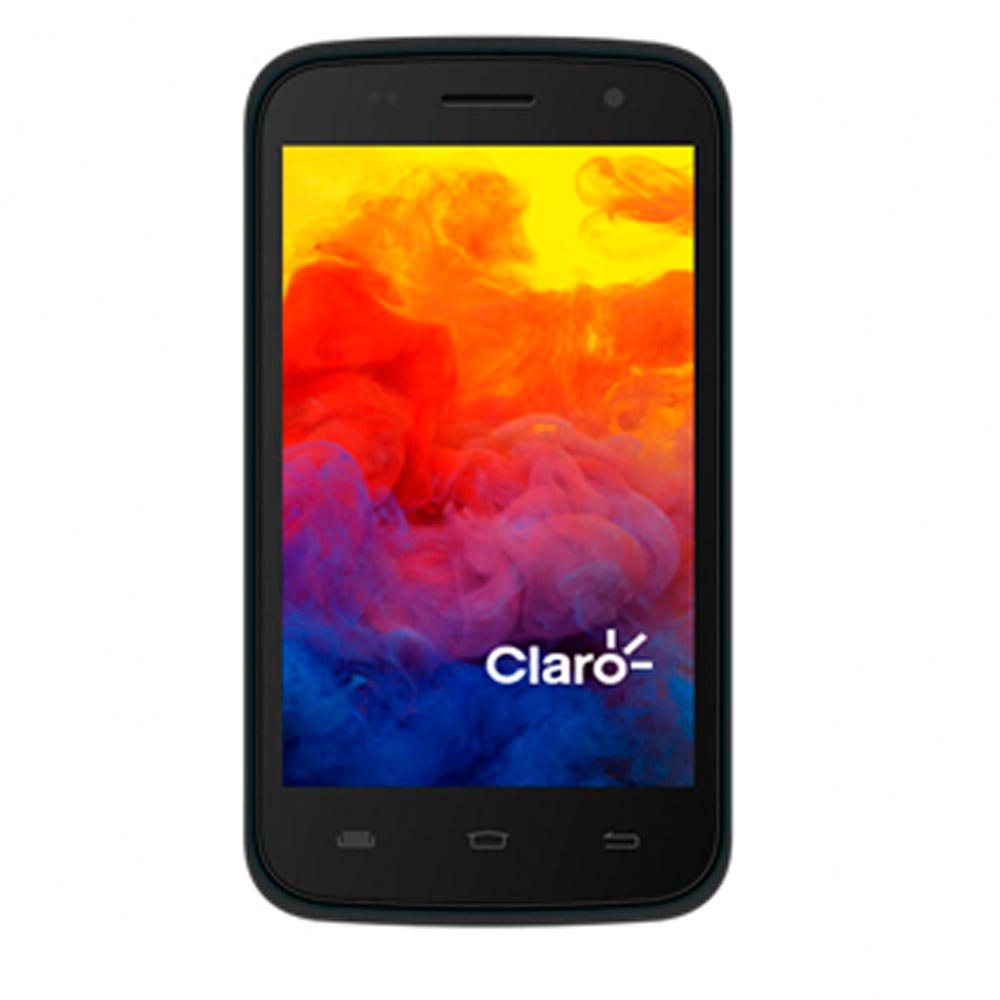
1 pav.: priekis view of the PCD E501 Smartphone, showcasinsu 5 colio ekranu.
2. Sąranka
2.1 Išpakavimas ir pirminė apžiūra
Atsargiai išimkite visus komponentus iš pakuotės. Patikrinkite, ar yra šie daiktai:
- PCD E501 Smartphone
- Įkraunama ličio jonų baterija
- Sieninis įkroviklis
- USB kabelis
- Vartotojo vadovas (šis dokumentas)
- Garantijos kortelė
Inspect the device for any signs of damage. If any components are missing or damaged, contact customer support immediately.
2.2 SIM kortelės ir akumuliatoriaus įdėjimas
- Locate the back cover notch on the side or bottom of the phone. Gently pry open the back cover.
- If a battery is already installed, remove it by lifting it from the designated slot.
- Insert your SIM card(s) into the appropriate slot(s) with the gold contacts facing down. Ensure it clicks into place.
- Insert the rechargeable Lithium-Ion battery, aligning the gold contacts on the battery with the contacts in the phone. Press down gently until it is securely seated.
- Replace the back cover, pressing firmly around the edges until it snaps into place.
2.3 Akumuliatoriaus įkrovimas
Before first use, fully charge the battery. Connect the USB cable to the phone's charging port and the other end to the wall charger. Plug the wall charger into a power outlet. The charging indicator will appear on the screen. A full charge typically takes approximately 2-3 hours.
2.4 Įjungimas / išjungimas
- To power on: Press and hold the Power button (usually on the side) until the screen lights up.
- To power off: Press and hold the Power button until the power options menu appears. Select "Power off" and confirm.
3. Naudojimo instrukcijos
3.1 Pagrindinė navigacija
The PCD E501 features a 5-inch touchscreen for navigation. Use the following gestures:
- Bakstelėkite: Norėdami pasirinkti elementą arba atidaryti programą.
- Perbraukimas: Norėdami slinkti per ekranus arba sąrašus.
- Žiupsnelis: Norėdami priartinti arba atitolinti vaizdus ir web puslapių.
- Ilgas paspaudimas: Norėdami pasiekti kontekstinius meniu arba perkelti piktogramas.
3.2 Skambinimas
- Bakstelėkite Telefonas piktogramą pagrindiniame ekrane.
- Įveskite telefono numerį naudodami numerio rinkiklį.
- Bakstelėkite Skambinti mygtuką, kad pradėtumėte skambutį.
- Norėdami baigti pokalbį, bakstelėkite Baigti skambutį mygtuką.
3.3 Pranešimų siuntimas
- Bakstelėkite Žinutės piktogramą.
- Bakstelėkite Nauja žinutė piktograma (dažniausiai pliuso ženklas arba kalbos burbulas).
- Įveskite gavėjo numerį arba pasirinkite iš kontaktų.
- Įveskite savo pranešimą teksto lauke.
- Bakstelėkite Siųsti mygtuką.
3.4 Kameros naudojimas
The PCD E501 features an 8 MP rear camera and a 2 MP front camera.
- Bakstelėkite Fotoaparatas piktogramą pagrindiniame ekrane.
- Kadruokite kadrą naudodami ekraną kaip viewieškiklis.
- Bakstelėkite Užraktas mygtuką, kad padarytumėte nuotrauką.
- Norėdami perjungti priekinę ir galinę kameras, palieskite Perjungti fotoaparatą piktogramą.
3.5 Prisijungimas prie „Wi-Fi“.
- Eikite į Nustatymai > Wi-Fi.
- Perjunkite „Wi-Fi“ jungiklį į On.
- Iš sąrašo pasirinkite norimą „Wi-Fi“ tinklą.
- Jei būsite paraginti, įveskite slaptažodį ir palieskite Prisijunkite.
4. Priežiūra
4.1 Prietaiso valymas
Use a soft, lint-free cloth to clean the screen and body of the phone. Avoid using harsh chemicals, abrasive cleaners, or aerosol sprays. Do not expose the device to excessive moisture.
4.2 Akumuliatoriaus priežiūra
- Saugokite, kad akumuliatorius nepatektų į ekstremalias temperatūras.
- Nepradurkite ir nepažeiskite akumuliatoriaus.
- If the battery appears swollen or damaged, discontinue use and replace it with an authorized PCD battery.
- For optimal battery life, avoid frequently draining the battery completely or keeping it at 100% charge for extended periods.
4.3 Programinės įrangos naujiniai
Reguliariai tikrinkite, ar yra programinės įrangos atnaujinimų, kad užtikrintumėte optimalų našumą ir saugumą. Eikite į Nustatymai > Apie telefoną > Sistemos atnaujinimai.
5. Problemų sprendimas
| Problema | Galimas sprendimas |
|---|---|
| Telefonas neįsijungia. | Ensure the battery is charged. Connect the charger and wait a few minutes before attempting to power on again. Verify the battery is correctly inserted. |
| Negalima skambinti arba priimti skambučių. | Check if the SIM card is properly inserted. Ensure you have network signal. Restart the phone. Contact your service provider if the issue persists. |
| „Wi-Fi“ ryšio problemos. | Įsitikinkite, kad jūsų telefone įjungtas „Wi-Fi“. Paleiskite „Wi-Fi“ maršrutizatorių iš naujo. Pamirškite tinklą ir prijunkite jį iš naujo. |
| Programėlės stringa arba užstringa. | Uždarykite ir vėl atidarykite programėlę. Išvalykite programėlės talpyklą (Nustatymai > Programėlės > [Programėlės pavadinimas] > Atmintis > Išvalyti talpyklą). Paleiskite telefoną iš naujo. |
| Baterija greitai išsikrauna. | Sumažinkite ekrano ryškumą. Uždarykite nenaudojamas fone veikiančias programas. Išjunkite „Wi-Fi“, „Bluetooth“ ir GPS, kai jų nenaudojate. Nustatymuose patikrinkite akumuliatoriaus naudojimą, kad nustatytumėte daug energijos eikvojančias programas. |
6. Specifikacijos
| Funkcija | Detalė |
|---|---|
| Modelio numeris | E501 |
| Operacinė sistema | Android Kit Kat 4.4.2 |
| Procesorius | AMR Cortex-A7 1.3 GHz |
| RAM | 1 GB |
| Vidinė saugykla | 8 GB ROM (approx. 6.09 GB usable) |
| Išplečiama saugykla | Up to 32 GB via microSD (card not included) |
| Ekranas | 5-inch LCD, 960 x 540 pixels, Touchscreen |
| Galinė kamera | 8 megapikselio |
| Priekinė kamera | 2 megapikselio |
| Belaidis ryšys | Mobilusis ryšys, „Wi-Fi“ |
| Baterija | 1 ličio jonas (įtraukta) |
| Matmenys (I x P x A) | 14.74 x 7.4 x 1 cm (5.8 x 2.9 x 0.4 colio) |
| Svoris | 350 g (12.3 uncijos) |
| Spalva | Juoda |
7. Garantija ir palaikymas
7.1 Informacija apie garantiją
Your PCD E501 Smartphone comes with a limited manufacturer's warranty. Please refer to the included Warranty Card for specific terms, conditions, and duration of coverage. This warranty typically covers defects in materials and workmanship under normal use. It does not cover damage caused by misuse, accidents, unauthorized modifications, or normal wear and tear.
7.2 Pagalba klientams
For technical assistance, troubleshooting, or warranty claims, please contact PCD customer support. Refer to the contact information provided on your Warranty Card or visit the official PCD websvetainę, kurioje rasite naujausią pagalbos informaciją.
When contacting support, please have your product model (E501) and proof of purchase readily available.