
1. Įvadas
Thank you for choosing the MaxiAids EZ See Large Print Keyboard. This keyboard is designed to enhance visibility and typing efficiency for users who benefit from larger characters. It features extra-large, high-contrast legends on low-profile keys, making it an ideal solution for individuals with low vision or those who prefer easier-to-read keys. This manual provides essential information for setting up, operating, maintaining, and troubleshooting your new keyboard.
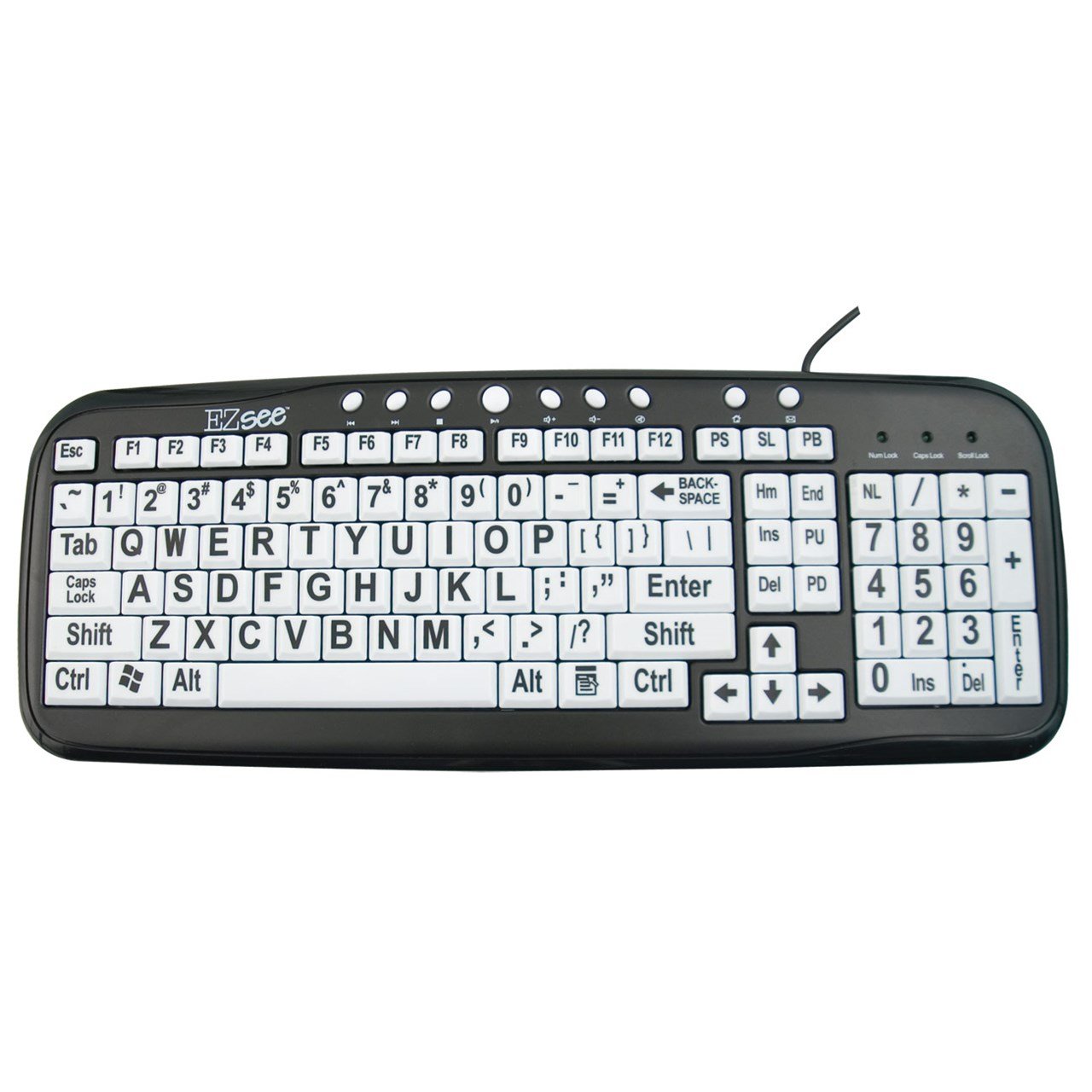
This image shows the MaxiAids EZ See Large Print Keyboard. It features white keys with oversized black characters for enhanced visibility, designed to assist users with low vision.
2. Sąranka
The MaxiAids EZ See Large Print Keyboard is a plug-and-play device, requiring no special drivers for most operating systems. Follow these simple steps to connect your keyboard:
- Išpakuokite klaviatūrą: Atsargiai išimkite klaviatūrą iš pakuotės.
- Raskite USB prievadą: Identify an available USB port on your computer (desktop or laptop).
- Prijunkite USB kabelį: Insert the USB connector from the keyboard cable firmly into the USB port on your computer.
- Sistemos atpažinimas: Jūsų operacinė sistema turėtų automatiškai aptikti ir įdiegti reikiamas klaviatūros tvarkykles. Šis procesas gali užtrukti kelias akimirkas.
- Test the Keyboard: Open a text editor or any application that accepts text input and type a few characters to ensure the keyboard is functioning correctly.
If the keyboard does not respond, try connecting it to a different USB port or restarting your computer.
3. Klaviatūros valdymas
The EZ See Large Print Keyboard functions like a standard 104-key QWERTY keyboard, with the primary difference being the enhanced visibility of its keys.
- Standartinis išdėstymas: The keyboard features a familiar QWERTY layout, including a numeric keypad, function keys (F1-F12), and navigation keys.
- Didelės spaudos klavišai: Each keycap is designed with oversized, high-contrast characters to reduce eye strain and improve typing accuracy for users with visual impairments.
- „Low Pro“file Raktai: The keys have a low-profile design, which can contribute to a comfortable typing experience.
- Caps Lock, Num Lock, Scroll Lock Indicators: Standard LED indicators are present to show the status of Caps Lock, Num Lock, and Scroll Lock functions.
Simply use the keyboard as you would any other, benefiting from the improved readability of the key legends.
4. Priežiūra
Proper care and maintenance will ensure the longevity and optimal performance of your MaxiAids EZ See Large Print Keyboard.
- Valymas: Norėdami išvalyti klaviatūrą, atjunkite ją nuo kompiuterio. Naudokite minkštą, nepūkuotą šluostę, šiek tiek sudrėkintąampened with water or a mild, non-abrasive cleaning solution. Avoid spraying liquids directly onto the keyboard or allowing moisture to seep between the keys.
- Dulkių šalinimas: Norėdami pašalinti dulkes ir šiukšles iš tarpų tarp klavišų, naudokite suslėgtą orą.
- Venkite išsiliejimo: Keep liquids away from the keyboard to prevent damage. In case of a spill, immediately disconnect the keyboard and allow it to dry completely before reconnecting.
- Saugykla: Kai klaviatūra ilgesnį laiką nenaudojama, laikykite ją švarioje, sausoje vietoje, apsaugotoje nuo ekstremalių temperatūrų.
5. Problemų sprendimas
Jei kyla problemų dėl klaviatūros, žr. toliau pateiktus įprastus trikčių šalinimo veiksmus:
- Klaviatūra nereaguoja:
- Įsitikinkite, kad USB laidas yra tvirtai prijungtas prie klaviatūros ir kompiuterio.
- Pabandykite prijungti klaviatūrą prie kito kompiuterio USB prievado.
- Iš naujo paleiskite kompiuterį.
- Test the keyboard on another computer, if available, to determine if the issue is with the keyboard or the computer.
- Neveikia tam tikri klavišai:
- Check for any debris or obstructions under the non-functioning keys. Use compressed air to clear any particles.
- Įsitikinkite, kad klaviatūra yra švari ir sausa.
- Skaitinė klaviatūra neveikia:
- Verify that the Num Lock indicator light is on. Press the 'Num Lock' key to toggle it on or off.
- Some older operating systems or specific software configurations might require additional settings for the numeric keypad. Consult your computer's operating system documentation.
- Slow or Delayed Input:
- This could be a system performance issue. Close unnecessary applications and check your computer's resource usage.
- Įsitikinkite, kad jūsų kompiuterio operacinė sistema yra atnaujinta.
If these steps do not resolve the issue, please contact MaxiAids customer support for further assistance.
6. Specifikacijos
| Prekės ženklas | MaxiAids |
| Modelio numeris | 23570 |
| Ryšio technologija | USB |
| Suderinami įrenginiai | Laptop (and Desktop Computers) |
| Klaviatūros aprašymas | USB klaviatūra |
| Ypatinga funkcija | Ergonomic, Large Print |
| Spalva | Juoda Balta |
| Stilius | Klasika |
| Medžiaga | Plastikiniai |
| Įtraukti komponentai | Klaviatūra |
| Mygtukų kiekis | 104 |
7. Garantija ir palaikymas
For information regarding the warranty period and terms for your MaxiAids EZ See Large Print Keyboard, please refer to the documentation included with your purchase or visit the official MaxiAids websvetainėje. Garantijos sąlygos gali skirtis priklausomai nuo regiono ir mažmenininko.
If you require technical support, have questions about product functionality, or need assistance with troubleshooting beyond what is covered in this manual, please contact MaxiAids customer service directly. Contact information can typically be found on the manufacturer's websvetainėje arba ant jūsų produkto pakuotės.