
1. Įvadas
This manual provides essential instructions for the proper setup, operation, and maintenance of your CipherLab 1500P HP 1D Corded Barcode Scanner. Please read this manual thoroughly before using the device to ensure optimal performance and to prevent damage.
2. Saugos informacija
- Nelaikykite skaitytuvo ekstremalioje temperatūroje, drėgmėje ar tiesioginiuose saulės spinduliuose.
- Venkite skaitytuvo numetimo ir stiprių smūgių.
- Do not attempt to disassemble or modify the scanner. This will void the warranty.
- Prijungimui naudokite tik pridedamą USB laidą.
- Keep the scanning window clean to ensure accurate barcode reading.
3. Pakuotės turinys
Patikrinkite pakuotės turinį, kad įsitikintumėte, jog yra visi reikalingi daiktai:
- CipherLab 1500P HP 1D Corded Barcode Scanner
- USB kabelis
- Greito paleidimo vadovas (jei pridėtas)
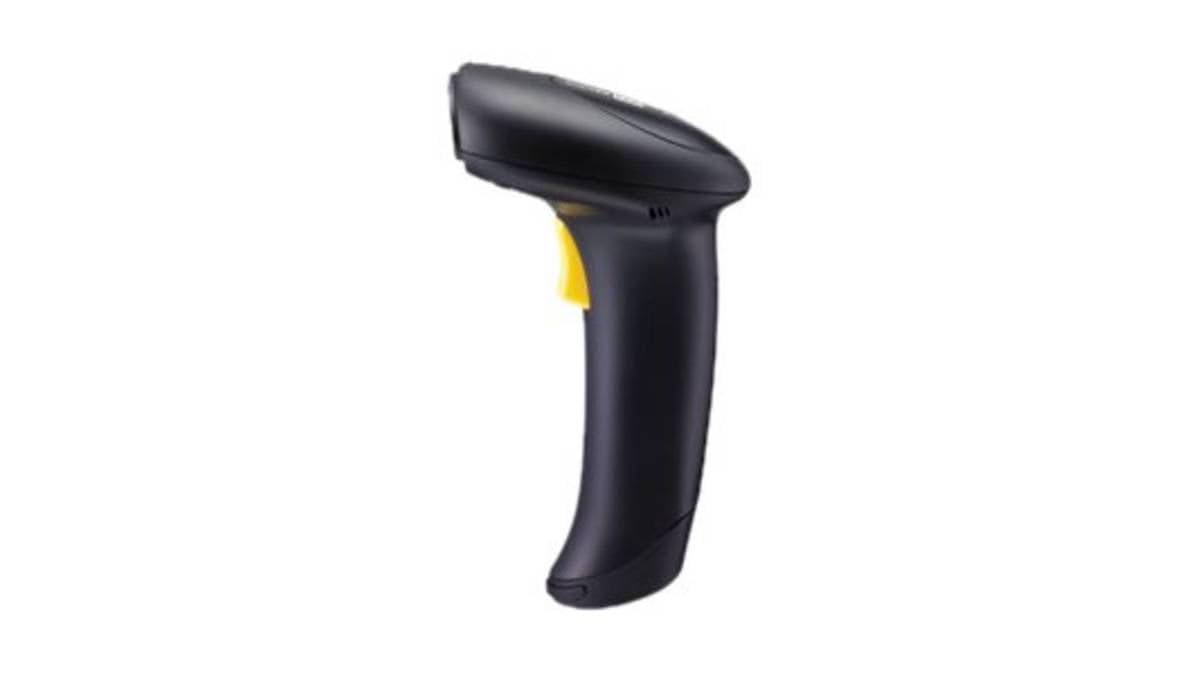
Figure 1: CipherLab 1500P HP 1D Corded Barcode Scanner with USB cable. This image displays the ergonomic design of the scanner and its wired connection.
4. Sąranka
4.1 Skaitytuvo prijungimas
- Locate an available USB port on your computer or host device.
- Connect the smaller end of the USB cable to the port at the base of the CipherLab 1500P HP scanner.
- Prijunkite didesnį USB kabelio galą prie kompiuterio USB prievado.
- The scanner will power on automatically. Most operating systems will detect and install the necessary drivers automatically (Plug-and-Play).
4.2 Pradinis bandymas
After connecting, open a text editor (e.g., Notepad, Word) or any application that accepts keyboard input. Scan a known barcode. The data should appear in the application. If not, refer to the Troubleshooting section.
5. Skenerio valdymas
5.1 Pagrindinis nuskaitymas
- Laikykite skaitytuvą patogiai rankoje.
- Nukreipkite nuskaitymo langą į brūkšninį kodą, kurį norite nuskaityti.
- Press and hold the trigger button. A red aiming line will appear.
- Center the aiming line over the entire barcode.
- Once the barcode is successfully read, the scanner will emit a beep and the LED indicator will flash. Release the trigger button.
5.2 Scanning Feedback
- Sėkmingai nuskaityta: A short beep and a green LED flash.
- Nesėkmingas nuskaitymas: No beep or flash, or a different error tone (refer to troubleshooting).
6. Priežiūra
6.1 Skaitytuvo valymas
To maintain optimal scanning performance, keep the scanning window clean:
- Naudokite minkštą, nepūkuotą audinį dampnuplaukite vandeniu arba švelniu, neabrazyviniu valymo tirpalu.
- Švelniai nuvalykite nuskaitymo langą ir išorinį dangtelį.asing.
- Do not use harsh chemicals, solvents, or abrasive materials, as these can damage the scanner.
6.2 Saugykla
Kai nenaudojate, laikykite skaitytuvą švarioje, sausoje vietoje, toliau nuo tiesioginių saulės spindulių ir ekstremalių temperatūrų.
7. Problemų sprendimas
| Problema | Galima priežastis | Sprendimas |
|---|---|---|
| Skaitytuvas neįsijungia. | Netinkamai prijungtas USB kabelis arba sugedęs USB prievadas. | Įsitikinkite, kad USB laidas yra tvirtai prijungtas prie skaitytuvo ir kompiuterio. Išbandykite kitą USB prievadą. |
| Skaitytuvas neskaito brūkšninių kodų. | Barcode damaged, scanning window dirty, incorrect scanning angle, or scanner not configured for barcode type. | Ensure the barcode is clear and undamaged. Clean the scanning window. Adjust the scanning angle. Refer to the full programming manual for advanced configuration. |
| Nuskaityti duomenys rodomi neteisingai. | Keyboard layout mismatch or incorrect data formatting. | Ensure your computer's keyboard layout matches the scanner's default or programmed layout. Consult the full programming manual for data formatting options. |
8. Specifikacijos
- Modelio numeris: A1500PCBSU001
- Ryšio technologija: USB kabelis
- Maitinimo šaltinis: USB kabelis
- Suderinami įrenginiai: Stalinis kompiuteris, nešiojamas kompiuteris
- Prekės svoris: 10.93 svaro
- Pakuotės matmenys: 8 x 8 x 8 colio
- Gamintojas: CipherLab
9. Informacija apie garantiją
CipherLab products are manufactured to high quality standards. This product is covered by a limited warranty against defects in materials and workmanship. For specific warranty terms and conditions, please refer to the warranty card included with your product or visit the official CipherLab websvetainę.
10. Pagalba klientams
If you encounter issues not covered in this manual or require further assistance, please contact your vendor or visit the official CipherLab support website for up-to-date resources, FAQs, and contact information.