
1. Įvadas
This manual provides detailed instructions for the installation, operation, and maintenance of your Thomson 512331 720p WiFi IP Camera. This wireless security camera features 720p HD resolution, advanced night vision, motion detection, and remote viewing capabilities via a smartphone or tablet application. Designed for outdoor use, it boasts an IP66 weather-resistant rating and a durable metal construction.
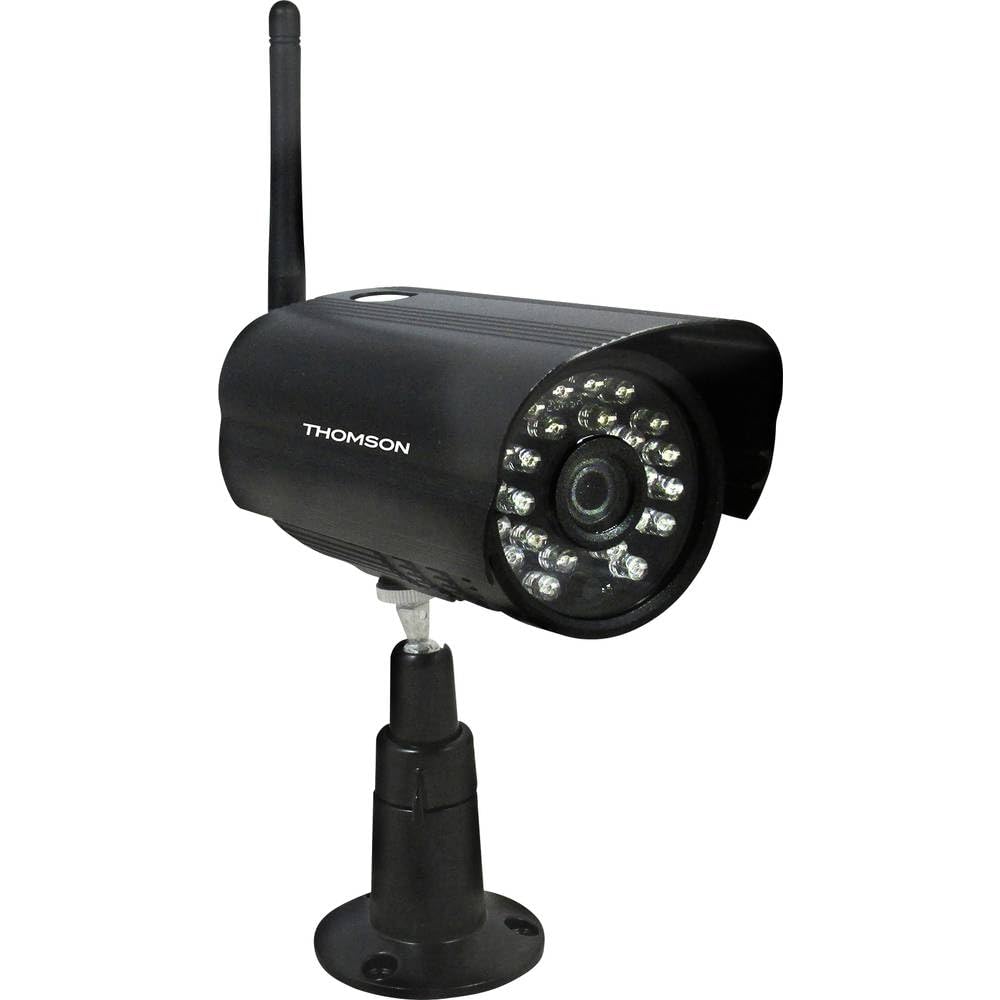
1 paveikslas: Priekyje view of the Thomson 512331 720p WiFi IP Camera. This image shows the camera's main body, lens, and antenna connection point, highlighting its compact and robust design suitable for outdoor surveillance.
2. Pakuotės turinys
Patikrinkite, ar pakuotėje yra visi toliau išvardyti daiktai. Jei kurių nors daiktų trūksta arba jie pažeisti, susisiekite su klientų aptarnavimo tarnyba.
- Thomson 512331 IP Camera
- Power Adapter (230VAC/12VDC 500mA)
- WiFi antena
- Tvirtinimo rinkinys (varžtai ir sieniniai kaiščiai)
- Vartotojo vadovas (šis dokumentas)
3. Produktas baigtasview
The Thomson 512331 camera is designed for reliable surveillance with the following key features:
- Objektyvas: 3.6mm fixed lens for a wide field of view.
- Rezoliucija: 1280x720 (720p) HD video capture.
- Naktinis matymas: Infrared night vision with 24 LEDs, providing a range of up to 20 meters. Features color night vision capability.
- Garsas: Integrated microphone for audio acquisition.
- Ryšys: Wireless Wi-Fi connectivity for flexible placement.
- Atsparumas oro sąlygoms: IP66 rated for outdoor use, protecting against dust and powerful water jets.
- Medžiaga: Durable metal housing.
- Galia: 12VDC 500mA power input, maximum consumption 5W.
- Vaizdo įrašo suspaudimas: H.264 for efficient storage and streaming.
- Saugykla: Supports SD card for local storage (SD card not included).
4. Sąranka
4.1 Fizinis įrengimas
- Pasirinkite vietą: Select a suitable outdoor location for the camera, ensuring it has a clear view of the area you wish to monitor and is within range of your Wi-Fi network.
- Sumontuokite fotoaparatą: Use the provided mounting kit to securely attach the camera to a wall or other stable surface. Drill pilot holes if necessary, insert wall plugs, and fasten the camera bracket with screws.
- Attach WiFi Antenna: Screw the WiFi antenna firmly onto the designated port on the camera.
- Prijunkite maitinimą: Connect the power adapter to the camera's 12VDC input port and plug the adapter into a suitable power outlet. Ensure the power outlet is protected from weather if installed outdoors.
4.2 Network Configuration and App Setup
- Atsisiųskite programą: Ieškokite the official Thomson IP Camera application on your smartphone's or tablet's app store (iOS or Android). Download and install the application.
- Sukurti paskyrą: Atidarykite programėlę ir vykdykite ekrane pateikiamus nurodymus, kad sukurtumėte naują vartotojo paskyrą arba prisijunkite, jei ją jau turite.
- Pridėti fotoaparatą: In the app, select the option to "Add Device" or "Add Camera." Follow the in-app wizard to connect your camera to your Wi-Fi network. This typically involves scanning a QR code on the camera or entering your Wi-Fi credentials.
- Konfigūruoti nustatymus: Once connected, you can configure various settings such as motion detection sensitivity, recording schedules, and alert notifications within the app.
5. Naudojimo instrukcijos
5.1 Tiesiogiai View
Open the Thomson IP Camera app on your smartphone or tablet. Select your camera from the device list to view the live video feed. You can typically switch between standard and HD resolution, and access controls for audio and recording.
5.2 Judesio aptikimas ir įspėjimai
The camera is equipped with motion detection. When motion is detected, the camera can trigger recordings and send push notifications to your connected device. Adjust motion detection sensitivity and alert preferences in the app's settings.
5.3 Naktinis matymas
The camera automatically switches to infrared night vision in low-light conditions, providing clear black and white video. It also supports color night vision in certain conditions. The 24 built-in IR LEDs illuminate up to 20 meters.
5.4 Įrašymas ir atkūrimas
If an SD card is installed (not included), the camera can record video locally. Recordings can be triggered by motion or set on a schedule. Access recorded footagper programėlės atkūrimo funkciją.
6. Priežiūra
- Valymas: Reguliariai valykite kameros objektyvą ir korpusą minkšta šluosteamp šluoste dulkėms ir nešvarumams pašalinti. Nenaudokite stiprių cheminių medžiagų ar abrazyvinių valiklių.
- Firmware atnaujinimai: Check the app regularly for firmware updates. Keeping your camera's firmware up-to-date ensures optimal performance and security.
- Maitinimas: Įsitikinkite, kad maitinimo adapteris ir laidas yra geros būklės ir nepažeisti.
- „Wi-Fi“ ryšys: Verify your Wi-Fi signal strength periodically to ensure a stable connection for continuous surveillance.
7. Problemų sprendimas
- Fotoaparatas neprisijungia prie „Wi-Fi“:
- Įsitikinkite, kad kamera yra jūsų „Wi-Fi“ maršrutizatoriaus veikimo diapazone.
- Patikrinkite, ar programoje teisingai įvestas „Wi-Fi“ slaptažodis.
- Iš naujo paleiskite maršrutizatorių ir kamerą.
- Ensure your Wi-Fi network is 2.4GHz, as 5GHz networks may not be supported.
- Nėra vaizdo įrašo:
- Patikrinkite, ar kamera įjungta.
- Confirm a stable internet connection on both the camera and your viewprietaisą.
- Iš naujo paleiskite fotoaparatą ir programą.
- Judesio aptikimas neveikia:
- Check motion detection settings in the app; ensure it is enabled and sensitivity is adjusted correctly.
- Įsitikinkite, kad nėra jokių kliūčių, blokuojančių kameros view.
- Prasta naktinio matymo kokybė:
- Nuvalykite fotoaparato objektyvą, kad pašalintumėte nešvarumus ar dėmes.
- Ensure there are no reflective surfaces close to the camera that might interfere with IR illumination.
8. Specifikacijos
| Modelio pavadinimas | 512331 |
| Prekės ženklas | Tomsonas |
| Matmenys (I x P x A) | 50 x 50 x 28 cm |
| Svoris | 500 gramų |
| Ryšio technologija | Bevielis, Wi-Fi |
| Ypatinga funkcija | Naktinis matymas |
| Suderinami įrenginiai | Planšetinis kompiuteris, išmanusis telefonas |
| Maitinimo šaltinis | AC Power (12VDC 500mA adapter) |
| Valdiklio tipas | iOS (via application) |
| Montavimo tipas | Sieninis laikiklis |
| Produkto savybės | Night Vision, Motion Detection |
| Medžiaga | Metalas |
| Atsparumo vandeniui lygis | IP66 (atsparus vandeniui) |
| Įspėjimo tipas | Motion only |
| Šviesos šaltinio tipas | LED |
| Kontrolės metodas | Taikymas |
| Energijos suvartojimas | 5 vatų |
| Reikalingos baterijos | Nr |
| Kanalų skaičius | 1 |
| Fokusavimo tipas | Automatinis fokusavimas |
| Optinių jutiklių technologija | BSI CMOS |
| Vaizdo raiška | 720p (1280x720 Pixels) |
| Naktinio matymo diapazonas | 20 metrai |
| Naktinio matymo tipas | Infrared with Color Night Vision capability |
| „Flash“ atminties tipas | SD (for local storage) |
9. Garantija ir palaikymas
For warranty information and technical support, please refer to the documentation provided with your purchase or visit the official Thomson websvetainėje. Išsaugokite pirkimo įrodymą garantiniams reikalavimams.
Internetiniai ištekliai: www.thomson.eu