
Įvadas
Thank you for choosing the auna Connect 90 Internet Radio. This manual provides essential information for the safe and efficient operation of your device. Please read it thoroughly before use and keep it for future reference. The auna Connect 90 offers versatile audio entertainment with Internet Radio, FM radio, and USB MP3 playback capabilities, all accessible via WiFi connectivity.
Saugos instrukcijos
- Prieš naudodami įrenginį, atidžiai perskaitykite visas instrukcijas.
- Keep the device away from water, moisture, and high humidity.
- Nelaikykite prietaiso nuo tiesioginių saulės spindulių ar ekstremalių temperatūrų.
- Užtikrinkite tinkamą vėdinimą; neužblokuokite jokių ventiliacijos angų.
- Naudokite tik pateiktą maitinimo adapterį.
- Nebandykite patys atidaryti ar taisyti įrenginio. Visus techninės priežiūros darbus patikėkite kvalifikuotiems specialistams.
- Prietaisą laikykite vaikams nepasiekiamoje vietoje.
Pakuotės turinys
Prašome patikrinti, ar visi daiktai yra ir yra geros būklės:
- auna Connect 90 Internet Radio Unit
- Maitinimo adapteris
- Nuotolinio valdymo pultas
- Vartotojo vadovas (šis dokumentas)
Produktas baigtasview
Priekinis skydelis ir ekranas
The front panel features the main display, control buttons, and the navigation dial for easy interaction.
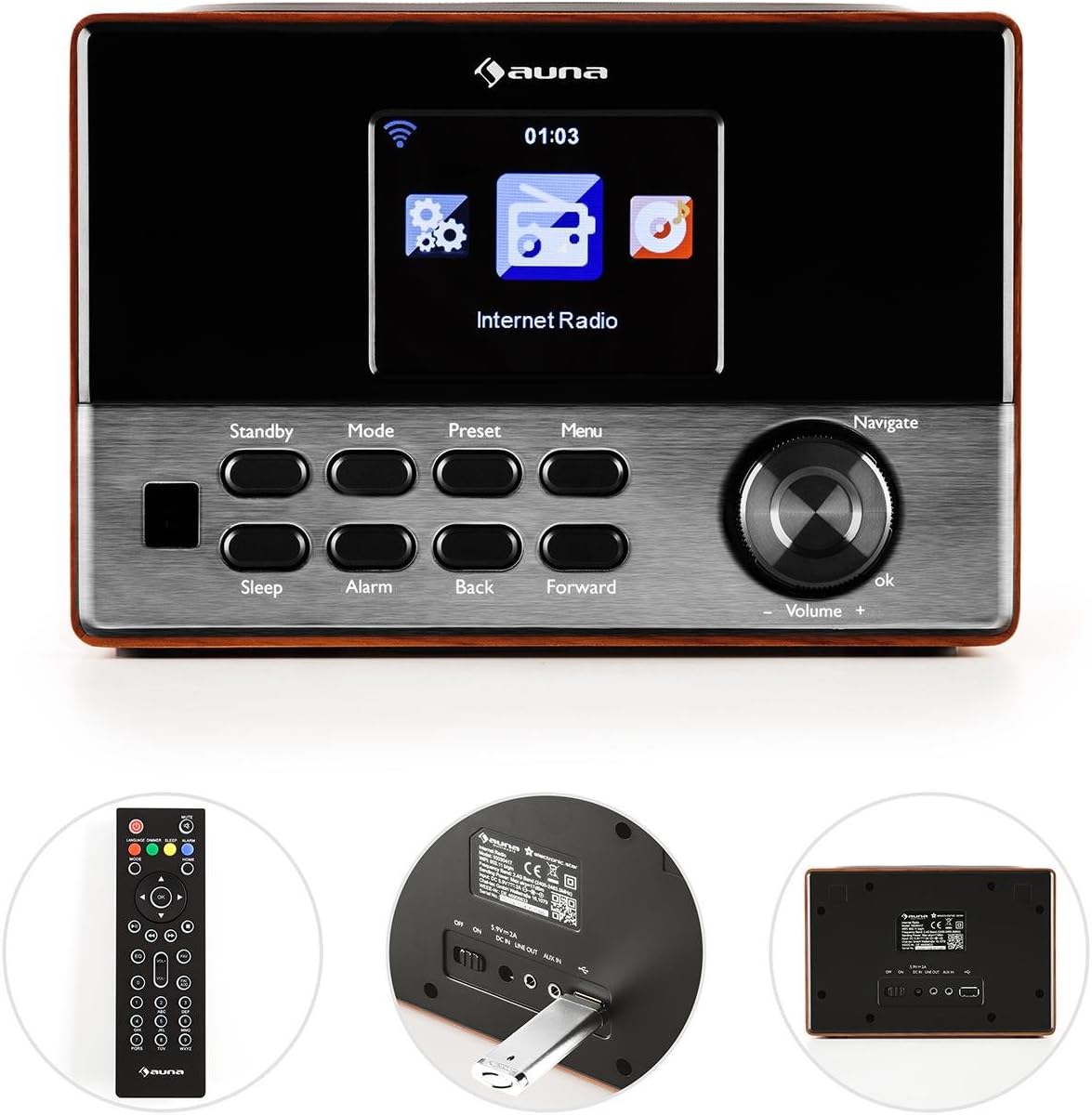
Vaizdas: Priekyje view of the auna Connect 90, showing the color display, control buttons (Standby, Mode, Preset, Menu, Sleep, Alarm, Back, Forward), and the Navigate/Volume dial.
- Ekranas: Color screen showing time, station information, and menu options.
- Budėjimo režimas: Įjungia arba išjungia įrenginį.
- Režimas: Switches between Internet Radio, FM, and USB modes.
- Iš anksto nustatytas: Accesses saved radio station presets.
- Meniu: Enters the main menu for settings and options.
- Miegas: Nustato miego laikmatį.
- Signalizacija: Configures alarm settings.
- Back/Forward: Navigates through menus or tracks.
- Navigate/Volume Dial: Rotates to scroll through options or adjust volume; press to confirm (OK).
Galinis skydelis ir jungtys
The rear panel provides essential connection ports for power and external devices.
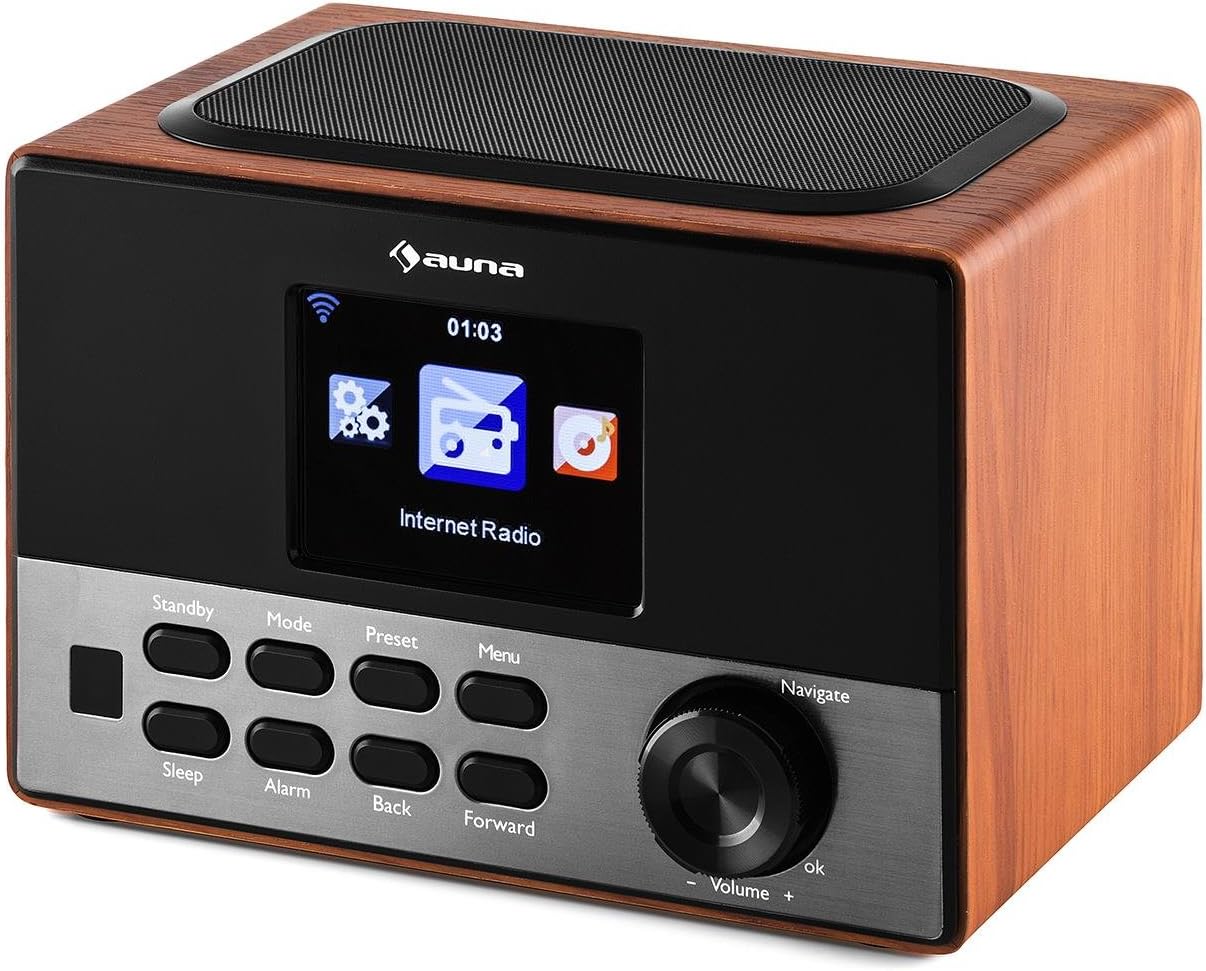
Vaizdas: Galinis view of the auna Connect 90, showing the power input, USB port, and Aux-out port.
- DC IN 5V: Maitinimo įvestis pridedamam adapteriui.
- USB: Port for connecting a USB drive for MP3 playback.
- AUX OUT: 3.5mm audio output for connecting to external speakers or headphones.
Sąranka
1. Maitinimo prijungimas
- Prijunkite maitinimo adapterį prie DC IN 5V prievadą radijo gale.
- Įkiškite maitinimo adapterį į sieninį lizdą.
- The radio will power on to standby mode. Press the Budėjimo režimas mygtuką, kad jį įjungtumėte.
2. Pradinė sąranka ir tinklo prijungimas
Upon first power-on, the radio will guide you through the initial setup wizard.
- Kalbos pasirinkimas: Naudokite Naršyti dial to select your preferred language and press OK patvirtinti.
- Network Wizard: The radio will prompt you to connect to a network. Select 'Yes' and press OK.
- Tinklų paieška: The radio will scan for available WiFi networks. Select your network from the list.
- Įveskite slaptažodį: Naudokite Naršyti dial to enter your WiFi password (WPA/WPA2). Rotate to select characters, press Pirmyn to move to the next character, and press OK norėdami patvirtinti slaptažodį.
- Ryšys: The radio will attempt to connect to your WiFi network. Once successful, it will display a confirmation message.
If the connection fails, double-check your password and try again. Ensure your WiFi router is within range.
Veikiantis
1. Perjungimo režimai
Paspauskite Režimas button repeatedly to cycle through available modes:
- Interneto radijas: Access thousands of online radio stations.
- FM radijas: Tune into local FM broadcasts.
- USB: Groti MP3 files iš prijungto USB įrenginio.
2. Interneto radijas
- Pasirinkite Interneto radijas režimu.
- Naudokite Naršyti dial to browse categories (e.g., Location, Genre, Popular Stations).
- Paspauskite OK to select a category or station.
- Norėdami išsaugoti stotį kaip iš anksto nustatytą, paspauskite ir palaikykite Iš anksto nustatytas button, then select a preset number and press OK.
- Norėdami atšaukti išankstinį nustatymą, paspauskite Iš anksto nustatytas button briefly, then select the desired preset and press OK.
3. MP3 atkūrimas per USB
- Įdėkite USB diską, kuriame yra MP3 files į USB galinio skydelio prievadas.
- Pasirinkite USB režimas naudojant Režimas mygtuką.
- The radio will scan the USB drive. Use the Naršyti dial to browse folders and tracks.
- Paspauskite OK to play a selected track.
- Naudokite Atgal ir Pirmyn mygtukai, norėdami praleisti takelius.
4. Garsumo valdymas
Pasukite Navigate/Volume dial clockwise to increase volume and counter-clockwise to decrease volume.
5. Alarm and Sleep Timer
- Signalizacija: Paspauskite Signalizacija button to set up one or two alarms. Follow the on-screen prompts to set time, source (buzzer, internet radio), and frequency.
- Miegas: Paspauskite Miegoti button repeatedly to set a sleep timer (e.g., 15, 30, 60 minutes). The radio will automatically turn off after the set time.
Priežiūra
- Valymas: Radijo imtuvo išorę valykite minkštu, sausu skudurėliu. Nenaudokite skystų valiklių ar abrazyvinių medžiagų.
- Saugykla: If not in use for an extended period, unplug the power adapter and store the radio in a cool, dry place.
- Vėdinimas: Įsitikinkite, kad ventiliacijos angos nėra užblokuotos, kad išvengtumėte perkaitimo.
Trikčių šalinimas
| Problema | Galima priežastis | Sprendimas |
|---|---|---|
| Nėra galios | Power adapter not connected; outlet not working. | Patikrinkite maitinimo jungtis; pabandykite kitą lizdą. |
| Nėra interneto ryšio | Incorrect WiFi password; router out of range; router issue. | Re-enter WiFi password; move radio closer to router; restart router. |
| Prasta garso kokybė / statinis triukšmas | Weak internet signal; FM interference. | Improve WiFi signal strength; adjust radio position for FM. |
| USB atkūrimas neveikia | USB diskas netinkamai suformatuotas; nepalaikomas file format; drive faulty. | Ensure USB is FAT32 formatted; use MP3 files; try another USB drive. |
| Nuotolinio valdymo pultas neveikia | Išsikrovusios baterijos; kliūtis. | Replace batteries; ensure clear line of sight to radio. |
Specifikacijos
- Prekinis ženklas: auna
- Modelis: KC6-Connect 90 WD
- Ryšys: WiFi, USB, 3.5mm Audio Out
- Tuner technologija: FM (87.5–108 MHz)
- Maitinimo šaltinis: 5V DC (via power adapter)
- Suderinami įrenginiai: Smartphone, Laptop, MP3 Player, Tablet (for audio output)
- Gaminio matmenys: 13.5 x 18 x 12 cm
- Produkto svoris: 794 g
Garantija ir palaikymas
This product comes with a standard manufacturer's warranty. Please refer to the warranty card included with your purchase for specific terms and conditions. For technical support or service inquiries, please contact your retailer or the auna customer service department.