
1. Įvadas
Thank you for choosing the Lenco PDR-030 DAB+/FM Portable Digital Radio. This manual provides essential information for setting up, operating, and maintaining your device. The PDR-030 offers high-quality digital radio reception (DAB+) and traditional FM radio, along with features such as an integrated rechargeable battery for portability, an RDS display, station memory, and an alarm clock function.
Įtraukti komponentai:
- Lenco PDR-030 Digital Radio
- AC Power Adapter (220 Volt)
- Vartotojo vadovas
2. Svarbi saugos informacija
- Saugokite įrenginį nuo lietaus ar drėgmės, kad išvengtumėte gaisro ar elektros smūgio.
- Įsitikinkite, kad maitinimo adapterio garsumastage atitinka jūsų vietinį maitinimo šaltinį.
- Neatidarykite casing. Visus techninės priežiūros darbus patikėkite kvalifikuotiems darbuotojams.
- Venkite įrenginio statyti šalia šilumos šaltinių arba tiesioginiuose saulės spinduliuose.
- Handle the integrated battery with care. Do not attempt to replace it yourself.
- Saugokite įrenginį nuo stiprių magnetinių laukų.
3. Produktas baigtasview
Familiarize yourself with the main components and controls of your Lenco PDR-030 radio.
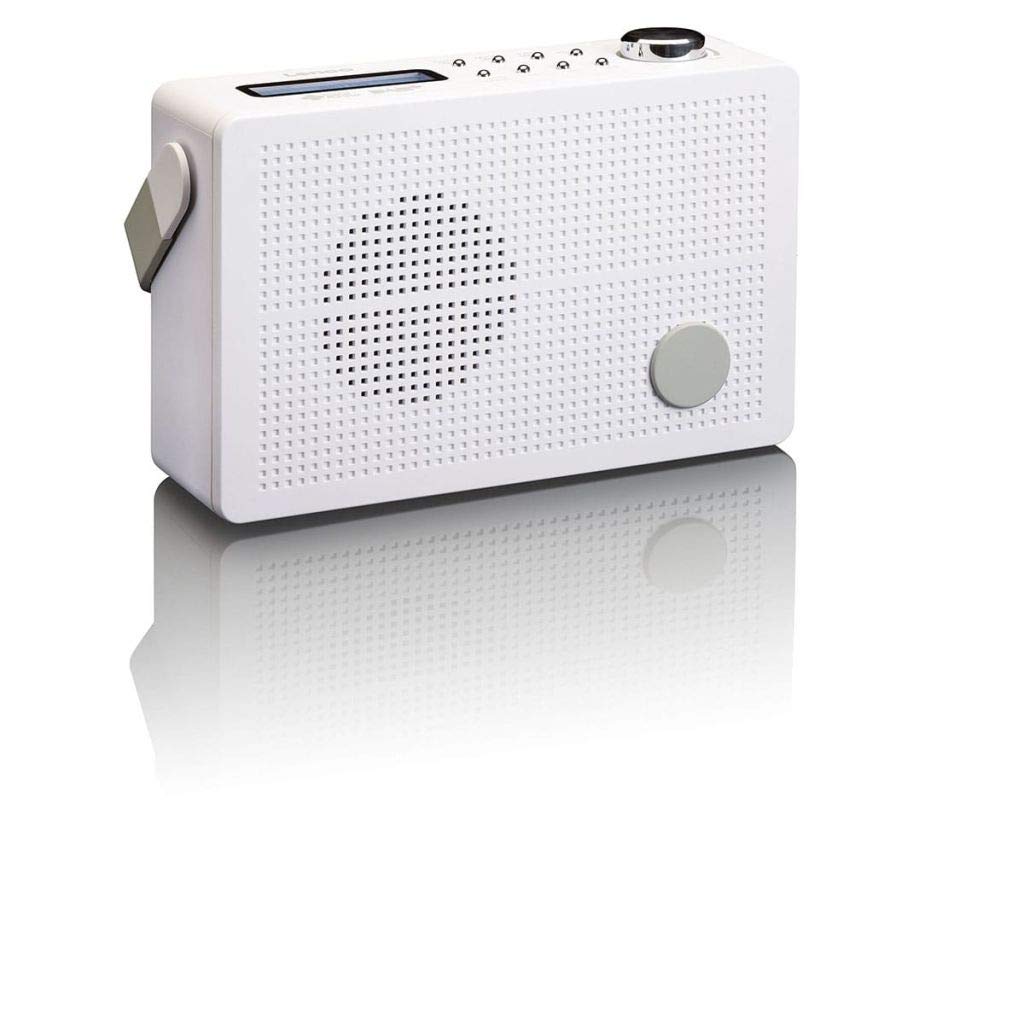
3.1 paveikslas: Front Panel of Lenco PDR-030 Radio. Features include a blue backlit LCD display, power/source button, alarm, sleep, info/menu, preset buttons, select/snooze, scan, previous, next buttons, and a rotary volume knob.
Pagrindiniai valdikliai ir funkcijos:
- Ekranas: Two-line illuminated LCD for time, date, station name, and information.
- Maitinimo / šaltinio mygtukas: Turns the radio on/off and switches between DAB+ and FM modes.
- Garsumo rankenėlė: Reguliuoja garso išvesties lygį.
- Teleskopinė antena: Optimaliam radijo signalo priėmimui.
- Ausinių lizdas (3.5 mm): Privačiam pasiklausymui.
- Alarm/Sleep/Info/Menu/Preset Buttons: For various functions including setting alarms, sleep timer, accessing information, menu navigation, and managing station presets.
- Select/Snooze/Scan/Prev/Next Buttons: For station tuning, menu selection, and snooze function.
4. Sąranka
4.1 Radijo maitinimas
The PDR-030 can be powered by the included AC adapter or its integrated rechargeable battery.
- Kintamosios srovės maitinimas: Connect the supplied 220V AC power adapter to the DC input jack on the radio and then to a wall outlet. The radio will automatically begin charging the internal battery.
- Baterijos galia: The integrated Lithium-ion battery allows for portable use. Ensure the battery is sufficiently charged before use without the AC adapter.
4.2 Antenos sąranka
Extend the telescopic antenna fully for optimal reception of both DAB+ and FM signals. Adjust its position for the best signal quality.
4.3 Initial Power On and Station Scan
- Paspauskite Maitinimo šaltinis mygtuką, kad įjungtumėte radiją.
- Upon first use, the radio will automatically enter DAB+ mode and perform a full scan for available digital radio stations. This may take a few minutes.
- Kai paieška bus baigta, radijas įsijungs pirmąją galimą stotį.
5. Naudojimo instrukcijos
5.1 Maitinimo įjungimas/išjungimas
Paspauskite Maitinimo šaltinis mygtuką, kad įjungtumėte arba išjungtumėte radiją.
5.2 Režimo pasirinkimas (DAB+/FM)
Paspauskite Šaltinis button repeatedly to switch between DAB+ and FM radio modes.
5.3 Stočių derinimas
- DAB+ režimas:
- After the initial scan, use the Ankstesnis ir Kitas buttons to navigate through the list of available DAB+ stations.
- To perform a new full scan, press the Meniu button, navigate to "Full Scan" using Ankstesnis/Kitas, ir paspauskite Pasirinkite.
- FM režimas:
- Paspauskite Nuskaityti mygtuką, kad automatiškai ieškotumėte kitos prieinamos FM stoties.
- Norėdami rankiniu būdu derinti, paspauskite ir palaikykite Ankstesnis or Kitas mygtukais, kad tiksliai sureguliuotumėte dažnį.
5.4 Saving and Recalling Preset Stations
Radijas leidžia išsaugoti iki 10 DAB+ ir 10 FM iš anksto nustatytų stočių.
- Norėdami išsaugoti išankstinį nustatymą:
- Nustatykite norimą stotį.
- Paspauskite ir palaikykite Iš anksto nustatytas mygtuką, kol ekrane pasirodys „Preset Store“.
- Naudokite Ankstesnis/Kitas mygtukais pasirinkite iš anksto nustatytos stoties numerį (1–10).
- Paspauskite Pasirinkite , kad patvirtintumėte ir išsaugotumėte stotį.
- Norėdami priminti išankstinį nustatymą:
- Paspauskite Iš anksto nustatytas trumpai mygtuką.
- Naudokite Ankstesnis/Kitas mygtukus, kad pasirinktumėte norimą iš anksto nustatytos stoties numerį.
- Paspauskite Pasirinkite , kad suderintumėte su iš anksto nustatyta radijo stotimi.
5.5 Garsumo valdymas
Pasukite Tūrio rankenėlė pagal laikrodžio rodyklę, norėdami padidinti garsumą, ir prieš laikrodžio rodyklę, norėdami jį sumažinti.
5.6 RDS Functionality (FM Mode)
In FM mode, the RDS (Radio Data System) function displays information such as station name, program type, and other broadcast data on the two-line LCD display.
5.7 Žadintuvo funkcija
The PDR-030 can be used as an alarm clock with two separate alarm times.
- Signalo nustatymas:
- Paspauskite Signalizacija mygtuką.
- Naudokite Ankstesnis/Kitas to select Alarm 1 or Alarm 2, then press Pasirinkite.
- Follow the on-screen prompts to set the alarm time, duration, source (Buzzer or Radio), frequency (Daily, Once, Weekdays, Weekends), and volume.
- Ensure the alarm is set to "On" and press Pasirinkite išsaugoti.
- Snaudimo funkcija: Kai skamba žadintuvas, paspauskite Snausti mygtuką, kad laikinai nutildytumėte nustatytą laiką.
- Miego laikmatis: Paspauskite Miegoti button repeatedly to set a sleep timer (e.g., 15, 30, 45, 60 minutes) after which the radio will automatically turn off.
5.8 Ausinių prijungimas
Connect 3.5mm stereo headphones to the headphone jack for private listening. The internal speaker will be muted automatically.
6. Priežiūra
6.1 Valymas
Wipe the radio's exterior with a soft, dry cloth. Do not use abrasive cleaners, waxes, or solvents as they may damage the finish. Ensure no liquids enter the device.
6.2 Akumuliatoriaus priežiūra
The integrated Lithium-ion battery is designed for long life. To maximize battery lifespan:
- Venkite dažnai visiškai iškrauti akumuliatorių.
- Jei radijo imtuvą ilgesnį laiką nenaudosite, įkraukite akumuliatorių maždaug iki 50 % ir laikykite vėsioje, sausoje vietoje.
- Do not attempt to replace the battery yourself. Contact qualified service personnel if battery issues arise.
7. Problemų sprendimas
| Problema | Galima priežastis | Sprendimas |
|---|---|---|
| Nėra galios | AC adapter not connected or faulty; battery discharged. | Check AC adapter connection. Charge the battery. |
| Prastas DAB+/FM priėmimas | Antena neištiesta; silpno signalo zona; trukdžiai. | Fully extend and adjust the telescopic antenna. Move the radio to a location with better signal. Avoid placing near other electronic devices. |
| Nėra garso | Per mažas garsumas; prijungtos ausinės; įjungtas nutildymas. | Increase volume. Disconnect headphones. Check if mute is active (if applicable). |
| Signalizacija neskamba | Žadintuvas neaktyvuotas; per mažas žadintuvo garsumas; neteisingas laiko nustatymas. | Ensure alarm is set to "On". Check alarm volume. Verify current time and alarm time settings. |
8. Specifikacijos
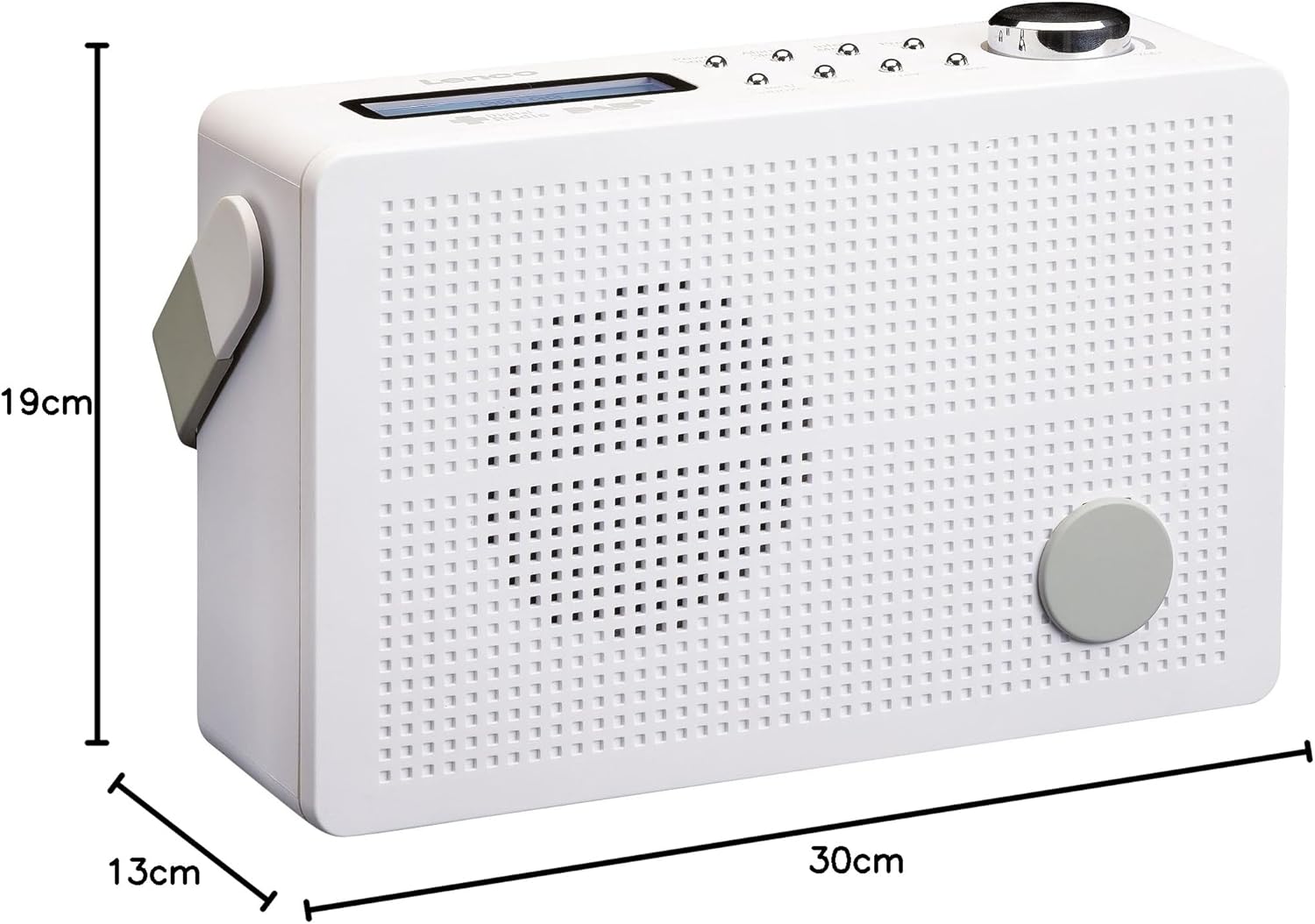
8.1 paveikslas: Lenco PDR-030 Dimensions.
| Funkcija | Detalė |
|---|---|
| Modelio numeris | PDR-030 |
| Derintuvo technologija | DAB+, FM (Ukw) |
| Maitinimo šaltinis | Battery-Powered (Integrated Lithium-ion), AC Adapter |
| AC ttage | 220 voltų |
| Produkto matmenys (P x G x A) | 21.4 x 6.5 x 13.8 cm (approx. 22.5 x 8.5 x 15 cm as per another spec) |
| Prekės svoris | 9 g (Note: This seems incorrect, likely 670g from description) |
| Medžiagos tipas | Plastikiniai |
| Techninės įrangos sąsaja | 3.5 mm garso (ausinių lizdas) |
| Ypatingos savybės | Portable, RDS Display, Alarm Clock, Station Memory (10 DAB+, 10 FM) |
Note: Some dimensions and weight specifications provided by the manufacturer may vary slightly. The description states 670 grams for weight, while specifications list 9g. Please refer to the product packaging for the most accurate information.
9. Garantija ir palaikymas
Lenco products are designed for reliability and performance. This product typically comes with a 24-month manufacturer's warranty from the date of purchase, covering defects in materials and workmanship. Please retain your proof of purchase for warranty claims.
For technical support, service, or warranty inquiries, please refer to the contact information provided on the Lenco official website or your local retailer. Do not attempt to repair the device yourself.
Daugiau informacijos galite rasti adresu „Lenco“ parduotuvė „Amazon“ platformoje.