
Identiv SCR 3310 v2.0
Identiv SCR 3310 v2.0 SCM USB Smart Card Reader
Vartotojo vadovas
1. Įvadas
The Identiv SCR 3310 v2.0 is a compact and practical USB smart card reader designed for secure digital transactions and access. Its ergonomic design and mounting holes allow for easy integration into various systems. This reader is compatible with ISO 7816 smart cards in ID-1 format and is EMV Level 1 certified, ensuring reliable performance for a wide range of applications.
Typical applications include e-banking, electronic identification, social security and loyalty programs, electronic coupon campaigns, secure network and PC access, and online shopping.
2. Saugos informacija
Please read and follow these safety guidelines to ensure safe and proper operation of your smart card reader:
- Nelaikykite prietaiso ekstremaliose temperatūrose, tiesioginiuose saulės spinduliuose ar didelėje drėgmėje.
- Stenkitės, kad prietaisas nenumestų ar nepatirtų stipraus smūgio.
- Nebandykite ardyti ar modifikuoti įrenginio. Tai panaikins garantiją.
- Keep the device away from liquids. If liquid enters the device, disconnect it immediately and contact support.
- Use only the provided USB cable or a compatible, certified USB cable.
- Užtikrinkite tinkamą vėdinimą aplink įrenginį veikimo metu.
3. Pakuotės turinys
Patikrinkite, ar pakuotėje yra visi reikalingi daiktai:
- Identiv SCR 3310 v2.0 Smart Card Reader
- Integrated USB Type-A Cable (1.5 m)
- Quick Start Guide (if applicable, not explicitly mentioned but common)
4. Sąranka
4.1 Connecting the Reader
The SCR 3310 v2.0 is a plug-and-play device that draws power directly from the USB port. No external power adapter is required.
- Kompiuteryje raskite laisvą USB prievadą.
- Insert the USB Type-A connector of the reader's cable into the USB port.
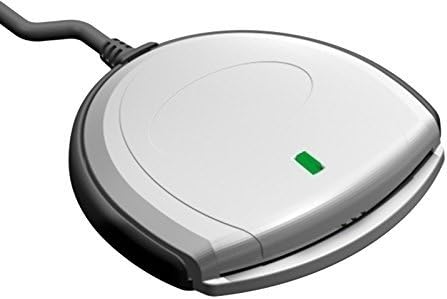
- The green status LED on the reader will illuminate, indicating that the device is powered on and ready.

1 pav.: priekis view of the SCR 3310 v2.0 Smart Card Reader.
2 pav.: Kampinis view of the reader with the green status LED illuminated.
4.2 Tvarkyklės diegimas
The SCR 3310 v2.0 is CCID compliant, meaning it typically uses standard drivers built into modern operating systems. In most cases, the driver will install automatically upon connecting the device.
Palaikomos operacinės sistemos:
- Windows 98, ME, 2000, XP, Server 2003
- Windows Vista (32/64 Bit)
- Windows 7 (32/64 Bit)
- Windows 8 (32/64 Bit)
- Windows 10 (32/64 Bit)
- Windows CE 4.2, 5.0
- MacOS
- Solaris
- Linux
If the driver does not install automatically, or if you encounter issues, you may need to download the latest drivers from the Identiv support website. The reader utilizes PC/SC and CT-API (via a PC/SC-based wrapper) for application communication.
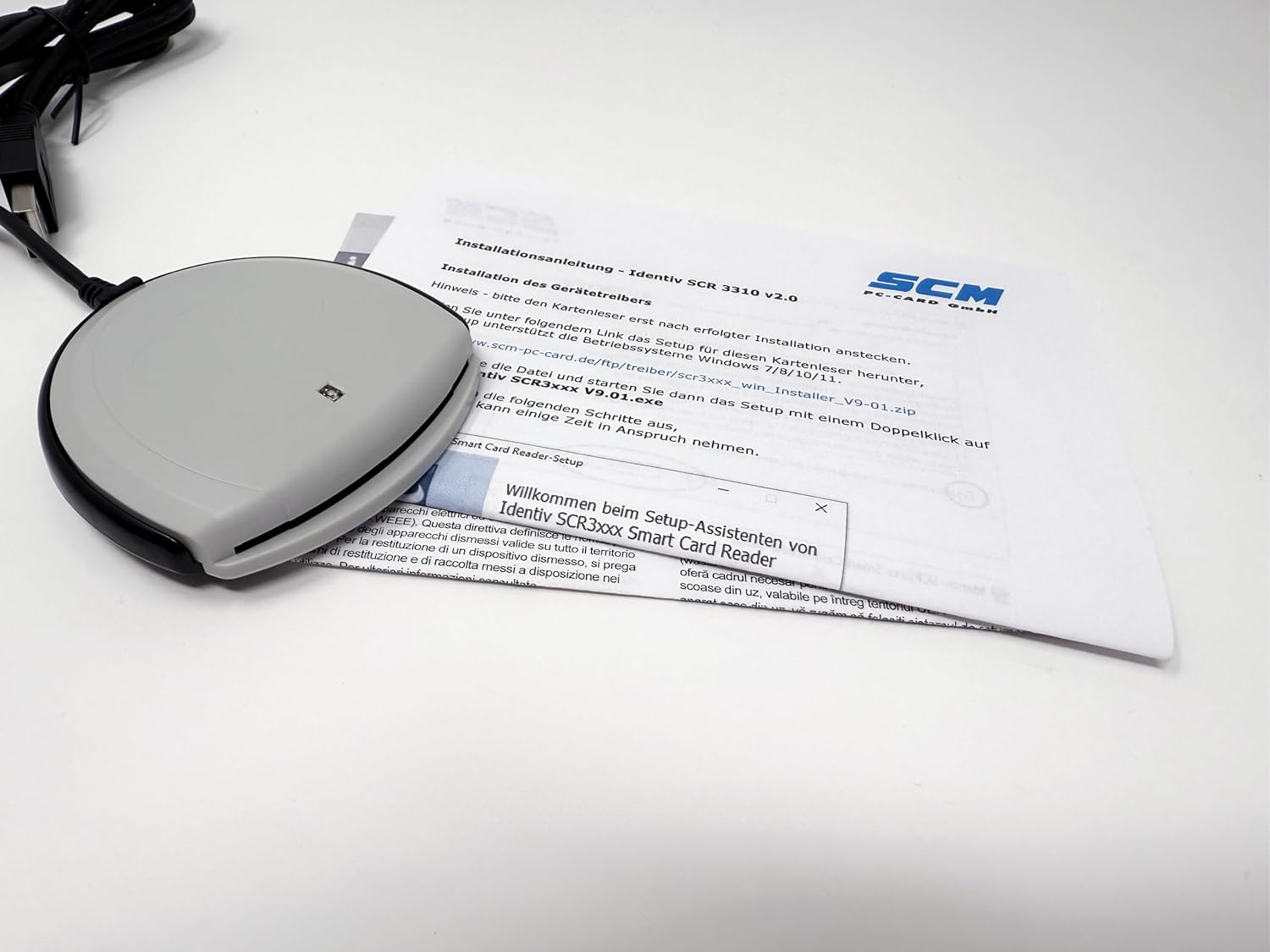
Figure 3: Driver installation process on a computer.
Note: This reader does not work with DATEV applications.
5. Naudojimo instrukcijos
5.1 Išmaniosios kortelės įdėjimas
To use the smart card reader, insert your ID-1 format smart card into the slot on the front of the device.
- Orient the smart card with the chip facing upwards and towards the reader.
- Gently slide the smart card into the slot until it is fully seated. Do not force the card.
- The reader will automatically detect the card. The green status LED may blink or change state depending on the application's activity.

Figure 4: Smart card being inserted into the reader.
5.2 Išmaniosios kortelės išėmimas
Norėdami pašalinti intelektualiąją kortelę:
- Ensure that no application is actively using the smart card.
- Gently pull the smart card out of the slot.
Caution: Do not remove the smart card while an application is actively accessing it, as this may lead to data corruption or application errors.
6. Priežiūra
The Identiv SCR 3310 v2.0 requires minimal maintenance. Follow these guidelines to keep your device in optimal condition:
- Valymas: Use a soft, dry, lint-free cloth to wipe the exterior of the reader. Do not use liquid cleaners, aerosols, or abrasive materials.
- Saugykla: When not in use, store the reader in a clean, dry environment, away from dust and extreme temperatures.
- Kabelio priežiūra: Avoid bending or kinking the USB cable excessively. Do not pull the cable to disconnect the reader from the computer; always grasp the USB connector.
7. Problemų sprendimas
If you encounter issues with your smart card reader, refer to the following common problems and solutions:
| Problema | Galima priežastis | Sprendimas |
|---|---|---|
| Kompiuteris neaptiko skaitytuvo. | Loose USB connection, faulty USB port, driver not installed. |
|
| Smart card not recognized. | Card inserted incorrectly, dirty card chip, incompatible card. |
|
| Green status LED is off. | No power, faulty USB port. |
|
| Reader does not work with DATEV applications. | Nesuderinamumas. | This reader is explicitly stated as not compatible with DATEV applications. No solution is available for this specific incompatibility. |
8. Specifikacijos
| Funkcija | Detalė |
|---|---|
| Modelio pavadinimas | SCR 3310 v2.0 (P/N: 905331) |
| Matmenys (I x P x A) | 70 x 70 x 14 mm (2.76 x 2.76 x 0.55 colio) |
| Svoris | 73 gramų (2.57 uncijos) |
| Sąsaja | USB Full Speed (12 Mbps), USB 3.0 compatible, CCID compliant |
| Bendravimo greitis | Iki 412 Kbps |
| Smart Card Support | ISO 7816 Classes A, B, C (5V, 3.3V, 1.8V), ID-1 format |
| Kabelio ilgis | 1.5 m (4.9 ft) with USB Type-A connector |
| Maitinimo šaltinis | Maitinamas iš USB magistralės |
| Darbinė temperatūra | 0°C iki +50°C (32°F iki +122°F) |
| Sertifikatai | FCC Class B Part 15, cULus, CE, VCCI, USB/Microsoft WHQL 2000, XP, Server 2003, EMV Level 1 |
| Aplinkosaugos laikymasis | RoHS, WEEE, REACH-Compliance |
| Operacinės sistemos suderinamumas | Windows (98, ME, 2000, XP, Server 2003, Vista, 7, 8, 10), Windows CE (4.2, 5.0), MacOS, Solaris, Linux |
| Driver API | PC/SC, CT-API (via PC/SC-based wrapper) |

5 pav.: Nugara view of the reader with product information and certifications.
9. Garantija ir palaikymas
9.1 Informacija apie garantiją
Identiv products are manufactured to the highest quality standards. For specific warranty terms and conditions, please refer to the warranty card included with your product or visit the official Identiv websvetainėje. Išsaugokite pirkimo įrodymą garantiniams reikalavimams.
9.2 Techninė pagalba
If you require technical assistance or have questions not covered in this manual, please contact Identiv customer support. You can find contact information and additional resources, including driver downloads and FAQs, on the official Identiv websvetainė:
When contacting support, please have your product model (SCR 3310 v2.0) and serial number (found on the back of the device, e.g., 53312211230194) ready.
Ask a question about this manual
Ask about setup, troubleshooting, compatibility, parts, safety, or missing instructions. Manuals+ will review the question and use this page’s manual context to help answer it.