
Įvadas
This manual provides instructions for the installation, operation, and maintenance of the Black Box SERVSWITCH EC USB Server Cable, Model EHN9000U-0006. This 6-foot (1.8-meter) cable is designed to connect a server to a KVM switch, providing both USB and VGA connectivity.
Saugos informacija
Please read and understand all safety instructions before using this product. Failure to follow these instructions may result in damage to the product or connected equipment.
- Do not expose the cable to excessive moisture or extreme temperatures.
- Venkite staigiai sulenkti ar užlenkti kabelį, nes tai gali pažeisti vidinius laidus.
- Ensure all connections are secure before powering on equipment.
- Disconnect power from devices before connecting or disconnecting cables.
Pakuotės turinys
Patikrinkite, ar jūsų pakuotėje yra šie elementai:
- 1 x Black Box SERVSWITCH EC USB Server Cable (EHN9000U-0006)
Produktas baigtasview
The Black Box SERVSWITCH EC USB Server Cable is a specialized cable designed for KVM (Keyboard, Video, Mouse) applications. It integrates VGA video and USB keyboard/mouse signals into a single cable for streamlined connectivity between a server and a KVM switch.
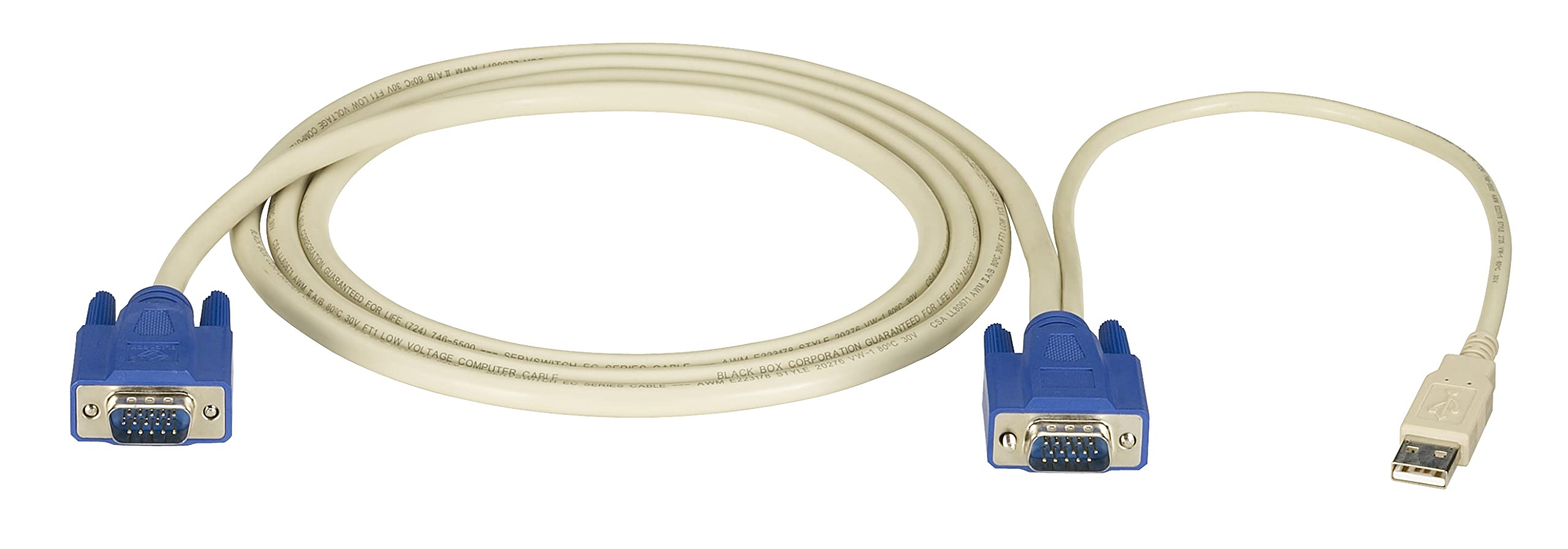
Vaizdas: Black Box SERVSWITCH EC USB Server Cable. This image displays the 6-foot cable with its distinct VGA (HD-15) and USB connectors, designed for server-to-KVM switch connections.
Pagrindinės funkcijos:
- Integruotas ryšys: Combines VGA video and USB data into one cable.
- Ilgis: 6 pėdų (1.8 metro) – lanksčiam išdėstymui.
- Suderinamumas: Designed for use with Black Box SERVSWITCH KVM systems.
- Dizainas be susipainiojimo: Helps prevent tangles and simplifies cable management.
Sąranka
- Išjungimo įrenginiai: Ensure both the server and the KVM switch are powered off before making any connections.
- Prisijungti prie serverio: Locate the VGA output port and an available USB port on your server. Connect the corresponding VGA (HD-15 male) and USB (Type-A male) connectors of the EHN9000U-0006 cable to these ports on the server.
- Prijunkite prie KVM komutatoriaus: Locate the KVM port on your KVM switch designated for the server. Connect the combined VGA (HD-15 female) and USB (Type-A female) end of the EHN9000U-0006 cable to the KVM switch's input port. Ensure a secure fit for both connectors.
- Maitinimas: Once all connections are secure, power on the KVM switch, then power on the server.
Veikiantis
Once the cable is properly connected and devices are powered on, the KVM switch should detect the connected server. Use the KVM switch's controls (buttons, hotkeys, or OSD) to switch to the server connected via this cable. You should then have control over the server's video, keyboard, and mouse.
- Refer to your KVM switch's user manual for specific instructions on switching between connected servers.
- Ensure the KVM switch is configured to recognize the USB keyboard and mouse signals.
Priežiūra
The Black Box SERVSWITCH EC USB Server Cable requires minimal maintenance. Follow these guidelines to ensure longevity:
- Valymas: Kabelį ir jungtis nuvalykite minkštu, sausu skudurėliu. Nenaudokite skystų valiklių ar tirpiklių.
- Saugykla: When not in use, store the cable in a cool, dry place, away from direct sunlight and extreme temperatures. Avoid tight coiling to prevent internal damage.
- Tvarkymas: Always grasp the connector housing when plugging or unplugging the cable. Avoid pulling on the cable itself.
Trikčių šalinimas
| Problema | Galima priežastis | Sprendimas |
|---|---|---|
| Nėra vaizdo rodymo | Loose VGA connection; Incorrect KVM port selected; Server video output issue. | Ensure VGA connectors are fully seated and secured. Select the correct KVM port. Check server's video output directly. |
| Klaviatūra / pelė nereaguoja | Loose USB connection; KVM switch USB emulation issue; Server USB port issue. | Ensure USB connectors are fully seated. Verify KVM switch USB settings. Test server USB ports with another device. |
| Pertraukiamas ryšys | Damaged cable; Loose connections; Electrical interference. | Inspect cable for visible damage. Re-seat all connections. Ensure cable is not near strong electromagnetic sources. |
Specifikacijos
- Modelis: EHN9000U-0006
- Prekinis ženklas: Juodoji dėžė
- Kabelio tipas: USB, VGA
- Connector Type (Server End): HD-15 Male (VGA), USB Type-A Male
- Connector Type (KVM End): HD-15 Female (VGA), USB Type-A Female
- Ilgis: 6 pėdos (1.8 metro)
- Spalva: Juoda/raudona
- Ypatinga funkcija: Susipainiojimas nemokamai
- Suderinami įrenginiai: Server (with VGA and USB ports)
- Gaminio matmenys: 5 x 0.5 x 5 colių (apytiksliai pakuotės matmenys)
- Prekės svoris: 8.4 uncijos (0.24 kilogramo)
- UPC: 822088018322
Garantija ir palaikymas
For warranty information and technical support, please refer to the official Black Box websvetainėje arba susisiekite su jų klientų aptarnavimo skyriumi. Išsaugokite pirkimo kvitą, jei prireiktų pateikti pretenziją dėl garantijos.
Juodoji dėžė Websvetainė: Www.blackbox.com