
1. Įvadas
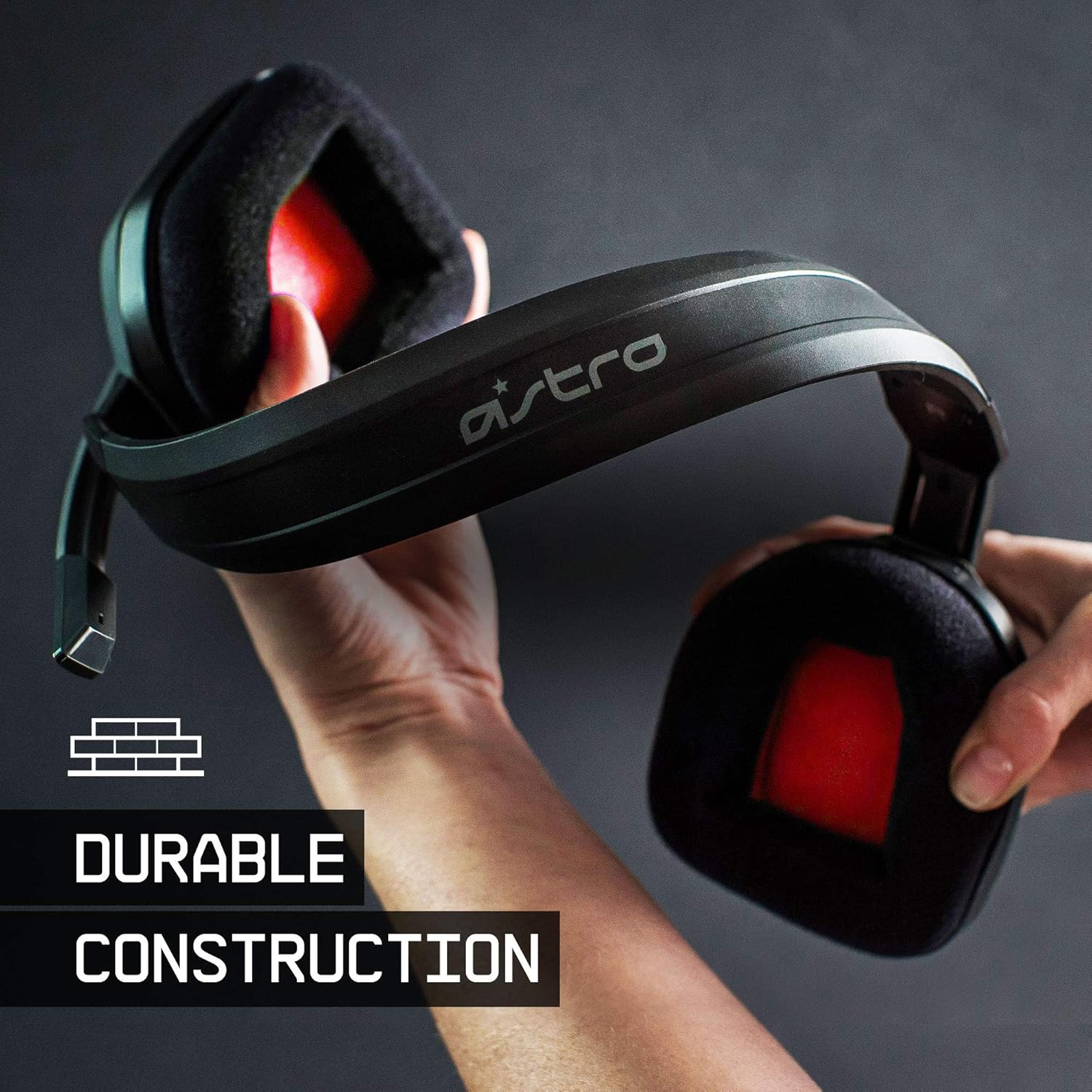
The ASTRO Gaming A10 Headset is engineered for gaming, offering durable construction and extended comfort for prolonged use. It features ASTRO Audio for clear and precise sound, an omnidirectional microphone with flip-up mute functionality, and in-line volume control for a comprehensive audio experience.
2. Kas yra dėžutėje
Upon unboxing your ASTRO Gaming A10 Headset, you should find the following components:
- ASTRO Gaming A10 Headset
- A10 Volume Cable (3.5mm jack)

3. Produkto ypatybės
- Patvarumas: The A10 Headset is constructed with a durable headband made of anodized aluminum and a damage-resistant polycarbonate blend, designed to withstand rigorous use.
- Komfortas: Featuring extended comfort memory foam ear-cushions, the headset is designed to minimize fatigue during long gaming sessions.
- Bendravimas: An omnidirectional microphone with flip-up mute functionality and in-line volume control ensures clear communication with teammates.
- Garso kokybė: Tuned with ASTRO Audio, the A10 delivers immersive and accurate audio, providing low latency and precise voice communication.
- Suderinamumas: The headset is compatible with multiple platforms including PS5, PC/MAC, XBOX SERIES X|S, NINTENDO SWITCH, VR, and streaming devices.



4. Sąrankos instrukcijos
- Connect the A10 Volume Cable: Insert the smaller end of the A10 Volume Cable into the 3.5mm port located on the left earcup of the ASTRO A10 Headset. Ensure it is securely connected.
- Prisijunkite prie įrenginio: Plug the larger end of the A10 Volume Cable into the 3.5mm headphone jack on your gaming controller (e.g., Xbox, PlayStation), PC, Mac, Nintendo Switch, or other compatible device.
- Reguliuoti garsumą: Use the in-line volume control wheel on the A10 Volume Cable to adjust the audio level to your preference.
- Mikrofono padėtis: Lower the microphone boom arm to activate the microphone. Position it appropriately for clear voice capture.

5. Naudojimo instrukcijos
Microphone Usage (Flip-to-Mute)
The ASTRO A10 Headset features a convenient flip-to-mute microphone. To activate the microphone, simply lower the boom arm into the speaking position. To mute the microphone, flip the boom arm upwards until it clicks into the vertical position. This action instantly mutes your voice input.
Garsumo valdymas
Adjust the audio volume using the in-line control wheel located on the A10 Volume Cable. Rotate the wheel upwards to increase volume and downwards to decrease volume.
6. Suderinamumas
The ASTRO Gaming A10 Headset is designed for broad compatibility across various gaming and media platforms:
- PlayStation 5 (PS5)
- PlayStation 4 (PS4)
- Xbox serija X|S
- Xbox One
- Nintendo Switch
- PC
- Mac
- VR devices
- Srautinio perdavimo įrenginiai
- Most mobile phones and tablets with a 3.5mm jack

7. Priežiūra
- Valymas: Ausinėms valyti naudokite minkštą, sausą šluostę. Venkite naudoti stiprias chemines medžiagas ar abrazyvines medžiagas.
- Saugykla: Laikykite ausines vėsioje, sausoje vietoje, toliau nuo tiesioginių saulės spindulių ir ekstremalių temperatūrų.
- Kabelio priežiūra: Venkite staigių lenkimų ar per didelio kabelio tempimo, kad nepažeistumėte jo.
- Ausų pagalvėlės: Reguliariai tikrinkite ausų pagalvėles, ar jos nėra susidėvėjusios. Gamintojas gali pasiūlyti atsarginių pagalvėlių.
8. Problemų sprendimas
- Nėra garso / tylus garsas:
- Įsitikinkite, kad 3.5 mm laidas yra visiškai įkištas tiek į ausines, tiek į įrenginį.
- Check the in-line volume control and ensure it is turned up.
- Verify that the audio output settings on your device are correctly configured for the headset.
- Išbandykite ausines su kitu įrenginiu, kad atmestumėte su įrenginiu susijusią problemą.
- Mikrofonas neveikia:
- Ensure the microphone boom arm is fully lowered into the speaking position (not flipped up for mute).
- Check the microphone input settings on your device to ensure the headset microphone is selected and not muted.
- Išbandykite mikrofoną su kita programa ar įrenginiu.
- Static or Distorted Audio:
- Ensure the 3.5mm cable connections are secure and free from debris.
- Try using a different 3.5mm cable if available, to rule out a faulty cable.
- Reduce the volume on your device or headset if the audio is clipping.
9. Specifikacijos
| Funkcija | Detalė |
|---|---|
| Prekės ženklas | ASTRO žaidimai |
| Modelio pavadinimas | ASTRO Gaming A10 |
| Modelio numeris | 939-001508 |
| Ryšio technologija | Laidinis |
| Ausinių lizdas | 3.5 mm lizdas |
| Prekės svoris | 12.35 uncijos |
| Dažnių diapazonas | 20 Hz–20 kHz |
| Garso tvarkyklės tipas | Dinaminis vairuotojas |
| Korpuso medžiaga | Aliuminis |
| Papildomos funkcijos | Microphone Included, Volume Control |
| Suderinami įrenginiai | PS5, PC/MAC, XBOX SERIES X|S, NINTENDO SWITCH, VR, STREAMING, most mobile phones, tablets |
10. Garantija ir palaikymas
The ASTRO Gaming A10 Headset comes with a 2 metų gamintojo garantija. For warranty claims, technical support, or additional product information, please visit the official ASTRO Gaming websvetainėje arba susisiekite tiesiogiai su jų klientų aptarnavimo tarnyba.
11. Produktų vaizdo įrašai
ASTRO A10 Experience
Vaizdo įrašas: oficialus vaizdo įrašo pristatymasasing the overall experience and key aspects of the ASTRO A10 Headset. This video provides a visual overview dėl gaminio dizaino ir funkcionalumo.