
1. Įvadas ir pabaigaview
The APC Smart-UPS SRT 1500VA is a high-density, double-conversion online Uninterruptible Power Supply (UPS) designed to provide reliable power protection for critical electronic equipment. This unit ensures continuous, clean power by converting incoming AC power to DC and then back to AC, isolating connected devices from utility power fluctuations, surges, and outages. It is suitable for servers, voice/data networks, medical laboratories, and light industrial applications.
Pagrindinės funkcijos:
- 1500 VA / 1350 W power capacity.
- True double-conversion online topology for maximum power quality.
- Scalable runtime with optional external battery packs.
- Rack/tower convertible design for flexible installation.
- Intuitive LCD interface for real-time status and configuration.
- Intelligent battery management for extended battery life.

1.1 vaizdas: Baigtaview of the APC Smart-UPS SRT 1500VA highlighting premium power protection features including 1500VA/1350W battery backup, pure sine wave power, double-conversion online protection, and 91.5% online efficiency.
2. Saugos informacija
Read and understand all instructions before installing or operating the UPS. This unit contains internal batteries and live parts even when disconnected from the AC input. Only qualified service personnel should perform battery replacement.
Bendrosios saugos priemonės:
- Sunkioji technika: The UPS is heavy. Use proper lifting techniques and ensure adequate support during installation.
- Elektros smūgio pavojus: Do not open the UPS enclosure. There are no user-serviceable parts inside. Refer all servicing to qualified personnel.
- Baterijos sauga: Batteries can present a risk of electrical shock and burn from high short-circuit current. Observe the following precautions:
- Nemeskite baterijų į ugnį. Baterijos gali sprogti.
- Neatidarykite ir nesugadinkite baterijų. Išsiskyręs elektrolitas kenkia odai ir akims. Jis gali būti toksiškas.
- Replace batteries only with the same type and number of batteries or battery packs recommended by the manufacturer.
- Vėdinimas: Užtikrinkite pakankamą oro srautą aplink UPS. Neužblokuokite ventiliacijos angų.
- Aplinka: UPS įrenkite kontroliuojamoje aplinkoje, kurioje nėra per daug dulkių, drėgmės ir ekstremalių temperatūrų.
ĮSPĖJIMAS: Šis gaminys gali paveikti jus su cheminėmis medžiagomis, įskaitant šviną, kuris, kaip žinoma, Kalifornijos valstijoje, sukelia vėžį ir apsigimimus arba kitą žalą reprodukcijai. Norėdami gauti daugiau informacijos, eikite į www.P65Warnings.ca.gov.
3. Pakuotės turinys
Išpakuodami patikrinkite, ar yra visi komponentai. Jei trūksta kokių nors dalių arba jos pažeistos, kreipkitės į pardavėją arba APC klientų aptarnavimo tarnybą.
- APC Smart-UPS SRT 1500VA Unit
- Dokumentacijos CD
- Saugos informacija ir garantijos vadovas
- USB ryšio kabelis
- Nuoseklaus ryšio kabelis
- PowerChute Software CD
- Tower Stand (pre-installed for floor standing models)
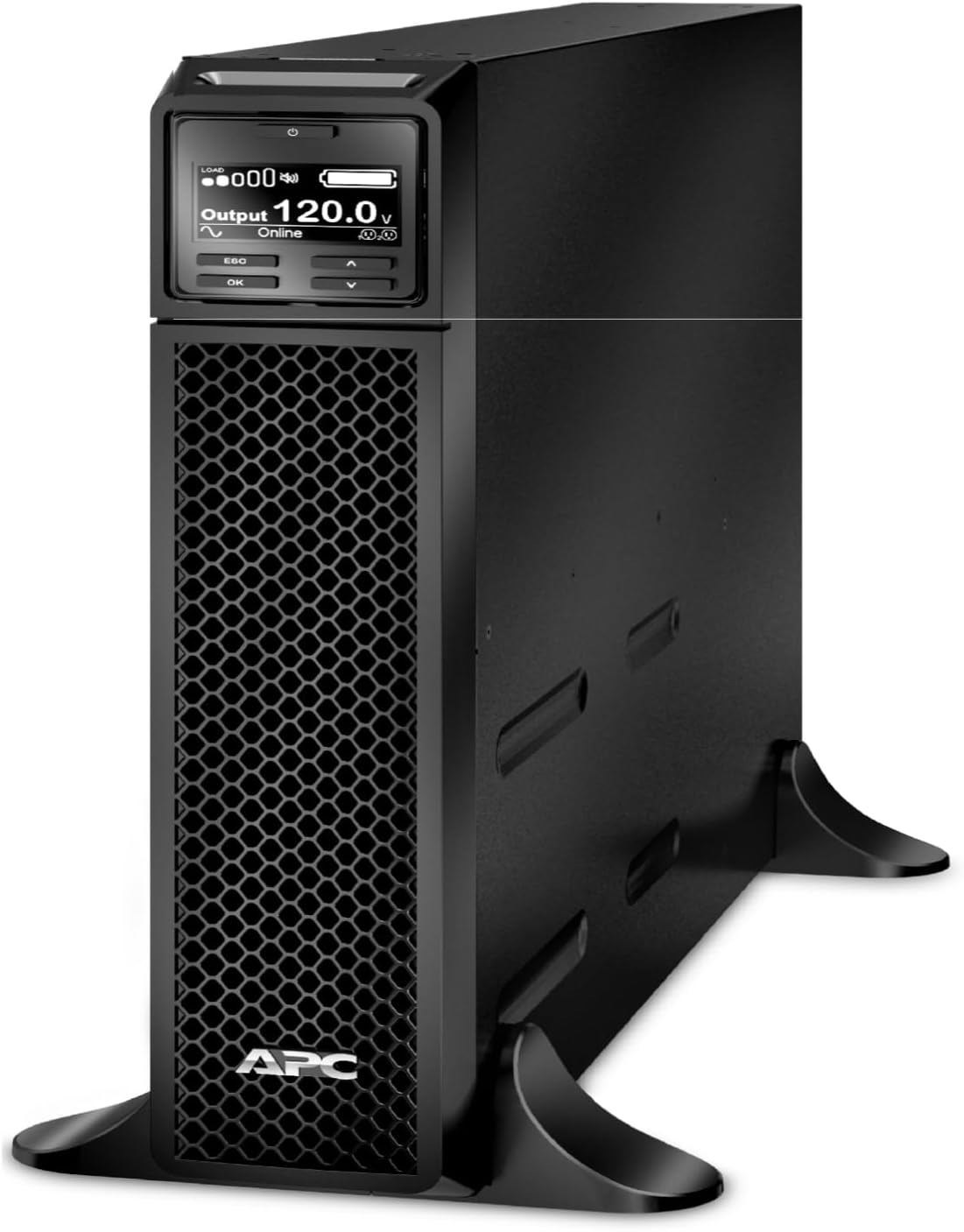
3.1 paveikslas: Priekinė pusė view of the APC Smart-UPS SRT 1500VA unit, showing the LCD display and ventilation grille.
4. Sąranka
4.1 Įdėjimas
The SRT1500XLA is a floor-standing model. Ensure the installation location meets the following criteria:
- Solid, level surface capable of supporting the unit's weight (approximately 48.50 lbs).
- Adequate clearance around the unit for ventilation (minimum 4 inches on all sides).
- Away from direct sunlight, heat sources, and excessive dust or moisture.

Image 4.1: The SRT series offers installation flexibility, allowing conversion between rack-mount and tower configurations. This model is configured for floor standing.
4.2 Initial Battery Connection
The internal battery pack may be disconnected for shipping. Follow these steps to connect it:
- Locate the battery connector on the rear of the unit.
- Firmly push the battery connector into its receptacle until it clicks into place.
4.3 Prijungimas prie elektros tinklo
- Plug the UPS power cord into a grounded 120V AC outlet.
- Prieš prijungdami svarbiausią įrangą, leiskite UPS įkrauti bent 24 valandas, kad užtikrintumėte pilną akumuliatoriaus įkrovą.
4.4 Įrangos prijungimas
Connect your devices to the output receptacles on the rear of the UPS. The SRT1500XLA features 6 x NEMA 5-15R receptacles, divided into two switched outlet groups.
- Switched Outlet Group 1: 3 NEMA 5-15R outlets (15 Amp Maks.).
- Switched Outlet Group 2: 3 NEMA 5-15R outlets (15 Amp Maks.).
These groups can be independently controlled via the LCD or management software.

4.2 vaizdas: galinis view of the APC Smart-UPS SRT 1500VA, illustrating the communication ports (USB, Serial, SmartSlot) and the six NEMA 5-15R output receptacles.
4.5 Ryšio prievadai
The UPS includes various communication ports for monitoring and management:
- USB prievadas: Connects to a computer for local monitoring and graceful shutdown using PowerChute software.
- Serial Port (RJ45): For direct serial communication with a computer or network management card.
- Išmanusis lizdas: For optional accessory cards such as Network Management Cards (AP9640) for remote monitoring and control.

4.3 pav.: Išsamus view of the communication ports and output receptacles, including the SmartSlot for network management accessories.
5. Naudojimo instrukcijos
5.1 Įjungimas / išjungimas
- Norėdami įjungti: Press and hold the power button on the front panel until the LCD illuminates.
- Norėdami išjungti: Paspauskite ir palaikykite maitinimo mygtuką, kol UPS pradės išsijungti.
5.2 LCD sąsaja
The intuitive LCD display provides real-time status updates and allows for configuration adjustments. Use the navigation buttons (ESC, OK, Up, Down) to navigate menus and settings.
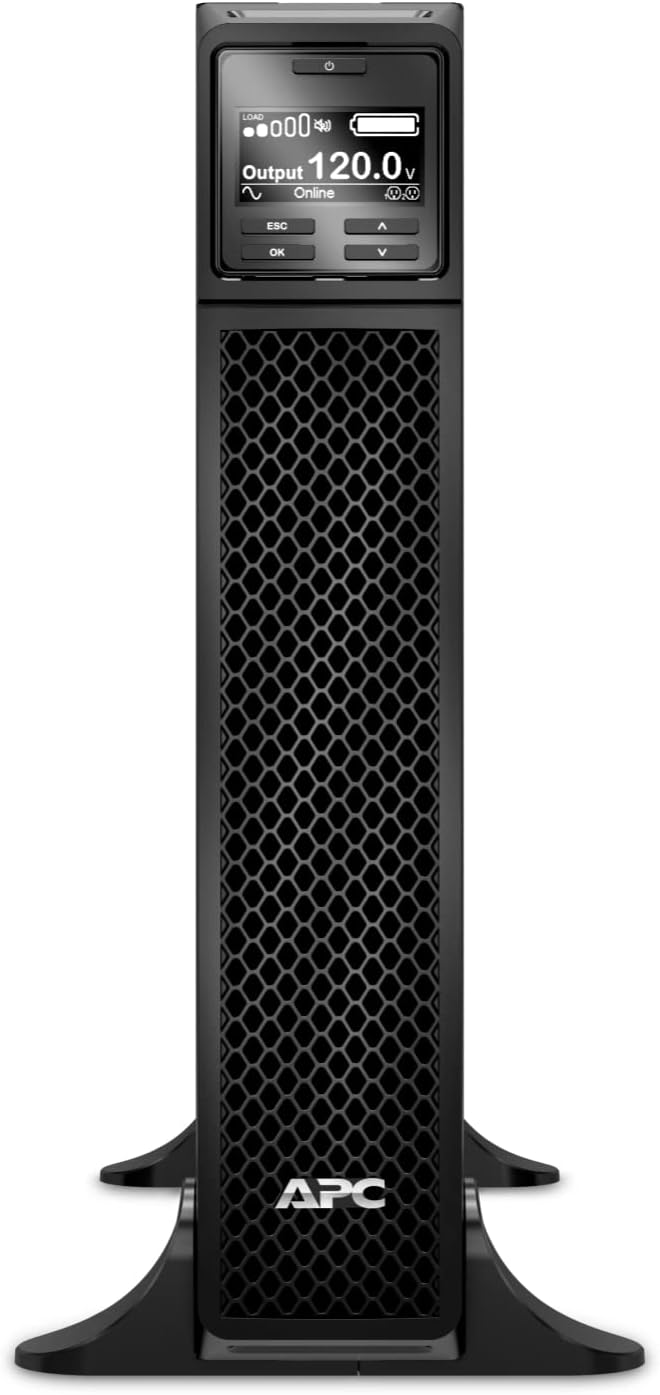
5.1 vaizdas: priekis view of the APC Smart-UPS SRT 1500VA, clearly showing the LCD display and control buttons for user interaction.

Image 5.2: The intuitive LCD interface provides real-time status updates, including load, output voltage, and battery status, with multiple language options and navigation keys.
5.3 „PowerChute“ tinklo išjungimo programinė įranga
For advanced power management, install the PowerChute Network Shutdown software. This software enables unattended, graceful shutdown of connected servers and virtual machines during extended power outages, preventing data loss.

Image 5.3: PowerChute Network Shutdown Software provides power protection for physical and virtual IT environments, enabling graceful shutdown for hyperconverged infrastructure, virtual machines, and hosts/cluster services.
6. Priežiūra
6.1 Akumuliatoriaus valdymas
The Smart-UPS SRT series features intelligent battery management to optimize battery performance and lifespan.
- Battery Replacement Recommendations: The UPS will provide notifications when battery replacement is recommended.
- Temperatūros kompensuojamas įkrovimas: Reguliuoja įkrovimo garsumątage based on battery temperature to prolong battery life.
- Periodic Battery Self-Test: Automatically performs self-tests to ensure battery health.
- Disconnect Battery Notifications: Alerts users if the battery is disconnected.

Image 6.1: Intelligent battery management features include battery replacement recommendations, temperature-compensated charging, periodic battery self-tests, and disconnect battery notifications.
6.2 Live Swappable Batteries
The UPS supports live-swappable batteries, allowing for battery replacement without powering down connected equipment. This ensures continuous operation during maintenance.

Image 6.2: Live swappable batteries ensure clean, uninterrupted power to protected equipment while batteries are being replaced, ideal for critical environments like laboratories.
6.3 Valymas
Periodiškai valykite UPS išorę minkštu, sausu skudurėliu. Nenaudokite skystų ar aerozolinių valiklių. Įsitikinkite, kad ventiliacijos angose nėra dulkių ir šiukšlių.
7. Problemų sprendimas
This section provides basic troubleshooting steps for common issues. For more detailed diagnostics and solutions, refer to the comprehensive user manual available on the APC websvetainėje arba susisiekite su technine pagalba.
Dažnos problemos ir sprendimai:
- UPS neįsijungia: Ensure the UPS is properly connected to a live utility outlet and the internal battery connector is fully engaged.
- UPS nuolat pypsi: This typically indicates a critical alarm, such as low battery or an internal fault. Check the LCD display for specific error messages.
- Prijungta įranga praranda energiją išjungimo metu.tage: Verify that the equipment is connected to the battery-backed outlets and that the UPS battery is fully charged and functional.
- UPS is unusually noisy: Some fan noise is normal, especially under load or during battery charging. Excessive or unusual noise may indicate a fan malfunction or internal issue.
If the problem persists after attempting these steps, contact APC technical support.
8. Specifikacijos
| Funkcija | Specifikacija |
|---|---|
| Modelio numeris | SRT1500XLA |
| Talpa | 1500 VA / 1350 W |
| Įvesties tomastage | 120 V kintamoji srovė |
| Išėjimas ttage | 120 V kintamoji srovė |
| Išvesties talpyklos | 6 x NEMA 5-15R |
| Baterijos tipas | Švino rūgštis |
| Tipinis atsarginio kopijavimo laikas (pilna apkrova) | 5 minučių |
| Formos faktorius | Rack/Tower Convertible (Floor Standing configuration) |
| Gaminio matmenys (A x P x G) | 20 x 3.4 x 17 colio |
| Prekės svoris | 48.50 lbs (18.9 pounds listed in specifications, but 48.50 lbs in feature bullets, using the higher for safety) |
| Spalva | Juoda |
| Medžiaga | Metalas |
9. Garantija ir palaikymas
APC products are backed by a manufacturer's warranty. For specific warranty terms and conditions, please refer to the warranty card included with your product or visit the official APC websvetainę.
For technical assistance, troubleshooting, or to inquire about service and replacement parts, please contact APC customer support. You can find contact information on the APC website or through the documentation provided with your UPS.
APC is committed to providing reliable power protection solutions and customer satisfaction.