
1. Įvadas
This manual provides detailed instructions for the Symcode MJ-2030-W Barcode Scanner. This device offers both 2.4GHz wireless and USB 2.0 wired connectivity, designed for efficient and reliable barcode scanning in various environments. Please read this manual thoroughly before operating the scanner to ensure proper use and to maximize its performance.
2. Produktas baigtasview
The Symcode MJ-2030-W is a versatile handheld laser barcode scanner. Key features include:
- Dvigubas ryšys: Supports both 2.4GHz wireless and USB 2.0 wired connections.
- Išplėstas diapazonas: Effective wireless communication up to 200 meters outdoors and 100 meters indoors.
- Ilgas baterijos veikimo laikas: Equipped with a 2000mAh rechargeable battery, providing extended operation.
- Du veikimo režimai: Instant upload and storage modes for flexible data handling.
- Customizable Scanning: Supports prefix/suffix settings and character manipulation.
- Patvarus dizainas: Features a shock-resistant silicone casing (IP54 rated) for enhanced protection.
3. Sąranka
3.1 Pakuotės turinys
Prieš pradėdami, įsitikinkite, kad pakuotėje yra visi reikalingi daiktai:
- Symcode MJ-2030-W Barcode Scanner
- Mini USB Receiver (2.4GHz wireless dongle)
- USB laidas (įkrovimui ir laidiniam prijungimui)
- Vartotojo vadovas (šis dokumentas)
3.2 Skaitytuvo prijungimas
The scanner offers two primary connection methods:
3.2.1 2.4 GHz belaidis ryšys
- Insert the mini USB receiver into an available USB 2.0 port on your computer.
- Turn on the barcode scanner. It will automatically pair with the receiver.
- A successful connection is indicated by a specific sound or LED indicator on the scanner.

Figure 1: The reliable mini USB receiver for wireless connection.

Figure 2: Scanner in use with 2.4GHz wireless connection.
3.2.2 USB laidinis ryšys
- Prijunkite vieną pateikto USB kabelio galą prie skaitytuvo USB prievado.
- Prijunkite kitą USB kabelio galą prie laisvo kompiuterio USB 2.0 prievado.
- Skaitytuvas bus atpažintas kaip HID klaviatūros įrenginys, todėl paprastai nereikia jokių papildomų tvarkyklių.
4. Naudojimo instrukcijos
4.1 Pagrindinis nuskaitymas
To scan a barcode, aim the laser beam at the center of the barcode and press the trigger button. A successful scan is usually indicated by a beep and/or a green LED light.
4.2 Duomenų įkėlimo režimai
The scanner supports two modes for uploading scanned data:
4.2.1 Momentinio įkėlimo režimas
In this mode, scanned barcodes are immediately transmitted to the connected computer. This is suitable for real-time data entry.
4.2.2 Saugojimo režimas
When the scanner is out of range of the receiver or disconnected, it can store scanned barcodes internally. The scanner supports storing approximately 1000 barcodes in offline memory. To upload stored data, reconnect the scanner to your computer (either wirelessly or via USB) and scan the specific 'Upload Data' barcode (refer to the programming guide for this barcode, if provided). The stored data will then be transmitted to your computer.
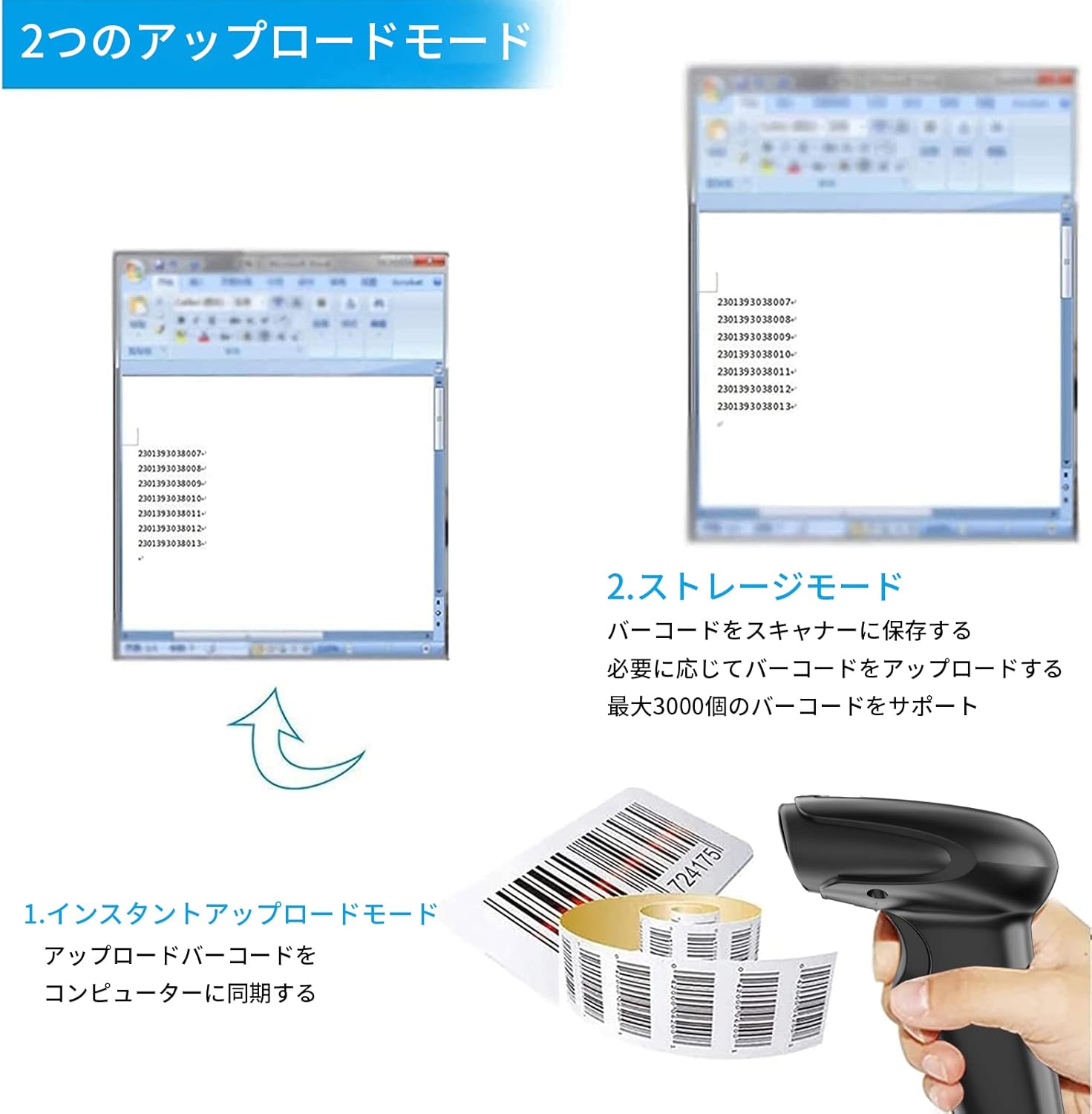
Figure 3: Illustration of Instant Upload and Storage Modes.
4.3 Programmable Barcodes
The Symcode MJ-2030-W scanner allows for customization of barcode data output:
- Priešdėlio ir priesagos nustatymai: You can configure the scanner to add a specific prefix or suffix to each scanned barcode data.
- Character Insertion/Deletion: Specific characters can be inserted or deleted from the scanned data.
Refer to the separate programming guide (if included) or the manufacturer's website for detailed instructions on how to program these settings by scanning specific configuration barcodes.

Figure 4: Scanner demonstrating programmable barcode features.
5. Baterija ir įkrovimas
The scanner is equipped with a 2000mAh rechargeable battery. For optimal performance, ensure the battery is fully charged before first use.
- Įkrovimo laikas: Apytiksliai 3-4 valandos pilnai įkrauti.
- Veikimo trukmė: A full charge can provide up to 12,000 hours of standby time or approximately 74,000 scans.
- Įkrovimo būdas: Connect the scanner to a computer or a USB power adapter using the provided USB cable.

Figure 5: Battery specifications and shock-resistant design.
6. Priežiūra
- Valymas: Skaitytuvo išorę valykite minkšta, sausa šluoste. Skenavimo langelį valykite minkšta, nepūkuota šluoste, šiek tiek suvilgyta.ampened with water or a mild cleaning solution. Avoid abrasive cleaners or solvents.
- Saugykla: Skaitytuvą laikykite vėsioje, sausoje vietoje, toliau nuo tiesioginių saulės spindulių ir ekstremalių temperatūrų.
- Patvarumas: The scanner features a black silicone protective cover with IP54 rating, designed to protect the glass window from scratches and the unit from drops up to 6.56 feet (2 meters).
7. Problemų sprendimas
7.1 Skaitytuvas nereaguoja
- Ensure the scanner is turned on and fully charged.
- For wireless connection, verify the mini USB receiver is securely plugged into the computer and the scanner is within range. Try re-pairing if necessary (refer to the programming guide for pairing instructions).
- For wired connection, ensure the USB cable is properly connected to both the scanner and the computer. Try a different USB port.
7.2 Brūkšniniai kodai nenuskaitomi
- Įsitikinkite, kad brūkšninis kodas yra aiškus, nepažeistas ir gerai apšviestas.
- Sureguliuokite atstumą ir kampą tarp skaitytuvo ir brūkšninio kodo.
- Check if the scanner is in the correct operating mode (e.g., not in a configuration mode).
7.3 Unexpected Sound Volume
If the scanner's beep volume is too loud or too quiet, refer to the programming guide for specific barcodes that allow adjustment of the sound settings.
7.4 Trūkstami komponentai
If any components, such as the receiver or a programming code sheet, are missing from your package, please contact customer support immediately.
8. Specifikacijos
| Funkcija | Specifikacija |
|---|---|
| Prekės ženklas | symcode |
| Modelio numeris | MJ-2030-W |
| Spalva | Baltas |
| Matmenys | 17.53 x 8.38 x 11.43 cm |
| Svoris | 280.66 g |
| Maitinimo šaltinis | Maitinamas baterijomis |
| Ryšio technologija | 2.4 GHz belaidis ryšys, USB laidas |
| Baterijos talpa | 2000 mAh |
| Belaidis diapazonas (lauke) | Iki 200m |
| Belaidis diapazonas (patalpose) | Iki 100m |
| Sandėliavimo talpa | Approx. 1000 barcodes (offline mode) |
| Atsparumas kritimui | Iki 6.56 pėdų (2 metrų) |
| Apsaugos įvertinimas | IP54 |

Figure 6: Wireless transmission distance capabilities.
9. Garantija ir palaikymas
Symcode products are designed for reliability and performance. For warranty information, technical support, or service inquiries, please refer to the contact information provided with your purchase or visit the official Symcode website. Please have your product model number (MJ-2030-W) and purchase details ready when contacting support.