
Micca MPLAY-HD Mini
Micca MPLAY-HD Mini Digital Media Player User Manual
Model: MPLAY-HD Mini
1. Įvadas
The Micca MPLAY-HD Mini is a compact 1080P Full-HD digital media player designed to play videos, music, and photo slideshows from USB drives or microSD cards on your television or projector. It offers universal compatibility with both modern and older displays through HDMI and analog audio/video connections. Its automatic playback and resume features enhance user convenience, making it suitable for various environments including home, office, or RV use.
2. Produktas baigtasview
Familiarize yourself with the components and ports of your MPLAY-HD Mini player.

2.1 paveikslas: Micca MPLAY-HD Mini player with its remote control.
2.2 paveikslas: Rear panel connections including HDMI output and AV output.
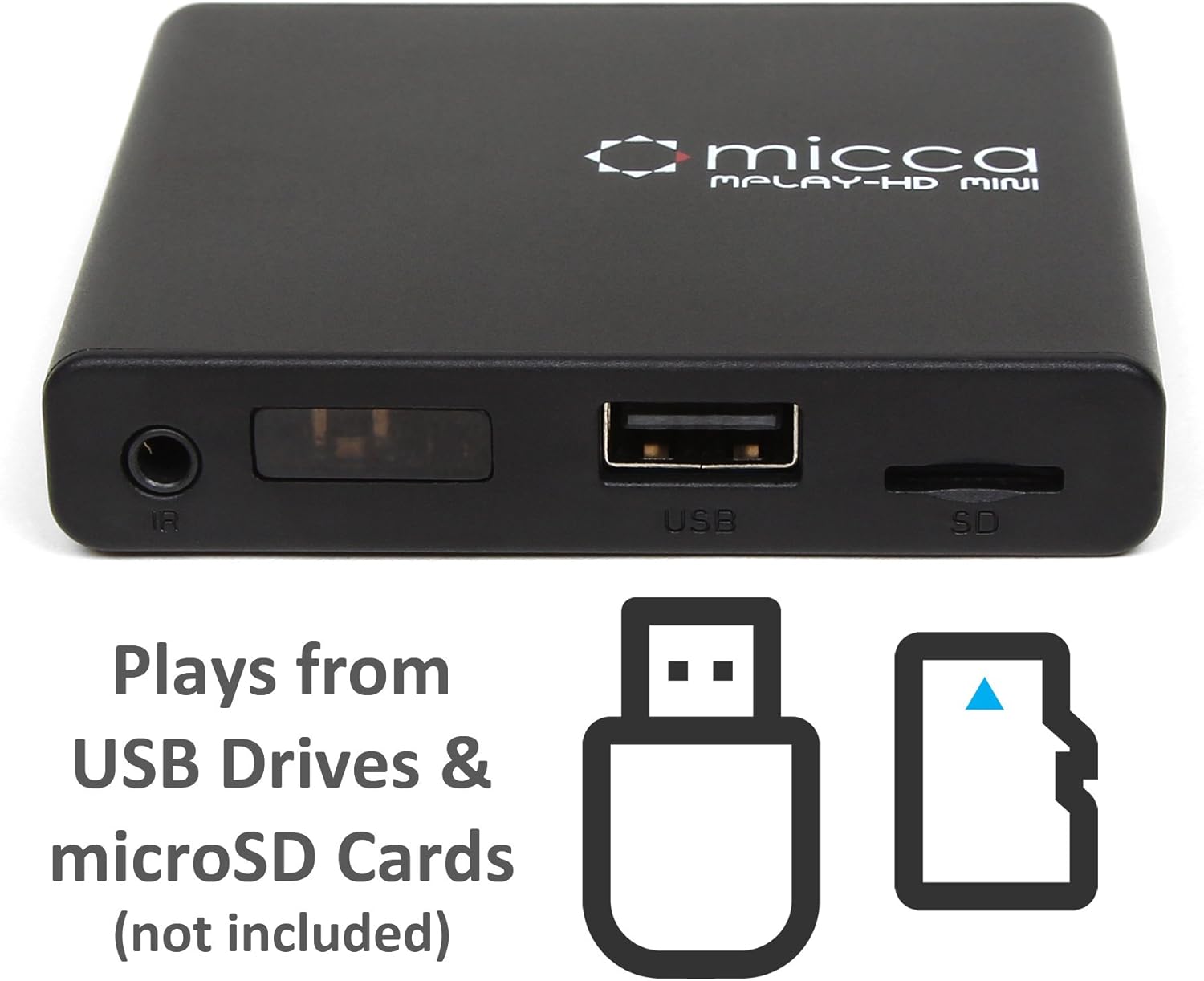
2.3 paveikslas: Side panel with USB port and microSD card slot.
2.1. Front/Side Panel
- IR imtuvas: Priima signalus iš nuotolinio valdymo pulto.
- USB prievadas: Connect USB flash drives or external hard drives.
- MicroSD kortelės lizdas: Insert microSD cards for media playback.
2.2. Galinis skydelis
- HDMI išvestis: Connect to an HDMI-enabled TV or projector for high-definition video and audio.
- AV išvestis: Connect to older TVs or displays using the included AV cable for standard definition video and stereo audio.
- DC 5V maitinimo įvestis: Prijunkite pridedamą maitinimo adapterį.
3. Sąranka
Follow these steps to set up your Micca MPLAY-HD Mini player.
- Prijungimas prie televizoriaus:
- For High Definition: Connect an HDMI cable (not included) from the MPLAY-HD Mini's HDMI output to an HDMI input on your TV or projector.
- For Standard Definition: Connect the included AV cable from the MPLAY-HD Mini's AV output to the corresponding composite video (yellow) and stereo audio (red/white) inputs on your TV.
- Prijunkite maitinimą: Plug the provided power adapter into the DC 5V input on the MPLAY-HD Mini, then plug the adapter into a wall outlet. The player will power on automatically.
- Įterpti mediją: Insert your USB flash drive or external hard drive into the USB port, or your microSD card into the microSD card slot. Ensure media is formatted as FAT32, NTFS, or exFAT.
- Pasirinkite įvestį: On your TV, select the correct input source (e.g., HDMI 1, AV) that corresponds to where you connected the MPLAY-HD Mini.
- Nuotolinio valdymo pultas: Įdėkite dvi AAA baterijas (nepridedamos) į nuotolinio valdymo pultą.
4. Naudojimo instrukcijos
This section details how to navigate and play media on your device.
4.1. Naršymas pagrindiniame meniu
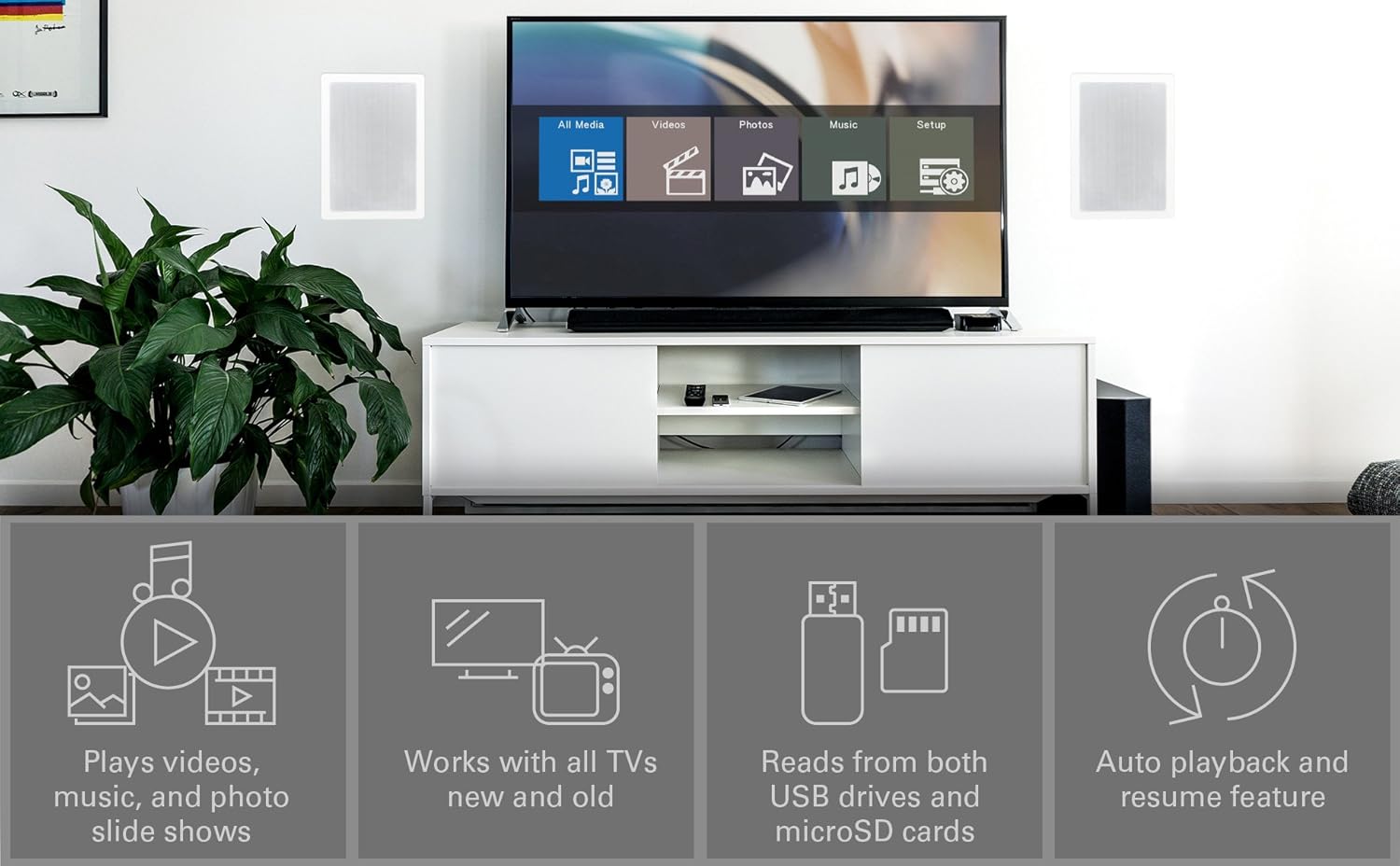
Upon powering on, the player will display a main menu with options such as "All Media", "Videos", "Photos", "Music", and "Setup". Use the arrow keys on the remote to navigate and the "OK" button to select.

4.1 paveikslas: Example of the main menu interface on a connected display.
4.2. Medijų leidimas Files
- From the main menu, select the desired media type (e.g., "Videos").
- Navigate through your connected USB drive or microSD card to locate the desired file arba aplanką.
- Press "OK" to select and play the file.
- Use the remote control buttons for playback functions: Play/Pause, Stop, Fast Forward, Rewind, Next/Previous Track.
The MPLAY-HD Mini supports automatic playback, which can be configured in the settings to start playing media immediately after power on. It also features a resume capability, allowing you to continue watching a video from where you left off.
4.3. Palaikomi medijos formatai
The player supports a wide range of media formats:
- Vaizdo įrašas: MKV, AVI, MOV, MP4, ISO with MPEG4 or H.264/AVC encoding, up to 1920x1080p resolution and 30fps.
- Garsas: MP3, WMA, OGG, FLAC, APE, AAC.
- Nuotrauka: JPG, JPEG, BMP, GIF, PNG.
- Subtitrai: SRT, SSA, SMI, SUB.
Svarbi pastaba: The MPLAY-HD Mini does ne support HEVC/H.265, 10-bit MKV, and 4K videos.
5. Priežiūra
Tinkama priežiūra užtikrina jūsų prietaiso ilgaamžiškumą ir optimalų veikimą.
- Valymas: Grotuvo išorę valykite minkštu, sausu skudurėliu. Nenaudokite skystų valiklių ar aerozolių.
- Vėdinimas: Įsitikinkite, kad grotuvas yra gerai vėdinamoje vietoje, kad neperkaistų. Neužblokuokite jokių ventiliacijos angų.
- Saugykla: Kai grotuvo ilgesnį laiką nenaudojate, atjunkite maitinimo adapterį ir laikykite jį vėsioje, sausoje vietoje.
- Uosto priežiūra: Keep USB and microSD card slots free from dust and debris.
6. Problemų sprendimas
Dažniausiai pasitaikančių problemų sprendimus rasite šiame skyriuje.
6.1. Nėra maitinimo / Nėra ekrano
- Įsitikinkite, kad maitinimo adapteris yra tvirtai prijungtas prie grotuvo ir veikiančio maitinimo lizdo.
- Verify that your TV is set to the correct input source (HDMI or AV).
- Check all cable connections between the player and the TV.
6.2. Nėra garso
- Patikrinkite televizoriaus ir grotuvo garsumo lygį.
- Ensure audio cables (HDMI or AV stereo) are correctly connected.
- Keletas vaizdo įrašų files may have unsupported audio codecs. Try playing a different file.
6.3. Nuotolinio valdymo pultas nereaguoja
- Ensure fresh AAA batteries are correctly inserted into the remote.
- Point the remote directly at the IR receiver on the front of the player.
- Remove any obstructions between the remote and the player.
- Consider updating the firmware if available, as some remote issues (e.g., fast forward functionality) have been addressed in updates.
6.4. Žiniasklaida Files Not Playing / Recognized
- Įsitikinkite, kad žiniasklaida file format is supported (refer to Section 4.3).
- Ensure the USB drive or microSD card is properly inserted and recognized by the player.
- Patikrinkite file system of your USB drive/microSD card (FAT32, NTFS, exFAT are supported).
- Large USB drives (128GB or larger) might take longer to be recognized or display files.
- Užtikrinti files are not corrupted. Try playing them on a computer.
6.5. Firmware atnaujinimas
Periodically check the official Micca website for firmware updates. Firmware updates can improve performance, add features, and resolve known issues. Instructions for updating firmware are typically provided on the Micca support page for your specific model.
7. Specifikacijos
| Prekės ženklas | Micca |
| Modelio pavadinimas | MPLAY-HD Mini |
| Rezoliucija | 1080p (Full HD) |
| Ryšio technologija | HDMI, USB |
| Jungties tipas | HDMI, AV (Composite Video + Stereo Audio) |
| Medijos saugykla | USB Drives, MicroSD Cards |
| Palaikoma File Sistemos | FAT32, NTFS, exFAT |
| Vaizdo įrašų kodavimas | MPEG4, H.264/AVC (up to 1080p 30fps) |
| Matmenys | 2.98 x 2.55 x 0.59 colio |
| Prekės svoris | 3 uncijos |
| Spalva | Juoda |
| Valdiklio tipas | Nuotolinio valdymo pultas |
8. Palaikymas ir garantija
For technical support, warranty information, or further assistance, please visit the official Micca website or contact Micca customer service. Details can typically be found on the product packaging or the manufacturer's websvetainę.
Official Micca Websvetainė: miccatron.com
Ask a question about this manual
Ask about setup, troubleshooting, compatibility, parts, safety, or missing instructions. Manuals+ will review the question and use this page’s manual context to help answer it.