
1. Įvadas
Ačiū, kad pirkoteasing the SYMA X5UW FPV RC Drone. This quadcopter is designed for beginners and features a 720P HD Wi-Fi camera for live video streaming. Please read this manual thoroughly before operating the drone to ensure safe and correct usage. Keep this manual for future reference.
2. Saugos gairės
- Amžiaus rekomendacija: This product is suitable for users aged 14 years and above. Adult supervision is recommended for younger users.
- Skrydžio aplinka: Droną naudokite atvirose, švariose vietose, atokiau nuo žmonių, gyvūnų, pastatų ir elektros linijų. Venkite skraidyti pučiant stipriam vėjui arba esant nepalankioms oro sąlygoms.
- Baterijos sauga: Use only the specified battery and charger. Do not overcharge or short-circuit batteries. Discontinue use if batteries show signs of damage or swelling.
- Propelerio sauga: Keep hands, face, and loose clothing away from rotating propellers. Always ensure propellers are securely attached before flight.
- Vandens ekspozicija: Dronas nėra atsparus vandeniui. Venkite sąlyčio su vandeniu ar drėgme.
- Vizualinė regėjimo linija: Skrydžio metu visada palaikykite vizualinį matymo lauką su dronu.
3. Pakuotės turinys
Išpakuodami, patikrinkite pakuotės turinį:
- SYMA X5UW FPV RC Drone
- Nuotolinio valdymo pultelis
- 720P HD Wi-Fi Camera
- Drone Battery (500 mAh)
- USB įkrovimo laidas
- Spare Propellers (4 pcs)
- Propeller Guards (4 pcs)
- Atsuktuvas
- Vartotojo vadovas
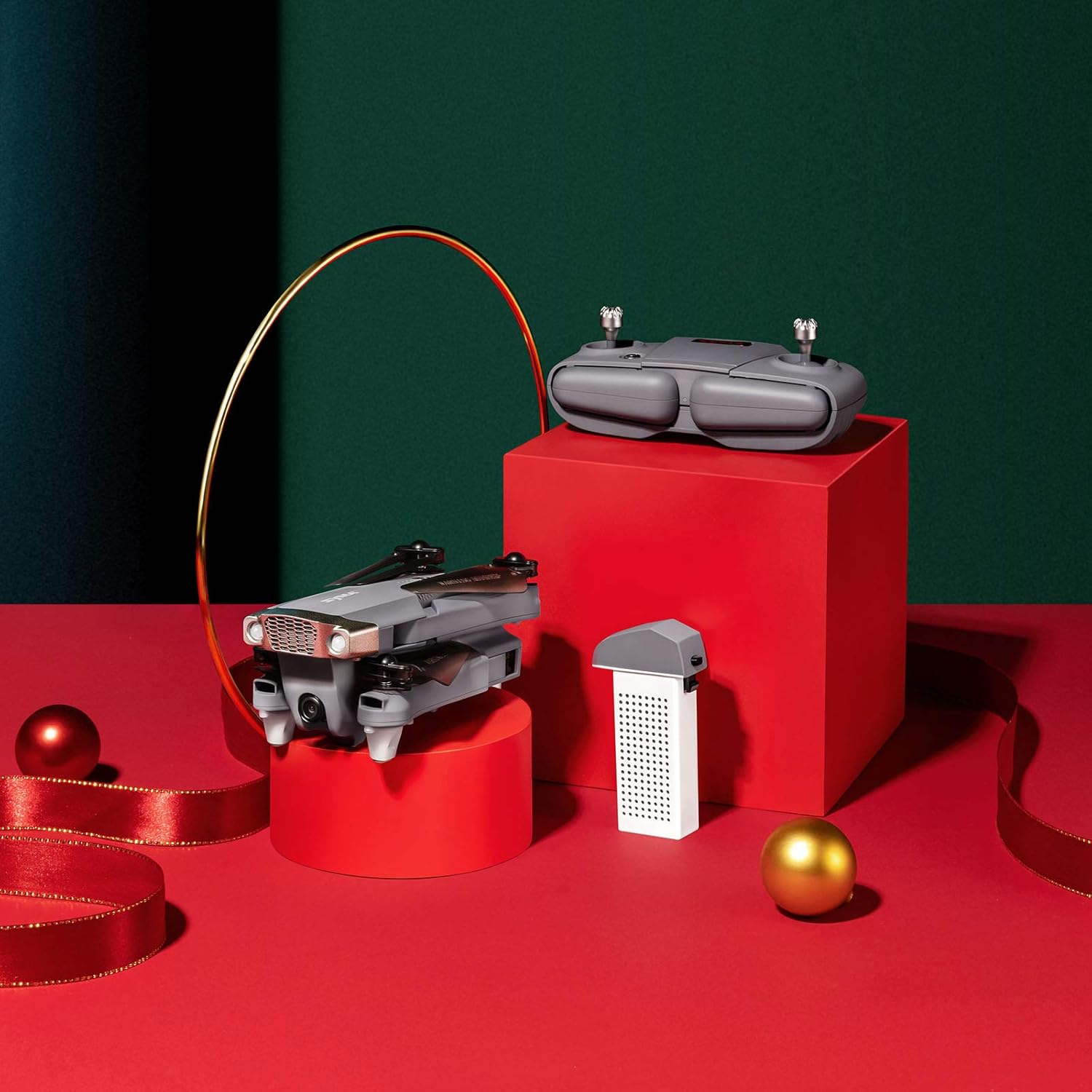
Image: SYMA X5UW Drone, remote control, and battery components.
4. Sąranka
4.1. Baterijos įdėjimas ir įkrovimas
- „Drone“ baterija: Insert the provided 500 mAh battery into the drone's battery compartment. Ensure it clicks into place.
- Įkrovimas: Connect the drone battery to the USB charging cable, then plug the USB cable into a USB power adapter (not included). The indicator light on the USB cable will turn off when charging is complete. Charging time is approximately 60-90 minutes.
- Nuotolinio valdymo pulto baterijos: Open the battery compartment on the back of the remote controller and insert 4 x AA batteries (not included), observing correct polarity. Close the compartment.
4.2. Propeller and Guard Installation
- Attach the propeller guards to the drone's motor arms using the provided screws and screwdriver.
- Ensure propellers are correctly matched to their respective motor shafts (A and B propellers). Press them firmly onto the shafts.
4.3. Camera Attachment
- Locate the camera mounting slot on the underside of the drone.
- Slide the 720P HD Wi-Fi camera into the slot until it is securely fastened.
- Prijunkite kameros maitinimo laidą prie drono kameros prievado.
4.4. Programėlės atsisiuntimas ir „Wi-Fi“ ryšys
- Download the official SYMA FPV app from your smartphone's app store (iOS or Android).
- Turn on the drone and wait for its Wi-Fi signal to appear on your smartphone's Wi-Fi settings.
- Connect to the drone's Wi-Fi network (usually named "SYMA-X5UW-XXXX").
- Open the SYMA FPV app to view the live camera feed and access flight controls.
5. Naudojimo instrukcijos
5.1. Drono ir nuotolinio valdymo pulto susiejimas
- Padėkite droną ant lygaus, lygaus paviršiaus.
- Įjunkite droną. Indikatoriaus lemputės mirksės.
- Įjunkite nuotolinio valdymo pultą.
- Paspauskite kairįjį valdymo svirtį (droselį) iki galo aukštyn, tada iki galo žemyn. Drono indikatoriaus lemputės ims šviesti nuolat, tai reiškia, kad susiejimas sėkmingas.
5.2. Kalibravimas
After pairing, perform a gyroscope calibration:
- With the drone on a flat surface, push both joysticks to the bottom-right corner simultaneously for 2-3 seconds.
- Drono šviesos greitai mirksės, o tada pradės šviesti nepertraukiamai, tai reiškia, kad kalibravimas buvo sėkmingas.
5.3. Pakilimas ir nusileidimas
- Rankinis kilimas: After pairing and calibration, push the left joystick (throttle) slowly upwards to make the drone ascend.
- Pakilimas / nusileidimas vienu klavišu: Press the one-key take-off/landing button on the remote (refer to remote diagram in manual) to automatically take off or land.
5.4. Pagrindiniai skrydžio valdymo įtaisai
- Kairysis valdymo svirtis (droselis): Up/Down for altitude, Left/Right for rotation (yaw).
- Dešinė valdymo svirtis (kryptis): Aukštyn/žemyn skrydžiui pirmyn/atgal, kairėn/dešinėn skrydžiui į kairę/dešinę.

Image: The SYMA X5UW drone in stable flight, with a pilot in the background operating the remote control.
5.5. Išplėstinės funkcijos
- Aukščio laikymas: The drone maintains a stable altitude automatically after releasing the throttle stick.
- Režimas be galvos: Press the headless mode button. In this mode, the drone's orientation is relative to the pilot, regardless of the drone's front direction. Press again to exit.
- 360° apvertimas: Fly the drone to a height of at least 3 meters. Press the 360° flip button, then push the right joystick in the desired flip direction.
5.6. Camera Operation (FPV)
- Tiesioginis vaizdo įrašas: Once connected to the drone's Wi-Fi via the SYMA FPV app, the live video feed will appear on your smartphone screen.
- Nuotraukų / vaizdo įrašų įrašymas: Use the dedicated buttons within the SYMA FPV app to take photos or start/stop video recording. Files are saved to your smartphone.
6. Priežiūra
- Valymas: Use a soft, dry cloth to clean the drone. Avoid using solvents or harsh chemicals.
- Propelerio keitimas: If propellers are damaged, replace them with new ones, ensuring correct A/B matching.
- Akumuliatoriaus priežiūra: Store batteries in a cool, dry place. Do not leave batteries fully charged or fully discharged for extended periods. Charge them to about 50% for storage.
- Saugykla: When not in use, store the drone and remote in a dry environment, away from direct sunlight and extreme temperatures.
7. Problemų sprendimas
| Problema | Galima priežastis | Sprendimas |
|---|---|---|
| Dronas nereaguoja į nuotolinio valdymo pultą. | Nesuporuota arba baterija išsikrovusi. | Re-pair the drone and remote. Charge drone and replace remote batteries. |
| Dronas dreifuoja skrydžio metu. | Not calibrated or trim settings incorrect. | Perform gyroscope calibration. Adjust trim buttons on the remote. |
| Camera feed is not visible on phone. | „Wi-Fi“ neprisijungta arba kilo problemų dėl programos. | Įsitikinkite, kad telefonas prijungtas prie drono „Wi-Fi“. Paleiskite programėlę ir droną iš naujo. |
| Drone lights flash rapidly and cannot take off. | Low drone battery. | Charge the drone battery fully. |
| Propellers are not spinning. | Motors blocked or drone not armed. | Check for obstructions. Ensure drone is paired and calibrated. |
8. Specifikacijos
| Funkcija | Detalė |
|---|---|
| Prekės ženklas | SYMA |
| Modelis | X5UW |
| Įgūdžių lygis | Pradedantysis |
| Vaizdo įrašymo raiška | 720p |
| Vaizdo išvesties skiriamoji geba | 1920 x 1080 pikselių |
| Belaidžio ryšio technologija | Wi-Fi |
| Baterijos talpa | 500 milijonųamp Valandos |
| Didžiausias diapazonas | 300 metrai |
| Valdymo tipas | Nuotolinio valdymo pultas |
| Prekės svoris | 4.54 g |
| Amžiaus diapazonas (aprašas) | 168 mėnesiai (14 metai ir daugiau) |
| UPC | 717880003426 |
| Dalies numeris | DoDoelephRCDroneEX5UW-B-US |
9. Informacija apie garantiją
SYMA products are covered by a limited warranty against manufacturing defects. Please retain your proof of purchase for warranty claims. The warranty period and terms may vary by region. For detailed warranty information, please contact SYMA customer support.
10. Pagalba klientams
If you encounter any issues or have questions regarding your SYMA X5UW drone, please contact our customer support team:
- Telefonas (JAV): +1 (718) 312-0558
- El. paštas (JAV): usa@symatoy.com
Our support team is available to assist you with technical questions, troubleshooting, and parts replacement.

Image: SYMA Customer Support representatives ready to assist.