
1. Produktas baigtasview
The GBC Fusion 7000L Thermal Laminator is designed for efficient and high-quality lamination, suitable for busy offices and environments with frequent laminating needs. This machine offers rapid warm-up times, high laminating speeds, and advanced features to ensure smooth, wrinkle-free results.

1 vaizdas: priekis view of the GBC Fusion 7000L Thermal Laminator Machine.
2. Kas yra dėžutėje
Išpakuodami įsitikinkite, kad yra visi šie komponentai:
- GBC Fusion 7000L Thermal Laminator Machine
- Laminating Pouches (50 EZUse Premium Speed Pouches)
- Maitinimo laidas
3. Pagrindinės savybės
- Didelis našumas: Designed for heavy laminating needs in busy environments.
- Greitas apšilimas: Heats up in approximately 1 minute.
- Greitas laminavimo greitis: Laminates up to 45 documents in 10 minutes, with a speed of 55 inches per minute.
- Versatile Width: 12-inch laminating width accommodates various document sizes.
- Pouch Compatibility: Compatible with 3, 5, 7, and 10 mil laminating pouches.
- 6 ritinėlių sistema: Ensures smooth, wrinkle-free lamination results.
- Auto Pouch Thickness Detection: Automatically identifies pouch mil thickness and adjusts settings for optimal results.
- Auto Jam Detection & Motorized Reverse: Quickly clears errors and prevents jams.
- Automatinis išsijungimas: Enhances safety and conserves energy.
- Cold Lamination Setting: Provides an option for heat-sensitive documents.

Image 2: Visual representation of key features including pouch thickness, jam detection, warm-up time, speed, and width.
4. Sąrankos instrukcijos
- Išpakuokite laminatorių: Carefully remove the laminator and all accessories from the packaging. Place the laminator on a stable, flat surface.
- Prijunkite maitinimą: Plug the power cord into the laminator's power input and then into a standard electrical outlet.
- Maitinimas: Press the power button (usually indicated by a power symbol) on the control panel. The power indicator light will illuminate.
- Apšilimas: The laminator will begin its warm-up cycle. The indicator light will typically show red or amber during this phase. The GBC Fusion 7000L warms up in approximately 1 minute. Once ready, the indicator light will turn green.
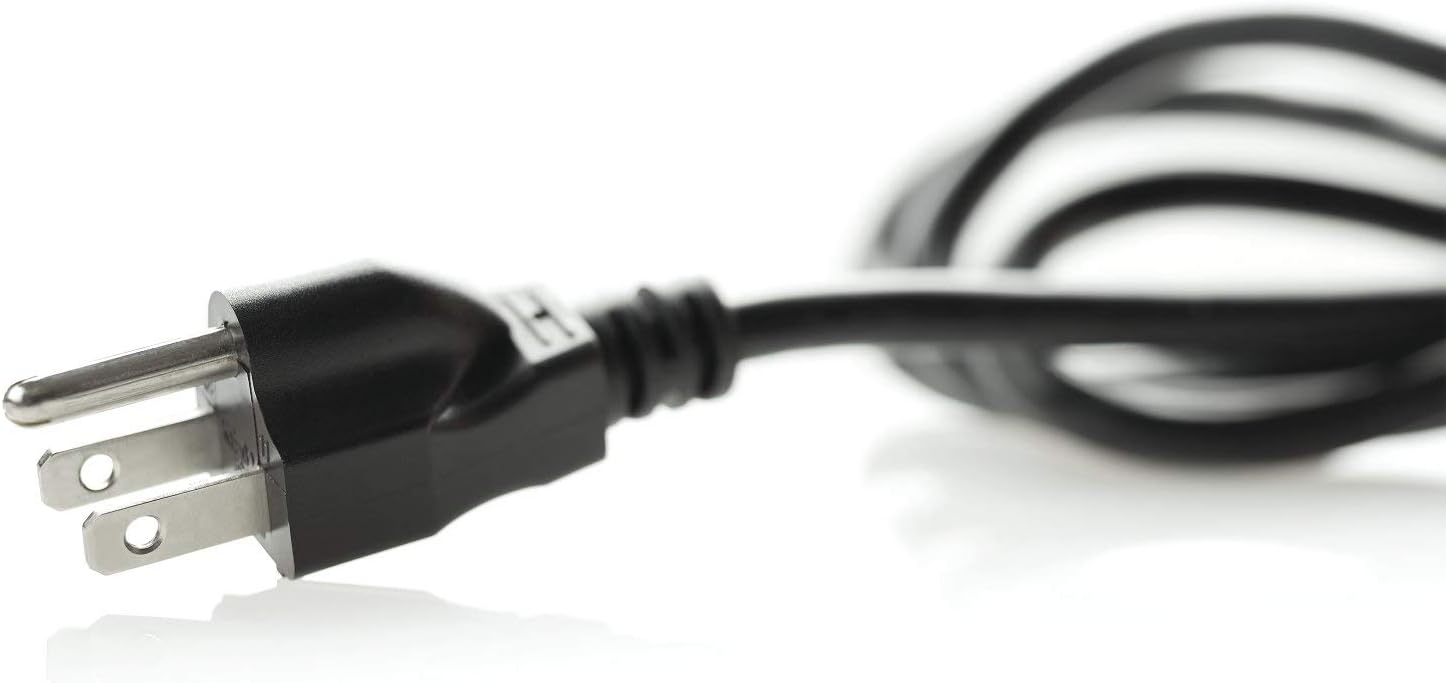
Image 3: Detail of the power plug for the laminator.
5. Naudojimo instrukcijos
5.1 Preparing for Lamination
- Select Pouch: Choose a laminating pouch appropriate for your document size and desired thickness (3, 5, 7, or 10 mil).
- Įterpti dokumentą: Carefully place your document inside the laminating pouch, ensuring it is centered and there is an even border around the edges.
5.2 Thermal Lamination
- Ensure Ready State: Confirm the laminator's ready indicator light is green.
- Feed Pouch: Insert the sealed edge of the laminating pouch into the laminator's entry slot. The machine's auto pouch thickness detection will identify the mil thickness and adjust settings automatically.
- Laminavimo procesas: The laminator will automatically feed the pouch through its 6-roller system, sealing and smoothing the document. Allow the process to complete without pulling or forcing the pouch.
- Gauti dokumentą: Once the laminated document exits the machine, place it on a flat surface to cool and set.

Image 4: A user feeding a document into the laminator.

Image 5: Internal diagram illustrating the auto thickness detection feature.
5.3 Šaltasis laminavimas
For heat-sensitive documents, the GBC Fusion 7000L offers a cold lamination setting. Refer to the control panel for the specific button or mode selection for cold lamination. Use self-adhesive cold laminating pouches for this mode.
5.4 Auto Jam Detection and Reverse
In the event of a misfeed or jam, the laminator's auto jam detection system will activate, and the motorized reverse function will attempt to clear the error. If a jam occurs, follow these steps:
- Do not pull the document. Allow the machine to attempt to reverse the pouch.
- If the jam persists, press the reverse button (if available) or power off the machine and carefully remove the pouch.
- Ensure the pouch is correctly aligned and the sealed edge is fed first for subsequent laminations.

Image 6: Control panel icons indicating Auto Jam Detection and Pouch Thickness Detection.
5.5 Oficialus produkto vaizdo įrašas
For a visual demonstration of the GBC Fusion 7000L laminator in action, please watch the official product video below:
Video 1: Official GBC Fusion Plus 7000L Laminator demonstration. This video showcases the laminator's quick warm-up, auto thickness detection, and fast lamination process, highlighting its ease of use and efficient operation.
6. Priežiūra
Reguliarus laminatoriaus valymas užtikrina optimalų veikimą ir ilgaamžiškumą.
- Valymo voleliai: Regularly feed a cleaning card or a sheet of paper through the laminator to clean the rollers. This helps prevent residue buildup from laminating pouches.
- Išorinis valymas: Wipe the exterior of the laminator with a soft, dry cloth. Do not use abrasive cleaners or solvents.
- Saugykla: When not in use, store the laminator in a clean, dry place.
7. Problemų sprendimas
If you encounter issues with your GBC Fusion 7000L laminator, consider the following:
- Laminatorius nešildo: Ensure the power cord is securely plugged in and the power button is pressed. Check if the power indicator light is on.
- Jams Occur Frequently: Ensure the sealed edge of the pouch is always fed into the machine first. Verify that the document is centered within the pouch. Regularly clean the rollers as described in the Maintenance section.
- Wrinkled or Bubbled Lamination: Ensure you are using the correct mil thickness pouch for the selected setting (if not using auto-detection). Allow the machine to fully warm up before use.
For persistent issues, refer to the warranty and support information.
8. Specifikacijos
| Specifikacija | Detalė |
|---|---|
| Prekės ženklas | GBC |
| Modelio numeris | 1703098 (Fusion 7000L) |
| Prekės svoris | 22 svaro |
| Gaminio matmenys | 26 x 8.7 x 12.6 colio |
| Laminavimo plotis | 12 colių |
| Apšilimo laikas | 1 minutę |
| Pouch Thickness Compatibility | 3, 5, 7, and 10 mil |
| Laminavimo greitis | 55 colio per minutę |
| Volelių skaičius | 6 |
| Gamintojas | ACCO prekės ženklai |
9. Garantija ir palaikymas
The GBC Fusion 7000L Thermal Laminator comes with an industry-best 3 metų garantija. For warranty claims, technical support, or further assistance, please contact GBC customer service or visit the official GBC websvetainę.