
1. Įvadas
This manual provides instructions for the installation, operation, and maintenance of your Q-See HeritageHD QC904-4V2-1 4-Channel Network DVR Surveillance Kit. This system is designed to provide real-time 720p resolution video surveillance across four channels, featuring a 1TB hard drive for storage and four IP66-rated 720p AnalogHD cameras for indoor and outdoor use. The system supports remote monitoring via compatible devices.

Image 1.1: The Q-See HeritageHD QC904-4V2-1 DVR and four included bullet cameras.
2. Pakuotės turinys
Patikrinkite, ar pakuotėje yra visi toliau išvardyti daiktai:
- One (1) QC904 4-Channel DVR (with 1 Terabyte hard drive pre-installed)
- Four (4) QCA7207B 720p Bullet Cameras
- Vienas (1) Greitos pradžios vadovas
- One (1) HDMI cable
- One (1) USB mouse
- Vienas (1) Ethernet kabelis
- One (1) Power adapter for DVR
- Four (4) 60-foot BNC & Power cables
- One (1) 4-way Power splitter for cameras

Image 2.1: The various cables and power adapters included with the surveillance kit.
3. Sąranka
3.1 DVR prijungimas
- Prijunkite maitinimą: Plug the DVR power adapter into the DVR's power input and then into an electrical outlet.
- Prijungti monitorių: Use the provided HDMI cable to connect the DVR's HDMI output to a monitor or TV. Alternatively, use a VGA cable (not included) for VGA output.
- Prijungti pelę: Įkiškite USB pelę į vieną iš DVR USB prievadų.
- Prijunkite tinklą: Connect one end of the Ethernet cable to the DVR's RJ-45 port and the other end to your router or network switch for remote viewgebėjimus.

Image 3.1: Front and rear panel of the QC904 4-Channel DVR, showing connection ports.
3.2 Kameros prijungimas
- Kamerų tvirtinimas: Securely mount the QCA7207B cameras in desired indoor or outdoor locations. The IP66 rating ensures weather resistance.
- Prijunkite BNC kabelius: Connect one end of each 60-foot BNC & Power cable to a camera's BNC video output and the other end to a BNC input port on the DVR.
- Connect Camera Power: Connect the power connector from each 60-foot BNC & Power cable to the 4-way power splitter. Then, connect the 4-way power splitter to the camera power adapter and plug it into an electrical outlet.
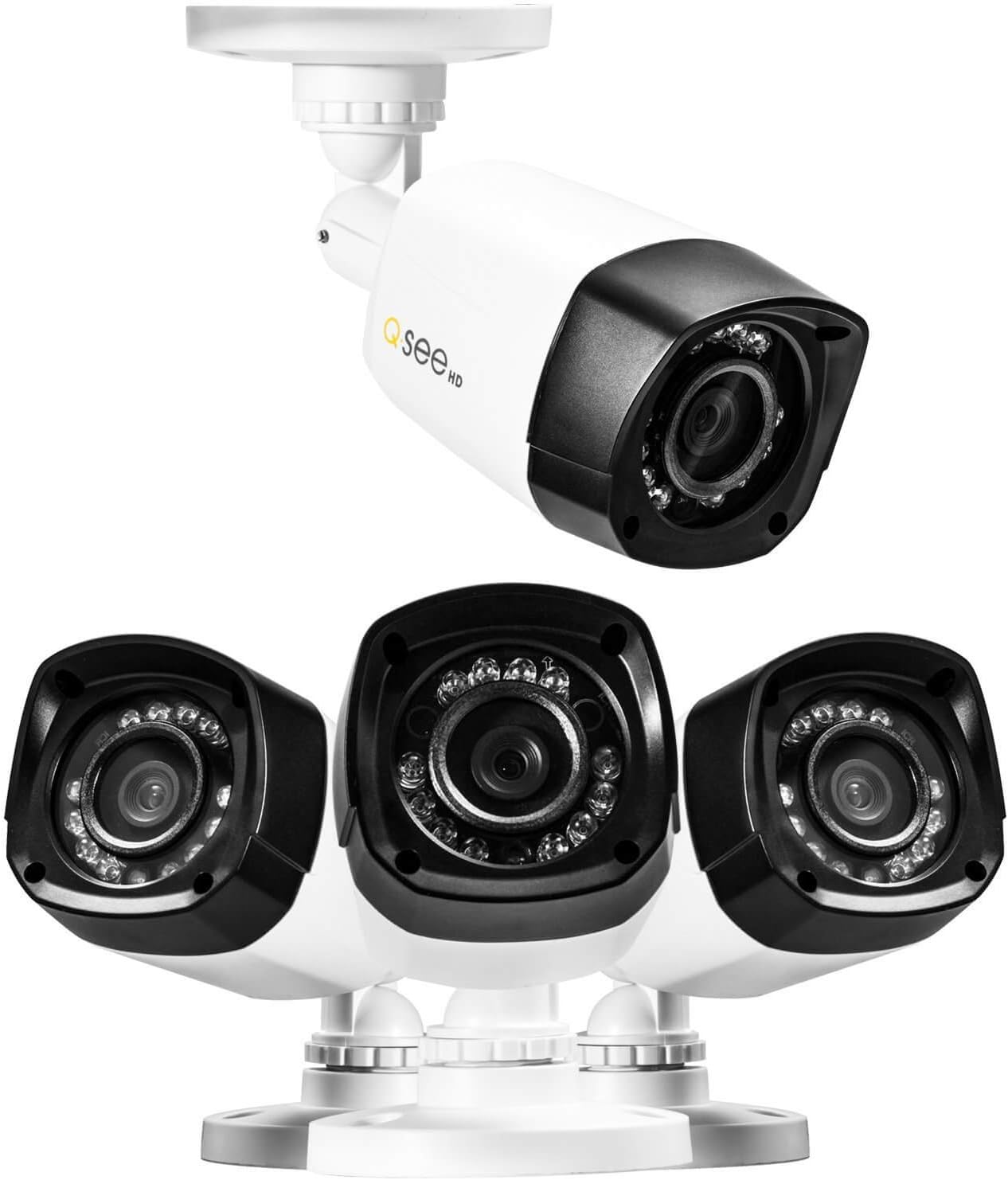
3.2 paveikslėlis: Stambus planas view of the Q-See bullet cameras, showing their design and mounting base.
3.3 Pradinė sistemos konfigūracija
Upon first power-up, the DVR will typically launch a start-up wizard. Follow the on-screen prompts to configure basic settings such as date, time, network settings, and recording preferences. Refer to the Quick Start Guide for detailed steps on using the wizard.
4. Sistemos valdymas
4.1 Įrašymas
- The DVR records 720p resolution video at 30 frames per second (fps) on all four channels.
- Video compression uses H.264 standard to optimize storage space on the pre-installed 1TB hard drive.
- Recording modes (continuous, motion detection, scheduled) can be configured through the DVR's menu system.
4.2 Atkūrimas
- The DVR supports simultaneous local playback of up to four channels.
- Use the USB mouse to navigate the DVR interface for searching and playing back recorded footage.
4.3 Nuotolinis stebėjimas
- Sistema palaiko nuotolinį valdymą viewing of live and recorded video from compatible smartphones, tablets, or computers.
- Utilize the 'Scan N View' feature for simplified network setup and remote access. Refer to the Quick Start Guide or Q-See's online resources for specific application downloads and setup instructions.
4.4 Naktinis matymas
- Each 720p camera is equipped with 12 Infrared LEDs, providing night vision capabilities up to 80 feet in low-light conditions.
- The cameras automatically switch between day and night modes.
5. Priežiūra
5.1 Kietojo disko valdymas
- The DVR comes with a 1TB hard drive pre-installed. The system supports a maximum hard drive capacity of 4TB.
- Reguliariai kurkite svarbių duomenų atsargines kopijastage to external storage devices if needed.
- The DVR can be configured to overwrite older footage automatically when the hard drive is full.
5.2 Kameros valymas
- Reguliariai valykite fotoaparato objektyvus minkšta,amp šluoste, kad užtikrintumėte aiškią vaizdo kokybę. Venkite abrazyvinių valiklių.
- Despite being IP66 weatherproof, ensure that camera mounts and cable connections remain secure and free from debris.
5.3 Firmware atnaujinimai
Check the Q-See official website periodically for any available firmware updates for your DVR. Firmware updates can improve system performance, add new features, or address security vulnerabilities. Follow the manufacturer's instructions carefully when performing updates.
6. Problemų sprendimas
If you encounter issues with your surveillance system, consider the following common troubleshooting steps:
- Nėra galios: Ensure all power adapters are securely connected to the DVR, cameras, and electrical outlets. Verify outlets are functional.
- No Video on Monitor: Check HDMI/VGA cable connections between the DVR and monitor. Ensure the monitor is set to the correct input source.
- Nėra kameros vaizdo: Verify BNC and power connections for the affected camera. Ensure the camera power splitter and adapter are working correctly.
- Nuotolinis Viewkūrimo problemos: Confirm the DVR is connected to the network via Ethernet. Check network settings on the DVR and your router. Ensure the remote viewing application is correctly configured.
- Įrašymo problemos: Check the hard drive status in the DVR's menu. Ensure recording schedules are correctly set.
For more detailed troubleshooting or issues not covered here, refer to the comprehensive user manual available on the Q-See support website or contact Q-See customer support.
7. Specifikacijos
7.1 DVR Specifications (QC904)
- Vaizdo įrašo formatas: NTSC/PAL
- Vaizdo įrašo suspaudimas: H.264
- Recording Resolution & FPS: 720p @ 30fps (per channel), 1080p @ 15fps (per channel)
- Ekrano skiriamoji geba: Iki 1920 x 1080 (1080p)
- Hard Drive Support: 1 x SATA HDD (1TB pre-installed), up to 4TB maximum
- Simultaneous Local Playback: 4 kanalai
- Tinklo sąsaja: RJ-45 10/100Mbps Ethernet, Supports Scan N View
- Aparatinės įrangos sąsaja: Ethernet, USB
- Matmenys (P x P x A): Maždaug 16 x 13 x 11 colio
- Svoris: Maždaug 3.72 svaro
- Maitinimo šaltinis: Laidinis elektrinis (nuolatinė 12 V srovė)
7.2 Camera Specifications (QCA7207B)
- Dizainas: Kulka
- Tipas: Analog HD Camera
- Rezoliucija: 720p (1280 x 720)
- Atsparus oro sąlygoms įvertinimas: IP66 (Indoor & Outdoor)
- Vaizdo jutiklis: 1/2.9" CMOS, 1 Megapixel
- Naktinis matymas: Up to 80ft with 12 Infrared LEDs
- Vaizdo įrašo išvestis: 1.0Vp-p 75 Ω
- Galia: DC 12V
8. Garantija ir palaikymas
8.1 Gaminio garantija
For specific warranty terms and conditions, please refer to the warranty information included with your product packaging or visit the official Q-See website. Warranty coverage typically addresses manufacturing defects and may vary by region.
8.2 Pagalba klientams
If you require technical assistance, have questions about your product, or need to report an issue, please contact Q-See customer support through their official website. Support resources often include FAQs, troubleshooting guides, and contact information for direct assistance.
Visit the Q-See Store for additional products and support: Q-See Store