
UDIRC U46
UDIRC U46 mini drono naudotojo vadovas
Modelis: U46
1. Įvadas
The UDIRC U46 Mini Drone is a compact quadcopter designed for beginners and recreational flying. It features user-friendly controls and safety mechanisms to ensure an enjoyable experience. This manual provides essential information for operating and maintaining your drone.

Image 1.1: The UDIRC U46 Mini Drone, its remote controller, and three included batteries.
2. Saugos gairės
- Amžiaus rekomendacija: Šis produktas rekomenduojamas 14 metų ir vyresniems vartotojams.
- Naudojimas patalpose: The U46 drone is primarily designed for indoor use. Avoid flying in windy conditions outdoors, as this can lead to loss of control.
- Išvalyti plotą: Operate the drone in an open area free from obstacles, people, and pets.
- Propelerio sauga: Keep fingers, hair, and loose clothing away from the spinning propellers. The drone features propeller guards for added safety.
- Baterijos sauga: Do not overcharge batteries. Use only the provided USB charger. Discontinue use if batteries show signs of damage or swelling.
- Vandens ekspozicija: Avoid contact with water or moisture to prevent damage to electronic components.
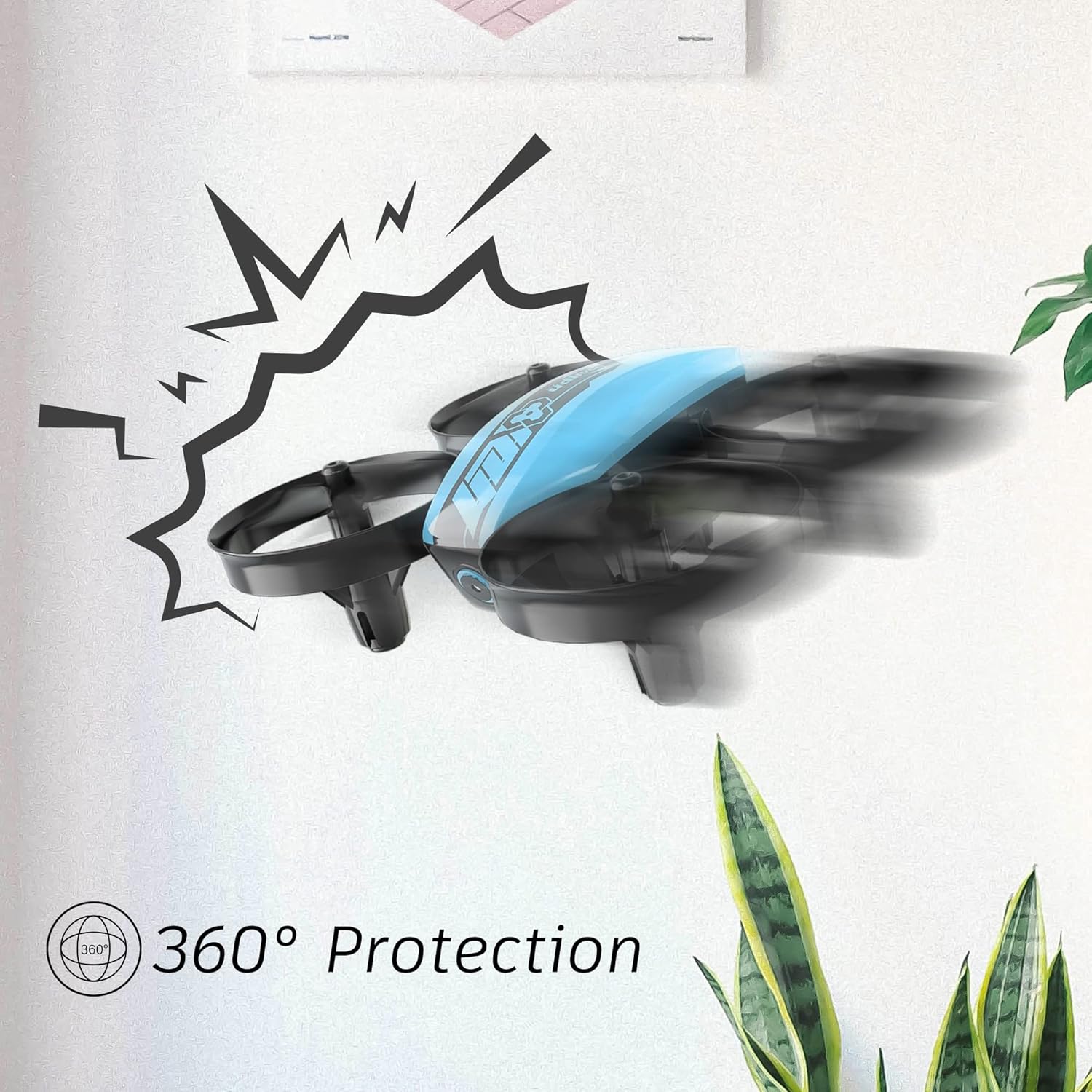
Image 2.1: The drone's 360-degree propeller protection guards help prevent damage during minor collisions.
3. Pakuotės turinys
Patikrinkite, ar pakuotėje yra visi reikalingi daiktai:
- 1 x U46 Mini Drone
- 1 x valdiklis
- 3 x dronų baterijos
- 1x USB pakrovėjas
- 4 x papildomi sraigtai
- 1 x Vartotojo vadovas

Image 3.1: All components included in the UDIRC U46 Mini Drone package.
4. Komponentai baigtiview
Familiarize yourself with the drone and controller components.
4.1 Drono komponentai
- Propeleriai: Four rotating blades for lift and movement.
- Propelerio apsaugos: Integrated protective rings around each propeller.
- Pagrindinis korpusas: Houses the electronics and battery.
- Indikacinės lemputės: Provide status information (e.g., pairing, low battery).
4.2 Valdiklio komponentai
- Kairė valdymo svirtis (droselis/kryptis): Valdo aukštį ir sukimąsi.
- Dešinė valdymo svirtis (pasisukimas/ritimas): Valdo judėjimą pirmyn/atgal ir į kairę/dešinę.
- One Key Take-off/Landing Button: Pradeda automatinį kilimą arba nusileidimą.
- Greičio režimo mygtukas: Toggles between different flight speeds.
- Režimo be galvos mygtukas: Aktyvuoja skrydį be galvos.
- Maitinimo jungiklis: Įjungia / išjungia valdiklį.
- Indikatoriaus lemputė: Shows controller status.
5. Sąranka
5.1 Drono akumuliatoriaus įkrovimas
- Connect the drone battery to the USB charger.
- Plug the USB charger into a USB power source (e.g., computer, USB wall adapter).
- The indicator light on the USB charger will illuminate during charging and turn off when fully charged.
- Charging time is approximately 30 minutes per battery.
5.2 Valdiklio baterijų įdėjimas
- Atidarykite baterijų skyrių valdiklio gale.
- Insert 3 x 1.5V AA batteries (not included), ensuring correct polarity.
- Saugiai uždarykite akumuliatoriaus skyrių.
5.3 Drono ir valdiklio susiejimas
- Padėkite droną ant lygaus, lygaus paviršiaus.
- Įjunkite drono maitinimo jungiklį. Drono indikatoriaus lemputės mirksės.
- Turn on the controller's power switch. The controller's indicator light will flash.
- Paspauskite kairįjį valdymo svirtį (droselį) iki galo aukštyn, tada iki galo žemyn.
- The drone and controller indicator lights will become solid, indicating successful pairing.
Video 5.1: This video demonstrates the simple frequency pairing process, one-key take-off/landing, headless mode, altitude hold, and low battery alarm features of the UDI U46 Mini Drone.
6. Drono valdymas
6.1 Kilimas ir tūpimas vienu raktu
- After pairing, press the One Key Take-off/Landing button. The drone will automatically ascend to a stable hovering altitude.
- To land, press the One Key Take-off/Landing button again. The drone will slowly descend and land.
6.2 Skrydžio valdymo įtaisai
- Kairysis valdymo svirtis (droselis): Paspauskite aukštyn, kad padidintumėte aukštį, patraukite žemyn, kad sumažintumėte.
- Left Joystick (Yaw): Push left or right to rotate the drone horizontally.
- Right Joystick (Pitch): Push up to fly forward, pull down to fly backward.
- Right Joystick (Roll): Push left to fly left, push right to fly right.
6.3 Begalvis režimas
- Press the Headless Mode button to activate. In this mode, the drone's orientation is irrelevant; it will always move relative to the pilot's position.
- Press the button again to exit Headless Mode.
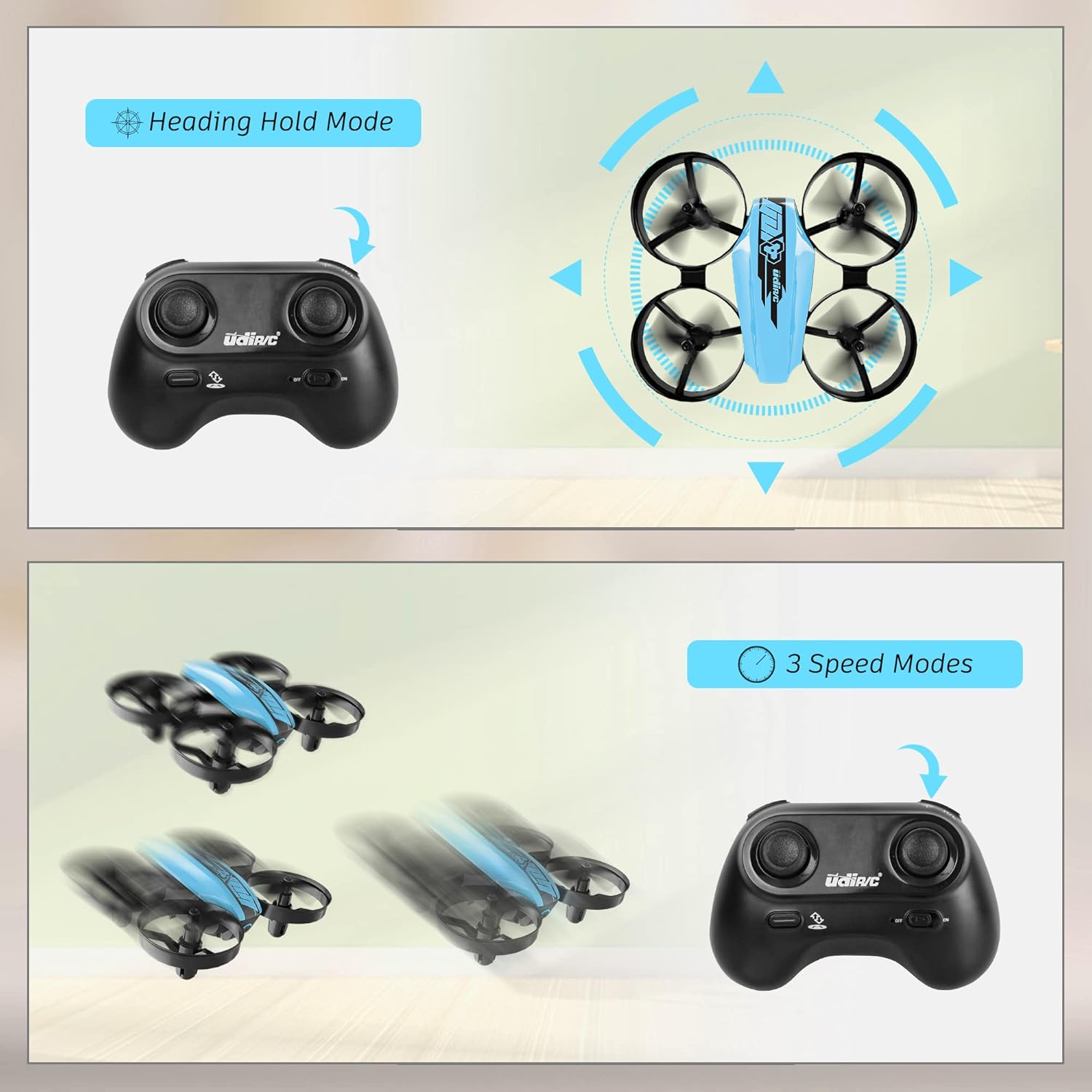
Image 6.1: Illustration of the Headless Mode feature and its activation on the controller.
6.4 Aukščio palaikymo funkcija
- The U46 drone features an altitude hold function, allowing it to maintain a stable height automatically. This simplifies control, especially for beginners.

Image 6.2: Visual representation of Altitude Hold Mode, One Button Take Off/Landing, and Emergency Stop features.
6.5 greičio režimai
- The drone has three speed modes (low, medium, high). Press the Speed Mode button to cycle through them.
- Start with low speed for learning and gradually increase as you gain proficiency.
6.6 Avarinis stabdymas
- In case of an emergency or loss of control, press and hold the One Key Take-off/Landing button for a few seconds to perform an emergency stop. The propellers will immediately cease rotation.
7. Priežiūra
7.1 Propelerio keitimas
- If a propeller is damaged, carefully remove it and replace it with a new one from the spare parts. Ensure the correct propeller (A or B) is installed on the corresponding motor.
7.2 Valymas ir laikymas
- Wipe the drone with a soft, dry cloth after use. Avoid using water or cleaning agents.
- Store the drone and controller in a cool, dry place, away from direct sunlight and extreme temperatures.
- Jei valdiklis bus sandėliuojamas ilgesnį laiką, išimkite iš jo baterijas.
8. Problemų sprendimas
- Dronas nereaguoja: Ensure both drone and controller are powered on and successfully paired. Check controller batteries.
- Drono dreifavimas skrydžio metu: Perform calibration on a flat surface. Use the trim buttons on the controller to adjust for minor drifts.
- Trumpas skrydžio laikas: Ensure batteries are fully charged. Flight time can vary based on flight style and environmental factors.
- Nesisuka sraigtai: Check for obstructions or damage to propellers. Ensure they are correctly installed.
- Senkančios baterijos signalas: The controller will emit an alarm sound when the drone's battery is low, indicating it's time to land and recharge.
9. Specifikacijos
| Prekės ženklas | UDIRC |
| Modelio pavadinimas | U46S |
| Drono svoris | 0.05 svaro (maždaug 22.68 gramai) |
| Drono matmenys | 3.54 colio ilgio x 3.54 colių pločio x 1.25 colio aukščio |
| Skrydžio laikas | 6-7 minutes per battery (up to 21 minutes with 3 batteries) |
| Valdiklio dažnis | 2.4 GHz |
| Valdiklio baterija | 3 x 1.5 V AA baterijos (nepridedamos) |
| Baterijos talpa | 180 milijonųamp Valandos (Li-Po) |
| Įgūdžių lygis | Pradedantysis |
| Ypatingos savybės | Altitude Hold, Headless Mode, One Key Take-off/Landing, 3 Speed Modes, 360° Protection |

Image 9.1: Flight time illustration, showing extended flight with multiple batteries.

Image 9.2: Dimensions of the UDIRC U46 Mini Drone, shown next to a smartphone for size comparison.
10. Garantija ir palaikymas
For warranty information or technical support, please refer to the contact details provided with your purchase or visit the official UDIRC websvetainėje. Išsaugokite pirkimo įrodymą garantiniams reikalavimams.
Ask a question about this manual
Ask about setup, troubleshooting, compatibility, parts, safety, or missing instructions. Manuals+ will review the question and use this page’s manual context to help answer it.