
Svarbios saugos instrukcijos
Read all instructions before using this humidifier. Failure to follow these instructions may result in electric shock, fire, or serious injury.
- Drėkintuvą visada padėkite ant tvirto, lygaus, lygaus paviršiaus.
- Laikykite maitinimo laidą toliau nuo įkaitusių paviršių.
- Nenaudokite drėkintuvo, jei pažeistas laidas arba kištukas.
- Prieš pildydami, valydami ar perkeldami drėkintuvą, atjunkite jį nuo elektros tinklo.
- Neužblokuokite oro angų.
- Nenaudoti lauke.
Produktas baigtasview
The Honeywell Top Fill Tower Humidifier (HEV620W) is designed to provide cool, invisible moisture to maintain optimal humidity levels in your home. It features a digital humidistat, multiple speed settings, and a convenient top-fill design.

Image: Honeywell Top Fill Tower Humidifier, Model HEV620W, in white.
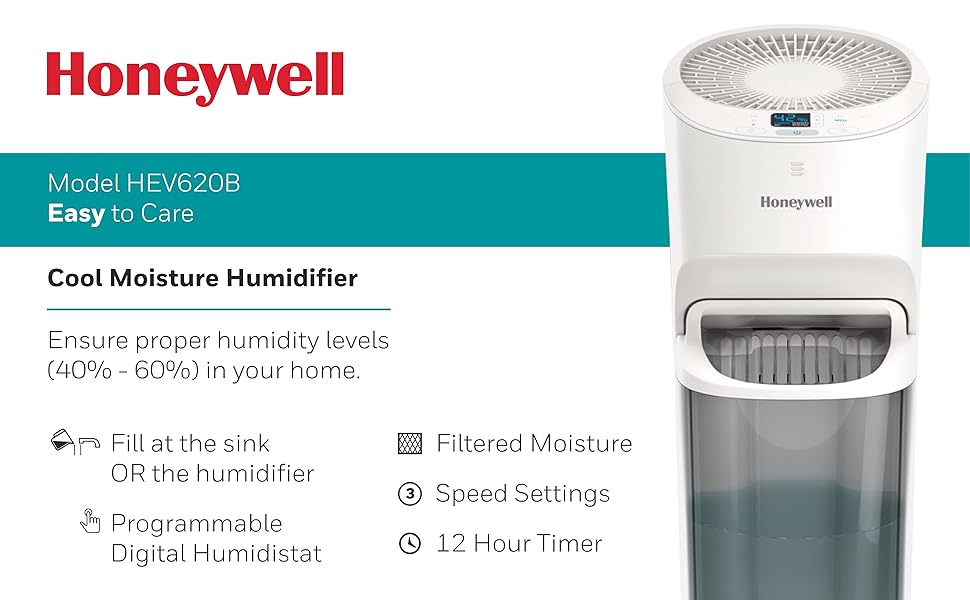
Vaizdas: Viršview of the Honeywell Humidifier's key features including cool invisible moisture, digital humidistat, and 3 speed settings.
Sąranka
- Išpakuokite drėkintuvą: Atsargiai nuimkite visas pakavimo medžiagas.
- Position the Humidifier: Place the unit on a firm, level, water-resistant surface at least 12 inches away from walls and furniture. Ensure the mist outlet is not directed at walls or furniture.
- Užpildykite vandens baką:
- Nuimkite viršutinį dangtelį.
- Pour clean, cool tap water directly into the water tank opening. Do not overfill.
- Saugiai uždėkite viršutinį dangtelį.

Image: Diagram illustrating two methods for filling the humidifier: directly into the unit or by removing the tank and filling at a sink.

Image: Demonstrates pouring water directly into the top of the humidifier for easy refilling.
Naudojimo instrukcijos
- Maitinimo įjungimas/išjungimas: Paspauskite maitinimo mygtuką (⑁), norėdami įjungti arba išjungti įrenginį.
- Sureguliuokite ventiliatoriaus greitį: Paspauskite ventiliatoriaus greičio mygtuką (☠) to cycle through low, medium, and high settings.
- Nustatykite norimą drėgmę: Use the humidity control buttons (▲ / ▼) to set your desired humidity level. The unit will automatically turn off when the set level is reached and restart when humidity drops.
- Nustatyti laikmatį: Paspauskite laikmačio mygtuką (⏱) to set the operating time (e.g., 2, 4, 8, 12 hours). The unit will automatically shut off after the selected time.

Vaizdas: Išsamus view of the digital control panel, showing humidity display and control buttons.
Priežiūra
Regular maintenance is crucial for optimal performance and longevity of your humidifier.
Kasdienė priežiūra
- Pripildykite vandens bakelį šviežiu, vėsiu vandeniu.
Savaitinė priežiūra
- Clean the Water Tank and Base:
- Atjunkite drėkintuvą.
- Išimkite vandens bakelį ir ištuštinkite likusį vandenį.
- Clean the tank and base with a mild detergent and rinse thoroughly.
- For mineral buildup, use a descaling solution or white vinegar.
- Patikrinkite ir pakeiskite filtrą:
- The "Check Filter" light will illuminate when it's time to inspect the filter.
- Slide out the filter tray from the back of the unit.
- Inspect the wicking filter for discoloration or hardening. Replace if necessary.

Image: Shows how to access and remove the wicking filter from the rear of the humidifier for inspection or replacement.

Image: A close-up of the Honeywell T-Filter, indicating it is a replacement part.
Trikčių šalinimas
| Problema | Galima priežastis | Sprendimas |
|---|---|---|
| Drėkintuvas neįsijungia. | No power, unit not plugged in, water tank empty. | Ensure unit is plugged into a working outlet. Check if the water tank is filled. |
| Nėra rūko arba rūko kiekis mažas. | Dry or clogged filter, low water level, incorrect humidity setting. | Check water level and refill. Inspect and replace the wicking filter if necessary. Adjust desired humidity setting higher. |
| "Refill" light is on. | Vandens bakas tuščias arba jame mažai vandens. | Pripildykite vandens baką. |
| "Check Filter" light is on. | Filter needs inspection or replacement. | Inspect the wicking filter and replace if it shows signs of wear or mineral buildup. |
| Įrenginys triukšmingas. | Įrenginys nestatytas ant lygaus paviršiaus, ventiliatoriaus greitis per didelis. | Ensure the humidifier is on a stable, level surface. Try a lower fan speed setting. |
Specifikacijos
| Funkcija | Detalė |
|---|---|
| Prekės ženklas | Honeywell |
| Modelio numeris | HEV620W |
| Veikimo režimas | Garavimo |
| Talpa | 1.5 galonai |
| Vykdymo laikas | Iki 24 valandų |
| Grindų ploto aprėptis | 700 kvadratinių pėdų |
| Ypatingos savybės | Humidistat, Timer |
| Kontrolės metodas | Palieskite |
| Filtro tipas | Wick |
| Matmenys (G x P x A) | 8.66 "D x 9.84" P x 24.72" A |
| Prekės svoris | 12.5 svaro |
| Maitinimo šaltinis | Su laidu elektra |
| ttage | 120 V |

Image: Diagram illustrating the physical dimensions of the humidifier.
Garantija ir palaikymas
For warranty information or technical support, please refer to the warranty card included with your product or contact Honeywell customer service. Honeywell products are manufactured by Kaz, a Helen of Troy company.
You can often find customer service contact details on the product packaging or the official Honeywell websvetainę.