
1. Įvadas
This manual provides essential instructions for the proper setup, operation, and maintenance of your Black Box EVNDVI01-0010 DVI-A to VGA HD15 Cable. Please read this manual thoroughly before using the product to ensure optimal performance and longevity.
2. Produktas baigtasview
The Black Box EVNDVI01-0010 is a DVI-A to VGA HD15 cable designed to connect a digital DVI-A output from a source device to an analog VGA input on a display device. This cable facilitates the transmission of analog video signals, allowing compatibility between DVI-A enabled devices and traditional VGA monitors or projectors.
Pagrindinės funkcijos:
- Connects digital DVI-A display outputs to analog VGA device inputs.
- Supports resolutions up to 1600 x 1200.
- Features a 17-pin single link configuration for DVI-A.
- Male-to-Male connector gender.
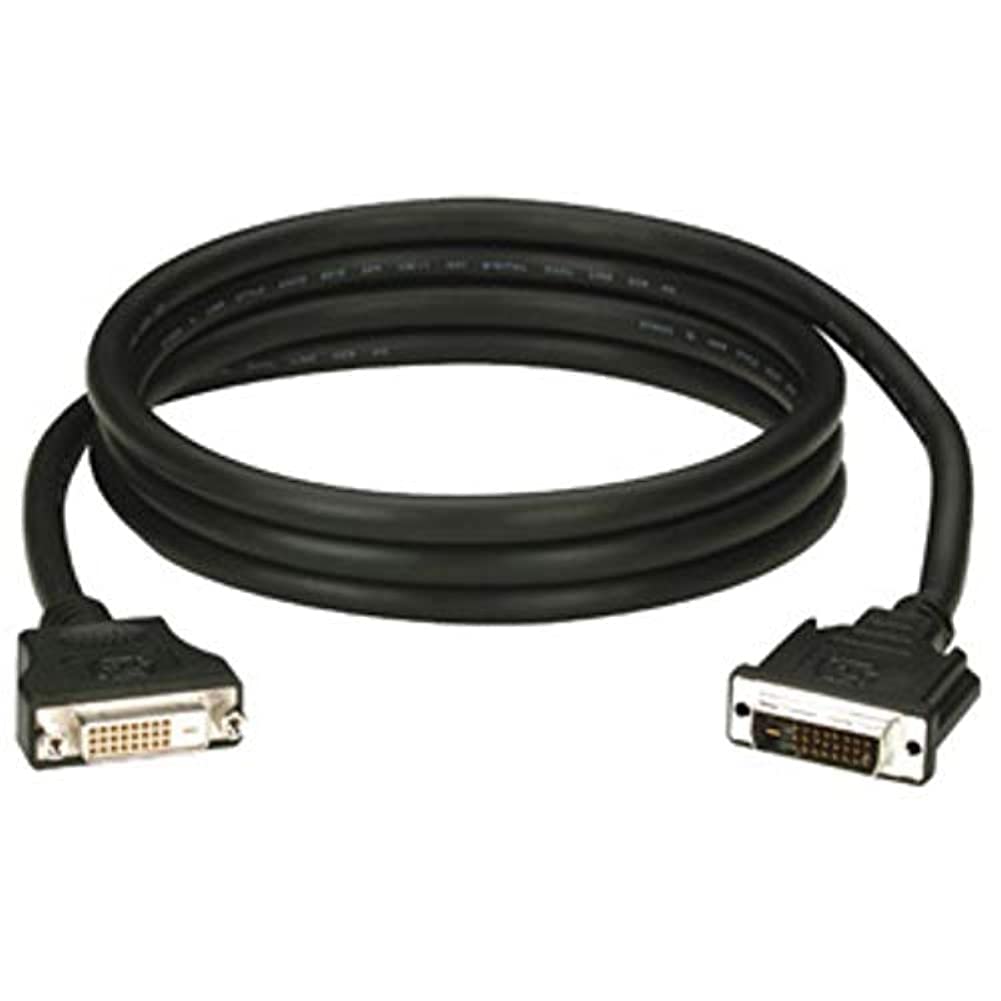
Figure 1: Black Box DVI-A to VGA HD15 Cable. This image displays the cable with its DVI-A (white) and VGA (blue) connectors, illustrating its male-to-male configuration.
3. Sąranka
Follow these steps to properly connect your DVI-A to VGA cable:
- Nustatyti uostus: Locate the DVI-A output port on your source device (e.g., computer graphics card) and the VGA input port on your display device (e.g., monitor, projector). The VGA port is typically blue.
- Connect DVI-A: Carefully insert the DVI-A connector of the cable into the DVI-A output port of your source device. Ensure the pins align correctly and gently push until it is fully seated.
- Prijunkite VGA: Insert the VGA HD15 connector of the cable into the VGA input port of your display device. Tighten the thumbscrews on the VGA connector to secure the connection and prevent accidental disconnections.
- Įjungiami įrenginiai: Power on both your source device and your display device.
- Pasirinkite įvestį: On your display device, select the correct input source (e.g., 'VGA', 'PC', 'Input 1') using the display's menu or input selection button.
A proper connection should result in the display device showing the video output from the source device.
4. Operacinis
Once the Black Box EVNDVI01-0010 cable is correctly connected, its operation is passive. The cable transmits the analog video signal directly from the source to the display. No additional software or drivers are required for the cable itself.
- Rezoliucijos nustatymai: Ensure your source device's display settings are configured to a resolution supported by both the source and the display device, up to 1600 x 1200.
- Ekrano režimai: If using a computer, you may need to configure your display mode (e.g., duplicate, extend, second screen only) through your operating system's display settings.
5. Priežiūra
To ensure the longevity and reliable performance of your Black Box DVI-A to VGA cable, follow these maintenance guidelines:
- Elkitės atsargiai: Venkite staigiai sulenkti laidą ir nenaudoti per didelės jėgos jungtims.
- Laikyti švarų: Periodiškai nuvalykite laidą ir jungtis minkštu, sausu skudurėliu, kad pašalintumėte dulkes ir šiukšles. Nenaudokite skystų valiklių tiesiai ant jungčių.
- Tinkamai laikykite: When not in use, coil the cable loosely and store it in a clean, dry environment away from extreme temperatures.
- Patikrinkite, ar nėra pažeidimų: Reguliariai tikrinkite laidą ir jungtis, ar nėra susidėvėjimo, nutrynimo ar pažeidimų požymių. Jei pastebėsite pažeidimų, nutraukite naudojimą.
6. Problemų sprendimas
If you encounter issues with your DVI-A to VGA cable, consider the following troubleshooting steps:
- Ekrane nėra signalo:
- Įsitikinkite, kad abu kabelio galai yra tvirtai prijungti.
- Verify that both the source and display devices are powered on.
- Confirm the correct input source is selected on your display device.
- Test with another cable if available to rule out a faulty cable.
- Prasta vaizdo kokybė (mirgantis, iškraipytas vaizdas):
- Check for loose connections at both ends of the cable. Tighten VGA thumbscrews.
- Adjust the display resolution on your source device to a lower setting to see if the issue resolves.
- Ensure there are no strong electromagnetic interference sources near the cable.
- Patikrinkite kabelį, ar nėra fizinių pažeidimų.
- Neteisingos spalvos:
- Verify the cable is fully seated and not bent or damaged.
- Check the color settings on your display device and source device.
7. Specifikacijos
| Prekės ženklas | Juodoji dėžė |
| Modelio numeris | EVNDVI01-0010 |
| Jungties tipas | DVI-A Male, VGA HD15 Male |
| Kabelio tipas | DVI-A to VGA |
| Palaikoma rezoliucija | Iki 1600 x 1200 |
| Jungties lytis | Vyras – Vyras |
| Spalva | Juoda, Mėlyna |
| Prekės svoris | 0.35 kilogramo (12.3 uncijos) |
| Naudojimas viduje / lauke | Viduje, Lauke |
| UPC | 822088058960 |
8. Garantija ir palaikymas
For specific warranty information regarding your Black Box EVNDVI01-0010 DVI-A to VGA HD15 Cable, please refer to the official Black Box websvetainėje arba susisiekite tiesiogiai su jų klientų aptarnavimo tarnyba. Garantijos sąlygos gali skirtis.
If you require technical assistance or have questions not covered in this manual, please contact Black Box customer support through their official channels.